
Introducció
Welcome to the world of portable gaming with your Nintendo Game Boy Color. This manual will guide you through the essential steps to set up, operate, and maintain your system, ensuring an enjoyable gaming experience.
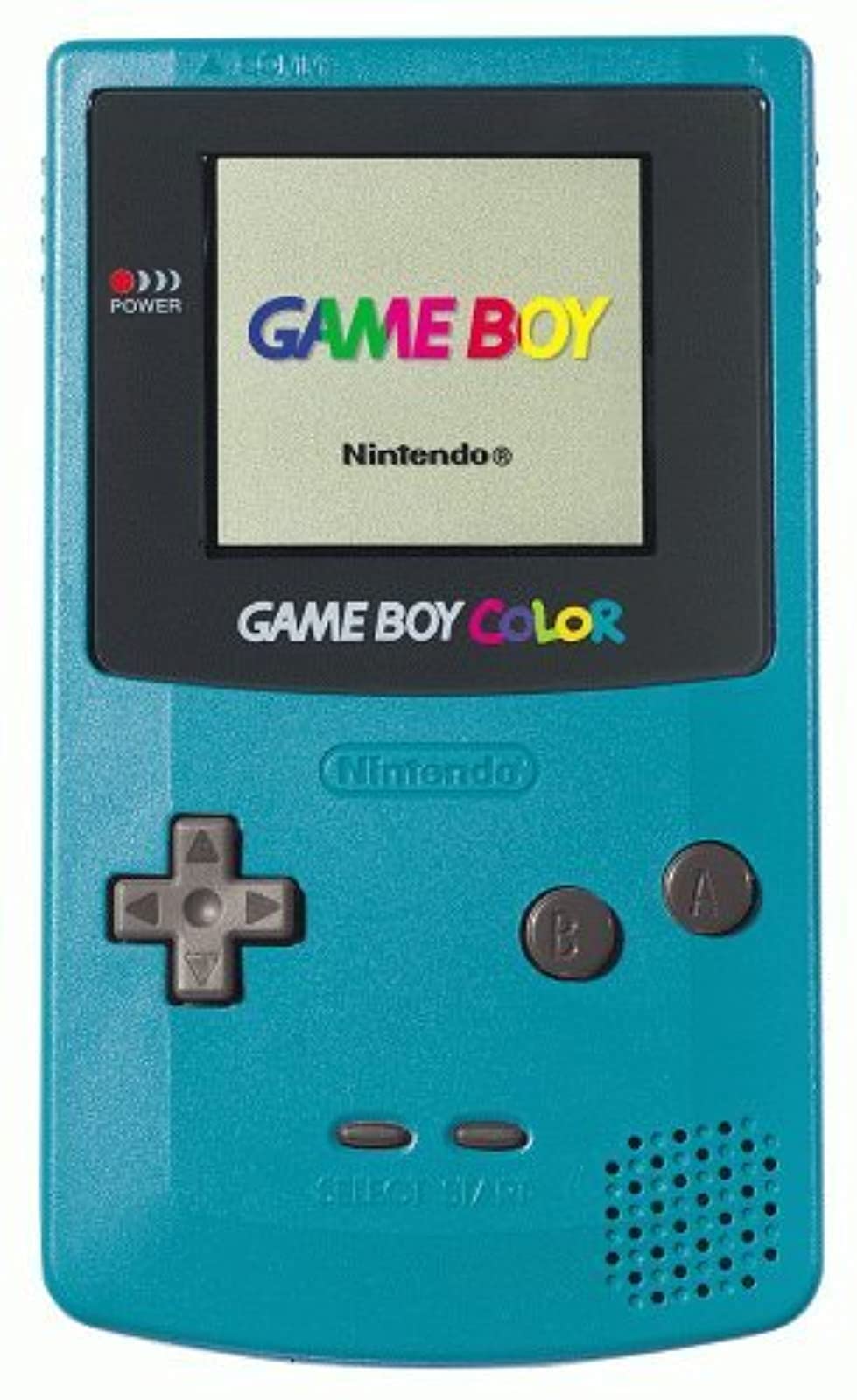
Imatge: Frontal view of the Teal Game Boy Color console, displaying the "GAME BOY" and "Nintendo" logos on its screen, with the D-pad, A/B buttons, Start/Select buttons, and speaker visible.
Configuració
1. Instal·lació de la bateria
The Game Boy Color requires two (2) AA batteries for operation. Follow these steps to install them:
- Locate the battery compartment cover on the back of the Game Boy Color unit.
- Feu lliscar la coberta cap avall per treure-la.
- Introduïu dues piles AA, assegurant-vos que els terminals positiu (+) i negatiu (-) s'alineïn correctament amb els indicadors de l'interior del compartiment.
- Torneu a col·locar la tapa del compartiment de la bateria lliscant-la cap amunt fins que encaixi al seu lloc.

Imatge: Enrere view of the Teal Game Boy Color console with the battery cover open, revealing two AA batteries correctly inserted. The model number CGB-001 is visible on the label.
2. Inserting a Game Cartridge
To play a game, insert a Game Boy or Game Boy Color cartridge into the slot at the top of the unit. Push it firmly until it clicks into place.
3. Encès
Locate the power switch on the top left side of the unit. Slide it to the "ON" position. The power indicator light (red LED) will illuminate, and the Nintendo logo will appear on the screen.
Operating Your Game Boy Color
Controls bàsics
- Coixinet direccional (D-Pad): Located on the left side, used for movement and menu navigation.
- Un botó: Typically used for confirming selections or performing primary actions in games.
- Botó B: Typically used for canceling selections or performing secondary actions in games.
- Botó INICI: Used to pause games or confirm selections.
- Botó SELECCIÓ: Used for various in-game functions or menu navigation.
- Marcador de volum: Located on the right side of the unit, rotate to adjust sound output.
- Auriculars Jack: Located at the bottom, for private listening with 3.5mm headphones.
Jugant a Jocs
Once powered on with a game cartridge inserted, the game will automatically load. Follow the on-screen instructions and use the controls as described above to play.
Apagant
To turn off the system, slide the power switch to the "OFF" position. Always power off the system before removing a game cartridge.
Manteniment
Neteja de la consola
Use a soft, dry cloth to wipe the exterior of the Game Boy Color. Do not use liquid cleaners or solvents, as they may damage the unit. For the screen, use a soft, lint-free cloth. Avoid scratching the screen surface.
Cura de la bateria
- Traieu les piles si no heu d'utilitzar la unitat durant un període prolongat per evitar fuites.
- No barregeu piles velles i noves, o diferents tipus de piles.
- Eliminar les bateries usades de manera responsable d'acord amb la normativa local.
Emmagatzematge
Store your Game Boy Color in a cool, dry place away from direct sunlight and extreme temperatures. Keep it free from dust and moisture.
Resolució de problemes
| Problema | Causa possible | Solució |
|---|---|---|
| El sistema no s'encén. |
|
|
| Game does not load or displays garbled graphics. |
|
|
| Sense so o so baix. |
|
|
| Screen is dark or difficult to see. |
|
|
Especificacions
- Número de model: CGB-001
- Dimensions: 5.1 x 3 x 1.1 polzades (aproximadament)
- Pes: 7.4 unces (sense piles)
- Font d'alimentació: 2 x piles AA
- Visualització: Reflective STN LCD, 160x144 pixels, 56 simultaneous colors from a palette of 32,768
- CPU: processador de 8 bits
- So: 4-channel stereo sound (via headphones), mono speaker
- Ranura per a cartutxos: Compatible with Game Boy and Game Boy Color cartridges
- Data de llançament: 18 de novembre de 1998
Garantia i Suport
Specific warranty information for this product is not provided in this manual. For details regarding warranty coverage, repairs, or additional support, please refer to the original product packaging or contact Nintendo customer support directly.
You can visit the official Nintendo store for more information: Nintendo Store.