
1. Producte acabatview
The Lindy 31376 is a high-quality, straight-through RS-232 serial cable designed for reliable data communication between a PC and various serial peripherals such as fax machines, modems, or other serial devices. This cable features a 25-pin D-sub male connector on one end and a 25-pin D-sub female connector on the other, ensuring compatibility with standard DB25 serial ports. All pins are connected for full functionality.
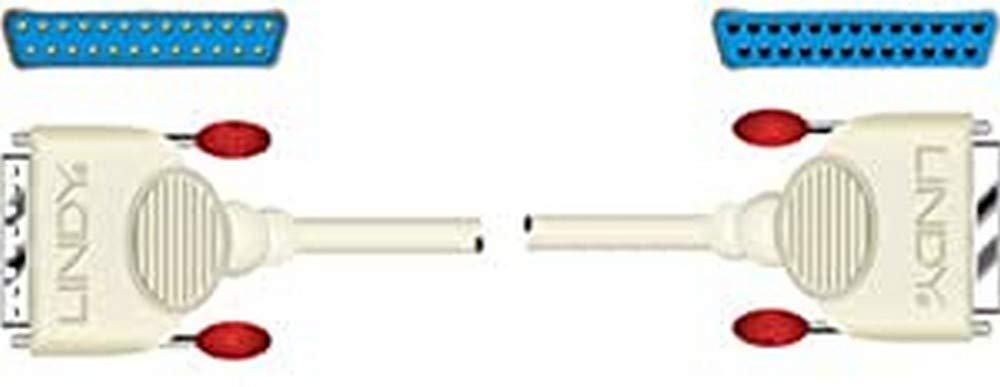
An image showing the Lindy 31376 RS-232 Serial Cable, featuring a 25-pin D-sub male connector on one end and a 25-pin D-sub female connector on the other. This cable is used for serial data transmission.
2. Característiques
- Tipus de connector: 25-pin D-sub Male to 25-pin D-sub Female (DB25M to DB25F)
- Tipus de connexió: Straight Through, with all pins connected for comprehensive data transfer.
- Longitud del cable: 3 metres (aproximadament 9.8 peus)
- Construcció: Fully molded connectors for enhanced durability and strain relief.
- Compatibilitat: Suitable for connecting PCs to fax/modems and other RS-232 serial devices.
3. Instruccions de configuració
- Apagueu els dispositius: Ensure both your computer and the peripheral device (e.g., fax/modem) are powered off before making any connections. This prevents potential damage to the devices or the cable.
- Identifica els ports: Locate the 25-pin D-sub serial port on your computer. This is typically a male connector. On your peripheral device, locate the corresponding 25-pin D-sub female serial port.
- Connectar el cable: Plug the male end of the Lindy 31376 cable into the female port of your peripheral device. Plug the female end of the cable into the male port of your computer.
- Connexions segures: Tighten the thumbscrews on both connectors to ensure a secure and stable connection. A loose connection can lead to intermittent communication issues.
- Dispositius d'encesa: Once the cable is securely connected, power on your peripheral device first, then your computer.
4. Instruccions de funcionament
The Lindy 31376 RS-232 serial cable facilitates direct data communication between two devices. Once physically connected, the operation primarily depends on the software and drivers installed on your computer and the configuration of your peripheral device.
- Configuració del programari: Refer to the instruction manual of your computer's operating system or the specific application you are using (e.g., terminal emulator, fax software) to configure the serial port settings (e.g., COM port number, baud rate, data bits, parity, stop bits, flow control). These settings must match those of your peripheral device.
- Controladors de dispositius: Ensure that any necessary drivers for your peripheral device are correctly installed on your computer. The cable itself is a passive component and does not require specific drivers.
- Testing Communication: After configuring the software, initiate a test communication session as per your application's instructions to verify the connection.
5. Solució De Problemes
If you encounter issues with your serial connection, consider the following troubleshooting steps:
- Comproveu les connexions: Verify that both ends of the cable are securely fastened to the correct serial ports on your computer and peripheral device. Ensure thumbscrews are tightened.
- Estat de l'alimentació: Confirm that both the computer and the peripheral device are powered on and functioning correctly.
- Configuració del programari: Double-check that the serial port settings (baud rate, data bits, parity, stop bits, flow control) in your software application exactly match those required by your peripheral device. Incorrect settings are a common cause of communication failure.
- Correct Cable Type: This cable is a directe serial cable. Ensure that your application or device specifically requires a straight-through connection, not a null modem cable. Using the wrong type of cable will prevent communication.
- Prova amb un altre dispositiu/cable: If possible, test the cable with another known-working serial device or test your device with another known-working serial cable to isolate the problem.
- Gestor de dispositius (Windows): In Windows, check Device Manager to ensure your serial port is recognized and has no error indicators.
6. Especificacions
| Marca | Lindy |
| Número de model | 31376 |
| Tipus de producte | Cable sèrie RS-232 |
| Connector A | 25-pin D-sub Male (DB25M) |
| Connector B | 25-pin D-sub Female (DB25F) |
| Tipus de connexió | Straight Through, All Pins Connected |
| Longitud del cable | 3 metres (aproximadament 9.8 peus) |
| Construcció | Fully Molded |
| Dispositius compatibles | PC, Fax/Modem, other RS-232 serial devices |
7. Garantia i Suport
The Lindy 31376 RS-232 Serial Cable is backed by a 10 any de garantia, demonstrating Lindy's commitment to quality and reliability. This warranty covers defects in materials and workmanship under normal use.
For technical support, warranty claims, or further assistance, please contact Lindy customer service through their official website or your local distributor. Please have your product model number (31376) and purchase information ready when contacting support.