
1. Introducció
Welcome to the Panzer Elite (Special Edition) instruction manual. This document provides essential information for installing, operating, and maintaining your PC game. Panzer Elite (Special Edition) is a historical tank simulation video game developed by Encore Software, offering an immersive experience in tank warfare. Please read this manual thoroughly to ensure a smooth and enjoyable gaming experience.
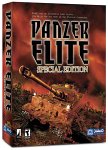
Image 1.1: Front cover of the Panzer Elite (Special Edition) game box. This image displays the front cover of the Panzer Elite (Special Edition) game box, featuring a tank in a combat setting with the game title prominently displayed.
2. Requisits del sistema
To ensure optimal performance and compatibility, your computer system must meet the following minimum specifications:
- Sistema operatiu: Windows XP, Windows 2000, Windows Me, or Windows 98.
- Processador: Pentium II 300 MHz or equivalent (Pentium III 500 MHz or higher recommended).
- RAM: 64 MB (128 MB recommended).
- Espai al disc dur: Approximately 500 MB of free space.
- Targeta gràfica: 8 MB DirectX compatible video card (16 MB or higher recommended).
- Targeta de so: DirectX compatible sound card.
- Unitat de CD-ROM: 4x speed or faster.
- DirectX: DirectX 7.0a or higher (included on game disc).
Note: Performance may vary on systems that only meet minimum requirements. Ensure all drivers for your hardware are up to date.
3. Configuració i instal·lació
- Inseriu el disc del joc: Insert the Panzer Elite (Special Edition) game disc into your CD-ROM drive. The installation program should start automatically. If it does not, navigate to "My Computer," right-click on your CD-ROM drive icon, and select "Open." Then, locate and double-click the "Setup.exe" or "Install.exe" file.
- Segueix les instruccions que apareixen a la pantalla: The installation wizard will guide you through the process. Click "Next" to proceed through the initial screens.
- Acord de llicència: Read the End User License Agreement (EULA). You must accept the terms to continue the installation.
- Choose Installation Directory: You can choose the default installation directory or specify a different location on your hard drive. It is generally recommended to use the default path.
- Select Components: Select the components you wish to install. Typically, a full installation is recommended for the best experience.
- Progrés de la instal·lació: El joc files will now be copied to your computer. This process may take several minutes.
- DirectX Installation: The installer may prompt you to install or update DirectX. It is crucial to install the recommended version of DirectX for the game to function correctly.
- Instal·lació completa: Un cop tot files are copied and DirectX is installed, click "Finish" to exit the installer. You may be prompted to restart your computer. It is advisable to do so.
After installation, a shortcut to Panzer Elite (Special Edition) will typically be placed on your desktop and in the Start Menu.
4. Funcionament del joc
4.1. Launching the Game
To start Panzer Elite (Special Edition), double-click the game shortcut on your desktop or select it from the Start Menu. Ensure the game disc is in your CD-ROM drive, as it may be required for verification.
4.2. Navegació del menú principal
Upon launching, you will be presented with the main menu. Options typically include:
- New Game: Start a new campaign or single mission.
- Load Game: Continue a previously saved game.
- Opcions: Adjust game settings such as graphics, sound, and controls.
- Multijugador: Engage in multiplayer battles (if supported and configured).
- Sortida: Surt del joc.
4.3. Controls bàsics
Panzer Elite (Special Edition) features customizable controls. The default controls are typically:
- Moviment: W, A, S, D keys for forward, left, backward, and right movement.
- Turret Control: Mouse movement to aim the turret.
- Fire Main Gun: Botó esquerre del ratolí.
- Fire Coaxial Machine Gun: Botó dret del ratolí.
- Zoom/Optics: Z key or mouse wheel.
- Mapa: M key.
- Menú de pausa: Tecla ESC.
Refer to the in-game options menu for a complete list of controls and customization options.
4.4. Gameplay Mechanics
Panzer Elite (Special Edition) emphasizes realistic tank combat. Key aspects include:
- Funcionament del tanc: Control various tank models, each with unique characteristics in terms of armor, firepower, and speed.
- Crew Management: Manage your tank crew, whose skills and experience can impact performance. Pay attention to their health and morale.
- Mission Objectives: Complete diverse objectives, ranging from reconnaissance and defense to assault and escort missions.
- Tactical Engagement: Utilize terrain, cover, and flanking maneuvers to gain an advantage over enemy forces. Understand armor penetration and weak points of enemy tanks.
- Damage Model: The game features a detailed damage model, where hits to different parts of the tank can disable specific systems or crew members.
5. Manteniment
To ensure the longevity and optimal performance of your game, consider the following maintenance tips:
- Mantenir els controladors actualitzats: Regularly update your graphics card and sound card drivers to the latest versions provided by their respective manufacturers.
- Espai en disc: Ensure you have sufficient free hard drive space. A cluttered hard drive can impact game performance.
- Desa el progrés de la partida: Save your game frequently, especially before and after critical mission points, to avoid losing progress.
- Optimització del sistema: Close unnecessary background applications while playing to free up system resources.
- Physical Disc Care: Keep your game disc clean and free from scratches to prevent reading errors. Store it in its original case when not in use.
6. Solució De Problemes
If you encounter issues while playing Panzer Elite (Special Edition), refer to the following common solutions:
- Game Does Not Launch:
- Ensure the game disc is in the drive.
- Verify your system meets the minimum requirements.
- Try running the game in compatibility mode for Windows 98 or Windows 2000 (right-click the game executable, select Properties, then the Compatibility tab).
- Reinstall DirectX from the game disc or a reliable source.
- Crashes During Gameplay:
- Update your graphics and sound drivers.
- Reduce in-game graphics settings.
- Ensure your system is not overheating.
- Close all other applications running in the background.
- Poor Performance/Low Frame Rate:
- Lower the screen resolution and graphics detail settings in the game's options menu.
- Defragment your hard drive.
- Ensure your system meets recommended specifications.
- Problemes de so:
- Check your sound card drivers.
- Verify in-game sound settings and Windows volume mixer.
- Ensure your sound card is DirectX compatible.
For persistent issues, consult online forums or the manufacturer's support resources if available.
7. Especificacions del producte
| Nom del producte | Panzer Elite (Special Edition) |
| Marca | Encore |
| Fabricant | Encore Software |
| Plataforma | PC |
| Sistemes operatius compatibles | Windows XP, Windows 98, Windows 2000, Windows Me |
| Data de llançament | 3 de juny de 2003 |
| Pes de l'article | 8.8 unces (249.48 grams) |
| ASIN | B00009YUKM |
| UPC | 705381280040 |
8. Garantia i Suport
For specific warranty information regarding Panzer Elite (Special Edition), please refer to the documentation included with your product packaging or visit the official website of Encore Software.
Technical support for older software titles may be limited. For assistance with installation or critical game issues, it is recommended to consult the support section of the Encore Software website or relevant online communities and forums dedicated to classic PC games.
Disclaimer: Product specifications and support availability are subject to change by the manufacturer.