
EIZO L767-R
NANAO FlexScan L767-R User Manual
Model: L767-R | Brand: EIZO
1. Introducció
Gràcies per la compraasing the NANAO FlexScan L767-R 19-inch Color LCD Display. This manual provides essential information for setting up, operating, and maintaining your monitor. Please read this manual thoroughly before use to ensure proper and safe operation.
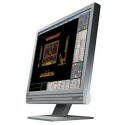
Figure 1: NANAO FlexScan L767-R LCD Monitor. This image shows the monitor from a slight angle, highlighting its slim bezel and adjustable stand.
2. Característiques
The FlexScan L767-R is designed for optimal visual performance and user convenience. Key features include:
- Pantalla de color vibrant: Supports approximately 16.77 million full colors for impressive color vibrancy.
- FineContrast Function: Easily adjust brightness and gamma settings to match content (text, images) for optimal viewing.
- Dual Input Support: Equipped with both analog and digital input terminals for versatile connectivity.
- Àudio integrat: Features built-in speakers for audio output.
- Suport ergonòmic: The stand allows for a 50mm vertical height adjustment, enhancing user comfort.
- Non-Glare Surface: The screen surface is non-glare, reducing reflections and eye strain.
3. Configuració
Follow these steps to set up your FlexScan L767-R monitor:
- Desempaquetar el monitor: Traieu amb cura el monitor i tots els accessoris de l'embalatge.
- Posicioneu el monitor: Place the monitor on a stable, flat surface. Ensure adequate ventilation around the monitor.
- Connecteu el cable de vídeo:
- Per Connexió analògica: Connect the D-Sub (VGA) cable from your computer's video output to the analog input port on the monitor.
- Per Connexió digital: Connect the DVI cable from your computer's video output to the digital input port on the monitor.
- Connect Audio Cable (Optional): If you wish to use the built-in speakers, connect an audio cable from your computer's audio output to the audio input port on the monitor.
- Connecteu el cable d'alimentació: Plug the power cable into the monitor's power input, then plug the other end into a grounded electrical outlet.
- Encès: Press the power button on the monitor. Power on your computer. The monitor should display your computer's screen.
4. Funcionament
This section describes the basic operation of your FlexScan L767-R monitor.
4.1. FineContrast Function
The FineContrast function allows you to quickly switch between different display modes optimized for various content types. Use the dedicated buttons on the monitor's front panel to cycle through modes such as Text, Picture, Movie, and Custom. Each mode adjusts brightness, gamma, and color temperature for the best viewexperiència.
4.2. Stand Adjustment
The monitor stand offers vertical height adjustment. Gently push or pull the monitor panel up or down to adjust its height within the 50mm range. Ensure the monitor is stable after adjustment.
4.3. Menú de visualització en pantalla (OSD).
Access the OSD menu using the control buttons on the front panel to fine-tune settings such as brightness, contrast, color balance, input selection, and more. Refer to the detailed OSD menu guide in the full manual for comprehensive options.
5. Manteniment
Proper maintenance ensures the longevity and performance of your monitor.
- Neteja de la pantalla: Utilitzeu un drap suau i sense pelusa lleugerament dampened with water or a non-abrasive, monitor-specific cleaning solution. Do not spray liquid directly onto the screen.
- Neteja de la Casing: Netegeu el monitor casing with a soft, dry cloth. Avoid using strong detergents or solvents.
- Ventilació: Assegureu-vos que les obertures de ventilació del monitor no estiguin bloquejades per evitar el sobreescalfament.
- Apagar: Apagueu sempre el monitor i desendolleu-lo de la presa de corrent abans de netejar-lo o si no l'utilitzareu durant un període prolongat.
6. Solució De Problemes
Si teniu problemes amb el monitor, consulteu els problemes i solucions més comuns següents:
- Sense imatge a la pantalla:
- Comproveu si el monitor està encès.
- Verify that the video cable is securely connected to both the monitor and the computer.
- Ensure the correct input source is selected on the monitor (Analog/Digital).
- Image is Distorted or Blurry:
- For analog connections, perform an auto-adjustment via the OSD menu.
- Check the display resolution settings on your computer. Ensure it matches the monitor's native resolution (1280x1024).
- No hi ha so dels altaveus:
- Verify the audio cable is properly connected.
- Comproveu la configuració del volum tant al monitor com a l'ordinador.
If the problem persists after trying these solutions, please contact EIZO customer support or refer to the comprehensive troubleshooting guide in the full product manual.
7. Especificacions
| Característica | Especificació |
|---|---|
| Marca | EIZO |
| Model | L767-R |
| Mida de la pantalla | 19 polzades |
| Resolució | 1280 x 1024 |
| Descripció de la superfície de la pantalla | Sense enlluernament |
| Brillantor | 250 cd/m² |
| Freqüència d'actualització | 60 Hz |
| Tecnologia de retroiluminació | CCFL |
| Ports d'entrada HDMI | 0 |
| Funció USB | Cap |
| Altaveu incorporat | Sí |
| Funció TV | No |
| 3D Display Support | No s'admet |
| Panell tàctil | No s'admet |
| Pes de l'article | 10 quilos |
| Dimensions del paquet | 56 x 53.5 x 22.5 cm |
8. Garantia i Suport
For detailed warranty information, please refer to the warranty card included with your product or visit the official EIZO weblloc. Els termes i condicions de la garantia poden variar segons la regió.
For technical support, product inquiries, or service requests, please contact EIZO customer support through their official channels. Keep your product model number (L767-R) and serial number ready when contacting support.
Oficial d'EIZO Weblloc: www.eizo.com
Ask a question about this manual
Ask about setup, troubleshooting, compatibility, parts, safety, or missing instructions. Manuals+ will review the question and use this page’s manual context to help answer it.