
Introducció
This manual provides essential information for the proper use and maintenance of your Ortofon Stylus Scratch Pink replacement stylus. Designed specifically for DJ applications, this spherical stylus is optimized for scratch and back-cueing performance. It is compatible with Ortofon Concorde Scratch Series and Ortofon OM Scratch Series cartridges.
For optimal performance and longevity, please read these instructions carefully before installation and use.
Configuració
Proper installation of the stylus is crucial for sound quality and to prevent damage to your records and equipment.
- Stylus Handling: Always handle the stylus by its plastic body. Avoid touching the cantilever or the stylus tip directly, as this can cause damage.
- Instal·lació: Gently slide the new Stylus Scratch Pink onto the front of your compatible Ortofon Concorde Scratch or OM Scratch cartridge until it clicks securely into place. Ensure it is fully seated.
- Ajust de la força de seguiment: The recommended tracking force for the Ortofon Stylus Scratch Pink is 4.0 grams (40 mN). Adjust your tonearm's counterweight to achieve this setting. Refer to your turntable's manual for specific instructions on setting tracking force.
- Ajust antipatinatge: Set your turntable's anti-skate control to match the recommended tracking force (4.0 grams).
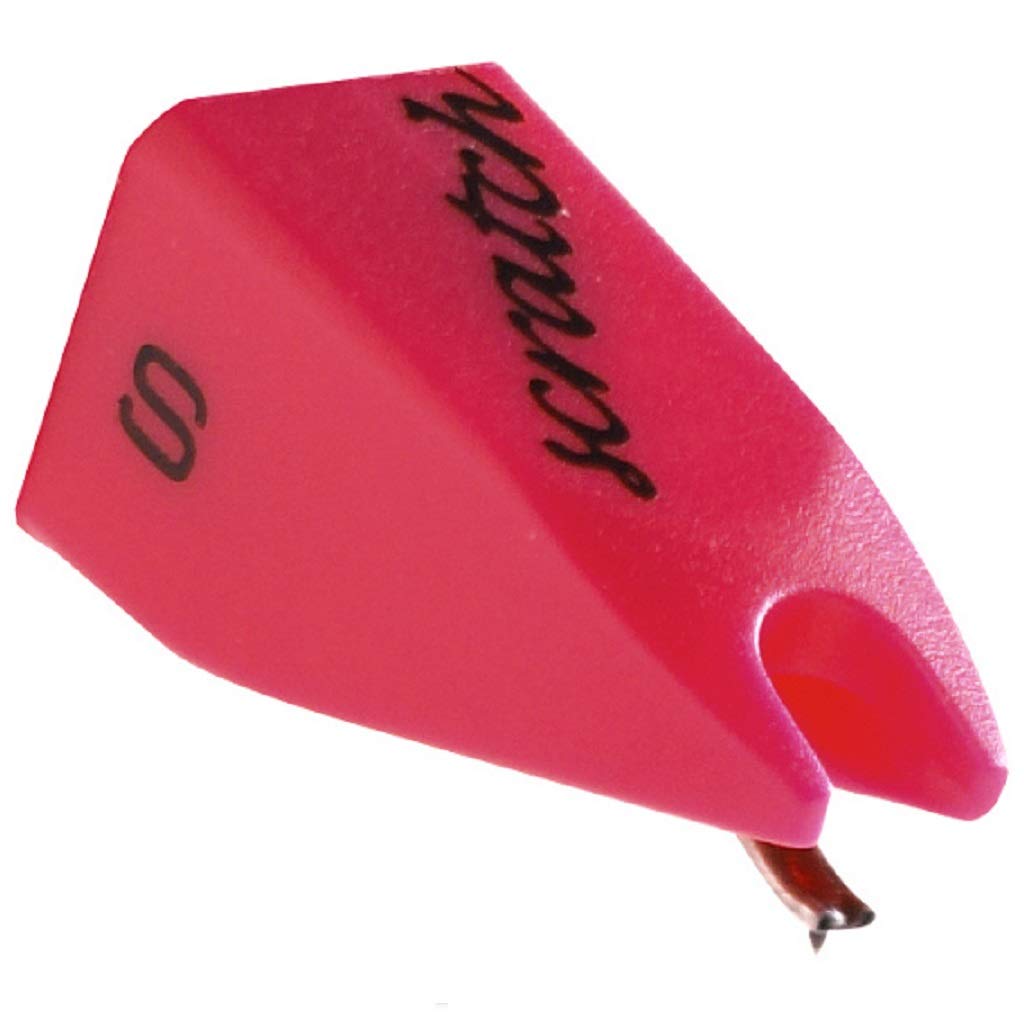
Image: The Ortofon Stylus Scratch Pink replacement stylus, showing its vibrant pink body and the stylus tip.

Image: Diagram illustrating the process of removing and installing a stylus on an Ortofon cartridge. To remove, pull the old stylus forward. To install, push the new stylus onto the cartridge body until it clicks.
Instruccions de funcionament
The Ortofon Stylus Scratch Pink is engineered for demanding DJ environments, particularly for scratching and back-cueing techniques.
- Ús previst: This stylus is designed for high-output and robust tracking, making it suitable for aggressive handling during DJ performances.
- Record Condition: Always use clean records to minimize wear on both the stylus and your vinyl. Dust and debris can significantly degrade sound quality and accelerate stylus wear.
- Protecció del llapis: When not in use, always place the protective cap over the stylus to prevent accidental damage.

Image: The Ortofon Stylus Scratch Pink housed within its clear protective case, demonstrating safe storage.
Manteniment
Regular maintenance ensures optimal performance and extends the lifespan of your stylus.
- Neteja del llapis: Clean the stylus tip regularly using a soft stylus brush. Always brush from the back of the stylus towards the front, never side-to-side or front-to-back. Use a dedicated stylus cleaning fluid sparingly if necessary.
- Eliminació de pols: Keep your turntable and records free of dust. Use a record brush before each play.
- Inspecció: Periodically inspect the stylus tip for wear or damage. A worn stylus can damage your records and degrade sound quality. Replace the stylus if the tip appears bent, chipped, or excessively worn.
- Emmagatzematge: When not in use, store the stylus with its protective cap on, away from direct sunlight, heat, and dust.
Nota important: The stylus pointer is delicate and prone to scratches even with minimal use. Handle with extreme care.

Image: Diagram demonstrating the correct method for cleaning a stylus using a brush, emphasizing brushing from back to front.
Resolució de problemes
If you encounter issues with your Ortofon Stylus Scratch Pink, consider the following common solutions:
- Mala qualitat de so / Distorsió:
- Check if the stylus is clean.
- Verify that the tracking force is set correctly to 4.0 grams.
- Ensure the stylus is fully seated in the cartridge.
- Inspect the stylus tip for wear or damage. A worn stylus needs replacement.
- Ensure records are clean and free of dust.
- Skipping / Poor Tracking:
- Confirm the tracking force is set to 4.0 grams.
- Check anti-skate setting; it should generally match the tracking force.
- Assegureu-vos que el plat giratori estigui anivellat.
- Inspect the stylus tip for damage.
- Sense so / So intermitent:
- Ensure the stylus is correctly installed and making proper contact with the cartridge.
- Check all connections from the cartridge to the ampmés viu.
Especificacions
| Model | Stylus Scratch |
| Tipus de llapis | Esfèric |
| Força de seguiment recomanada | 4.0 g (40 mN) |
| Compatibilitat | Ortofon Concorde Scratch Series, Ortofon OM Scratch Series |
| Color | Rosa |
| Tipus de material | Acer inoxidable |
| Pes de l'article | 0.004 unces |
| Dimensions del producte | 1.38 x 1.38 x 1.38 polzades |
Garantia i Suport
For detailed warranty information, please refer to the official Ortofon website or contact your authorized dealer. Warranty terms may vary by region and retailer.
For technical support, product inquiries, or service, please visit the official Ortofon support page or contact their customer service department directly. Always provide your product model number (Stylus Scratch) when seeking support.


