
1. Introducció
This manual provides essential instructions for the safe and efficient use of your Canon PIXMA MP500 All-In-One device. It covers setup, operation, maintenance, and troubleshooting for printing, copying, and scanning functions. Please read this manual thoroughly before using the product and retain it for future reference.
2. Informació de seguretat
- Font d'alimentació: Connect the device only to a grounded power outlet with the specified voltage.
- Col·locació: Place the device on a stable, level surface, away from direct sunlight, heat sources, and excessive dust or moisture. Ensure adequate ventilation.
- Manipulació de cartutxos de tinta: Handle ink cartridges carefully to avoid spills. Keep them out of reach of children.
- Components interns: No intenteu obrir ni reparar el dispositiu vosaltres mateixos. Encarregueu totes les tasques de manteniment a personal qualificat.
- Neteja: Use a soft, dry cloth for cleaning. Avoid liquid cleaners directly on the device.
3. Contingut del paquet
Verifiqueu que tots els elements siguin presents al paquet:
- Canon PIXMA MP500 All-In-One Printer
- Ink Cartridges (Set of 5 individual tanks)
- Cable d'alimentació
- Setup CD-ROM (Software/Drivers)
- Setup Guide / Instruction Sheet
- Cable USB (es pot vendre per separat en algunes regions)

Figura 3.1: The Canon PIXMA MP500 printer alongside its original packaging box and a set of individual ink cartridges.
4. Configuració
Follow these steps to set up your Canon PIXMA MP500:
- Desembalatge: Remove the printer from its packaging. Remove all protective tapes and packing materials from the exterior and interior of the printer.
- Connectar l'alimentació: Connect the power cord to the printer and then to a wall outlet. Do not connect the USB cable yet.
- Encès: Premeu el botó ON/OFF botó per encendre la impressora.
- Instal·leu cartutxos de tinta: Open the printer cover. The print head holder will move to the installation position. Install the five individual ink cartridges into their corresponding slots. Ensure they click into place.
- Carrega paper: Load plain paper into the paper tray.
- Instal·lar programari: Insert the Setup CD-ROM into your computer's CD-ROM drive and follow the on-screen instructions to install the drivers and software.
- Connectar USB: When prompted by the software installation, connect the USB cable from the printer to your computer.
- Perform Alignment: Follow the on-screen instructions to perform print head alignment.

Figura 4.1: A visual quick setup guide illustrating the initial steps for connecting power, installing ink, and setting up the printer.

Figura 4.2: The rear panel of the printer, highlighting the power input and USB connection port.
5. Funcionament bàsic
The Canon PIXMA MP500 offers printing, copying, and scanning functionalities. The 2.5-inch color LCD screen and control panel facilitate direct operations.
5.1. Tauler de control acabatview

Figura 5.1: La part superior view of the printer, featuring the control panel with various buttons and the integrated 2.5-inch color LCD screen.
- Botó ON/OFF: Encén o apaga el dispositiu.
- Botó COPIAR: Initiates a copy operation.
- Botó SCAN: Inicia una operació d'escaneig.
- MEMORY CARD Slot: For direct printing from memory cards.
- Pantalla LCD: Displays menus, settings, and preview imatges.
- Botons de navegació: Used to navigate menus and adjust settings on the LCD.
- Black/Color Buttons: Selects black & white or color for copying/printing.
- Botó d'inici: Confirms selections or begins operations.
5.2. Còpia de documents
- Ensure the printer is powered on and paper is loaded.
- Lift the document cover and place the document face-down on the scanner glass, aligning it with the guide mark.
- Tanqueu la coberta del document.
- Al tauler de control, premeu el botó CÒPIA botó.
- Use the navigation buttons and LCD screen to select copy settings such as number of copies, paper type, and size.
- Premeu el botó Negre or Color botó per començar a copiar.

Figura 5.2: The printer's LCD display showing options for copying, including number of copies, magnification, paper size, and paper type.
5.3. Escaneig de documents i fotos
- Assegureu-vos que la impressora estigui engegada i connectada a l'ordinador.
- Lift the document cover and place the item face-down on the scanner glass.
- Tanqueu la coberta del document.
- You can initiate a scan from the printer's control panel by pressing the ESCANEAR button, or from your computer using the installed Canon scanning software.
- Follow the on-screen prompts on the printer's LCD or your computer to select scan settings (e.g., document type, resolution, destination).

Figura 5.3: The scanner bed of the PIXMA MP500 with the document cover open, ready for placing documents or photos.
5.4. Imprimir des d'un ordinador
To print from your computer, ensure the printer drivers are installed and the printer is connected via USB. Select the Canon PIXMA MP500 as your printer in your application's print dialog, adjust settings as needed, and click print.
6. Ink Cartridge Management
The Canon PIXMA MP500 uses five individual ink tanks. Replace cartridges when indicated by the printer's LCD or software.
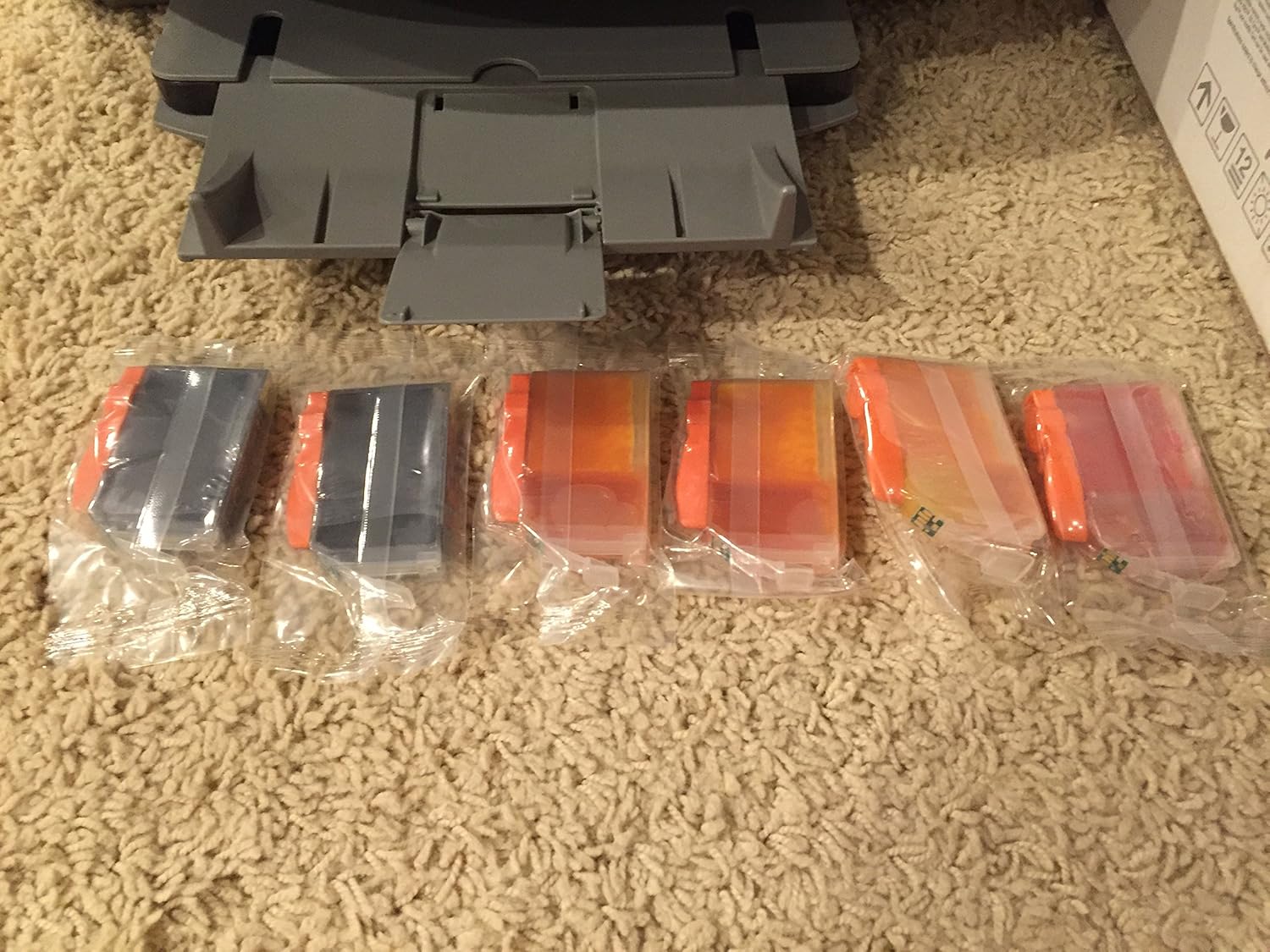
Figura 6.1: Un primer pla view of the individual ink cartridges used by the PIXMA MP500, showing their distinct colors.
6.1. Substitució dels cartutxos de tinta
- Assegureu-vos que la impressora estigui engegada.
- Obriu la coberta superior de la impressora. El suport del capçal d'impressió es mourà a la posició de reemplaçament.
- Premeu la pestanya del cartutx de tinta buit i aixequeu-lo.
- Unpack a new ink cartridge, remove the orange protective cap, and insert it firmly into the correct slot until it clicks.
- Tanqueu la coberta de la impressora.

Figura 6.2: Un intern view of the printer, showing the print head carriage with all five ink cartridges correctly installed and illuminated.
7. Manteniment
- Neteja del capçal d'impressió: If print quality declines (e.g., streaks, missing colors), perform a print head cleaning from the printer's maintenance menu or through the printer driver on your computer.
- Alineació del capçal d'impressió: If printed text or lines appear misaligned, perform a print head alignment.
- Neteja del vidre de l'escàner: Regularly wipe the scanner glass with a soft, lint-free cloth and a mild glass cleaner (applied to the cloth, not directly to the glass) to ensure clear scans.
- Neteja exterior: Netegeu l'exterior de la impressora amb un drap suau i sec.
8. Solució De Problemes
| Problema | Solució |
|---|---|
| La impressora no s'encén. | Check power cord connection to both the printer and the wall outlet. Ensure the outlet is functional. |
| Mala qualitat d'impressió (ratlles, colors descolorits). | Check ink levels and replace empty cartridges. Perform print head cleaning and alignment. |
| Encallaments de paper. | Remove jammed paper carefully, following instructions in the printer's LCD or software. Ensure paper is loaded correctly and not creased. |
| Cannot scan from computer. | Ensure the USB cable is securely connected. Verify that printer drivers and scanning software are correctly installed. Restart both the printer and computer. |
| Error message on LCD. | Refer to the specific error code displayed on the LCD screen and consult the full electronic manual on the Setup CD-ROM for detailed solutions. |
9. Especificacions
- Nom del model: Canon PIXMA MP500
- Funcions: Imprimir, copiar, escanejar
- Tecnologia d'impressió: Injecció de tinta
- Print Resolution (Color): Fins a 9600 x 2400 dpi
- Print Resolution (Black): Fins a 600 x 600 dpi
- Velocitat d'impressió (negre): Fins a 29 ppm
- Print Speed (Color): Fins a 19 ppm
- Tipus d'escàner: Flatbed, Photo
- Resolució d'escaneig (òptica): 1200 x 2400 ppp
- Copy Speed (Black): Fins a 29 cpm
- Visualització: LCD en color d'2.5 polzades
- Connectivitat: USB 2.0, Memory Card Slots
- Dimensions (L x P x A): 17.7 x 16.8 x 8.1 polzades (aprox.)
- Pes: 22 lliures (aprox.)
10. Garantia i Suport
The Canon PIXMA MP500 comes with a garantia limitada d'un any des de la data de compra. Aquesta garantia cobreix els defectes de materials i de mà d'obra en ús normal.
For warranty claims, technical support, or service inquiries, please contact Canon customer support. Refer to the documentation included with your product or visit the official Canon weblloc web per obtenir informació de contacte actualitzada i recursos de suport.
Note: Product support for the PIXMA MP500 may be limited as it is an older model. Please check the Canon website for the most up-to-date information regarding driver availability and service options.