
I TECH 121
I Tech MIO-CARE TENS Electrotherapy Device User Manual
Model: 121
1. Producte acabatview
The I Tech MIO-CARE TENS is an advanced electrotherapy device designed for pain treatment and muscle stimulation. This Class IIA CE0068 Medical Device utilizes micro-electrical impulses to provide therapeutic benefits. It is equipped with 20 medical TENS programs and features 2 independent channels, allowing for the connection of up to 8 electrodes simultaneously.
Les característiques clau inclouen:
- 2 independent channel electrostimulator
- Simple digital keypad for intuitive control
- Internal rechargeable battery for convenience
- Graphic display showing current program and remaining therapy time
- Biphasic and compensated square wave generator for safe and effective treatment
- Practical carrying case for portability
2. Advertiments de seguretat importants
Consulteu sempre un metge abans d'utilitzar aquest dispositiu.
- No l'utilitzeu si teniu un marcapassos o altres dispositius electrònics implantats.
- Avoid use on sensitive areas such as the head, neck, and chest.
- No l'utilitzeu mentre condueix o dorm.
- In case of skin irritation or discomfort, discontinue use immediately and consult a physician.
- Mantenir fora de l'abast dels nens.
- No submergiu el dispositiu en aigua o altres líquids.
3. Contingut del paquet
Verifiqueu que tots els elements que s'enumeren a continuació s'inclouen al vostre paquet:
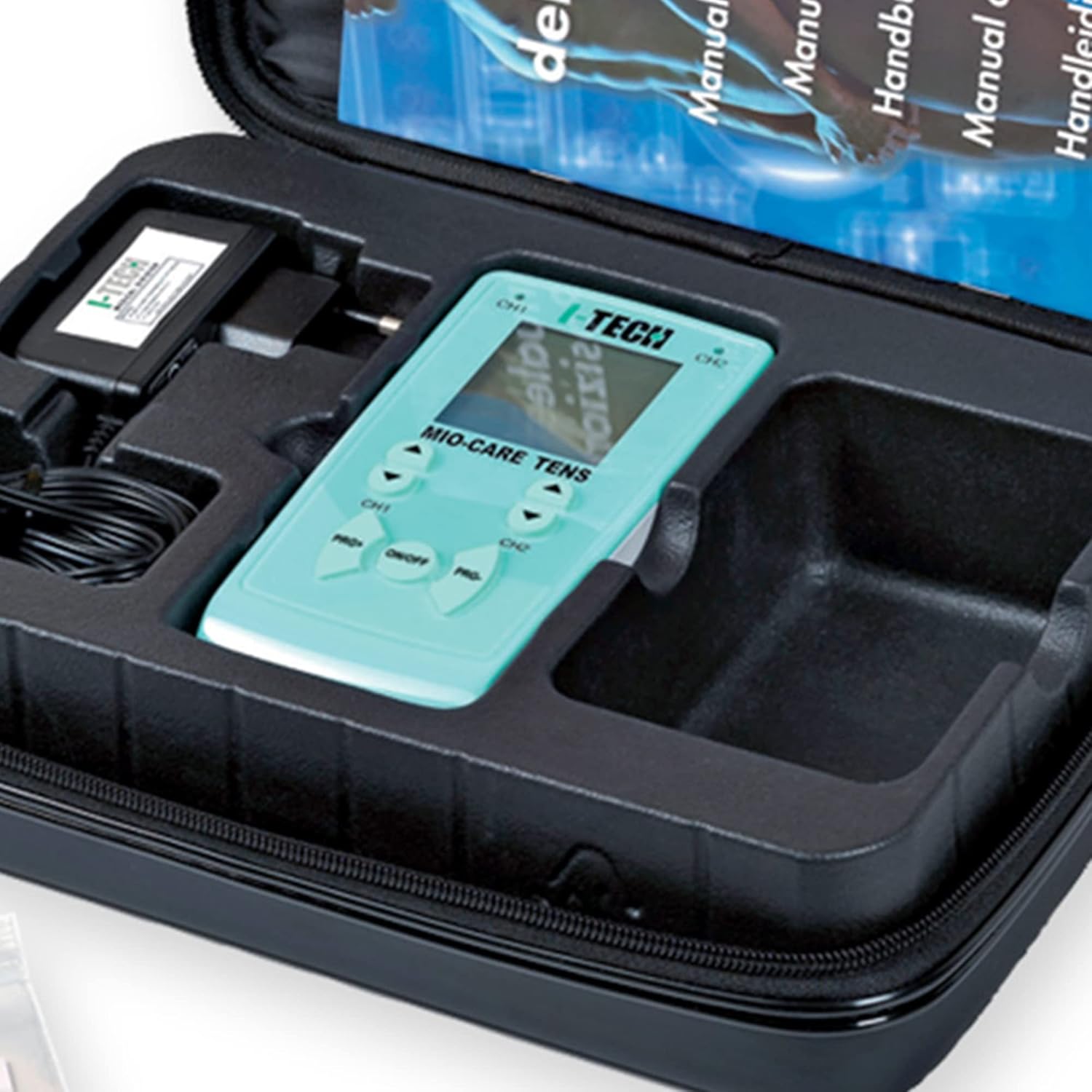
- I Tech MIO-CARE TENS Electrotherapy Device with graphic display
- 2 Electrode Connection Cables (4 wires each, total 8 connectable electrodes)
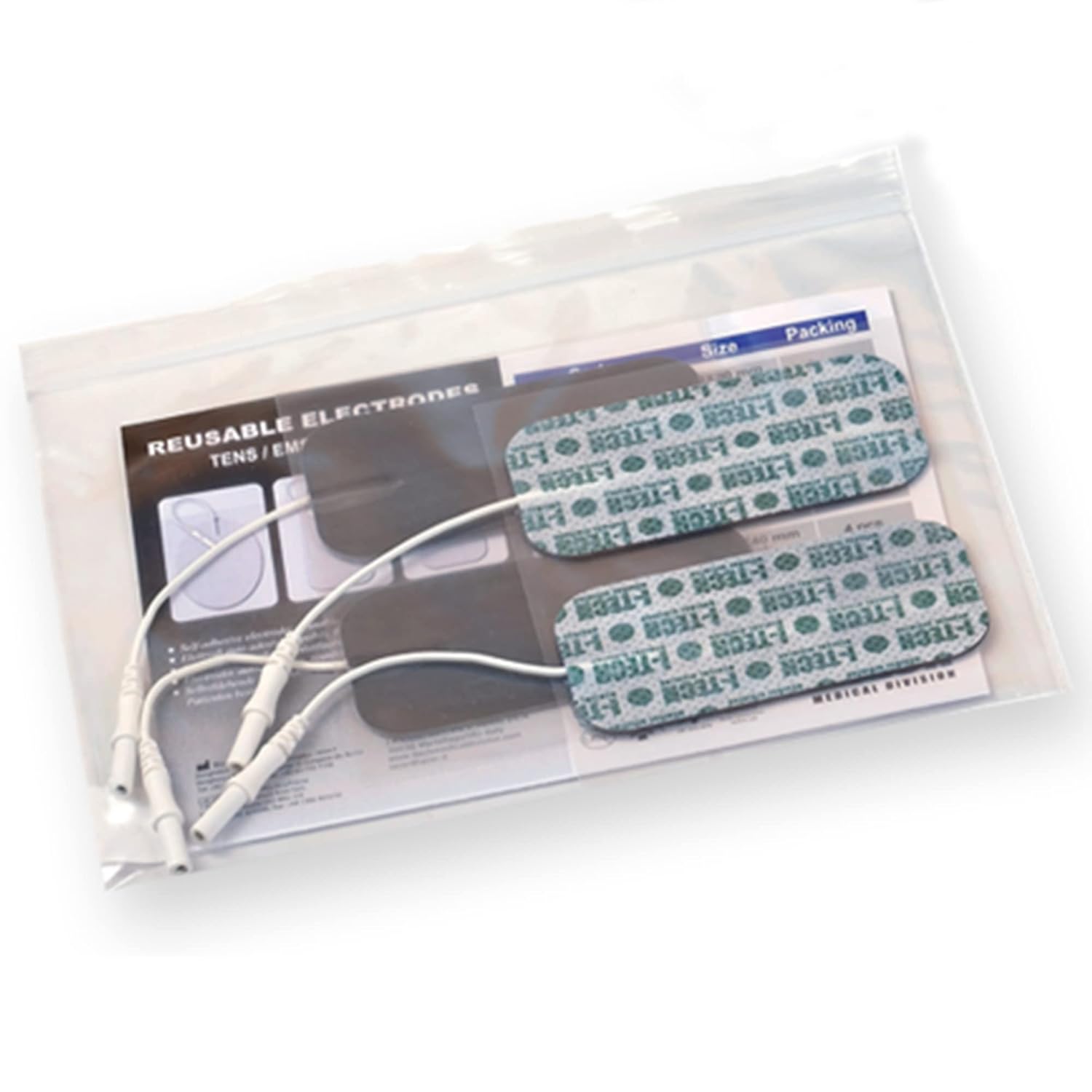
- Pre-gelled Adhesive Electrodes (quantity as specified on packaging)
- Internal Rechargeable Ni-Mh Battery
- Carregador de bateria
- Cinturó
- Manual d'usuari
- Electrode Placement Manual
- Bossa de transport



4. Configuració
4.1. Carregant la bateria
Before first use, or when the battery indicator shows low charge, fully charge the internal Ni-Mh battery using the supplied battery charger. Connect the charger to the device and plug it into a standard electrical outlet. The charging indicator on the device will provide feedback on the charging status. A full charge ensures optimal performance and therapy duration.
4.2. Elèctrodes de connexió
The device comes with 2 electrode connection cables, each featuring 4 wires, allowing for a total of 8 electrodes to be connected. Ensure the device is turned off before connecting or disconnecting electrodes.
- Insert the cable pins firmly into the corresponding ports on the top of the TENS device.
- Attach the snap connectors at the other end of the cables to the pre-gelled adhesive electrodes. Ensure a secure connection.
- Peel the electrodes from their protective liner.
5. Instruccions de funcionament
5.1. Funcionament bàsic
The MIO-CARE TENS device features a user-friendly digital keypad for easy navigation and control.
- Encès/apagat: Manteniu premut el botó ON/OFF button located in the center of the keypad to turn the device on or off.
- Selecció del programa: Utilitza el PRG+ i PRG- buttons to cycle through the 20 available medical TENS programs. The selected program number will be displayed on the screen.
- Ajust d'intensitat: Once a program is selected, use the CH1 i CH2 arrow buttons (up/down) to adjust the intensity for each independent channel. Start with a low intensity and gradually increase until a comfortable, tingling sensation is felt.
- Seguiment: The graphic display provides real-time information on the active program and the remaining therapy time.
5.2. Col·locació d'elèctrodes
Correct electrode placement is crucial for effective and safe therapy. Refer to the dedicated Electrode Placement Manual included with your device for detailed diagrams and instructions for various body areas and conditions. General guidelines include:
- Netegeu i assequeu la zona de la pell on es col·locaran els elèctrodes.
- Place electrodes on healthy, intact skin, avoiding open wounds or irritated areas.
- Ensure electrodes are firmly adhered to the skin for good conductivity.
- Typically, electrodes are placed around or near the area of pain, ensuring the current passes through the affected region.
- Do not place electrodes over the heart, across the head, or on the front of the neck.
6. Manteniment
6.1. Neteja del dispositiu
Netegeu el dispositiu amb un suau, damp cloth. Do not use abrasive cleaners or immerse the device in water. Ensure the device is off and disconnected from the charger before cleaning.
6.2. Cura i emmagatzematge d'elèctrodes
To prolong the life of your pre-gelled adhesive electrodes:
- After each use, reattach the electrodes to their protective plastic liner.
- Store electrodes in a cool, dry place, preferably in their original sealed bag.
- If electrodes lose their adhesiveness, they may need to be replaced. Do not use electrodes that are dry or damaged.
6.3. Cura de la bateria
To maintain battery health, avoid completely draining the battery frequently. Recharge the battery when the low battery indicator appears. If storing the device for an extended period, ensure the battery is partially charged (around 50%) and recharge it every few months.
7. Solució De Problemes
If you encounter issues with your MIO-CARE TENS device, refer to the following common troubleshooting steps:
- El dispositiu no s'encén: Assegureu-vos que la bateria estigui carregada. Connecteu el carregador i torneu-ho a provar.
- Sense sensibilitat o sensació feble: Check that electrodes are firmly attached to the skin. Increase the intensity gradually using the channel-specific arrow buttons. Ensure cables are securely connected to both the device and the electrodes. Electrodes may need replacement if they have lost their conductivity.
- Irritació de la pell: Discontinue use immediately. Ensure skin is clean and dry before application. Try repositioning electrodes. If irritation persists, consult a physician.
- Problemes de visualització: If the screen is blank or flickering, try turning the device off and on again. Ensure the battery is charged.
Per a problemes persistents que no es resolen amb aquests passos, poseu-vos en contacte amb l'atenció al client.
8. Especificacions tècniques
| Especificació | Valor |
|---|---|
| Número de model de l'article | 121 |
| Marca | TECNOLOGIA I |
| Dimensions del producte (L x A x A) | 20.5 x 29 x 7.5 cm |
| Pes de l'article | 1.15 quilos |
| Font d'alimentació | Funciona amb bateria |
| Bateria(es) | Necessites 1 piles AAA |
| Material | Plàstic |
| Color | Negre |
| Característica especial | 2 independent channels; backlit screen; TENS |
| Usos específics del producte | Pain management, muscle relaxation, physiotherapy |
| Fabricant | IACER |
| País d'origen | Xina |
9. Garantia i Suport
For detailed warranty information, please refer to the warranty card or the full user manual included in your product package. Warranty terms and conditions may vary by region and retailer.
If you require technical assistance, have questions about your device, or need to report a defect, please contact I Tech customer support. Contact details are typically provided in the user manual or on the manufacturer's official weblloc.
Si us plau, tingueu a mà el número de model del producte (121) i la informació de compra quan us poseu en contacte amb el servei d'assistència.
Ask a question about this manual
Ask about setup, troubleshooting, compatibility, parts, safety, or missing instructions. Manuals+ will review the question and use this page’s manual context to help answer it.