
Introducció
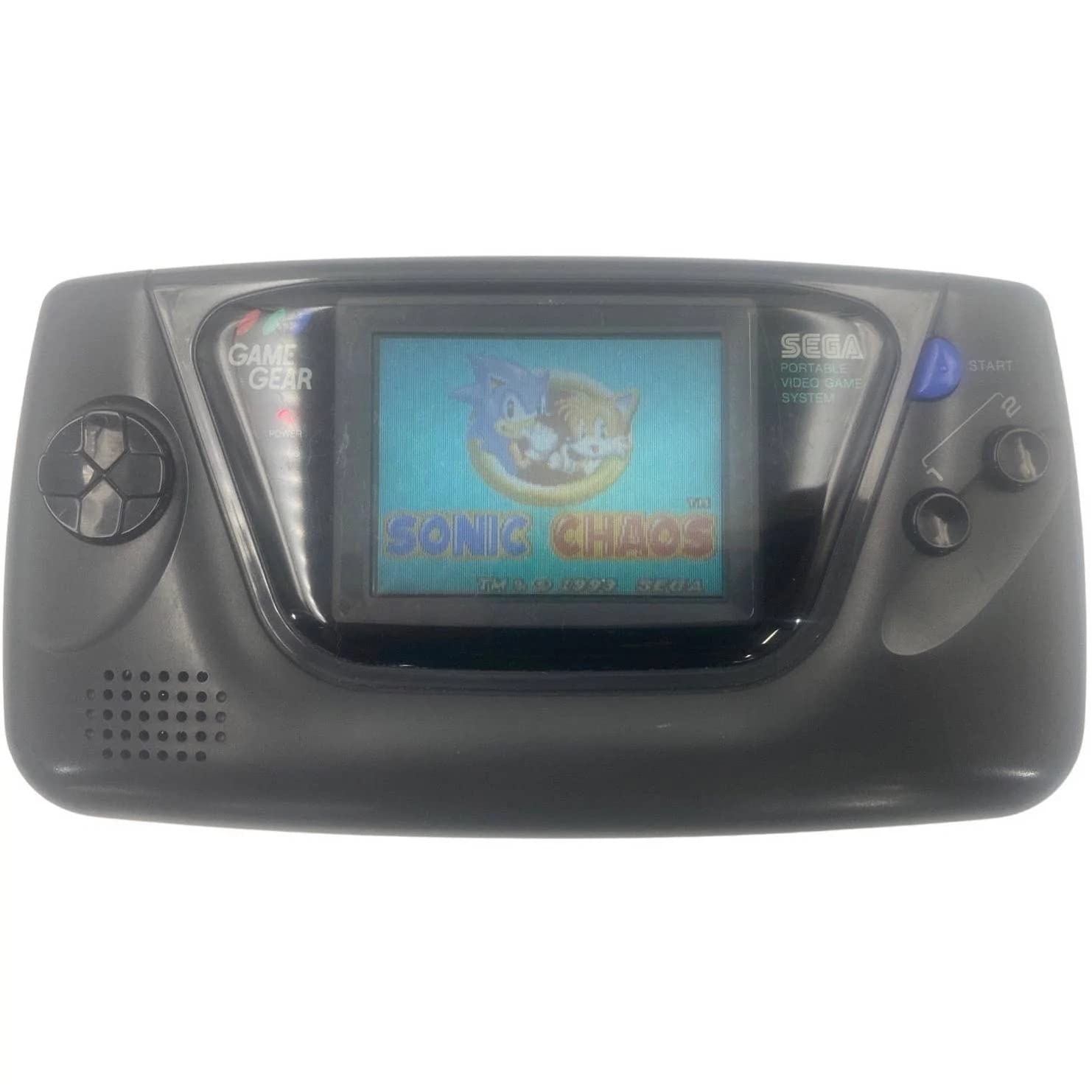
The SEGA Game Gear is an 8-bit handheld game console designed for portable entertainment. It features a full-color 3.2-inch backlit screen, capable of displaying up to 32 colors simultaneously from a palette of 4096. This manual provides essential information for setting up, operating, maintaining, and troubleshooting your Game Gear console.

Image: The SEGA Game Gear handheld console, showcasing its color screen with a game in progress.
Configuració
1. Powering the Console (Batteries)
The Game Gear requires six (6) AA batteries for portable operation. To install batteries:
- Locate the two battery compartments on the back of the console.
- Slide the battery compartment covers downwards to open them.
- Insert three AA batteries into each compartment, ensuring correct polarity (+/-) as indicated inside the compartment.
- Replace the battery compartment covers by sliding them upwards until they click into place.
Imatge: La part posterior view of the SEGA Game Gear, highlighting the two battery compartments.
2. Powering the Console (AC Adapter)
For extended play or to conserve battery life, you can use a compatible AC adapter (sold separately). The AC adapter port is located on the top edge of the console. Insert the AC adapter plug firmly into this port. Ensure the adapter is rated for the Game Gear's power requirements (DC 9V, 3W).
3. Inserting a Game Cartridge
Game cartridges are inserted into the slot located on the top-rear of the console.
- Hold the game cartridge with the label facing forward (towards the screen side of the console).
- Gently slide the cartridge into the cartridge slot until it is fully seated. Do not force the cartridge.

Image: The SEGA Game Gear console positioned beside a game cartridge, illustrating the cartridge's size and orientation for insertion.
Funcionament
1. Controls sobreview
- Coixinet direccional (D-Pad): Located on the left, used for character movement and menu navigation.
- Botons 1 i 2: Botons d'acció, les funcions varien segons el joc.
- Botó d'inici: Normalment s'utilitza per pausar jocs o confirmar seleccions.
- Interruptor d'alimentació: Slide switch on the top-right to turn the console on or off.
- Marcador de volum: Located on the top-left, adjusts audio output.
- Contrast Dial: Located on the top-right, adjusts screen contrast.
- Auriculars Jack: Standard 3.5mm jack on the top-left for private listening.
2. Encendre/apagar
To turn on the Game Gear, slide the Power switch to the 'ON' position. The power indicator light (red LED) will illuminate. To turn off, slide the Power switch to the 'OFF' position.
3. Jugar a jocs
Once a game cartridge is inserted and the console is powered on, the game should automatically load. Use the D-Pad and action buttons to play. Adjust the Volume and Contrast dials as needed for optimal experience.
Manteniment
Neteja
Wipe the console's exterior with a soft, dry cloth. For stubborn dirt, slightly dampen the cloth with water. Avoid using harsh chemicals or abrasive cleaners. Keep the screen free of dust and fingerprints.
Emmagatzematge
Store the Game Gear in a cool, dry place away from direct sunlight and extreme temperatures. If storing for an extended period, remove all batteries to prevent leakage and corrosion.
Cura de la bateria
Always use fresh, high-quality AA batteries. Do not mix old and new batteries, or different types of batteries. Remove depleted batteries promptly. If using rechargeable batteries, follow the manufacturer's charging instructions.
Resolució de problemes
- Sense energia: Ensure batteries are correctly inserted and fresh, or that the AC adapter is securely connected and functional. Check the power switch position.
- Blank or Distorted Screen: Adjust the contrast dial. Ensure the game cartridge is fully inserted. If the screen remains blank or shows lines, this may indicate an internal component issue, potentially related to capacitors, which can degrade over time in older units.
- Sense so o volum baix: Adjust the volume dial. If using headphones, ensure they are properly plugged in and functional. Similar to screen issues, sound problems can sometimes be linked to internal component degradation.
- Game Not Loading: Remove and re-insert the game cartridge. Ensure the cartridge contacts are clean.
For persistent issues, professional repair may be required, especially for internal component failures common in vintagi electrònica.
Especificacions
- Plataforma: Sega Game Gear
- Número de model: 010086021226
- Visualització: Full-color 3.2-inch backlit LCD
- Resolució: 160 x 144 píxels
- Paleta de colors: 4096 colors total, 32 on-screen simultaneously
- RAM: 8 KB
- VRAM: 16 KB
- Dispositiu d'entrada: Gamepad (D-Pad, Buttons 1 & 2, Start)
- Font d'alimentació: 6 x AA batteries or DC 9V AC adapter (sold separately)
- Pes de l'article: 1.8 lliures
- Color: Negre
- Tecnologia de connectivitat: USB (Note: This specification may refer to modern adaptations or accessories, as the original console did not feature USB.)
- Compatible Flash Memory Type: MMC (Note: This specification may refer to modern adaptations or accessories, as the original console did not feature MMC card slots.)
Garantia i Suport
For information regarding warranty coverage, service, or technical support, please refer to the documentation provided at the time of purchase or contact SEGA customer service. As this is a vintage product, warranty terms may vary significantly depending on the seller and condition of the unit.