
1. Introducció
Thank you for choosing the Casio G-Shock PRG-100 watch. This manual provides essential information regarding the setup, operation, and maintenance of your new timepiece. The PRG-100 is a robust digital watch featuring a quartz movement, alarm functionality, and a durable resin band, designed for reliability and performance.
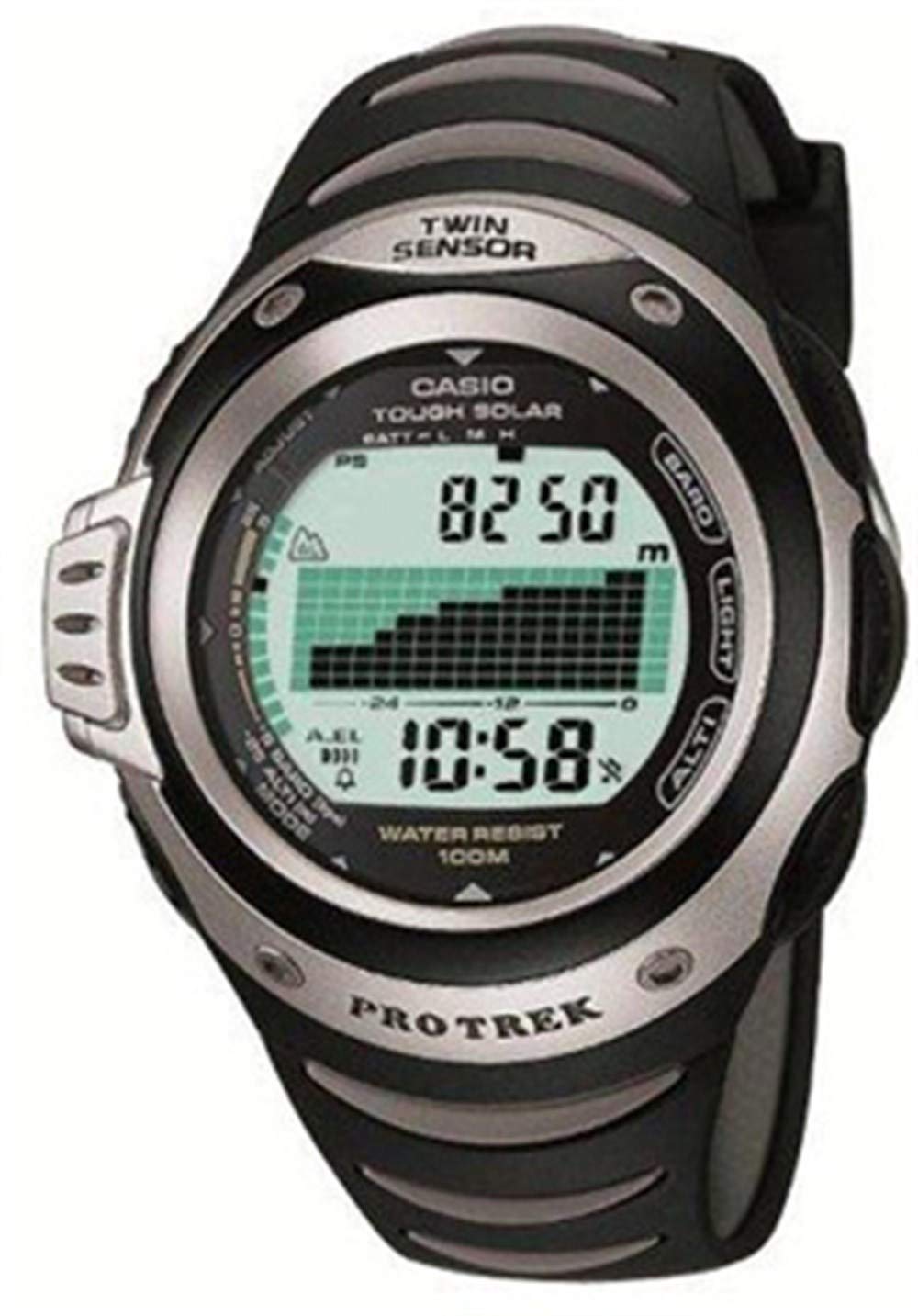
Figura 1: Davant view of the Casio G-Shock PRG-100 watch. This image shows the digital display and the overall design of the watch face.
2. Configuració
2.1 Configuració inicial de la data i l'hora
- Manteniu premut el botó AJUSTAR button (usually top-left) until the city code starts to flash.
- Utilitza el MODE button (bottom-left) to cycle through the settings: City Code → DST (Daylight Saving Time) → 12/24-hour format → Seconds → Hour → Minute → Year → Month → Day.
- Utilitza el AVANT (a dalt a la dreta) i INVERSA (bottom-right) buttons to change the flashing value.
- Un cop tots els paràmetres siguin correctes, premeu el botó AJUSTAR botó de nou per sortir del mode de configuració.
2.2 Configuració d'alarma
- Des del mode de mesura del temps, premeu la tecla MODE button until you reach the Alarm Mode (indicated by "AL" or an alarm icon).
- Manteniu premut el botó AJUSTAR fins que l'hora de l'alarma comenci a parpellejar.
- Utilitza el MODE botó per seleccionar entre la configuració de les hores i els minuts.
- Utilitza el AVANT i INVERSA botons per configurar l'hora d'alarma desitjada.
- Premeu el botó AJUSTAR botó per confirmar i sortir.
- Per activar/desactivar l'alarma, premeu el botó AVANT button while in Alarm Mode (without holding ADJUST).
3. Funcionament
3.1 Navegació de modes
Your PRG-100 watch features several modes. Press the MODE button (bottom-left) to cycle through them in the following order:
- Timekeeping Mode (current time and date)
- Alarm Mode (set and activate alarms)
- Mode de cronòmetre (mesura el temps transcorregut)
- Timer Mode (countdown timer)
- World Time Mode (view time in different cities)
- Note: Specific modes may vary slightly based on the exact module. Refer to the full module manual for advanced features.
3.2 Ús del cronòmetre
- Navegueu al mode de cronòmetre amb el botó MODE botó.
- Premeu el botó AVANT button (top-right) to start the stopwatch.
- Premeu el botó AVANT de nou per aturar el cronòmetre.
- Premeu el botó INVERSA button (bottom-right) to reset the stopwatch to zero.
3.3 Funció de retroiluminació
Per il·luminar la pantalla en condicions de poca llum, premeu el botó LLUM button (usually top-right or front-center). The backlight duration may be adjustable in settings.
4. Manteniment
4.1 Neteja del rellotge
Wipe the watch regularly with a soft, dry cloth to remove dirt and moisture. For stubborn grime, a slightly damp cloth with mild soap can be used, followed by thorough drying. Avoid using harsh chemicals or abrasive cleaners.
4.2 Cura de la bateria
The PRG-100 is powered by a battery. When the display becomes dim or functions become unreliable, it may be time for a battery replacement. It is recommended to have the battery replaced by an authorized Casio service center to ensure proper sealing and water resistance.
4.3 Resistència a l'aigua
Your G-Shock watch is designed with a high level of water resistance. However, avoid operating buttons while the watch is submerged in water. After exposure to saltwater, rinse the watch with fresh water and wipe it dry. Do not expose the watch to extreme temperature changes.
5. Solució De Problemes
- La pantalla està en blanc o té poca llum: The battery may be low or depleted. Consider battery replacement.
- L'hora és incorrecta: Re-adjust the time and date settings as described in Section 2.1. Ensure the correct city code and DST setting are selected.
- Els botons no responen: Ensure the watch is not in a locked mode (if applicable). If submerged, dry the watch thoroughly. If the issue persists, a service check may be required.
- L'alarma no sona: Check if the alarm is enabled in Alarm Mode (Section 2.2). Ensure the volume is not set to mute (if applicable).
If you encounter issues not covered here, please contact Casio customer support or an authorized service center.
6. Especificacions
| Característica | Detall |
|---|---|
| Marca | Casio |
| Nom del model | PRG-100 |
| Número de model | PRG-100 |
| Format de visualització | Digital |
| Tipus de moviment | Quars |
| Característiques especials | Alarma |
| Font d'alimentació | Bateria |
| Estil | Corretja |
| Forma | Ronda |
| Color de banda | Negre |
| Material de la banda | Resina |
| Diàmetre de la caixa | 41 mil·límetres |
| ASIN | B000JS57EC |
| Número de peça del fabricant | PRG-100-1AVDR_WW |
7. Garantia i Suport
Your Casio G-Shock PRG-100 watch is covered by a manufacturer's warranty. For specific warranty terms and conditions, please refer to the warranty card included with your purchase or visit the official Casio weblloc.
For further assistance, technical support, or service inquiries, please contact Casio customer service through their official website or an authorized service center in your region.