
1. Introducció
The Manfrotto 785PL Quick Release Plate is an essential accessory designed for securely attaching your camera to compatible Manfrotto tripod heads. This plate features a 1/4-inch screw for camera attachment and a textured rubber surface to prevent slippage. It is specifically designed for easy and quick mounting and dismounting of your camera from the tripod head.
This quick release plate is compatible with the following Manfrotto tripod heads: Mh293A3, 785B, 785SHB, 718B, 718SHB, NGTT1, NGTT2, 7321YB, and MY1.
2. Configuració i instal·lació
Follow these steps to properly attach the 785PL Quick Release Plate to your camera and then to a compatible tripod head.
2.1 Fixació de la placa a la càmera
- Locate the 1/4-inch mounting screw on the top surface of the quick release plate.
- Align the screw with the tripod mounting thread on the bottom of your camera.
- Turn the screw clockwise until it is finger-tight. Ensure the plate is securely fastened to the camera and does not rotate freely. Do not overtighten.
- Verify that the textured rubber surface of the plate is in full contact with the camera body to prevent slippage.
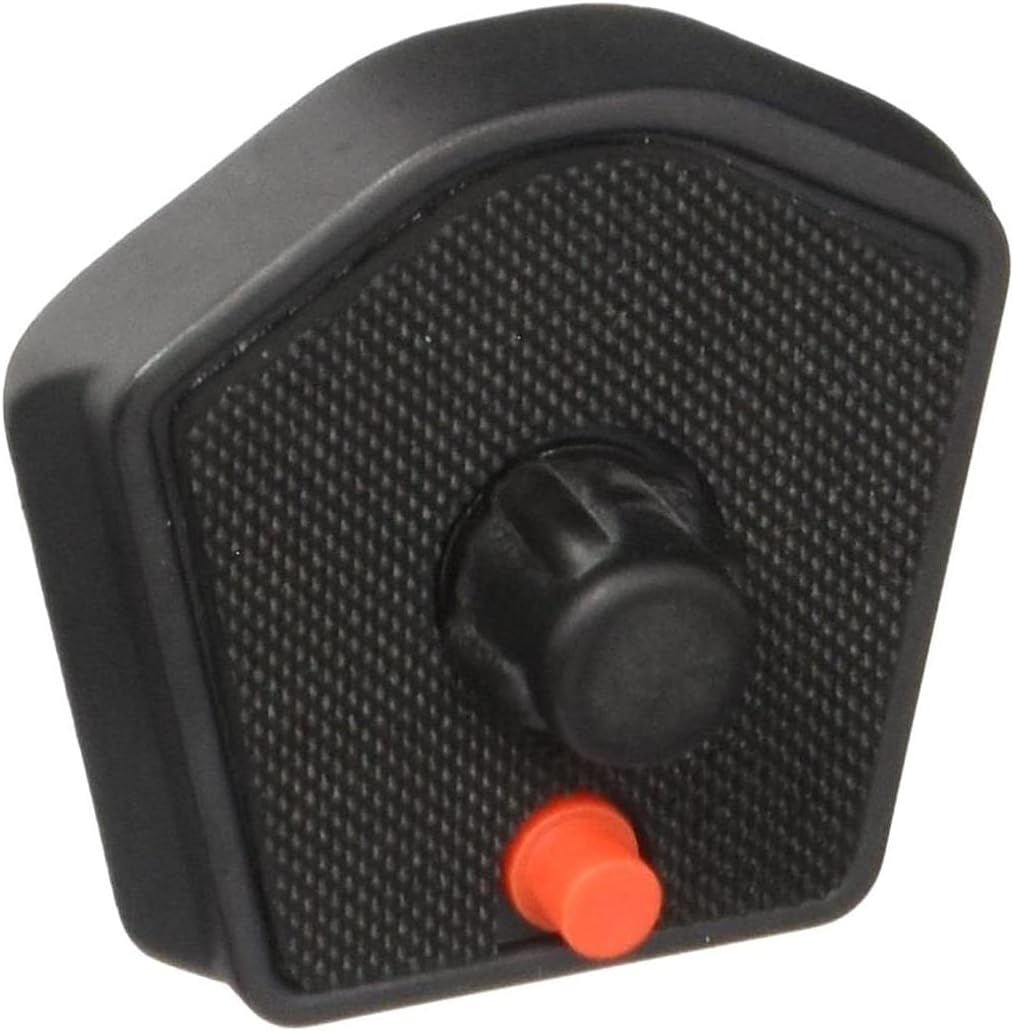
Imatge 1: Part superior view of the Manfrotto 785PL Quick Release Plate, showing the 1/4-inch camera mounting screw and the red safety pin.
2.2 Attaching the Camera (with Plate) to the Tripod Head
- Ensure your compatible Manfrotto tripod head (e.g., 785B) has its quick release clamp obert.
- Slide the quick release plate, with the camera attached, into the tripod head's clamp.
- Empenyeu la placa completament dins del clamp until you hear or feel a click, indicating it is locked in place. The red safety pin on the plate should engage with the tripod head's mechanism.
- Close the quick release lever or knob on the tripod head to further secure the plate.
- Gently test the camera's stability to ensure it is firmly attached before use.

Imatge 2: Part inferior view of the Manfrotto 785PL Quick Release Plate, highlighting the textured rubber surface for enhanced grip.
3. Instruccions de funcionament
Once the quick release plate is installed on your camera and mounted to the tripod head, you can operate your camera as usual. The plate allows for quick transitions between handheld and tripod shooting.
3.1 Removing the Camera from the Tripod Head
- Ensure a firm grip on your camera.
- Open the quick release lever or knob on the tripod head.
- Press any safety release buttons or levers on the tripod head, if present, to disengage the safety pin.
- Slide the camera and plate out of the tripod head's clamp.
4. Manteniment
The Manfrotto 785PL Quick Release Plate requires minimal maintenance to ensure its longevity and proper function.
- Neteja: Netegeu la placa amb un drap suau i sec per eliminar la pols i la brutícia. Per a la brutícia persistent, netegeu lleugerament.amp es pot fer servir un drap i assecar-lo immediatament. Eviteu productes químics agressius o netejadors abrasius.
- Inspecció: Periodically inspect the 1/4-inch screw for any signs of wear or damage. Ensure the rubberized surface is intact and provides adequate grip.
- Emmagatzematge: Guardeu la placa de fixació ràpida en un entorn net i sec quan no la feu servir.
5. Solució De Problemes
If you encounter issues with your Manfrotto 785PL Quick Release Plate, consider the following:
- La placa no s'assegura a la càmera: Ensure the 1/4-inch screw is properly aligned and tightened. Check for any obstructions between the plate and the camera body.
- Camera slipping on plate: Verify that the rubberized surface is clean and free of oils or debris. Ensure the plate is tightened sufficiently to the camera.
- Plate not securing to tripod head: Confirm that the tripod head's quick release clamp is fully open and that the plate is inserted correctly. Check if the safety pin mechanism on the tripod head is functioning properly. Ensure the tripod head is compatible with the 785PL plate.
- Difficulty removing plate from tripod head: Ensure the quick release lever/knob on the tripod head is fully open and any safety release buttons are pressed. Do not force the plate; re-check the release mechanism.
6. Especificacions
| Característica | Detall |
|---|---|
| Número de model | 785PL |
| Fabricant | Manfrotto |
| Tipus de producte | Digital Camera Accessory (Quick Release Plate) |
| Cargol de muntatge | 1/4 polzades |
| Pes | 0.020 kg |
| Color | Negre |
| Contingut de la caixa | Manfrotto 785PL Quick Release Plate (1 unit) |
| Compatibilitat | Manfrotto tripod heads: Mh293A3, 785B, 785SHB, 718B, 718SHB, NGTT1, NGTT2, 7321YB, MY1 |
7. Garantia i Suport
This Manfrotto 785PL Quick Release Plate comes with a 2 any de garantia des de la data de compra, que cobreix els defectes de fabricació. Conserveu el comprovant de compra per a reclamacions de garantia.
Per a més ajuda, suport tècnic o per a view other Manfrotto products, please visit the official Manfrotto brand store: