
M-AUDIO EX-P
M-AUDIO EX-P Expression Pedal User Manual
Model: EX-P
1. Introducció
The M-AUDIO EX-P Expression Pedal is a versatile accessory designed to expand the creative capabilities of your MIDI controllers, keyboards, and supported guitar effects pedals. It allows real-time manipulation of various MIDI assignable controls and parameters, such as volume, modulation, panning, and filter sweep. Its robust design and universal compatibility make it suitable for both studio and live performance environments.
2. Contingut del paquet
- EX-P Expression Pedal
- Hardwired 1.8m 1/4” TRS Cable
- Textured Footrest (integrated)
3. Característiques clau
- Expressive Control: Manipulate MIDI assignable parameters like volume, modulation, panning, and filter sweep in real-time.
- Compatibilitat universal: Features a built-in polarity switch for broad compatibility with most keyboards, controllers, synthesizers, and effect devices equipped with an expression pedal input.
- Construcció duradora: Molded construction ensures robustness and durability for reliable performance.
- Connexió segura: Equipped with a hardwired 1.8m (6 ft) 1/4" TRS cable for secure and industry-standard connections.
- Funcionament estable: Includes a textured footrest for non-slip use and a smooth, wide-angled action for precise control.
4. Configuració
Follow these steps to set up your M-AUDIO EX-P Expression Pedal:
- Connecteu el cable: Plug the hardwired 1/4" TRS cable from the EX-P pedal into the expression pedal input on your keyboard, MIDI controller, synthesizer, or guitar effects device. Ensure the connection is secure.
- Adjust Polarity: Locate the polarity switch on the underside of the pedal. Set the switch to 'M-AUDIO' for M-AUDIO devices or 'OTHER' for most other brands to ensure correct operation.
- Set Range (if applicable): If your device supports it, use the range adjusting knob on the side of the pedal to fine-tune the range of the TRS output for optimal control.
- Col·loca el pedal: Place the pedal on a stable surface. The textured footrest and non-slip base are designed to keep the pedal in place during use.

Image: Underside of the M-Audio EX-P Expression Pedal, highlighting the polarity switch and textured footrest for stability.
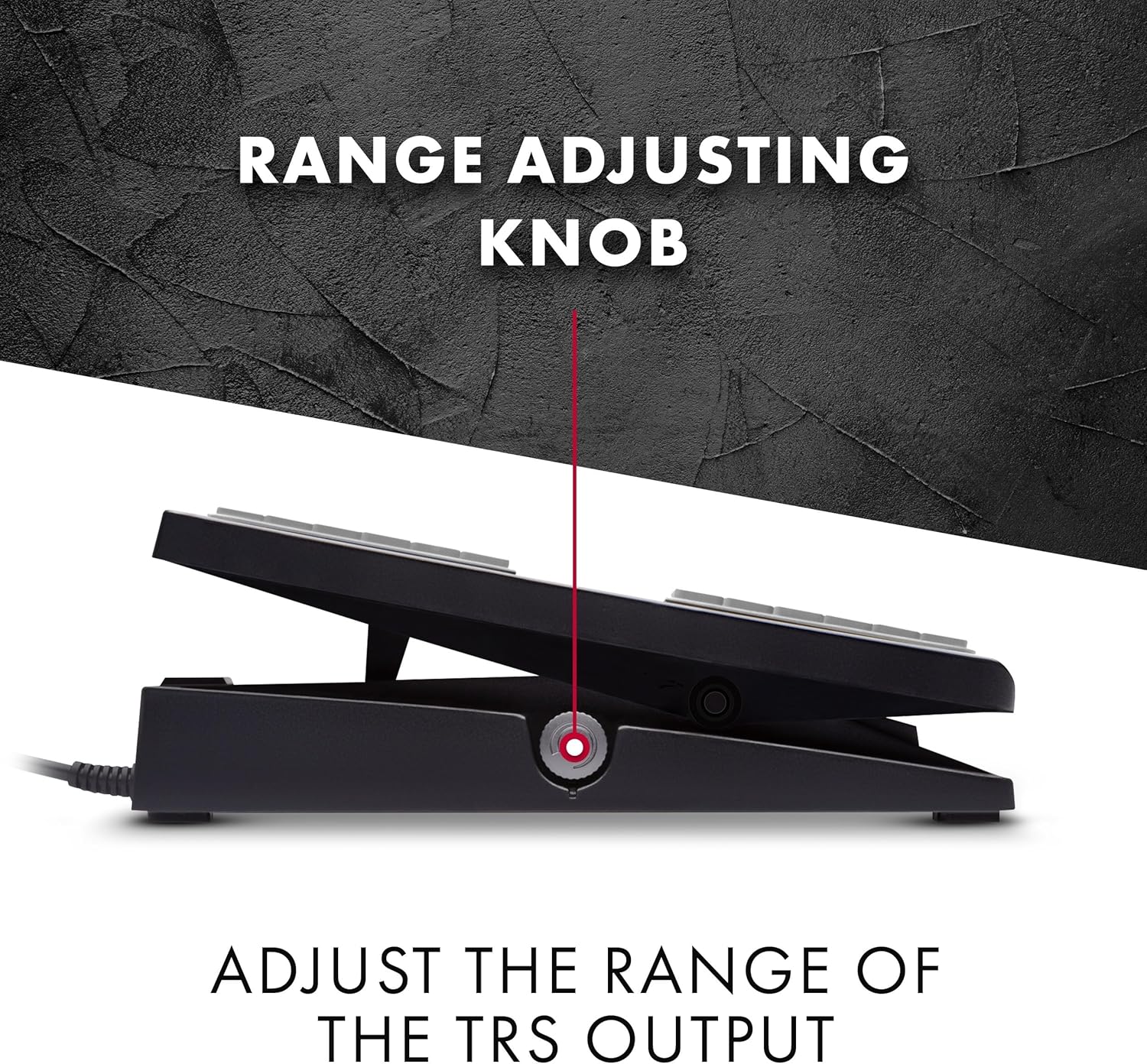
Imatge: Lateral view of the M-Audio EX-P Expression Pedal, indicating the range adjusting knob.

Image: The M-Audio EX-P Expression Pedal with its attached 1/4 inch (6.35 mm) TRS jack cable.
5. Instruccions de funcionament
Once connected and configured, the M-AUDIO EX-P Expression Pedal allows you to dynamically control various parameters of your musical instrument or device. The pedal's smooth action provides precise control over the assigned function.
- Control d'expressió: Use the pedal to control parameters such as volume, modulation, panning, or filter sweep. The specific parameter controlled depends on how your connected device is configured to respond to expression pedal input.
- Smooth Action: The pedal is designed for a smooth, wide-angled action, enabling subtle and accurate adjustments during performance.
- Estabilitat: The textured footrest ensures your foot remains stable on the pedal, preventing slips during intense playing.

Image: A foot operating the M-Audio EX-P Universal Expression Pedal, demonstrating its use.
6. Manteniment
To ensure the longevity and optimal performance of your M-AUDIO EX-P Expression Pedal, follow these simple maintenance guidelines:
- Neteja: Wipe the pedal with a soft, dry cloth to remove dust and debris. For stubborn dirt, a slightly damp es pot fer servir un drap i assecar-lo immediatament. Eviteu utilitzar productes químics agressius o netejadors abrasius.
- Emmagatzematge: Store the pedal in a clean, dry environment away from extreme temperatures and direct sunlight when not in use.
- Cura del cable: Avoid kinking or sharply bending the cable. Store it neatly coiled to prevent damage.
7. Solució De Problemes
If you encounter issues with your M-AUDIO EX-P Expression Pedal, consider the following common troubleshooting steps:
- Sense resposta:
- Ensure the 1/4" TRS cable is fully inserted into both the pedal and your instrument's expression input.
- Check the polarity switch on the underside of the pedal. Try switching it to the alternative setting ('M-AUDIO' or 'OTHER') as different devices may require different polarities.
- Verify that your instrument or software is configured to receive expression pedal input and that the correct parameter is assigned.
- Inconsistent Control:
- Adjust the range knob on the side of the pedal to fine-tune the output.
- Ensure the pedal mechanism is free from obstructions and moves smoothly.
- Slipping on Floor:
- Ensure the floor surface and the pedal's non-slip base are clean and free of dust or debris.
- Place the pedal on a non-slip mat if necessary.
Si aquests passos no resolen el problema, consulteu la informació d'assistència a la Secció 9.
8. Especificacions
| Marca | M-AUDIO |
| Nom del model | EX-P |
| Estil | Expression Pedal EXP-2 |
| Color | Negre |
| Dimensions del producte (L x A x A) | 8.26" x 3.54" x 2.24" (20.98 cm x 8.99 cm x 5.69 cm) |
| Pes de l'article | 1.1 lliures (0.5 kg) |
| Tipus de connector | TRS d'1/4 de polzada |
| Components inclosos | Expression Pedal, Hardwired 1.8m 1/4” TRS Cable, Textured Footrest |
9. Garantia i Suport
Garantia: Aquest producte està cobert per una garantia del fabricant de 1 anys a partir de la data de compra. Si us plau, conserveu el comprovant de compra per a reclamacions de garantia.
Suport: For technical assistance, troubleshooting beyond this manual, or warranty inquiries, please visit the official M-AUDIO website or contact their customer support. Contact information can typically be found on the product packaging or the M-AUDIO weblloc.
Ask a question about this manual
Ask about setup, troubleshooting, compatibility, parts, safety, or missing instructions. Manuals+ will review the question and use this page’s manual context to help answer it.