
1. Introducció
This manual provides comprehensive instructions for the installation, operation, and maintenance of your LogiLink ID0011 Optical USB Mouse. Please read this manual thoroughly before using the product to ensure proper functionality and to prevent damage. Keep this manual for future reference.
2. Producte acabatview
The LogiLink ID0011 is a wired optical mouse designed for reliable and precise computer navigation. It features an 800 DPI optical sensor, three function keys, and a vertical scroll wheel. Its ambidextrous design ensures comfortable use for both right-handed and left-handed individuals.
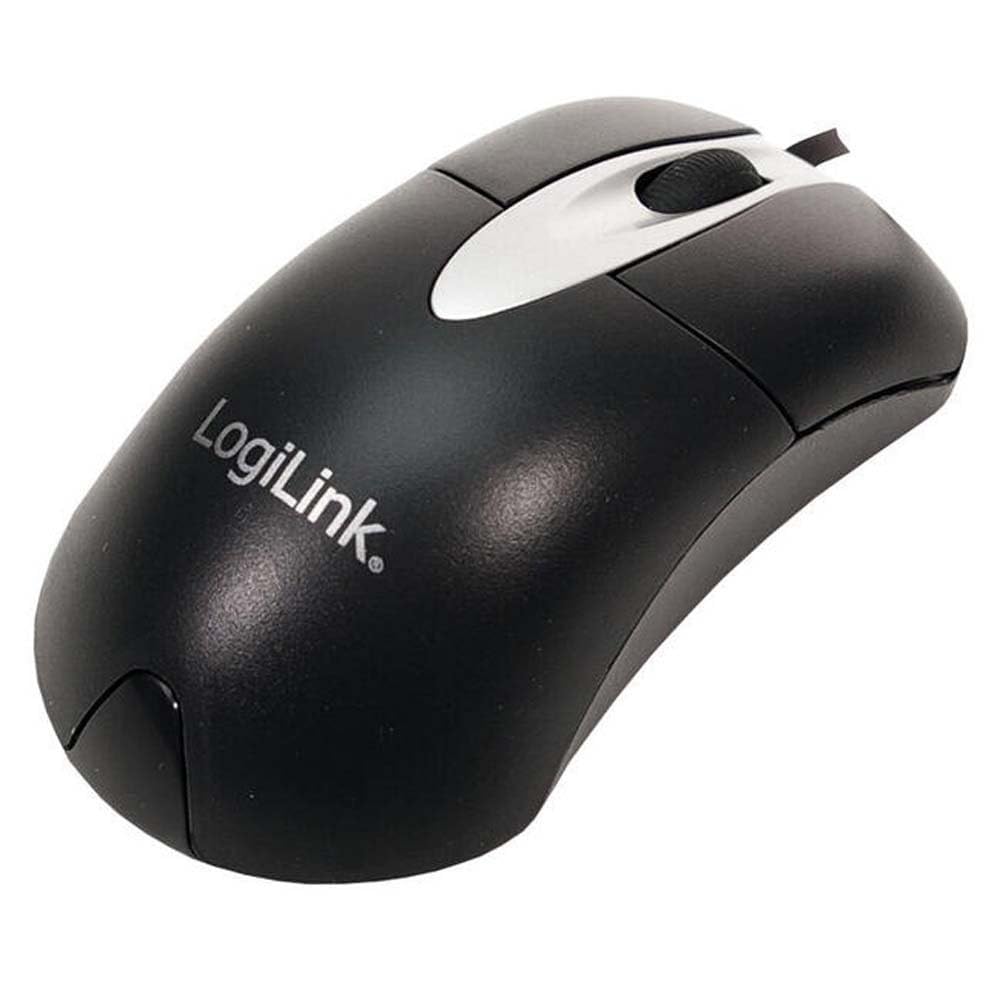
Figura 1: LogiLink ID0011 Optical USB Mouse. This image shows the mouse from a top-down perspective, highlighting its ergonomic shape, left and right click buttons, and the scroll wheel.
2.1 Contingut del paquet
- LogiLink ID0011 Optical USB Mouse
- Manual d'usuari (aquest document)
Nota: Si us plau, comproveu el contingut del paquet en desembalar-lo. Si falta algun article o hi ha algun dany, poseu-vos en contacte amb el vostre distribuïdor.
3. Configuració
The LogiLink ID0011 mouse is a Plug and Play device, requiring no additional software installation for basic functionality.
3.1 Connexió del ratolí
- Localitzeu un port USB-A disponible al vostre ordinador.
- Insert the USB connector of the LogiLink ID0011 mouse into the USB-A port.
- El sistema operatiu detectarà i instal·larà automàticament els controladors necessaris. Aquest procés pot trigar uns instants.
- Un cop finalitzada la instal·lació, el ratolí ja està llest per al seu ús.

Figura 2: LogiLink ID0011 Mouse in its retail packaging. This image displays the product box, which includes information about the mouse's features like 800dpi optical sensor and USB connectivity.
4. Funcionament
The LogiLink ID0011 mouse provides standard functionality for navigating your computer's interface.
4.1 Funcions bàsiques
- Botó esquerre: S'utilitza per seleccionar elements, obrir files i executant ordres.
- Botó dret: S'utilitza per accedir a menús contextuals i funcions especials.
- Roda de desplaçament: S'utilitza per desplaçar-se pels documents i web pages vertically. Pressing the scroll wheel may also activate a middle-click function, depending on your operating system settings.
4.2 Compatibilitat de superfícies
The optical sensor is designed to work effectively on a wide range of surfaces. For optimal performance, use the mouse on a clean, non-reflective, and uniformly colored surface. Avoid highly reflective or transparent surfaces like glass, as these may interfere with tracking accuracy.
5. Manteniment
Proper care and maintenance will extend the lifespan of your LogiLink ID0011 mouse.
5.1 Neteja
- Desconnecteu el ratolí de l'ordinador abans de netejar-lo.
- Utilitzeu un suau, lleugerament damp, lint-free cloth to wipe the exterior of the mouse.
- For stubborn dirt, a small amount of mild soap solution can be applied to the cloth, ensuring no liquid enters the mouse.
- No utilitzeu productes químics agressius, netejadors abrasius ni dissolvents, ja que poden danyar la superfície.
- Clean the optical sensor opening on the underside of the mouse with a dry cotton swab to remove any dust or debris that might affect tracking.
5.2 Emmagatzematge
When not in use for extended periods, store the mouse in a clean, dry environment, away from direct sunlight and extreme temperatures.
6. Solució De Problemes
If you encounter issues with your LogiLink ID0011 mouse, refer to the following common problems and solutions.
| Problema | Causa possible | Solució |
|---|---|---|
| El ratolí no respon | Connexió USB fluixa, port USB defectuós, problema amb el controlador. |
|
| Moviment erràtic del cursor | Sensor òptic brut, superfície inadequada, interferències de programari. |
|
| Scroll wheel not working | Dust/debris in scroll mechanism, software issue. |
|
If the problem persists after trying these solutions, please contact LogiLink customer support or your retailer for further assistance.
7. Especificacions
| Número de model | ID0011 |
| Marca | LogiLink |
| Tecnologia de connectivitat | Wired USB (USB-A) |
| Tecnologia de detecció de moviment | Òptic |
| Resolució DPI | 800 DPI |
| Nombre de botons | 3 (esquerra, dreta, roda de desplaçament) |
| Orientació de la mà | Ambidextrous (Right/Left) |
| Color | Negre |
| Material | Plàstic |
| Dimensions (L x A x A) | 110 x 60 x 32 mm (aproximadament) |
| Pes | 1 Gram (Note: This value may refer to packaging weight or be a placeholder. Actual product weight may vary.) |
| Compatibilitat de sistemes operatius | Windows, macOS (Plug and Play) |
8. Garantia i Suport
For warranty information and technical support, please refer to the documentation provided with your purchase or visit the official LogiLink weblloc web. Els termes de garantia específics poden variar segons la regió i el distribuïdor.
Fabricant: LogiLink