
Introducció
This manual provides instructions for the proper use and maintenance of your Presto 04213 Digital Timer. This electronic timer is designed for various timing needs, featuring both countdown and stopwatch functions. It includes an easy-to-read LCD display, an audible alarm, and a memory function for convenience.
Contingut del paquet
- Presto 04213 Digital Timer
- 1 bateria AAA (inclosa)
Configuració
Instal·lació de la bateria
- Locate the battery compartment on the back of the timer. This is typically covered by the clip/easel stand.
- Gently open the clip/easel stand to access the battery compartment.
- Inseriu una pila AAA, assegurant-vos que els terminals positiu (+) i negatiu (-) s'alineïn correctament amb les marques de l'interior del compartiment.
- Close the battery compartment securely. The timer display should now be active.

Imatge: Enrere view of the timer with the easel stand deployed, revealing the battery compartment and a separate AAA battery.
Opcions d'ubicació
The Presto 04213 Digital Timer offers versatile placement options:
- Enganxament magnètic: A magnet on the back allows the timer to be attached to metallic surfaces like refrigerators or ovens.
- Easel Stand: The integrated clip can be extended to form an easel stand for tabletop use.
- Clip: The clip can also be used to attach the timer to clothing or other objects.
Instruccions de funcionament
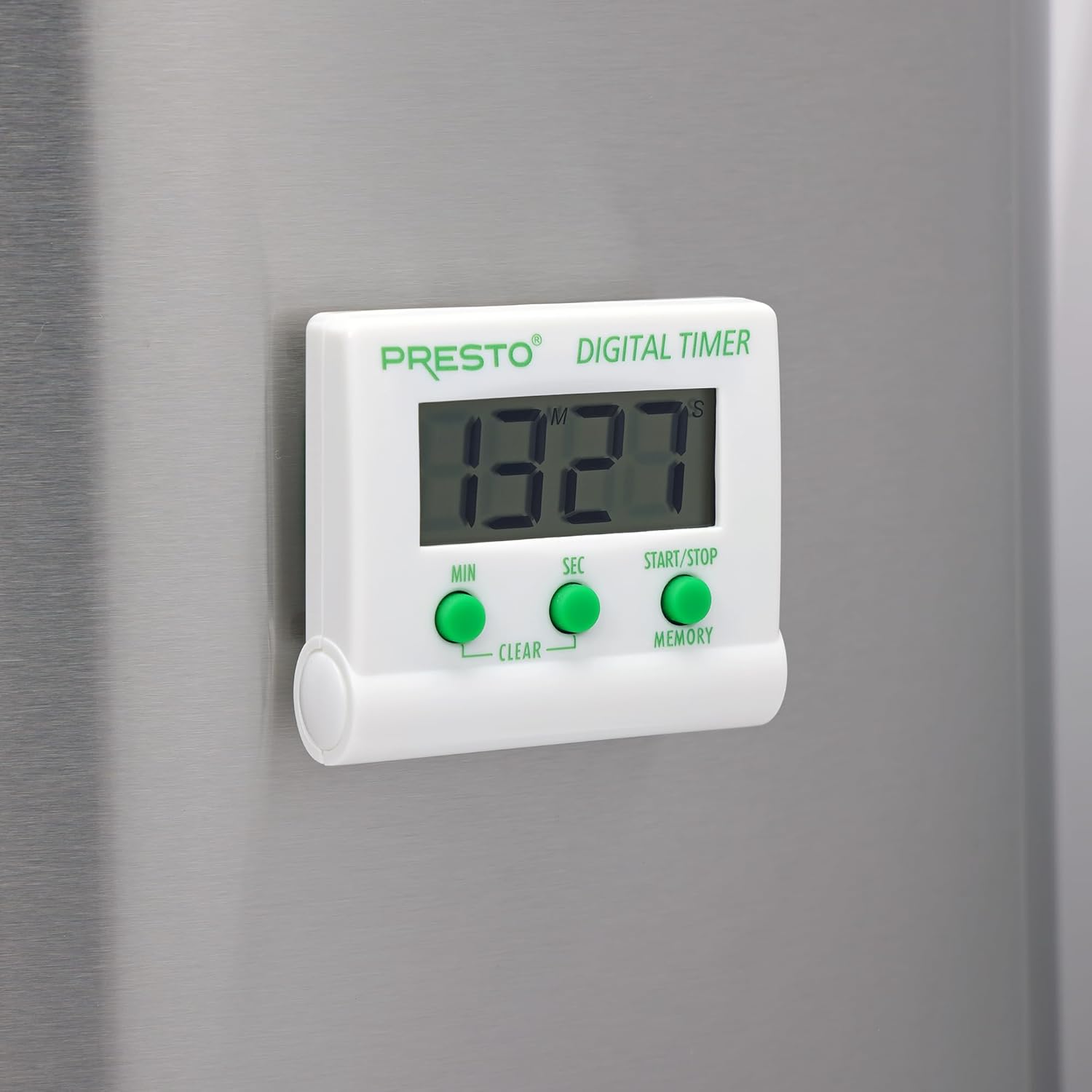
Imatge: Frontal view of the Presto Digital Timer, displaying the time and showing the MIN, SEC, and START/STOP/MEMORY buttons.
Configuració del temporitzador de compte enrere
- Premeu el botó MIN button to set the desired minutes (up to 99).
- Premeu el botó SEC button to set the desired seconds (up to 59).
- To clear the current time setting, press both MIN i SEC botons simultàniament.
- Premeu el botó INICI/PARA botó per iniciar el compte enrere.
- When the time reaches zero, an alarm will sound. Press INICI/PARA per silenciar l'alarma.
Using the Stopwatch Function (Count-Up)
- Ensure the timer display is set to "00:00". If not, press both MIN i SEC buttons to clear it.
- Premeu el botó INICI/PARA button to begin counting up.
- Premeu INICI/PARA de nou per pausar el cronòmetre.
- Per reprendre, premeu INICI/PARA. To reset to "00:00", press both MIN i SEC buttons while the stopwatch is paused.
Funció de memòria
The timer automatically stores the last countdown setting. After the alarm sounds and is silenced, or if the timer is stopped before reaching zero, pressing the MEMÒRIA button will recall the last set countdown time for quick reuse.
Característiques
- Compta enrere des de qualsevol moment fins a 99 minuts i 59 segons.
- Functions as a stopwatch (counts up).
- Easy-to-read digital display shows minutes and seconds.
- Audible alarm signals when countdown is complete.
- Memory feature stores the last countdown setting.
- Versatile design with a convenient clip, easel stand, and magnet for various mounting options.
- Operates on one AAA battery.
Manteniment
Neteja
To clean the timer, carefully wipe it with a slightly damp cloth. Do not immerse the timer in water or use abrasive cleaners, as this can damage the electronic components.
Canvi de bateria
When the display becomes dim or the timer stops functioning, replace the AAA battery following the installation steps in the "Setup" section.
Resolució de problemes
- El temporitzador no s'encén: Ensure the AAA battery is correctly installed with proper polarity and is not depleted. Replace the battery if necessary.
- La pantalla està tènue o en blanc: This indicates a low battery. Replace the AAA battery.
- L'alarma no sona: Check if the timer reached zero. Ensure there are no obstructions to the speaker.
- Els botons no responen: Ensure the timer is clean and free from debris around the buttons. If the issue persists after battery replacement, contact customer support.
Especificacions
| Número de model | 04213 |
| Marca | Presto |
| Material | Plàstic |
| Dimensions (P x A x A) | 0.5" x 2.25" x 2.5" |
| Pes de l'article | 2.88 unces |
| Font d'alimentació | 1 piles AAA |
| Max Countdown | 99 minuts, 59 segons |
| Color | Blanc |

Image: The Presto Digital Timer with its dimensions (2.5" H, 2.25" W, 0.5" D) clearly indicated.
Garantia i Suport
Informació de la garantia
This Presto 04213 Digital Timer comes with a Garantia limitada d'1 any des de la data de compra. Aquesta garantia cobreix els defectes de materials i fabricació en condicions d'ús normal. No cobreix els danys resultants d'un mal ús, accidents, alteracions o reparacions no autoritzades.
Atenció al client
For warranty claims, technical assistance, or any questions regarding your Presto Digital Timer, please contact Presto customer service. Refer to the official Presto weblloc web o l'embalatge del producte per obtenir la informació de contacte més actualitzada.
També podeu visitar el Presto Store on Amazon per obtenir informació addicional sobre el producte i recursos d'assistència.


