
1. Introducció
This manual provides essential information for setting up, operating, maintaining, and troubleshooting your Toshiba Satellite A305-S6908 laptop. This model features a 15.4-inch Widescreen TruBrite TFT LCD Display, an Intel Core 2 Duo T6400 Processor, 4GB of DDR2 SDRAM, and a 250GB SATA Hard Drive. It comes pre-installed with Windows Vista Home Premium (64-bit version).
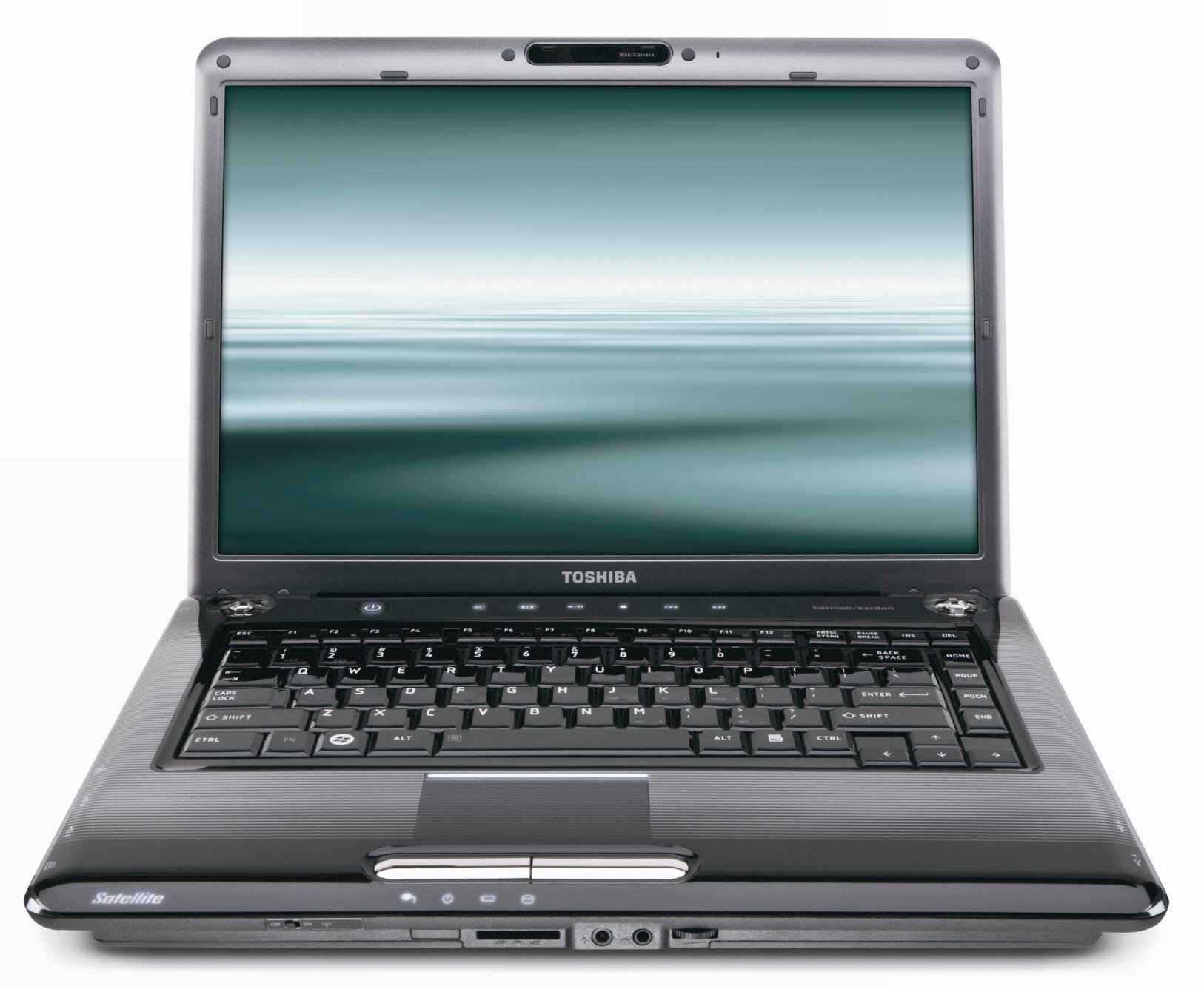
Figura 1.1: Davant view of the Toshiba Satellite A305-S6908 laptop with the lid open, displaying the screen, keyboard, and touchpad.
2. Introducció (Configuració)
2.1 Desembalatge i inspecció
Traieu amb cura tots els components de l'embalatge. Verifiqueu que hi hagi els elements següents:
- Toshiba Satellite A305-S6908 Laptop
- Adaptador de CA i cable d'alimentació
- Paquet de bateries
- Documentació (aquest manual, informació de garantia)
Inspect the laptop for any physical damage. If any components are missing or damaged, contact your retailer or Toshiba support immediately.
2.2 Connecting the AC Adapter and Charging the Battery
- Connecteu el cable d'alimentació a l'adaptador de CA.
- Connecteu l'adaptador de CA al connector d'alimentació que hi ha al lateral del portàtil.
- Connecteu el cable d'alimentació a una presa elèctrica amb connexió a terra.
La bateria començarà a carregar-se automàticament. Es recomana carregar completament la bateria abans del primer ús.
2.3 Engegada inicial i configuració de Windows
Press the power button located above the keyboard to turn on the laptop. The system will guide you through the initial setup process for Windows Vista Home Premium. Follow the on-screen instructions to configure your operating system, create a user account, and set up network connections.

Figura 2.1: Left side of the laptop, featuring the VGA port, cooling vents, Ethernet port, USB ports, FireWire port, and eSATA/USB combo port.

Figura 2.2: Right side of the laptop, featuring the DVD SuperMulti drive, USB ports, and the power input connector.
3. Using Your Laptop
3.1 Gestió de l'energia
- Botó d'encesa: Press to turn the laptop on or off. A quick press can also put the laptop into sleep mode.
- Mode de repòs: Saves your current work to memory and puts the laptop into a low-power state.
- Tancament: Use the Windows Start menu to properly shut down the system to prevent data loss.
3.2 Teclat i touchpad
The laptop features a full-sized keyboard and a multi-touch touchpad. The touchpad supports gestures for scrolling and zooming. Ensure your hands are clean and dry for optimal touchpad performance.
3.3 Optical Drive (DVD SuperMulti with LabelFlash)
The integrated DVD SuperMulti drive supports reading and writing various CD and DVD formats, including dual-layer discs. It also features LabelFlash technology for direct disc labeling. To open the tray, press the eject button on the drive itself.
3.4 Webcàmera i micròfon
A webcam and microphone are integrated into the LCD bezel, enabling video conferencing and voice recording. These can be accessed through compatible applications.
3.5 Connectivitat sense fil (Wi-Fi)
The laptop supports Intel Wi-Fi Link 5100AGN (802.11a/g/n) for wireless network connections. To connect to a Wi-Fi network, use the network icon in the Windows system tray and select your desired network.
3.6 USB Sleep and Charge
Certain USB ports on your laptop support the USB Sleep and Charge feature, allowing you to charge compatible devices even when the laptop is turned off or in sleep mode. Refer to the port labels for identification.

Figura 3.1: Front edge of the laptop, showing the memory card reader, headphone jack, microphone jack, and volume control.
4. Cura i Manteniment
4.1 Neteja del portàtil
- Pantalla: Utilitzeu un drap suau i sense pelusa dampNetegeu amb aigua o un netejador de pantalles especialitzat. No ruixeu líquid directament sobre la pantalla.
- Teclat i xassís: Feu servir un drap suau i sec. Per a la brutícia persistent, feu servir un drap lleugerament sec.amp es pot fer servir un drap, assegurant-se que no entri líquid a les obertures. L'aire comprimit pot eliminar la pols entre les tecles.
- Apagueu i desendolleu sempre el portàtil abans de netejar-lo.
4.2 Cura de la bateria
Per maximitzar la durada i el rendiment de la bateria:
- Eviteu temperatures extremes.
- If storing the laptop for an extended period, charge the battery to approximately 50% and remove it if possible.
- Periodically discharge and recharge the battery to recalibrate its charge indicator.
4.3 Software Updates and Security
Regularly update your Windows Vista operating system and antivirus software to ensure optimal performance and security. Toshiba may also provide driver updates through their support weblloc.
5. Solució De Problemes
Aquesta secció tracta problemes comuns que podeu trobar amb el vostre ordinador portàtil.
5.1 Sense poder
- Assegureu-vos que l'adaptador de CA estigui connectat correctament tant al portàtil com a una presa de corrent que funcioni.
- Verify the battery is properly installed and charged.
- Proveu una presa de corrent diferent.
5.2 Sense pantalla
- Comproveu si el portàtil està encès.
- Adjust the display brightness using the function keys (Fn + F6/F7).
- If an external monitor is connected, try switching the display output (Fn + F5).
5.3 Problemes de connectivitat de xarxa
- Ensure Wi-Fi is enabled (check the wireless indicator light).
- Verify you are connected to the correct Wi-Fi network and have entered the password correctly.
- Restart your wireless router and the laptop.
5.4 El sistema no respon
If the system becomes unresponsive, press and hold the power button for several seconds until the laptop turns off. Wait a few moments, then restart the laptop. Save your work frequently to prevent data loss.
6. Especificacions tècniques
| Característica | Especificació |
|---|---|
| Nom del model | Toshiba Satellite A305-S6908 (Series: PSAG8U-053022) |
| Processador | Intel Core 2 Duo T6400 (2 GHz) |
| RAM | 4 GB DDR2 (PC6400) |
| Disc dur | 250 GB SATA (5400 RPM) |
| Unitat òptica | DVD SuperMulti (+/-R double layer) with LabelFlash |
| Mostra | 15.4-inch Widescreen TruBrite TFT LCD (1280 x 800 resolution) |
| Gràfics | Mobile Intel Graphics Media Accelerator 4500MHD (128MB-1759MB shared) |
| Sense fil | Intel Wi-Fi Link 5100AGN (802.11a/g/n) |
| Ethernet | 10 / 100 Ethernet |
| Sistema operatiu | Windows Vista Home Premium (SP1, 64-bit version) |
| Ports | 4 x USB (1 shared eSATA), 1 x FireWire, 1 x VGA, S/PDIF digital audio out (shared with headphone), Microphone-in, Memory Card Reader |
| Dimensions (AxPxA) | 14.3 x 10.5 x 1.36 inches (without feet) |
| Pes | A partir de 6.0 lliures (2.72 kg) |
7. Garantia i Suport
7.1 Informació de la garantia
Your Toshiba Satellite A305-S6908 laptop is covered by a limited warranty. Please refer to the warranty documentation included with your product for specific terms, conditions, and duration of coverage. Keep your proof of purchase for warranty claims.
7.2 Suport tècnic
For technical assistance, driver downloads, or service inquiries, please visit the official Toshiba support website or contact Toshiba customer service. Have your laptop's model number (A305-S6908) and serial number ready when contacting support.