
1. Introducció
This manual provides essential information for the proper setup, operation, and maintenance of your Sony BRAVIA KDL-52XBR9 52-inch LCD HDTV. The KDL-52XBR9 features a 16:9 Full HD 1080p resolution panel, Motionflow 240Hz technology for smooth motion, and BRAVIA Internet Video for accessing online content. Please read this manual thoroughly before using your television to ensure optimal performance and safety.
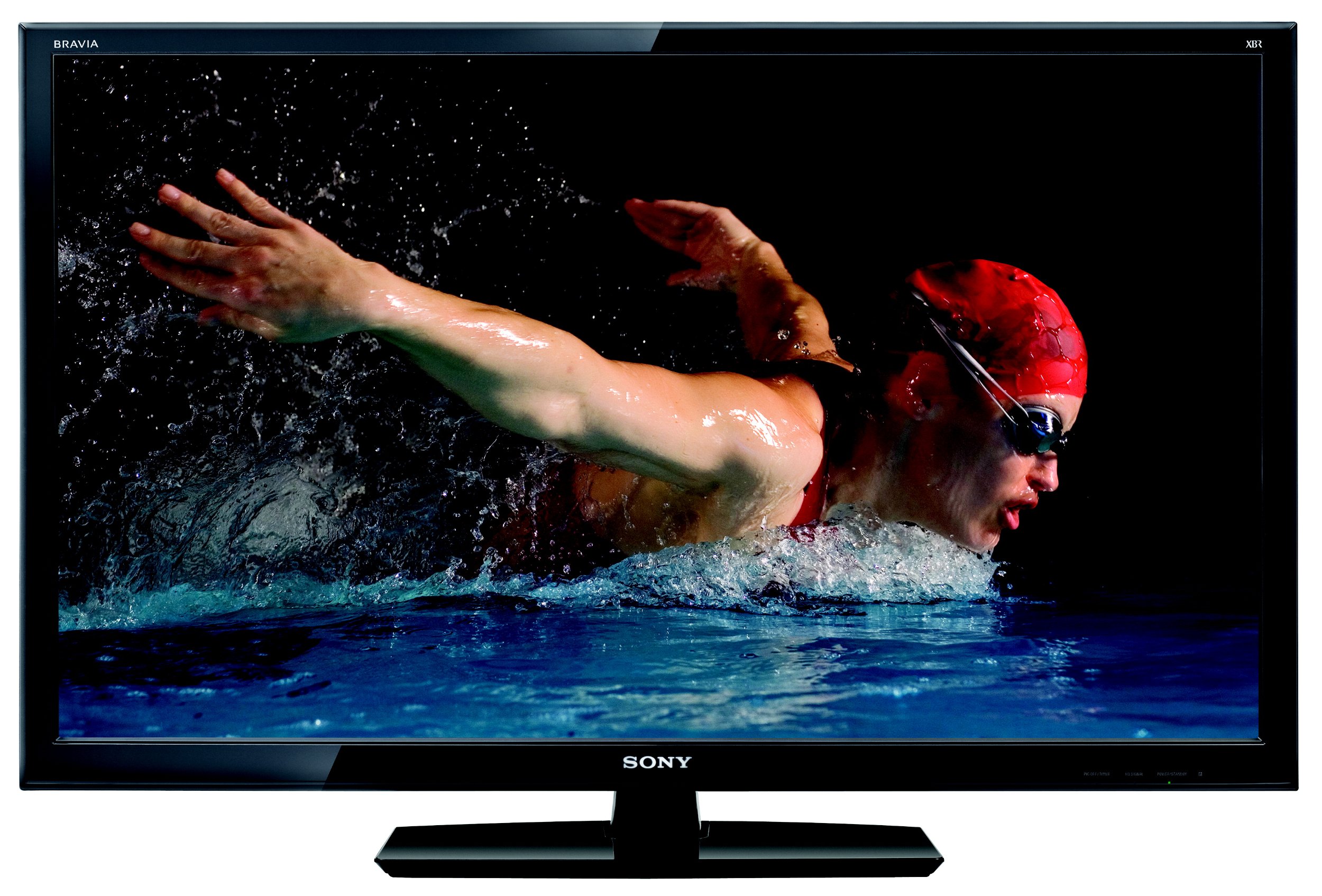
Figura 1: Frontal view of the Sony BRAVIA KDL-52XBR9 52-inch LCD HDTV with its stand.
2. Què hi ha a la caixa
Verifiqueu que tots els elements estiguin presents a l'embalatge:
- Sony BRAVIA KDL-52XBR9 Television
- Remote Control (RM-YD029)
- Suport de TV
- Cable d'alimentació
- Documentation (Quick Setup Guide, Safety Information)
3. Configuració
3.1 Desembalatge i col·locació
Carefully remove the television and all accessories from the packaging. It is recommended that two people handle the TV due to its size and weight. Place the TV on a stable, level surface or mount it securely to a wall (wall mount sold separately). Ensure adequate ventilation around the TV to prevent overheating.

Figure 2: Dimensions of the Sony BRAVIA KDL-52XBR9 TV for placement planning.
3.2 Instal·lació de l'estand
If using the included TV stand, align the stand with the mounting holes on the bottom of the television. Secure the stand using the provided screws. Refer to the Quick Setup Guide for detailed instructions and screw types.
3.3 Connexió de dispositius
Connect your external devices such as Blu-ray players, game consoles, cable/satellite boxes, and USB storage devices to the appropriate ports on the TV. Ensure all cables are securely connected.
- HDMI: For high-definition video and audio. The KDL-52XBR9 features multiple HDMI inputs.
- Vídeo component: For high-definition video from devices without HDMI.
- Vídeo compost: For standard-definition video.
- USB: Per connectar dispositius d'emmagatzematge USB a view photos, music, and videos.
- Antena/cable: Connect your antenna or cable TV feed to the ANT/CABLE input.

Figure 3: Rear panel connections of the Sony BRAVIA KDL-52XBR9.

Figura 4: lateral view showing additional input ports on the Sony BRAVIA KDL-52XBR9.
3.4 Connexió d'alimentació
After all connections are made, plug the power cord into the AC inlet on the TV, then into a wall outlet. The TV will enter standby mode.
4. Instruccions de funcionament
4.1 Control remotview
The supplied remote control (RM-YD029) allows you to operate all functions of your television. Insert two AA batteries, ensuring correct polarity.

Figure 5: Sony RM-YD029 Remote Control.
4.2 Funcionament bàsic
- Encès/apagat: Premeu el botó PODER botó del comandament a distància o del televisor.
- Selecció d'entrada: Premeu el botó ENTRADA button to cycle through connected sources (HDMI, Component, etc.).
- Control de volum: Utilitza el VOL +/- botons.
- Selecció de canals: Utilitza el CH +/- buttons or the number pad.
- Navegació del menú: Premeu el botó CASA or MENÚ button to access the TV's settings and features. Use the arrow buttons to navigate and ENTRAR per confirmar.
4.3 BRAVIA Internet Video
The KDL-52XBR9 supports BRAVIA Internet Video, allowing access to various online content providers. Connect your TV to a broadband internet connection (wired or wireless, depending on model features and accessories). Press the BRAVIA INTERNET VIDEO button on your remote to access this feature.
4.4 Reproducció multimèdia USB
Insert a USB storage device into the TV's USB port. The TV will typically detect the device and prompt you to select media type (photos, music, or videos). Navigate through your files'utilitza el comandament a distància.
5. Manteniment
5.1 Neteja de la pantalla
Per netejar la pantalla, netegeu-la suaument amb un drap suau, sec i sense borrissol. Per a marques difícils, netegeu-la suaument.ampNetegeu el drap amb aigua o amb un netejador de pantalles especialitzat. Do not use harsh chemicals, abrasive cleaners, or alcohol-based solutions as these can damage the screen surface.
5.2 Neteja de l'armari
Wipe the TV cabinet with a soft, dry cloth. If necessary, use a soft cloth lightly dampened with a mild detergent solution, then wipe dry immediately. Avoid spraying liquids directly onto the TV.
6. Solució De Problemes
Abans de contactar amb l'atenció al client, prova les solucions següents per a problemes comuns:
| Problema | Solució |
|---|---|
| Sense poder | Assegureu-vos que el cable d'alimentació estigui ben connectat tant al televisor com a una presa de corrent que funcioni. Comproveu si la presa té corrent. |
| Sense imatge ni so | Verify the correct input source is selected. Check all cable connections between the TV and external devices. |
| El comandament a distància no funciona | Replace the batteries with new ones. Ensure there are no obstructions between the remote and the TV's IR sensor. |
| Poca qualitat d'imatge | Check antenna/cable connections. Adjust picture settings in the TV menu. Ensure the source device is outputting a high-quality signal. |
| No es pot connectar a Internet | Check network cable connection (if wired). Verify Wi-Fi settings and password. Restart your router and modem. |
7. Especificacions
Key technical specifications for the Sony BRAVIA KDL-52XBR9:
| Característica | Detall |
|---|---|
| Nom del model | KDL-52XBR9 |
| Mida de la pantalla | 52 polzades |
| Tecnologia de visualització | LCD |
| Resolució | 1080p (1920x1080) |
| Freqüència d'actualització | 240 Hz (Motionflow 240Hz) |
| Tecnologia de connectivitat | Smart (BRAVIA Internet Video) |
| Serveis d'Internet compatibles | BRAVIA Internet Video |
| Number of Component Inputs | 2 |
| Number of Composite-Video Inputs | 1 |
| Number of VGA Inputs | 1 |
| Interfície del maquinari | USB |
| Tipus de sintonitzador | ATSC, NTSC |
| Pes de l'article | 57.1 lliures |
| Color | Negre |
| Any model | 2010 |
8. Informació de la garantia
The Sony BRAVIA KDL-52XBR9 television comes with a Garantia limitada d'1 any from the date of purchase. This warranty covers manufacturing defects under normal use. For full terms and conditions, please refer to the warranty card included with your product or visit the official Sony support weblloc.
9. Atenció al client
If you encounter issues that cannot be resolved using the troubleshooting guide, or if you require further assistance, please contact Sony customer support. You can find contact information and additional resources on the official Sony website. Please have your model number (KDL-52XBR9) and serial number ready when contacting support.
Recursos en línia: Visita www.sony.com/electronics/support per a manuals de productes, preguntes freqüents i actualitzacions de programari.