
Introducció
Thank you for choosing the Pronomic MS-100 Microphone Stand. This manual provides essential information for the safe and effective setup, operation, and maintenance of your microphone stand. Please read these instructions carefully before use and retain them for future reference.

Figura 1: The Pronomic MS-100 Microphone Stand. This image displays the complete microphone stand with its round base and adjustable shaft, ready for use.
Contingut del paquet
Si us plau, verifiqueu que tots els elements que s'enumeren a continuació estiguin inclosos al vostre paquet:
- Pronomic MS-100 Microphone Stand (main assembly)
- Reducing thread (for microphone clip attachment)
- 2 x Locking nuts
- 2 x Brides de cable
Instruccions de seguretat
- Assegureu-vos que el suport estigui col·locat sobre una superfície estable i anivellada per evitar que bolqui.
- Do not exceed the maximum recommended load for the stand.
- Avoid overtightening adjustment knobs, as this may damage the threads.
- Keep hands clear of moving parts during height adjustment.
- Regularly inspect the stand for any signs of wear or damage. Do not use if damaged.
Configuració
- Fixeu el pal del suport a la base:
Carefully screw the main stand pole into the heavy round base. Ensure it is securely tightened to provide maximum stability.
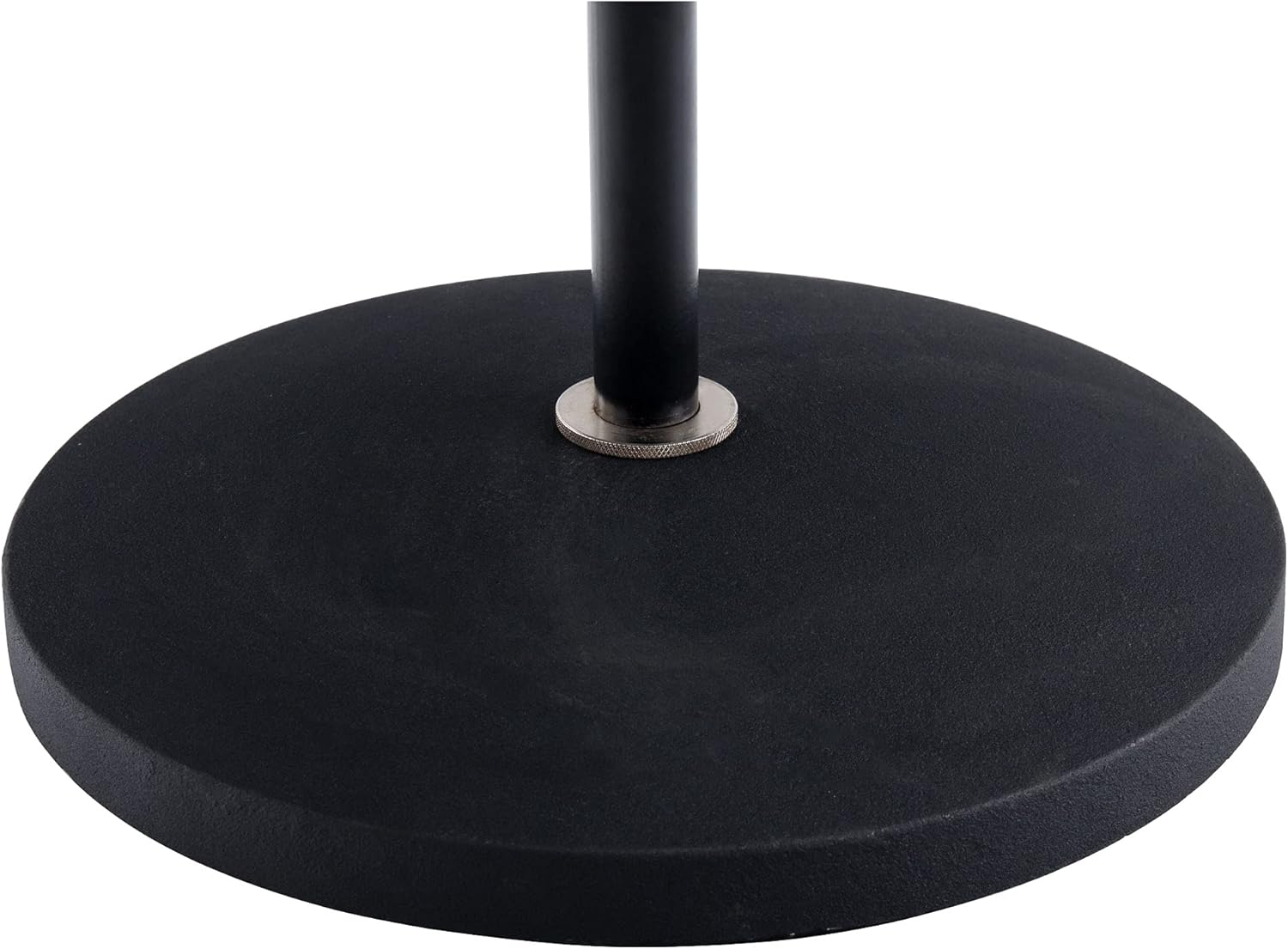
Figura 2: Primer pla view of the heavy round base where the stand pole is securely attached. This ensures the stand's stability.
- Attach Microphone Clip/Holder:
Screw your microphone clip or holder onto the threaded top of the stand. If your clip requires a different thread size, use the included reducing thread. Secure it with the provided locking nuts.

Figura 3: Detail of the threaded top of the stand, showing where a microphone clip or holder is attached. The reducing thread and locking nuts ensure compatibility and security.
Funcionament
- Ajust de l'alçada:
Loosen the height adjustment knob located on the stand pole. Extend or retract the upper section to the desired height (88 cm to 158 cm). Once the desired height is reached, firmly tighten the knob to secure the stand in position.
- Gestió de cables:
Use the two included cable ties to neatly secure your microphone cable along the stand pole. This prevents the cable from dangling, reducing trip hazards and unwanted noise.

Figura 4: A close-up of a cable tie attached to the stand pole, demonstrating how microphone cables can be neatly managed to prevent tangling and ensure a tidy setup.
Manteniment
- Netegeu el suport amb un drap suau i sec. Eviteu productes de neteja o dissolvents abrasius.
- Periodically check all screws and knobs for tightness.
- Store the stand in a dry environment when not in use.
Resolució de problemes
- El suport està inestable: Ensure the base is fully tightened to the pole and placed on a flat surface.
- Microphone clip does not fit: Verify you are using the correct reducing thread and locking nuts for your microphone clip.
- L'ajust d'alçada és difícil: Check for any obstructions or debris in the telescoping mechanism. Do not force adjustment.
Especificacions
| Model | MS-100 |
| Marca | Pronòmic |
| Alçada ajustable | 88 - 158 cm (approx. 34.6 - 62.2 inches) |
| Diàmetre de la base | Approx. 25 cm (approx. 9.8 inches) |
| Pes | 3.4 kg (aprox. 7.5 lliures) |
| Material | Metal (Cast Iron Base) |
| Color | Negre |
| Microphone Thread Compatibility | 3/8" or 5/8" (with included reducer) |
Garantia i Suport
For warranty information or technical support, please refer to the documentation provided at the time of purchase or contact Pronomic customer service through their official weblloc.