
Introducció
This manual provides instructions for the KODAK Easyshare C190 Digital Camera. Please read this manual thoroughly before using your camera to ensure proper operation and to maximize its features. Keep this manual for future reference.
Configuració
1. Desempaquetar la càmera
Traieu amb cura tots els components de l'embalatge. Assegureu-vos que hi hagi els elements següents:
- KODAK Easyshare C190 Digital Camera
- Corretja de canell
- cable USB
- Manual d'usuari (aquest document)
- Note: Batteries and SD/SDHC memory card are not included and must be purchased separately.
2. Instal·lació de bateries
The KODAK Easyshare C190 uses AA batteries. Locate the battery compartment on the bottom or side of the camera. Open the compartment cover, insert two fresh AA batteries, ensuring correct polarity (+/-), then close the cover securely.
3. Inserció d'una targeta de memòria
The camera supports SD and SDHC memory cards. Open the memory card slot cover, typically located near the battery compartment. Insert the memory card with the metal contacts facing the correct direction (refer to the diagram inside the compartment). Push until it clicks into place. Close the cover.
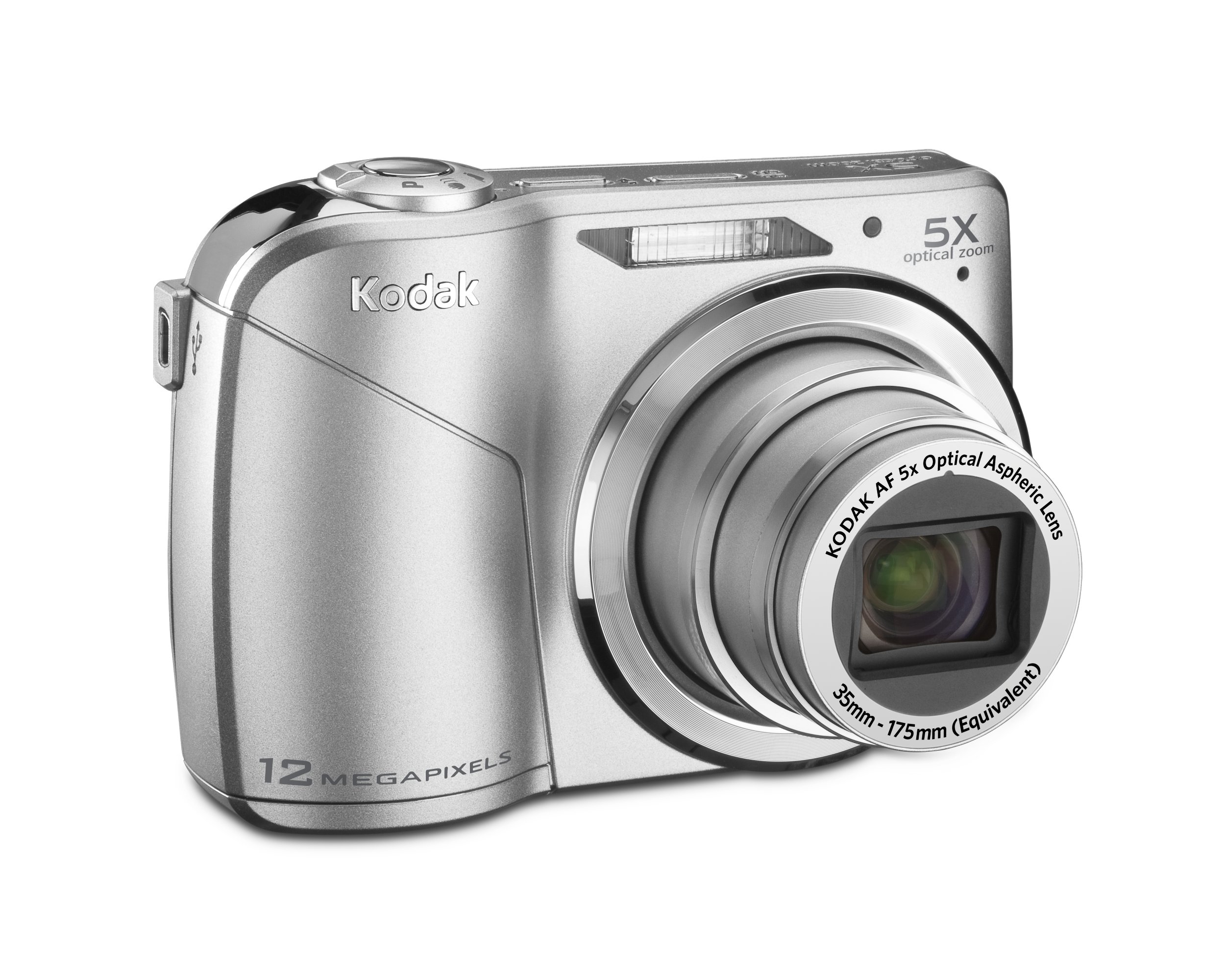
Image: KODAK Easyshare C190 Digital Camera. This image shows the overall design of the camera, including the lens and LCD screen.
Funcionament de la càmera
1. Encès / apagat
Premeu el botó Poder button, usually located on the top of the camera, to turn it on. Press and hold the button again to turn it off.
2. Fer fotos
- Seleccioneu el mode: Use the mode dial (if present) or menu to select a shooting mode (e.g., Auto, Program, Scene). The camera features Captura intel·ligent, which automatically identifies the scene and adjusts settings for optimal results.
- Enquadra la teva presa: Feu servir la pantalla LCD de 2.7 polzades per compondre la vostra imatge.
- Zoom: Use the zoom lever/buttons to adjust the 5x optical zoom.
- Focus: Press the shutter button halfway down to allow the camera to focus. The camera will confirm focus, often with a green box or beep.
- Captura: Press the shutter button fully down to take the picture. The camera has a 12-megapixel resolution for detailed images.
3. Gravació de vídeos
Switch the camera to video mode (if available via a dedicated button or mode dial). Press the shutter button to start recording and press it again to stop. Videos are recorded without sound during zoom operations.
4. Viewing and Managing Photos/Videos
Premeu el botó Review or Reproducció botó per view your captured images and videos on the 2.7-inch LCD screen. Use the directional pad to navigate through your media. Options for deleting, protecting, or sharing may be available through the menu.
5. Transferència Files a un ordinador
Connect the camera to your computer using the provided USB cable. The camera should appear as a removable drive. You can then copy photos and videos directly to your computer. KODAK Easyshare software may be available for enhanced management and sharing features.
Manteniment
1. Neteja de la càmera
- Lent: Use a soft, lint-free cloth specifically designed for camera lenses. Gently wipe in a circular motion. Avoid harsh chemicals.
- Pantalla LCD: Use a soft, dry cloth. For stubborn smudges, a specialized LCD screen cleaner can be used sparingly.
- Cos de la càmera: Wipe with a soft, dry cloth. Do not use water or cleaning solutions directly on the camera.
2. Cura de la bateria
Remove batteries when the camera will not be used for an extended period to prevent leakage. Store batteries in a cool, dry place. Dispose of used batteries according to local regulations.
3. Emmagatzematge
Store the camera in a dry, dust-free environment, away from extreme temperatures and direct sunlight. Use a camera case for protection during transport.
Resolució de problemes
| Problema | Possible causa/solució |
|---|---|
| La càmera no s'encén. |
|
| Missatge "Error de la targeta de memòria". |
|
| Les fotos són borroses. |
|
| LCD screen is difficult to see in bright light. |
|
Especificacions
- Nom del model: KODAK Easyshare C190
- Resolució: 12 megapíxels
- Zoom òptic: 5x
- Pantalla LCD: 2.7 polzades
- Estabilització d'imatge: Digital, Òptic
- Tecnologia del sensor fotogràfic: CCD
- Admet File Format: JPEG
- Distància focal màxima: 175 mil·límetres
- Apertura màxima: 2.8 mil·límetres
- Mínim ISO ampliat: 64
- Mesurament: Multi, ponderat al centre, puntual
- Suport de targeta de memòria: SD/SDHC (not included)
- Dimensions del producte: 3.78 x 0.75 x 2.32 polzades
- Pes de l'article: 4.8 unces
- Fabricant: Kodak
- Número de model de l'article: 8871840
Garantia i Suport
For warranty information and technical support, please refer to the documentation provided at the time of purchase or visit the official KODAK support weblloc web. Conserveu el comprovant de compra per a reclamacions de garantia.
Official KODAK Store: KODAK Store on Amazon