
Producte acabatview
This PROSCAN SRCD243 Portable CD Player with AM/FM Radio Boombox offers versatile audio playback. It features an AM/FM radio, a CD player compatible with CD-R discs, skip and search functions, and a 20-track programmable memory. The unit can be powered by AC or batteries.
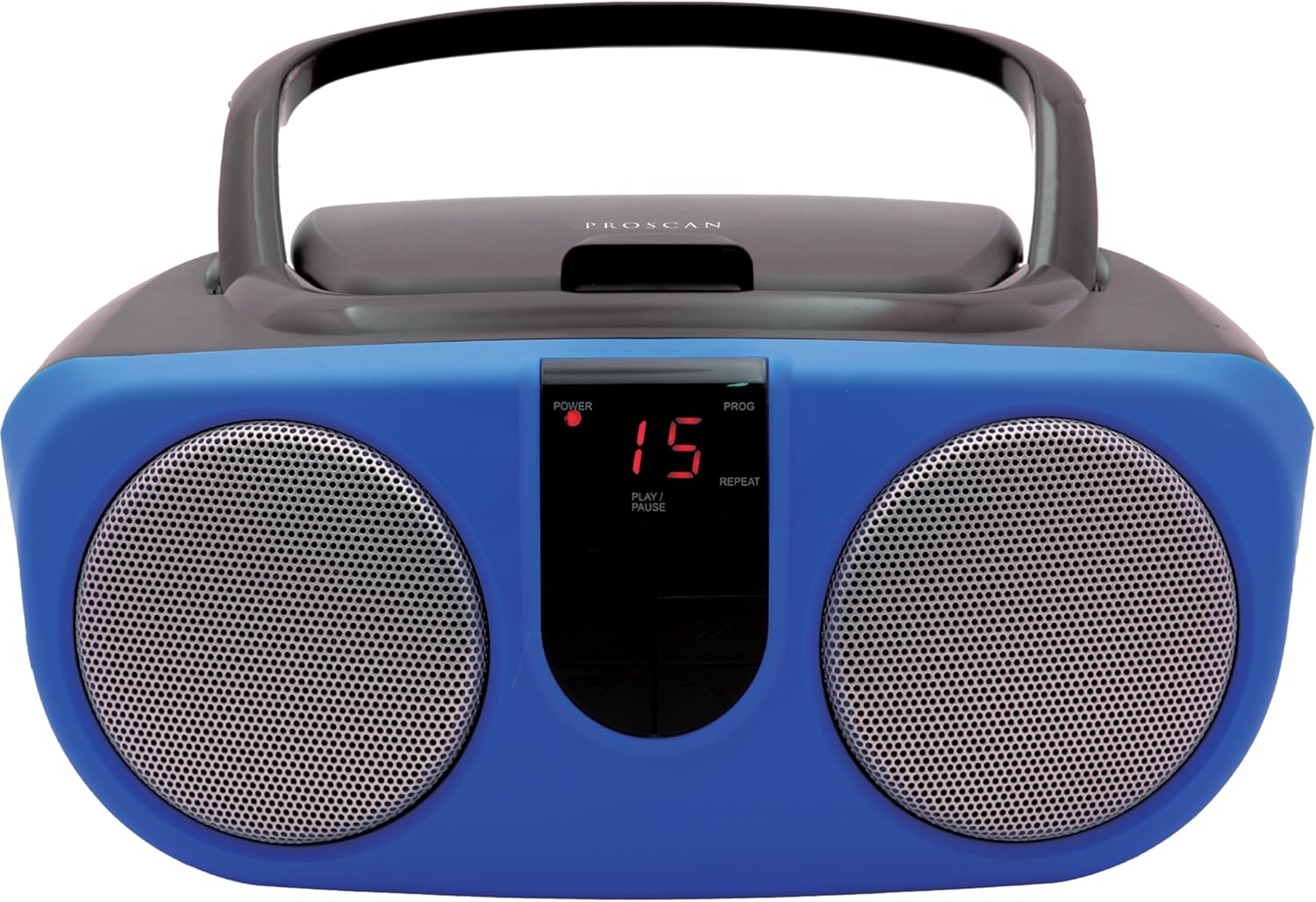
Description: Front view of the PROSCAN SRCD243 Portable CD Player with AM/FM Radio Boombox in blue, showcasing its dual speakers and central control panel.
Què hi ha a la caixa
- Sylvania SRCD243 Portable CD Player with AM/FM Radio, Boombox (Blue)
Configuració
Alimentació de la Unitat
The SRCD243 can be powered in two ways:
- Alimentació CA: Connect the included AC adapter to the AC IN jack on the back of the unit and plug it into a standard 120V/60Hz wall outlet.
- Potència de la bateria: For portable use, insert 8 'C' (UM-2) size batteries into the battery compartment located on the bottom of the unit. Ensure correct polarity.
Description: This image displays the rear of the boombox, highlighting the AC power input and the battery compartment area. It also shows the product's manufacturing details and a Proposition 65 warning.
Instruccions de funcionament
Reproducció de CD
Per reproduir un CD:
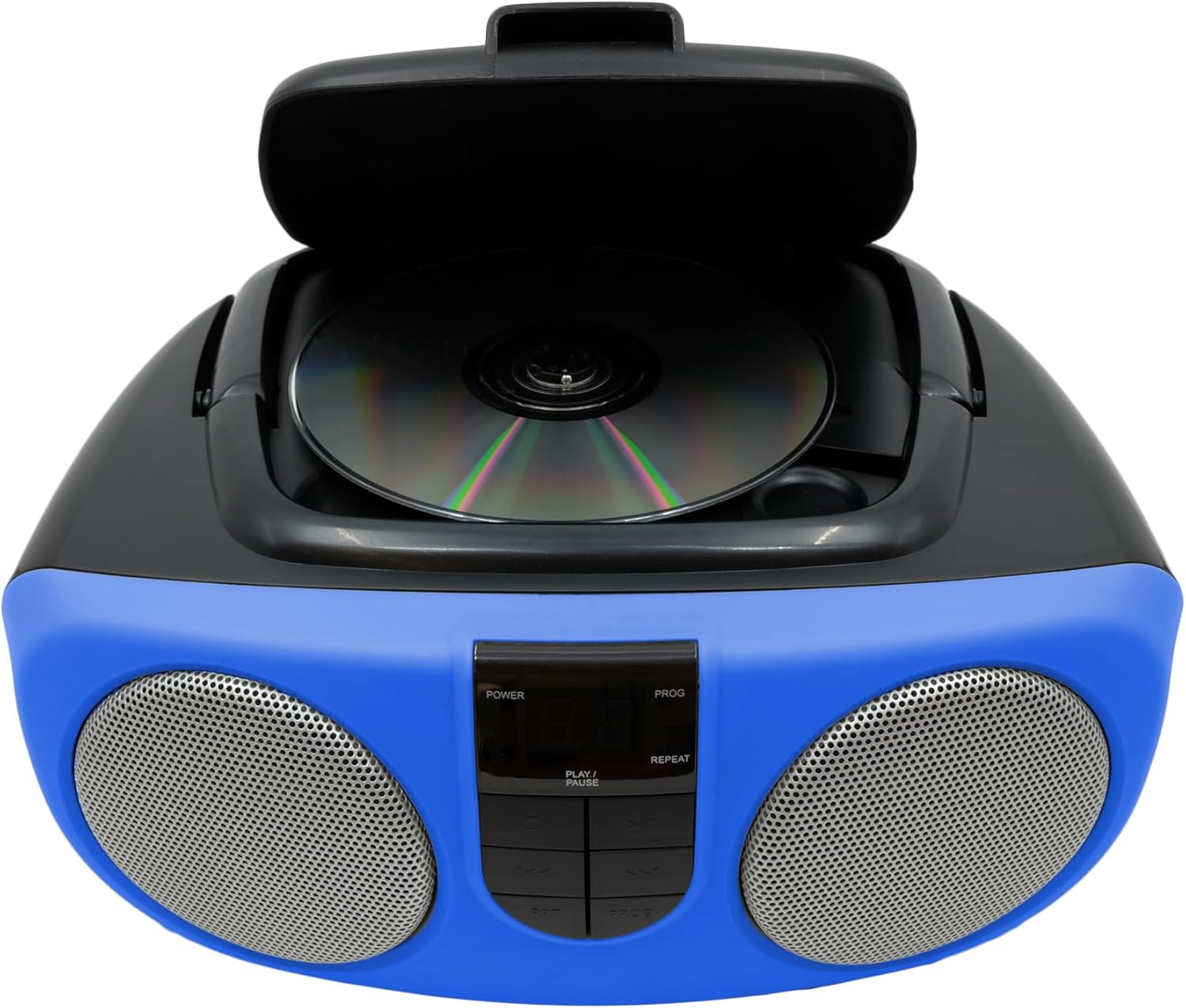
- Lift the CD compartment lid located on the top of the unit.
- Place a CD or CD-R disc onto the spindle, label side up.
- Close the CD compartment lid securely.
- Slide the FUNCTION switch (located on the side) to the "CD" position.
- Premeu el botó PLAY/PAUSE per començar la reproducció.
- Use the SKIP/SEARCH buttons to navigate between tracks or fast-forward/rewind within a track.
- Press the STOP button to halt playback.
- The unit features a 20-track programmable memory and Repeat 1/All functions.

Description: This image shows the top of the boombox with the CD lid open, illustrating how to insert a compact disc for playback. The central control panel is also visible.
Ràdio AM/FM
Per escoltar la ràdio:
- Slide the FUNCTION switch (located on the side) to the "RADIO" position.
- Esteneu l'antena telescòpica per a una recepció FM òptima.
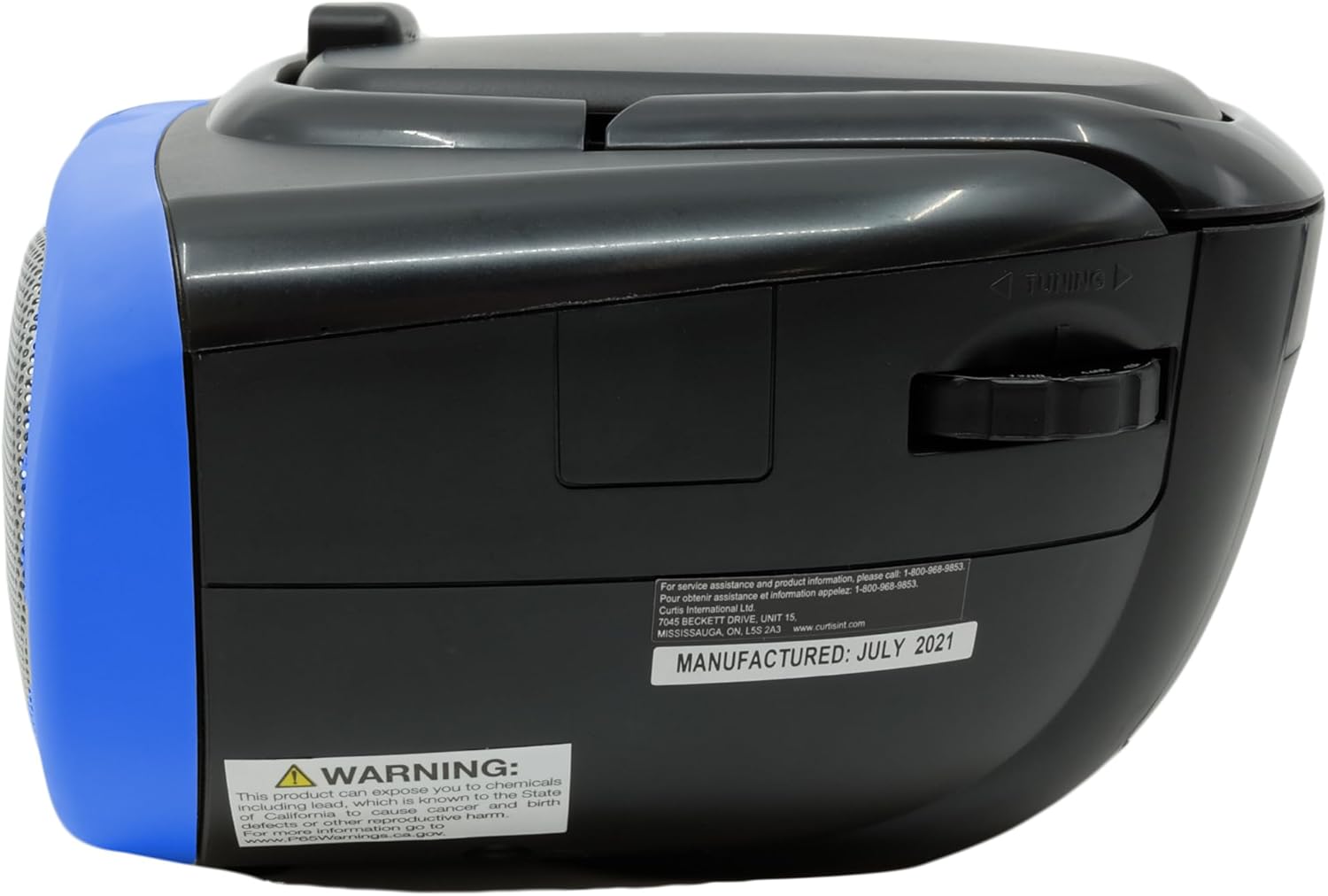
- Use the TUNING dial (located on the side) to select your desired AM or FM station.
Description: This image provides a side view of the boombox, clearly showing the manual tuning dial used for selecting AM/FM radio frequencies.
Entrada auxiliar
The Aux In jack allows you to connect external audio devices (e.g., MP3 players, smartphones) to play music through the boombox speakers.
- Connect one end of a 3.5mm audio cable (not included) to the Aux In jack on the side of the boombox.
- Connecteu l'altre extrem del cable a la presa d'auriculars o a la sortida d'àudio del dispositiu extern.
- Slide the FUNCTION switch to the "AUX IN" position (if available, otherwise ensure it's not on CD or Radio).
- Adjust the volume using the VOLUME control on the boombox and your external device.

Description: This image displays the side of the boombox, featuring the auxiliary input jack and the function switch for selecting different audio sources.
Controls acabatsview
The front panel features an LED display and various control buttons:
- POTÈNCIA: Encén/apaga la unitat.
- STOP: Atura la reproducció de CD.
- PROG (Programa): S'utilitza per programar pistes de CD.
- REPRODUCCIÓ/PAUSA: Inicia o posa en pausa la reproducció de CD.
- SKIP/SEARCH (<< / >>): Skips tracks or fast-forwards/rewinds.
- REP (Repetició): Repeats the current track or all tracks.
- VOLUME (Side Dial): Ajusta el nivell de so general.
- FUNCTION (Side Switch): Selects between CD, OFF, and RADIO modes.

Description: This image provides a detailed front view of the boombox, highlighting the central control panel with its buttons for playback, programming, and the LED display.
Manteniment
Neteja
Netegeu la unitat amb un suau, damp cloth. Do not use abrasive cleaners or solvents. For the CD lens, use a specialized CD lens cleaner.
Emmagatzematge
If storing the unit for an extended period, remove batteries to prevent leakage and damage.
Resolució de problemes
| Problema | Causa possible | Solució |
|---|---|---|
| Sense poder | AC adapter not connected or batteries depleted/incorrectly inserted. | Check AC connection or replace/reinsert batteries. |
| El CD no es reprodueix o salta | CD is dirty, scratched, or inserted incorrectly. Unit is on an unstable surface. | Clean CD, reinsert correctly. Place unit on a stable, flat surface. |
| Mala recepció de ràdio | Antenna not extended or unit is in an area with weak signal. | Extend and adjust the telescopic antenna. Try relocating the unit. |
| Sense so | Volume too low or incorrect function selected. | Increase volume. Ensure FUNCTION switch is set to CD, RADIO, or AUX IN as desired. |
Especificacions
| Característica | Detall |
|---|---|
| Marca | PROSCÀ |
| Número de model | SRCD243M-BLUE |
| Dimensions del producte | 10 x 9 x 5.7 polzades |
| Pes de l'article | 2.64 lliures |
| Font d'alimentació | AC 120V/60Hz or 8 x 'C' (UM-2) batteries |
| Compatibilitat amb CD | CD, CD-R |
| Bandes de ràdio | AM/FM |
| Connectivitat | Entrada auxiliar (3.5 mm) |
Informació important de seguretat
Aquest producte conté productes químics coneguts per l'estat de Califòrnia per causar càncer i defectes de naixement o altres danys reproductius. Per a més informació, visiteu www.P65Warnings.ca.gov.