
1. Introducció
The Contour Design ShuttlePRO v2 is a versatile multimedia controller designed to enhance efficiency in video, audio, and photo editing workflows. It features a spring-loaded jog wheel, a shuttle dial, and 15 programmable buttons, providing precise control and reducing reliance on keyboard shortcuts.
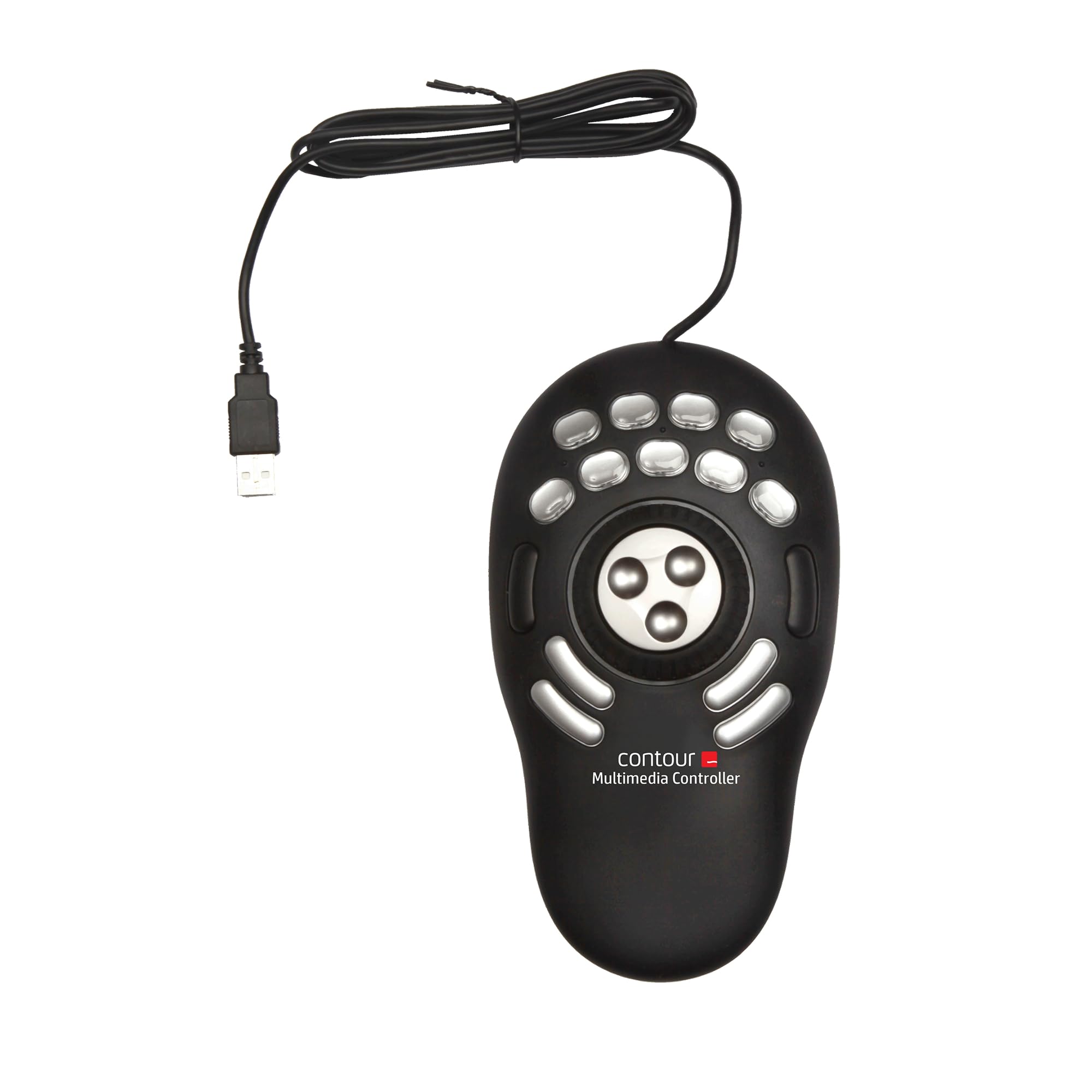
Image 1.1: The Contour Design ShuttlePRO v2 Multimedia Controller, a black device with a central jog wheel and 15 silver programmable buttons, connected via a USB cable.

Image 1.2: The ShuttlePRO v2 positioned on a desk next to a keyboard and mouse, with a monitor displaying editing software, illustrating its integration into a professional workspace.
2. Configuració
2.1. Requisits del sistema
- Sistemes operatius: Apple macOS (OS 8.6 through 10.9, with specific driver versions for 10.6 and earlier, and 10.7 and later) and Microsoft Windows (Windows 98 through Windows 8, with specific driver versions for XP and earlier, and Windows 7/8).
- Plataforma de maquinari: PC, Macintosh.
- Connectivitat: Port USB disponible.
2.2. Instal·lació del controlador
Before connecting the ShuttlePRO v2, it is recommended to download and install the latest drivers from the official Contour Design website. Specific driver versions are required based on your operating system:
- Mac US: Download and install v3 for OS 10.7 and later. For Mac OS 10.6 and earlier, use v2.21.
- Windows: Download and install v2.10 for Windows 7 and Windows 8. For Windows XP and earlier, use v2.7.8.
2.3. Connexió del dispositiu
Once the drivers are installed, connect the ShuttlePRO v2 to your computer using the integrated USB cable. The device is plug-and-play, and your system should recognize it automatically after driver installation.

Image 2.1: A two-part image showing the ShuttlePRO v2 with its wired USB connection and a close-up of the USB-A connector, demonstrating its simple plug-and-play setup.
3. Instruccions de funcionament
3.1. Jog Wheel and Shuttle Dial
The ShuttlePRO v2 features a central jog wheel and an outer shuttle dial for precise timeline navigation and control.
- Jog Wheel: The inner, spring-loaded jog wheel allows for frame-by-frame adjustments. Rotate it left or right for precise, incremental movement through your media.
- Shuttle Dial: The outer, rubberized shuttle dial provides variable speed fast forward and rewind. Rotate it further from the center for faster scrubbing through your timeline. It returns to the center position when released.

Image 3.1: A diagram illustrating the functionality of the jog wheel for frame-by-frame adjustments and the shuttle wheel for fast forward and rewind, with arrows indicating rotational movement.
3.2. Botons programables
The device includes 15 programmable buttons. These buttons can be assigned to various functions, shortcuts, or macros within your editing applications.
- Configuració per defecte: The ShuttlePRO v2 comes with pre-configured settings for over 100 popular creative editing applications. These settings provide a starting point for common tasks.
- Personalització: All 15 buttons are fully customizable. You can reassign functions, create custom macros, and tailor the device to your specific workflow using the Contour desktop application.

Imatge 3.2: Un primer pla view of the ShuttlePRO v2, highlighting its 15 programmable buttons, which are pre-configured for various software and can be customized.

Image 3.3: A screenshot of the Contour desktop application interface, showing options to customize the functions of the ShuttlePRO v2's buttons, dial, and jog wheel.
3.3. App Detection
The ShuttlePRO v2 features intelligent application detection. It automatically recognizes the active application and switches to the corresponding pre-configured or custom profile. This allows for seamless transitions when working across multiple software programs within a single project.
4. Característiques
4.1. Precision Control
The combination of the jog wheel and shuttle dial provides granular control over media timelines, enabling frame-by-frame navigation and smooth scrubbing. This precision is crucial for detailed video, audio, and photo editing tasks.
4.2. Workflow Efficiency
With 15 programmable buttons, users can assign frequently used shortcuts and macros, significantly speeding up editing workflows. This minimizes repetitive hand movements and reduces the need to constantly switch between the mouse and keyboard.

Image 4.1: A hand operating the ShuttlePRO v2, demonstrating how its design allows for efficient control and helps streamline complex editing tasks by reducing keyboard shortcuts.
4.3. Disseny ergonòmic
The compact and ergonomic design of the ShuttlePRO v2 ensures comfortable hand positioning, reducing strain during extended editing sessions. Its layout allows easy access to all buttons and the jog wheel with minimal finger movement.

Image 4.2: A hand comfortably gripping the ShuttlePRO v2, illustrating its ergonomic design intended to reduce strain during prolonged use.
4.4. Broad Software Compatibility
The ShuttlePRO v2 is compatible with a wide range of professional editing software. Pre-configured settings are available for applications such as Adobe Creative Suite, Apple Final Cut Pro, Apple Logic Pro, Autodesk Autocad, Avid Media Composer, Avid Pro Tools, Boris FX, Sony Vegas Pro, Steinberg Cubase, and more.

Image 4.3: The ShuttlePRO v2 on a desk, indicating its compatibility with both Mac and Windows operating systems and its ability to integrate with multiple software applications.
5. Manteniment
To ensure the longevity and optimal performance of your ShuttlePRO v2, follow these general maintenance guidelines:
- Neteja: Use a soft, dry cloth to wipe the surface of the device. For stubborn dirt, a slightly damp Es pot fer servir un drap amb sabó suau, assegurant-se que no entri líquid al dispositiu.
- Emmagatzematge: Guardeu el dispositiu en un entorn net i sec, allunyat de temperatures extremes i de la llum solar directa.
- Manipulació: Avoid dropping the device or exposing it to excessive force, which could damage internal components or buttons.
6. Solució De Problemes
If you encounter issues with your ShuttlePRO v2, consider the following troubleshooting steps:
- Dispositiu no reconegut: Ensure the USB cable is securely connected to both the device and the computer. Try a different USB port. Verify that the correct drivers for your operating system are installed.
- Botons que no responen: Check the Contour desktop application to ensure buttons are correctly assigned and not disabled. Restart the application you are using and the ShuttlePRO v2 drivers.
- Jog/Shuttle Wheel Issues: If the jog or shuttle wheel is not responding accurately, ensure the device is clean and free of debris. Reinstalling the drivers may also resolve software-related issues.
- Programari Profile Problemes: If the device is not switching profiles correctly between applications, ensure the Contour desktop application is running and has the necessary permissions on your operating system.
7. Especificacions
| Característica | Detall |
|---|---|
| Marca | Disseny de contorns |
| Nom del model | Shuttle Pro V2 |
| Número de model de l'article | Shuttle Pro V.2 |
| Plataforma de maquinari | PC, Macintosh |
| Sistema operatiu | Macintosh, Windows |
| Tecnologia de connectivitat | USB |
| Pes de l'article | 13.4 unces (aprox. 380 g) |
| Dimensions del producte (LxWxH) | 9.25 x 5.25 x 2 polzades (aprox. 23.5 x 13.3 x 5.1 cm) |
| Color | Negre |
| Font d'alimentació | Elèctric amb cable (alimentat per USB) |
| Característiques especials | Ergonomic, Multiuse, Programmable Buttons |
8. Suport i garantia
For further assistance, updated drivers, or detailed product information, please visit the official Contour Design website. Support resources, including FAQs and contact information, are available there.
Information regarding product warranty is typically provided with your purchase documentation or can be found on the manufacturer's website. Please refer to these sources for specific warranty terms and conditions.
Fabricant: Contour Design, Inc.