
1. Introducció
The SANYO VPC-CG20 is a compact, high-definition camcorder and 10-megapixel digital camera designed for capturing both video and still images. This device features Full HD 1080i video recording at 60 frames per second, a 10-megapixel still image sensor, and a 5x optical zoom lens. It includes a 2.7-inch wide LCD monitor for easy framing and playback, along with optical image stabilization for clearer footage and photos. This manual provides essential information for setting up, operating, and maintaining your VPC-CG20 camcorder.
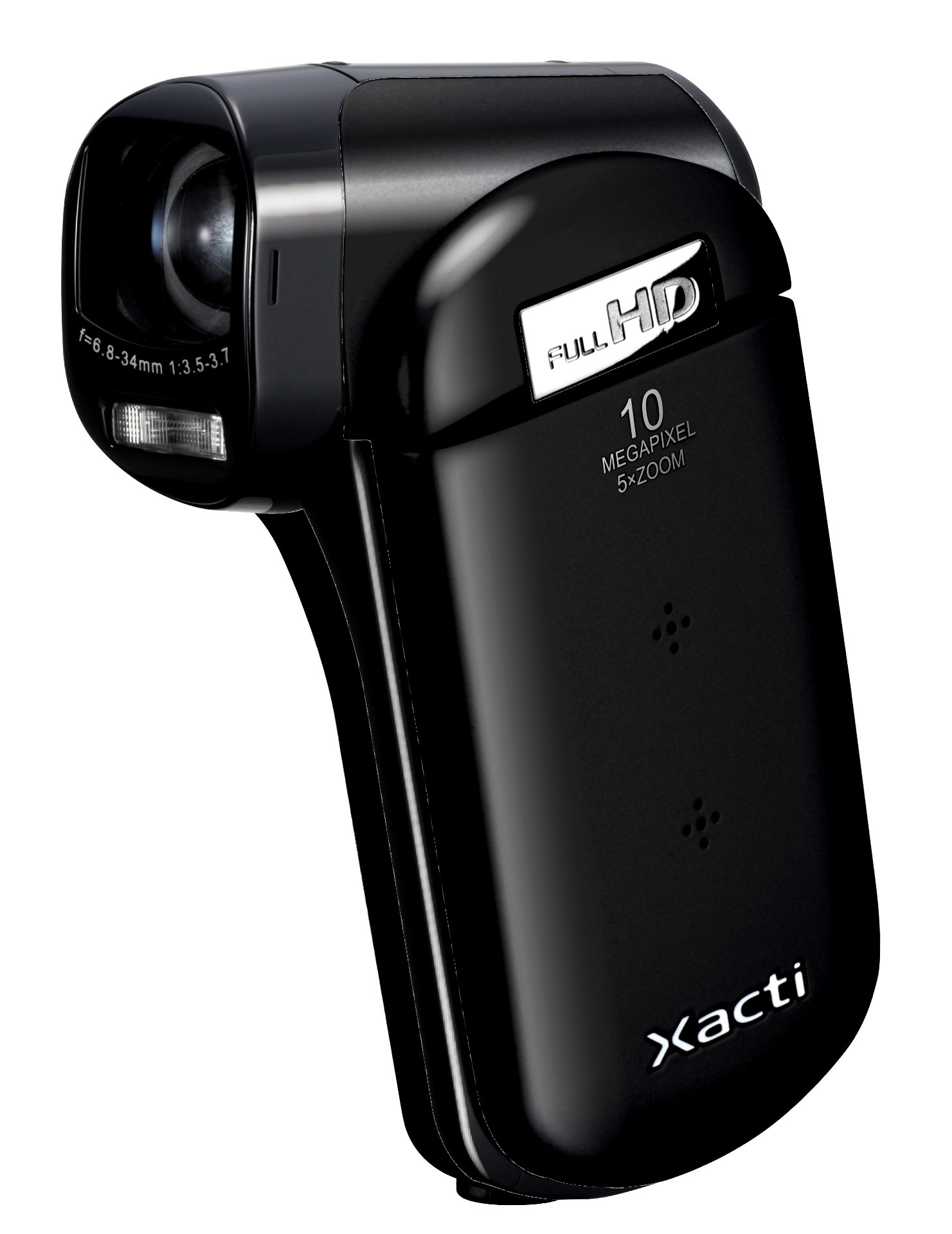
Imatge 1.1: Frontal view of the SANYO VPC-CG20 High Definition Camcorder.
2. Contingut del paquet
Si us plau, comproveu que tots els elements següents estiguin inclosos al paquet del producte:
- SANYO VPC-CG20 Camcorder
- Bateria recarregable
- Carregador/adaptador de CA
- Cable USB
- Cable AV
- Corretja de canell
- Manual d'usuari (aquest document)
3. Parts i controls
Familiarize yourself with the various parts and controls of your camcorder.
3.1. Davant View
The front of the camcorder features the lens, flash, and microphone.
3.2. Darrera View
The rear panel typically includes the record button and power indicator.
3.3. Lateral View (LCD Monitor Open)
When the 2.7-inch LCD monitor is open, you will find navigation buttons, menu access, and the zoom lever. The USB and AV ports are also located on the side, often beneath a protective cover.
3.4. A baix View
The bottom of the camcorder houses the battery compartment and the SD card slot.
4. Configuració
4.1. Carregant la bateria
- Insert the rechargeable battery into the camcorder's battery compartment, ensuring correct orientation.
- Connect the AC adapter to the camcorder's power input.
- Plug the AC adapter into a wall outlet. The charging indicator light will illuminate.
- Charge the battery until the indicator light changes or turns off, signaling a full charge.
4.2. Inserció d'una targeta de memòria SD
The VPC-CG20 uses SD memory cards for storage.
- Open the SD card slot cover, usually located on the bottom or side of the camcorder.
- Inseriu la targeta SD amb els contactes metàl·lics mirant en la direcció correcta (vegeu el diagrama a prop de la ranura). Empenyeu-la fins que encaixi al seu lloc.
- Tanqueu bé la tapa de la ranura de la targeta SD.
Nota: Ensure the SD card is not locked (write-protected) before insertion.
5. Funcionament de la càmera de vídeo
5.1. Encès / apagat
- To power on, open the LCD monitor. The camcorder will typically power on automatically.
- To power off, close the LCD monitor.
5.2. Gravació de vídeo
The VPC-CG20 records Full HD 1080i video (1920 x 1080) at 60 frames per second in H.264/MPEG-4 format.
- Ensure the camcorder is in video recording mode (check the mode switch or menu).
- Enquadra la teva foto amb el monitor LCD de 2.7 polzades.
- Premeu el botó Registre button to start recording. The record indicator will light up.
- Premeu el botó Registre botó de nou per aturar la gravació.
5.3. Fer fotos
The camcorder can capture 10-megapixel still images in JPEG format.
- Switch the camcorder to still image mode.
- Compose your shot on the LCD monitor.
- Premeu el botó Obturador button halfway to focus, then press fully to take the picture.
5.4. Ús de Zoom
Use the zoom lever to adjust the 5x optical zoom. Push the lever towards 'T' for telephoto (zoom in) and 'W' for wide-angle (zoom out).
5.5. Estabilització d'imatge
The VPC-CG20 features optical image stabilization to reduce blur from camera shake during both video recording and photo capture. This feature is typically active by default.
5.6. Reproducció
- Switch the camcorder to playback mode.
- Use the navigation buttons to select the desired video or photo.
- Premeu el botó Jugar botó per view videos or display photos.
5.7. Connexió a un ordinador
Per transferir files, connect the camcorder to your computer using the supplied USB cable. The camcorder will appear as a removable storage device, allowing you to copy files.
6. Manteniment
6.1. Neteja de la càmera de vídeo
- Feu servir un drap suau i sec per netejar el cos de la càmera de vídeo.
- Per a la lent i la pantalla LCD, feu servir un drap i una solució especials per netejar lents. Eviteu materials abrasius.
- No utilitzeu dissolvents orgànics com ara alcohol o diluents.
6.2. Emmagatzematge
Guardeu la càmera de vídeo en un lloc fresc i sec, allunyat de la llum solar directa i de temperatures extremes. Traieu la bateria si la guardeu durant períodes prolongats.
7. Solució De Problemes
| Problema | Solució |
|---|---|
| La càmera de vídeo no s'encén. | Ensure the battery is charged and correctly inserted. Try charging the battery. |
| No es poden gravar vídeos/fer fotos. | Check if an SD card is inserted and has sufficient free space. Ensure the SD card is not write-protected. |
| Mala qualitat d'imatge/vídeo. | Clean the lens. Ensure adequate lighting. Check shooting mode settings. |
| Computer does not recognize camcorder. | Ensure the USB cable is securely connected. Try a different USB port or cable. Restart both camcorder and computer. |
8. Especificacions
| Característica | Detall |
|---|---|
| Nom del model | VPC-CG20 |
| Resolució de captura de vídeo | 1080p (Full HD 1920 x 1080, 60i) |
| Resolució de fixes efectius | 10 MP |
| Zoom òptic | 5x |
| Estabilització d'imatge | Òptic |
| Mida de la pantalla | 2.7 polzades |
| Tipus de memòria flash | SD (SDHC compatible) |
| Format de captura de vídeo | H.264, MPEG-4 |
| Format d'imatge compatible | JPEG |
| Tecnologia de connectivitat | USB |
| Tipus d'enfocament | Enfocament automàtic |
| Modes de tir | Detecció de cares |
| Pes de l'article | 0.35 lliures (aprox. 159 grams) |
9. Garantia i Suport
For information regarding the product warranty, please refer to the warranty card included in your original packaging or visit the official SANYO support website. For technical assistance, troubleshooting beyond this manual, or service inquiries, please contact SANYO customer support through their official channels.
Conserveu el vostre comprovant de compra per a reclamacions de garantia.