
1. Introducció
Thank you for choosing the Funkey 61 SL Electronic Keyboard. This instrument is designed for beginners and offers a wide range of features to explore the world of music. With 61 keys, 100 tones, 100 rhythms, and various functions, it provides an engaging learning experience. This manual will guide you through the setup, operation, and maintenance of your new keyboard.
2. Contingut del paquet
Si us plau, assegureu-vos que tots els elements estiguin presents al paquet:
- Funkey 61 SL Electronic Keyboard
- Unitat d'alimentació
- Atril de música
- Manual d'usuari
3. Configuració
Follow these steps to set up your Funkey 61 SL Electronic Keyboard:
3.1 Engegar el teclat
The keyboard can be powered using the included AC adapter or by batteries.
Ús de l'adaptador de CA:
- Connect the power supply unit to the DC IN jack on the back of the keyboard.
- Connecteu l'adaptador de CA a una presa de corrent estàndard.

Image: The included power adapter for the Funkey 61 SL Electronic Keyboard.
Ús de piles:
- Localitzeu el compartiment de la bateria a la part inferior del teclat.
- Insert the required number of batteries (typically AA or D, refer to the compartment label) ensuring correct polarity.
- Tanqueu bé la tapa del compartiment de la bateria.

Image: Rear panel of the Funkey 61 SL Keyboard showing the RCA output, headphone jack, and a close-up of the battery compartment.
3.2 Attaching the Music Stand
Slide the music stand into the designated slot on the top panel of the keyboard. This provides a convenient place to hold sheet music or a tablet.
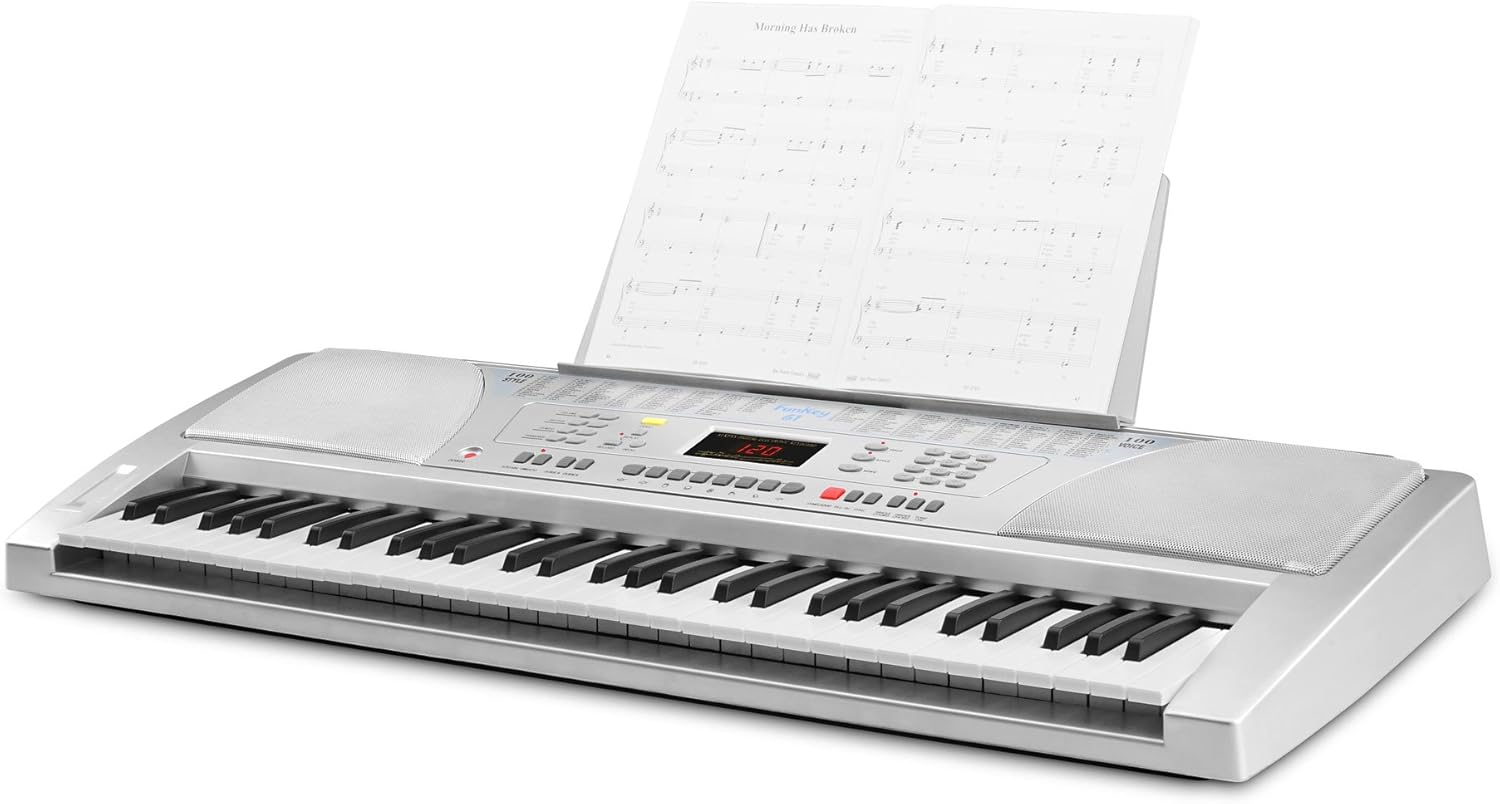
Image: The Funkey 61 SL Keyboard with the music stand attached, holding sheet music.
3.3 Connecting Headphones or External Speakers
For private practice, connect standard 3.5mm headphones to the HEADPHONE jack. To connect to an external stereo system or amplifier, use RCA cables with the RCA OUT (R/L) jacks on the rear panel.
4. Instruccions de funcionament
Familiarize yourself with the control panel to utilize the keyboard's features.

Imatge: Primer pla view of the Funkey 61 SL Keyboard's control panel, showing buttons for volume, rhythm, tempo, transpose, voice, style, and song selection.
4.1 Encès/Apagat
Premeu el botó PODER button located on the left side of the control panel to turn the keyboard on or off.
4.2 Selecting Tones (Voices)
The keyboard features 100 different tones. Use the VEU section buttons (numbered 0-9) to select a desired instrument sound. The currently selected voice number will be displayed on the LED screen.
4.3 Selecting Rhythms (Styles)
The keyboard includes 100 rhythms. Use the ESTIL section buttons (numbered 0-9) to choose a rhythm. Press INICI/PARA per iniciar o finalitzar la reproducció del ritme.
4.4 Ajust del tempo
Utilitza el TEMPO buttons (up/down arrows) to increase or decrease the speed of the selected rhythm or demo song.
4.5 cançons de demostració
The keyboard has 8 integrated demo songs. Press the DEMO button to cycle through and play the demo songs. These can be used for listening or for practicing with the Intelligent Guide function.
4.6 Enregistrament i reproducció
The record function allows you to capture your performances:
- Premeu REGISTRAR to start recording your playing.
- Premeu JUGAR to listen to your recorded performance.
4.7 Special Effects and Functions
- SOSTENIR: Adds a decaying effect to notes, similar to a piano pedal.
- VIBRAT: Adds a slight pitch variation to notes for expressive playing.
- TRANSPOSICIÓ: Allows you to shift the pitch of the entire keyboard up or down in semitone steps, useful for playing in different keys without changing finger positions.
- GUIA: The Intelligent Guide function helps you learn the 8 integrated demo songs note by note.
- CHORD FUNCTIONS: Includes Single Finger Chord and Fingered Chord modes for automatic accompaniment.
5. Manteniment
To ensure the longevity and optimal performance of your Funkey 61 SL Electronic Keyboard, follow these maintenance guidelines:
- Neteja: Feu servir un drap suau i sec per netejar la superfície del teclat. Per a la brutícia persistent, netegeu lleugerament.ampen the cloth with water and a mild soap, then wipe dry immediately. Avoid abrasive cleaners, solvents, or waxes.
- Emmagatzematge: Guardeu el teclat en un lloc fresc i sec, allunyat de la llum solar directa, de temperatures extremes i d'alta humitat.
- Manipulació: Eviteu deixar caure el teclat ni sotmetre'l a impactes forts. No hi col·loqueu objectes pesats a sobre.
- Potència: Disconnect the power adapter when the keyboard is not in use for extended periods. Remove batteries if the keyboard will not be used for a long time to prevent leakage.
6. Solució De Problemes
If you encounter any issues with your Funkey 61 SL Electronic Keyboard, refer to the following common problems and solutions:
- Sense so:
- Assegureu-vos que el teclat estigui encès.
- Check the master volume level.
- Si teniu auriculars connectats, desconnecteu-los per comprovar la sortida de l'altaveu.
- Verifiqueu les connexions dels altaveus externs si escau.
- Les tecles no responen:
- Assegureu-vos que el teclat estigui encès.
- Check if any specific mode (e.g., Guide mode) is active that might restrict normal playing.
- Rhythm/Accompaniment Not Playing:
- Ensure a rhythm (style) is selected.
- Premeu el botó INICI/PARA botó.
- Check the rhythm volume level.
- So distorsionat:
- Reduce the master volume.
- Check connections to external speakers or headphones for proper seating.
7. Especificacions
Detailed technical specifications for the Funkey 61 SL Electronic Keyboard:
| Nom del model | FunKey 61 |
| Número de model de l'article | 00015909 |
| Nombre de claus | 61 |
| Tons | 100 |
| Ritmes | 100 |
| Cançons de demostració | 8 |
| Mostra | LED |
| Altaveus | 2 x 6 W (12 Watts Output) |
| Font d'alimentació | Battery Powered / AC Adapter |
| Conector d'auriculars | Jack de 3.5 mm |
| Connectors de sortida | RCA |
| Dimensions del producte | 95.5 x 38.0 x 13.5 cm |
| Pes de l'article | 5 kg |
| Fabricant | FunKey |
| País produït a | Xina |
8. Garantia i Suport
For warranty information, please refer to the documentation provided at the time of purchase or contact your retailer. For technical support or further assistance, please reach out to Funkey customer service through their official weblloc web o les dades de contacte proporcionades amb el vostre producte.