
Introducció
This manual provides detailed instructions for the operation and maintenance of your Garmin GPSMAP 78sc 2.6-Inch Waterproof Marine GPS and Chartplotter. The GPSMAP 78sc series is designed for recreational navigation, featuring a bright 2.6-inch LCD color display, built-in basemap, and a high-sensitivity GPS receiver. All models are waterproof to IPX7 standards and float in water, making them suitable for boating and watersports. Key features include a built-in microSD card slot for additional maps and a dedicated Man Over Board (MOB) button.
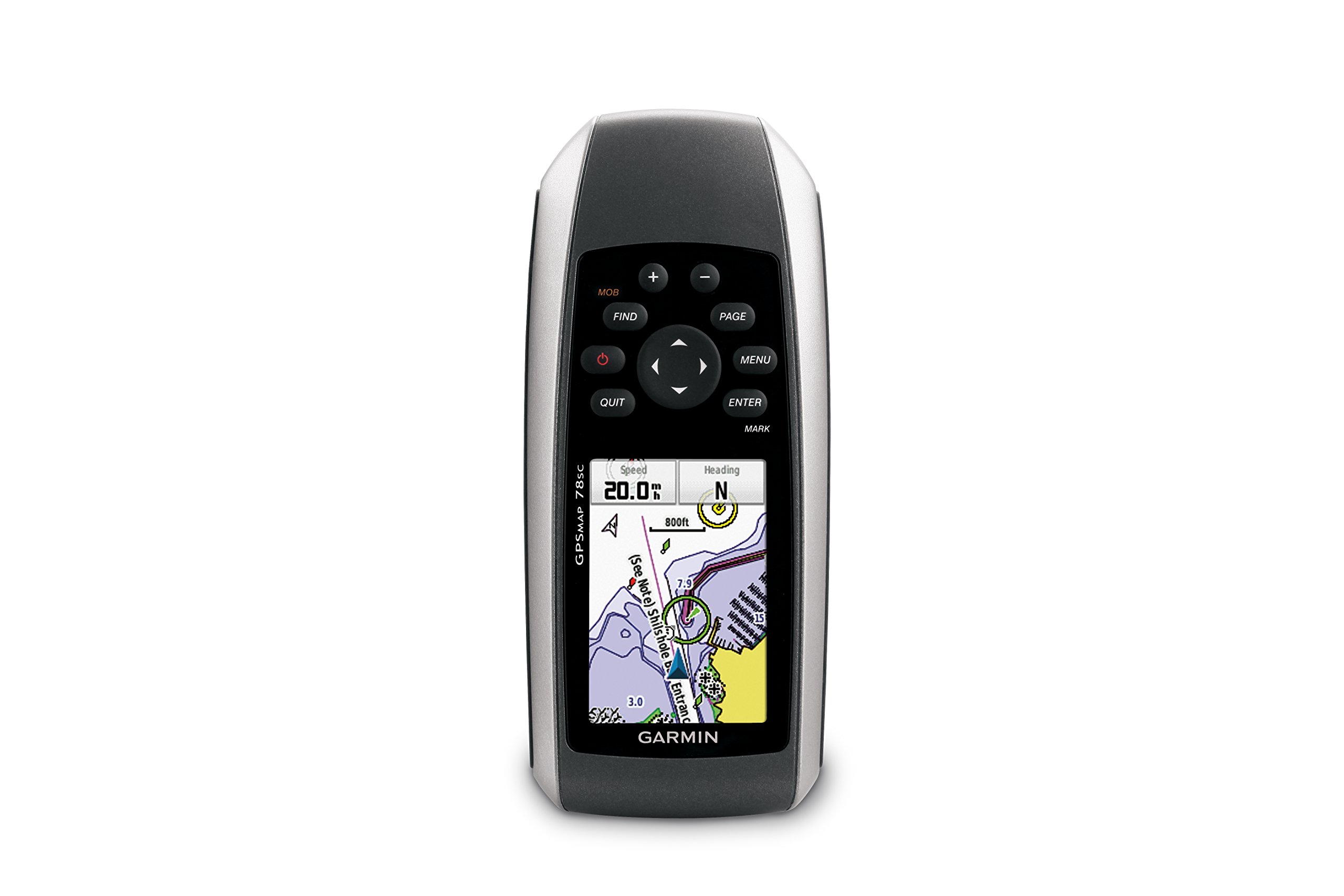
Figura 1: Frontal view of the Garmin GPSMAP 78sc handheld marine GPS and chartplotter.
Producte acabatview
Característiques principals:
- Marine-friendly handheld with high-sensitivity GPS receiver and 2.6-inch color TFT display.
- Waterproof to IPX7 standards; floats in water.
- Built-in BlueChart g2 U.S./Bahamas coastal charts with shorelines, depth contours, navaids, harbors, marinas, and more.
- Built-in 3-axis tilt-compensated electronic compass and barometric altimeter for heading, altitude, and weather information.
- Wireless sharing of waypoints, tracks, routes, and geocaches with other compatible devices.
Què hi ha a la caixa:
- GPSMAP 78sc device
- Corretja de canell
- cable USB
- Manual

Figura 2: Angle view of the Garmin GPSMAP 78sc, highlighting its button interface.
Vídeos del producte:
Garmin GPSmap 78 handheld GPS Overview
Aquest vídeo ofereix una visió generalview of the Garmin GPSMAP 78 handheld GPS, demonstrating its features and design.
Producte acabatview Vídeo
A concise product overview video from the seller, highlighting key aspects of the device.
Configuració
1. Instal·lació de bateries:
The GPSMAP 78sc operates on two AA batteries (not included). To install:
- Localitzeu la tapa del compartiment de la bateria a la part posterior del dispositiu.
- Twist the D-ring counter-clockwise to unlock and remove the cover.
- Introduïu dues piles AA, assegurant-vos de la polaritat correcta (+ i -).
- Replace the cover and twist the D-ring clockwise to secure it.

Figura 3: Esquena view of the Garmin GPSMAP 78sc, illustrating the battery compartment.
2. Encendre/apagar:
Manteniu premut el botó Poder button (located on the left side) to turn the device on or off. A short press will adjust the backlight.
3. Configuració inicial:
Upon first use, the device may prompt you to set language, time zone, and other preferences. Follow the on-screen instructions using the directional pad and ENTRAR botó.
En funcionament
Navigation Basics:
- Menú principal: Premeu el botó MENÚ button twice to access the main menu.
- Botó de pàgina: Premeu PÀGINA to cycle through the main pages (Map, Compass, Trip Computer, etc.).
- Coixinet direccional: Use the directional pad to scroll through menus, pan the map, or adjust settings.
- Botó ENTER: Premeu ENTRAR to select an item or confirm an action.
- QUIT Button: Premeu DEIXAR to return to the previous page or cancel an action.
Creating Waypoints:
To mark your current location as a waypoint:
- Premeu el botó MARC botó.
- Edit the waypoint name, symbol, and coordinates if desired.
- Seleccioneu Fet or Desa to store the waypoint.
Man Over Board (MOB) Function:
En cas d'emergència, premeu el botó MOB button to immediately mark the current location and initiate navigation back to that point. This feature is critical for safety in marine environments.
Manteniment
Neteja del dispositiu:
Netegeu el dispositiu amb un drap dampened with a mild detergent solution. Dry thoroughly. Avoid using abrasive cleaners or solvents that could damage the device's finish or screen.
Cura de la bateria:
Always use fresh, high-quality AA batteries. If the device will not be used for an extended period, remove the batteries to prevent leakage and corrosion.
Actualitzacions de programari:
Revisa periòdicament el Garmin website for software updates to ensure optimal performance and access to the latest features. Updates can typically be installed by connecting the device to a computer via the USB cable.
Resolució de problemes
El dispositiu no s'encén:
- Assegureu-vos que les bateries estiguin instal·lades correctament i completament carregades.
- Prova piles noves.
- Comproveu si els contactes de la bateria estan corrosius.
Poor GPS Signal:
- Assegureu-vos que el dispositiu té una imatge clara view del cel.
- Avoid areas with tall buildings, dense foliage, or other obstructions.
- Allow sufficient time for the device to acquire satellites, especially after being off for a long period.
La pantalla no respon:
- Perform a soft reset by removing and reinserting the batteries.
- Assegureu-vos que la pantalla estigui neta i lliure de residus.
Especificacions
| Característica | Detall |
|---|---|
| Marca | Garmin |
| Nom del model | GPSMAP |
| Número de model | 010-00864-02 |
| Mida de la pantalla | 2.6 polzades |
| Tipus de visualització | LCD |
| Resolució | 160 x 240 píxels |
| Classificació impermeable | IPX7 (floats) |
| Durada de la bateria | 20 Hours (typical) |
| Tipus de bateria | 2 piles AA (no incloses) |
| Capacitat d'emmagatzematge de memòria | 1 GB |
| Compatible Flash Memory Type | microSD |
| Sistema de navegació per satèl·lit compatible | GPS |
| Característiques especials | Rugged case, Barometric altimeter, Garmin Connect compatible, Electromagnetic compass, Garmin HotFix, Custom POIs, Automatic routing, Hunt/fish calendar, Geocaching, Photo navigation |
| Dimensions de l'article L x W x H | 2.6 cm de llargada x 1.2 cm d'amplada x 6 cm d'alçada |
| Pes de l'article | 7.7 unces |
Garantia i Suport
The Garmin GPSMAP 78sc comes with a 1 Year Limited Warranty. For detailed warranty information, product support, or service inquiries, please refer to the official Garmin website or contact Garmin customer service directly. The included manual also contains contact information and further support resources.