
Introducció
This manual provides essential information for the safe and efficient use of your Doro PhoneEasy 105wr cordless phone. Please read these instructions carefully before using the phone and retain them for future reference.
Contingut del paquet
Abans de començar, assegureu-vos que tots els elements estiguin presents al paquet:
- Doro PhoneEasy 105wr Handset
- Unitat base
- Adaptador d'alimentació per a la unitat base
- Cordó de línia telefònica
- Rechargeable Batteries (NiMH)
- Manual d'usuari (aquest document)
Configuració
1. Connexió de la unitat base
- Connecteu l'adaptador de corrent: Plug the small end of the power adapter into the DC IN socket on the back of the base unit. Plug the other end into a wall power outlet.
- Connect the Telephone Line Cord: Plug one end of the telephone line cord into the LINE socket on the back of the base unit. Plug the other end into your telephone wall socket.
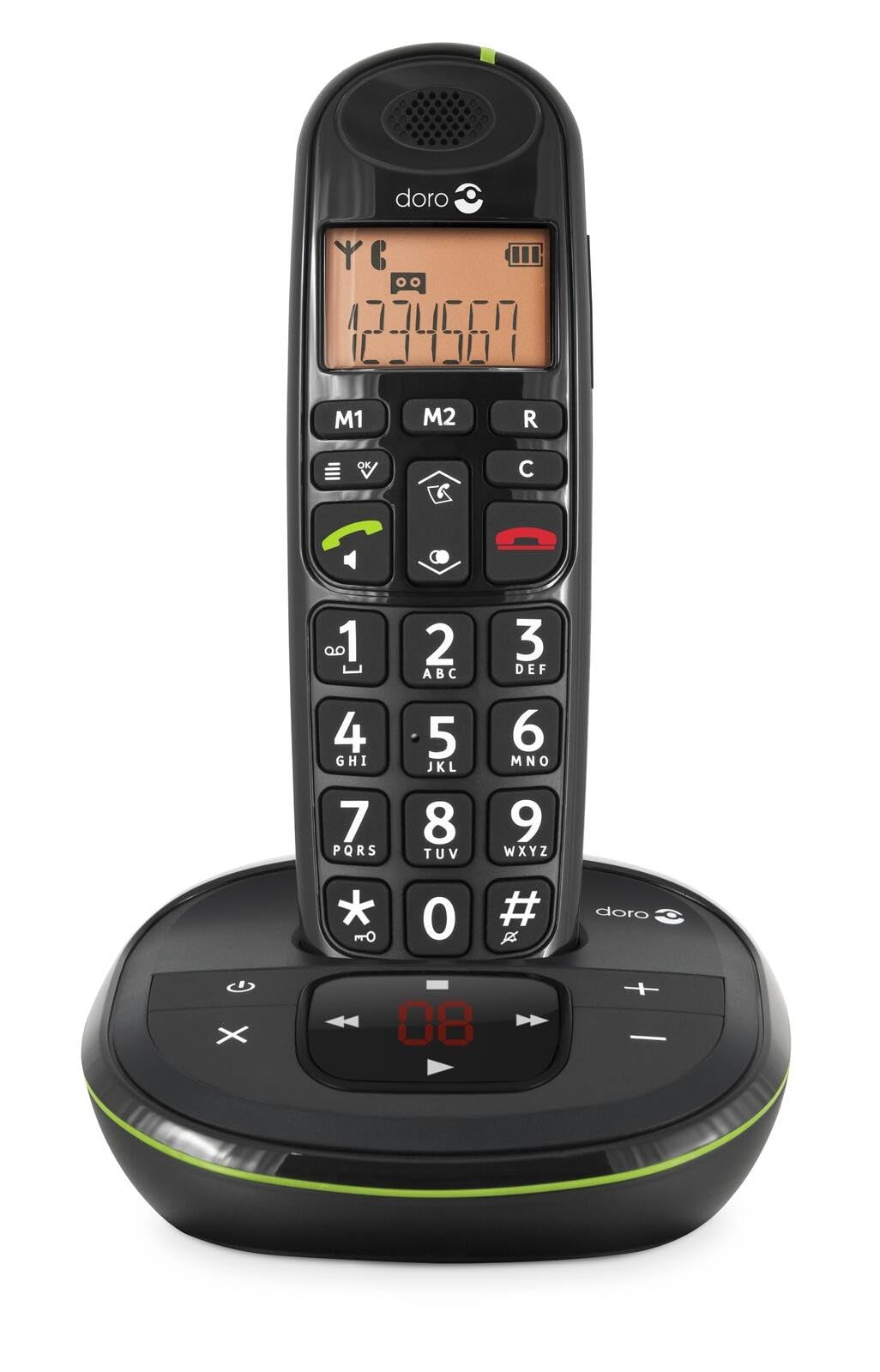 Image: The Doro PhoneEasy 105wr handset docked in its base unit, showing the keypad and display.
2. Installing Batteries in the Handset
- Obriu el compartiment de la bateria: Slide the battery compartment cover on the back of the handset downwards and remove it.
- Insereix les piles: Insert the supplied rechargeable NiMH batteries, observing the correct polarity (+ and -) as indicated inside the compartment.
- Tanca el compartiment: Torneu a col·locar la tapa del compartiment de la bateria lliscant-la cap amunt fins que encaixi al seu lloc.
3. Càrrega del telèfon
Place the handset on the base unit. The battery icon on the handset display will animate to indicate charging. For optimal battery performance, charge the handset for at least 10-12 hours before its first use, even if the display indicates a full charge sooner.
 Image: A slightly angled view of the Doro PhoneEasy 105wr handset in its charging cradle, highlighting its ergonomic design.
Instruccions de funcionament
Fent una trucada
- Marcació: Agafeu el telèfon o premeu Botó verd de trucada. Enter the phone number using the keypad.
- Finalització d'una trucada: Premeu el botó Botó vermell de finalització de trucada or place the handset back on the base unit.
Recepció d'una trucada
Quan soni el telèfon, premeu la tecla Botó verd de trucada to answer. To end the call, press the Botó vermell de finalització de trucada or return the handset to the base unit.
Ajust de volum
Durant una trucada, utilitzeu Up i Avall navigation buttons on the handset to adjust the earpiece volume.
Agenda telefònica
Your Doro PhoneEasy 105wr can store up to 20 entries in its phonebook.
- Afegir una entrada:
- Premeu el botó Menú botó.
- Navigate to "Phonebook" and select "Add New".
- Enter the name and number, then save.
- Trucada des de la llibreta d'adreces:
- Premeu el botó Agenda telefònica button (often a book icon).
- Scroll through the entries using the navigation buttons.
- Premeu el botó Botó verd de trucada to dial the selected entry.
Answering Machine (if applicable)
The Doro PhoneEasy 105wr features a digital answering machine with a recording capacity of 20 minutes.
- Reproducció de missatges: Premeu el botó Jugar/Aturar botó de la unitat base.
- Eliminació de missatges: During message playback, press the Suprimeix botó de la unitat base.
- Recording Outgoing Message: Refer to the handset menu for options to record or select a pre-recorded outgoing message.
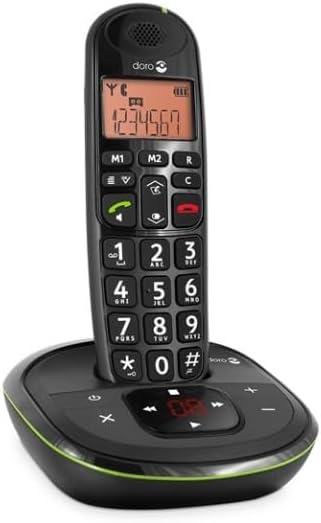 Imatge: Un front directe view of the Doro PhoneEasy 105wr cordless phone, showing the large buttons and clear display on the handset, and the answering machine controls on the base.
Manteniment
- Neteja: Netegeu el telèfon i la unitat base amb un drap suau i sec.amp tela. No utilitzeu netejadors abrasius ni dissolvents.
- Cura de la bateria: Use only the specified rechargeable batteries. If the phone will not be used for an extended period, remove the batteries to prevent leakage.
- Condicions ambientals: Eviteu exposar el telèfon a temperatures extremes, llum solar directa o humitat.
Resolució de problemes
| Problema | Causa possible | Solució |
|---|---|---|
| Sense to de marcatge | El cable de la línia telefònica no està connectat o està defectuós. | Check the telephone line cord connection to the base unit and wall socket. Test with another phone if possible. |
| El telèfon no es carrega | Handset not correctly placed on the base unit; dirty charging contacts; faulty batteries. | Ensure the handset is seated correctly. Clean charging contacts on both handset and base with a dry cloth. Replace batteries if old. |
| Mala qualitat del so | Handset too far from base unit; interference; low battery. | Move closer to the base unit. Avoid placing the base near other electronic devices. Charge the handset battery. |
| No puc fer/rebre trucades | No power to base unit; handset not registered. | Check power adapter connection. Refer to the full manual for handset registration instructions if needed. |
Especificacions
| Característica | Detall |
|---|---|
| Marca | Doro |
| Número de model | 380102 |
| Color | Negre |
| Tipus de telèfon | Sense fils |
| Material | Metall (components interns) |
| Font d'alimentació | Alimentat per piles (pila d'1 A inclosa) |
| Tipus de marcador | Teclat únic |
| Dimensions de l'article (L x A x A) | 19.4 x 15.4 x 10.3 centímetres |
| Pes de l'article | 706 grams |
| Tipus de contestador | Digital |
| Temps de conversa | 600 Minutes (10 hours) |
| Temps d'espera | 100 hores |
| Capacitat d’enregistrament | 20 minuts |
| Identificador de trucada | Sí |
| Independent Test Certification | Energy Star |
Garantia i Suport
Information regarding specific warranty terms and customer support contact details is not available in this document. Please refer to the warranty card included with your product or visit the official Doro weblloc per obtenir la informació més actualitzada.
For further assistance, you may contact Doro customer service through their official channels.