
1. Introducció
This manual provides essential information for the proper setup, operation, and maintenance of your Cisco Scientific Atlanta IPN330HD Internet Set Top Box. Please read this manual thoroughly before using the device.
2. Informació de seguretat
- Assegureu-vos que el dispositiu estigui col·locat en una superfície plana i estable.
- No exposeu el dispositiu a l'aigua ni a una humitat excessiva.
- Eviteu bloquejar les obertures de ventilació per evitar el sobreescalfament.
- Utilitzeu només l'adaptador d'alimentació subministrat amb el dispositiu.
- Desconnecteu el cable d'alimentació durant tempestes amb llamps o quan no l'utilitzeu durant períodes prolongats.
3. Contingut del paquet
Verifiqueu que tots els elements siguin presents al paquet:
- Cisco Scientific Atlanta IPN330HD Set Top Box
- Adaptador d'alimentació
- Comandament a distància (si està inclòs)
- Cable HDMI (si inclòs)
Note: Specific cable inclusions may vary.
4. Producte acabatview
The IPN330HD is an Internet Protocol Set Top Box designed for digital television services. It features various connectivity options for integration with your home entertainment system.
4.1 Tauler frontal
The front panel typically includes status indicators and an IR receiver for the remote control.
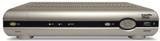
Imatge: Frontal view of the Cisco Scientific Atlanta IPN330HD Set Top Box. This image displays the device's front panel, which typically features power indicators and an infrared receiver for remote control commands.
4.2 Connexions del panell posterior
The rear panel provides all necessary ports for connecting the set top box to your television and network.
- Sortida HDMI: For high-definition video and audio connection to a compatible TV.
- Sortida de vídeo per components (YPbPr): For high-definition video connection to older TVs.
- Coaxial (RF) Output: For standard definition video and audio connection.
- Composite Video Output (RCA): For standard definition video connection.
- Sortida de S-vídeo: For enhanced standard definition video connection.
- Audio Outputs (RCA L/R): For analog stereo audio.
- Port Ethernet: For network connection (if applicable for your service).
- Entrada d'alimentació: Per connectar l'adaptador de corrent.
5. Configuració
Follow these steps to connect your IPN330HD Set Top Box:
- Position the Set Top Box: Place the device on a flat, stable surface near your television, ensuring adequate ventilation.
- Connectar-se al televisor:
- For best quality, connect an HDMI cable from the Sortida HDMI on the set top box to an Entrada HDMI al teu televisor.
- Alternatively, use Component, S-Video, Coaxial, or Composite cables based on your TV's available inputs.
- Connect to Network (if required): If your service provider requires an Ethernet connection, connect an Ethernet cable from the Port Ethernet on the set top box to your home network router or wall jack.
- Connectar l'alimentació: Connecteu l'adaptador d'alimentació al Entrada de potència on the set top box, then plug the other end into a wall outlet.
- Encès: Turn on your television and select the correct input source (e.g., HDMI 1, Video 2) that corresponds to your set top box connection. The set top box should power on automatically or can be turned on using the remote control.
- Activació del servei: Important: This unit requires activation from your service provider. It will not function out of the box without proper activation. Contact your service provider to register and activate the device.
6. Instruccions de funcionament
Once activated by your service provider, you can begin using your IPN330HD Set Top Box.
- Encès/apagat: Use the power button on the remote control or the front panel to turn the device on or off.
- Navegació de canals: Use the CH+/CH- buttons or the number pad on your remote control to change channels.
- Control de volum: Use the VOL+/VOL- buttons on your remote control to adjust the audio volume.
- Accés al menú: Press the "Menu" button on your remote to access on-screen guides, settings, and other features provided by your service provider.
- Característiques interactives: Explore interactive features and on-demand content as offered by your service provider.
7. Manteniment
- Neteja: Use a soft, dry cloth to clean the exterior of the set top box. Do not use liquid cleaners or aerosols.
- Ventilació: Assegureu-vos que les obertures de ventilació no estiguin obstruïdes per evitar el sobreescalfament.
- Actualitzacions de firmware: Firmware updates are typically managed by your service provider. Do not attempt manual updates unless instructed.
8. Solució De Problemes
Si teniu problemes, consulteu les solucions habituals següents:
| Problema | Possible solució |
|---|---|
| Sense imatge/so |
|
| Device Not Working Out of Box | This device requires activation by your service provider. Contact them to register the unit and enable service. It will not function without this step. |
| El control remot no respon |
|
| Freezing Picture/Signal Loss |
|
9. Especificacions
| Característica | Detall |
|---|---|
| Número de model | IPN330HD |
| Fabricant | Cisco (Scientific Atlanta) |
| Connectivitat | HDMI, Component, Coaxial, Composite, S-Video outputs |
| Tipus de producte | Internet Protocol Set Top Box |
| Primer disponible | 11 d'octubre de 2010 |
10. Important Notes on Activation
Please be aware that the Cisco Scientific Atlanta IPN330HD Set Top Box is designed to work with specific service providers and requires activation. This unit will not function as a standalone device or "out of the box" without being provisioned and activated by your digital TV service provider. Technical support for activation and service-related issues must be obtained directly from your service provider.
11. Garantia i Suport
Specific warranty details for this product are typically provided by your service provider at the time of service activation or purchase. For technical support, service-related inquiries, or warranty claims, please contact your digital TV service provider directly. The manufacturer does not provide direct technical support for end-users of this device.