Introducció
This manual provides comprehensive instructions for the Verbatim 2.4G Wireless Mini Travel Optical Mouse, Model 97471. It covers setup, operation, maintenance, and troubleshooting to ensure optimal performance and longevity of your device. This ultra-compact wireless mouse is designed for portability and ease of use with notebooks and netbooks.

Image: The Verbatim 2.4G Wireless Mini Travel Optical Mouse in blue, shown with its compact Nano receiver.
Contingut del paquet
Verifiqueu que tots els elements siguin presents al paquet:
- Verbatim 2.4G Wireless Mini Travel Optical Mouse
- Receptor Nano USB
- 1x bateria AAA
- Guia d'inici ràpid
Requisits del sistema
The Verbatim 2.4G Wireless Mini Travel Optical Mouse is compatible with the following operating systems:
- Windows XP, Vista, Windows 7, and higher
- Mac OS X 10.1 i superior
- Linux kernel 2.6 and higher
A free USB 1.1 or 2.0 port is required for the Nano USB Receiver.
Instruccions de configuració
1. Instal·leu la bateria
- Localitzeu la tapa del compartiment de la bateria a la part inferior del ratolí.
- Feu lliscar o aixequeu suaument la tapa per obrir el compartiment.
- Insert the included AAA battery, ensuring the positive (+) and negative (-) terminals align correctly with the markings inside the compartment.
- Torneu a col·locar la tapa del compartiment de la bateria fins que sentiu un clic i quedi ben fixada al seu lloc.

Image: The underside of the mouse with the battery compartment open, showing the AAA battery and the Nano receiver stored inside.
2. Connect the Nano USB Receiver
- Remove the Nano USB receiver from its storage slot within the mouse's battery compartment (if stored there).
- Plug the Nano USB receiver into an available USB port on your computer.
- L'ordinador hauria de detectar i instal·lar automàticament els controladors necessaris. Aquest procés pot trigar uns instants.
Instruccions de funcionament
Encès/Apagat
The mouse typically powers on automatically when the receiver is connected and the mouse is moved. To conserve battery life, ensure the mouse is turned off when not in use. A power switch is usually located on the underside of the mouse.
Ús bàsic
- Botó esquerre: Primary click function, used for selecting items, opening links, etc.
- Botó dret: Secondary click function, typically opens context menus.
- Roda de desplaçament: Desplaceu el cursor amunt o avall per navegar pels documents i web pàgines. La roda de desplaçament també pot funcionar com a botó central quan es prem.
Manteniment
Canvi de bateria
When the mouse performance degrades or stops responding, it is likely time to replace the AAA battery. Follow the battery installation steps outlined in the Setup section.
Neteja
Per netejar el ratolí, feu servir un drap suau, sec i sense borrissol. Per a la brutícia persistent, netegeu-lo lleugerament.ampen the cloth with water. Avoid using harsh chemicals, solvents, or abrasive cleaners, as these can damage the mouse's surface or internal components.
Resolució de problemes
| Problema | Solució |
|---|---|
| El ratolí no respon |
|
| El moviment del cursor és erràtic o brusc |
|
| Receiver not detected by computer |
|
Especificacions
| Característica | Detall |
|---|---|
| Número de model | 97471 |
| Dimensions del producte | 3 x 2 x 1.25 polzades (L x A x A) |
| Pes de l'article | 2.4 unces |
| Tecnologia de connectivitat | 2.4 GHz sense fils |
| Tecnologia de detecció de moviment | Òptic |
| Tipus de bateria | 1x AAA (included) |
| Interfície | USB 2.0 (compatible amb USB 1.1) |

Imatge: De dalt a baix view of the Verbatim Mini Travel Mouse showing its approximate dimensions of 3 inches length and 2 inches width.
Informació de la garantia
This Verbatim product is covered by a Garantia limitada de 1 anys from the date of purchase. This warranty covers defects in materials and workmanship under normal use. For full terms and conditions, please refer to the official Verbatim warranty documentation or contact customer support.
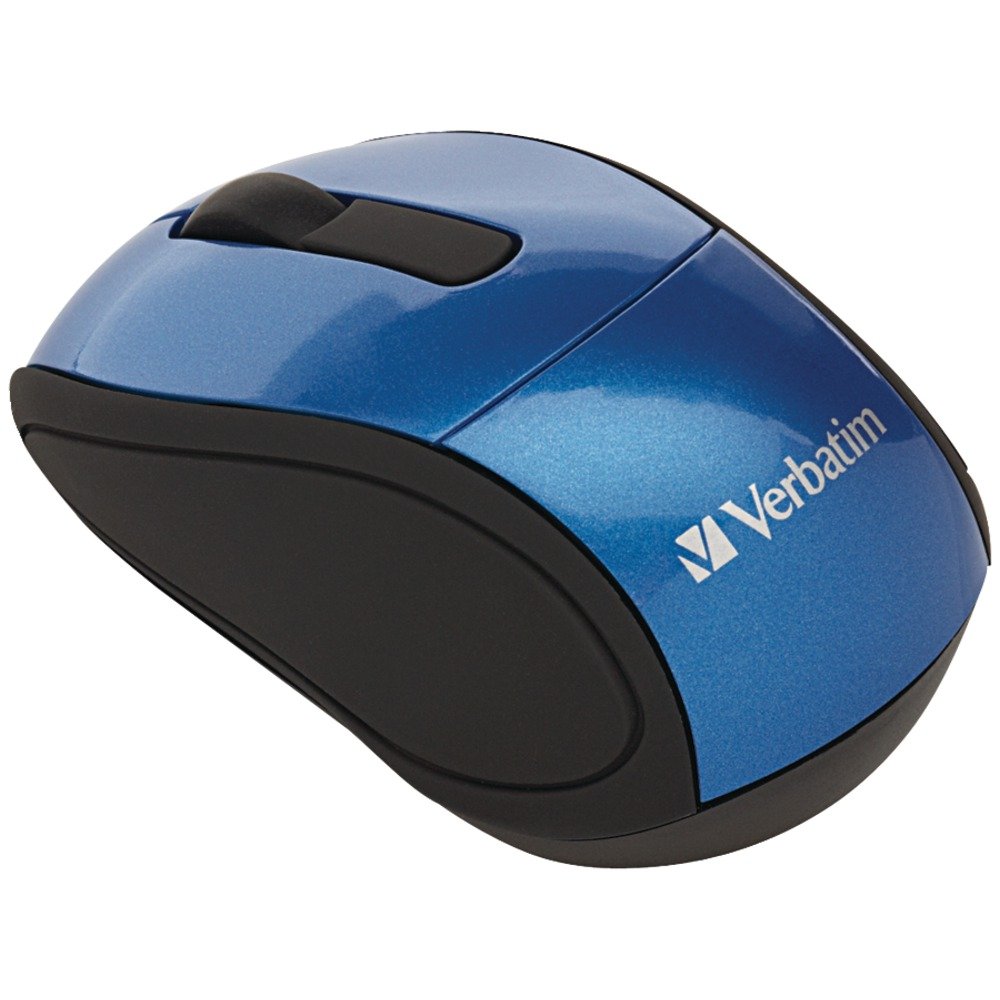
Image: A blue circular badge indicating a "1-Year Limited Warranty".
Suport
For further assistance, technical support, or warranty claims, please visit the official Verbatim website or contact their customer service department. Contact information can typically be found on the Verbatim weblloc web o a la Guia d'inici ràpid inclosa amb el producte.