
1. Introducció
This manual provides essential instructions for the safe and effective use of your PWR+ Laptop Charger. Please read this manual thoroughly before using the product and retain it for future reference. This charger is designed to provide reliable power to compatible Dell Inspiron and XPS series laptops.
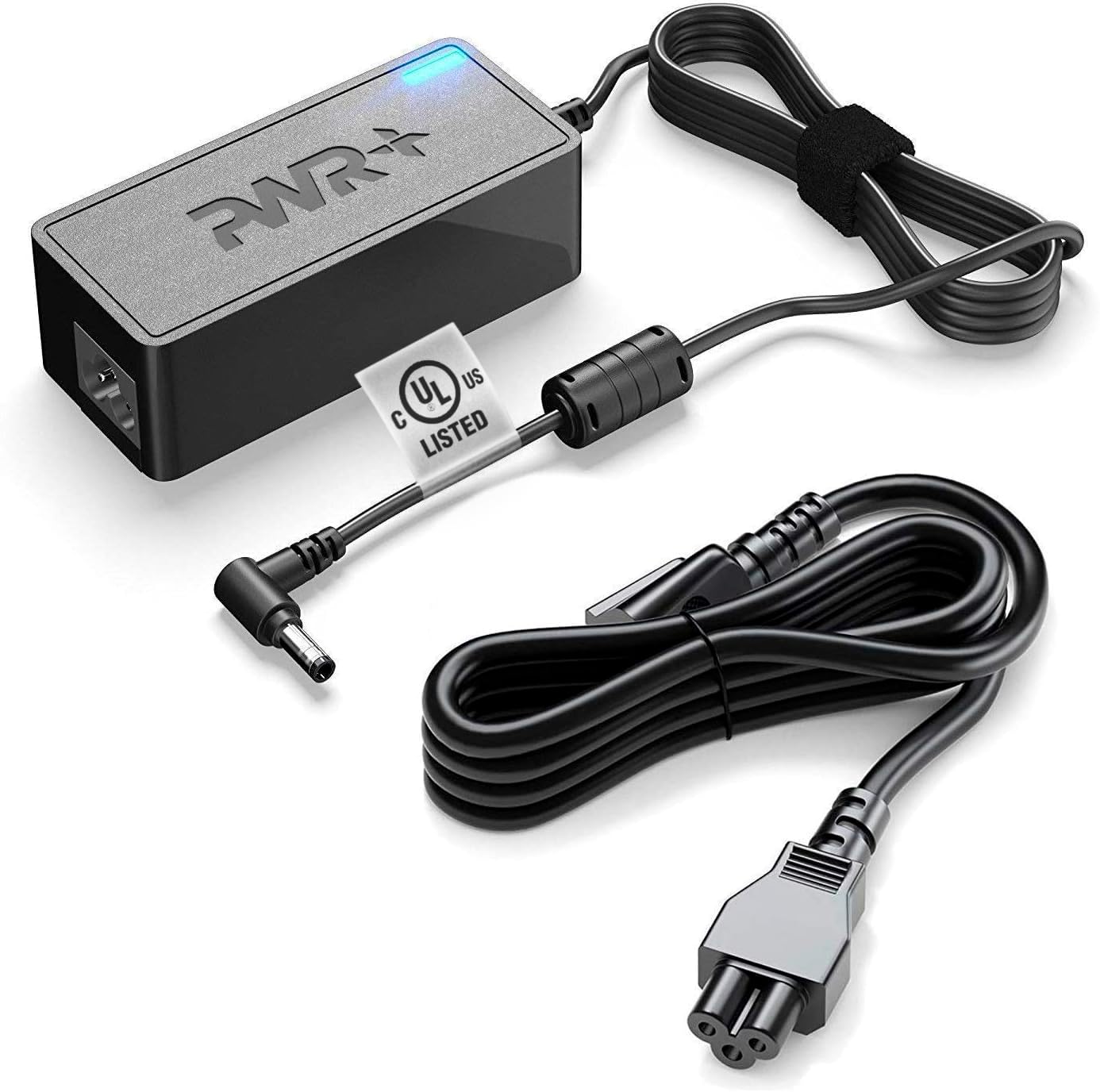
Image 1.1: The PWR+ Laptop Charger, including the main adapter unit, DC output cable with a 4.5mm tip, and the detachable AC input power cord.
2. Producte acabatview i Característiques
The PWR+ Laptop Charger is engineered for efficiency and safety, featuring a robust design and multiple protective measures.
Característiques principals:
- Potència de sortida: 19.5V, 3.33-3.34A, 65W/45W.
- Entrada Voltage Rang: 100-240V (universal compatibility).
- Extra Long Power Cords: Designed for extended reach and flexibility.
- Llistat UL: Tested and certified for safety by Underwriters Laboratories.
- Proteccions de seguretat integrades: Includes Short Circuit Protection (SCP), Over Current Protection (OCP), Over Voltage Protection (OVP), and Over Temperature Protection (OPT).

Image 2.1: An illustration detailing the high-grade copper wiring, aluminum foil shield, PVC cable jacket, and various built-in safety protections (SCP, OCP, OVP, OPT) within the PWR+ charger.
3. Compatibilitat
This PWR+ Laptop Charger is compatible with a wide range of Dell Inspiron, Latitude, and XPS laptop models. Please verify your laptop's power requirements and connector type before use.
Compatible Dell Series:
- Dell Inspiron: 11, 13, 14, 15, 17 (3000, 5000, 7000 Series)
- Dell Latitude: 12, 13, 14, 15 (e.g., 3379, 3390, 3490, 3590, 7202, 7350)
- Dell XPS: 12, 13 (e.g., 9333, 9343, 9350, 9360, 9Q33, L221X, L321X, L322X)
- Dell Vostro: 14, 15 (e.g., 3458, 3558)
- Dell Optiplex: 3020, 7040, 9020, 3046
This charger supports Dell part numbers including 00285K, 0YTFJC, 3RG0T, DA45NM131, DA45NM140, AA45NM131, LA45NM121, 5NW44, HA45NM140, JT9DM, 03RG0T, HK45NM140, 04H6VH, LA45NM131, LA45NM140, FA45NE1-00, PA-1450-66D1, RFRWK, 0G6J41, 04H6NV, 0CDF57, 0X9RG3, 0MGJN, 09CGP4, 0JXC18, RWHHR, 070VTC, 0KXTTW, 0JHJX0, 44PV8, CC0DT, CDF57, D0KFY, 312-1307, 332-0971, JHJX0, 332-1827, 450-18066, X9RG3.
4. Informació de seguretat
Your safety is paramount. This PWR+ charger is UL Listed, ensuring it meets rigorous safety standards. Always follow these guidelines:
- Ensure the charger is used with compatible devices only.
- No exposeu el carregador a l'aigua ni a una humitat excessiva.
- Eviteu temperatures extremes.
- No desmunteu ni modifiqueu el carregador.
- Inspect the cables and adapter for damage before each use. Discontinue use if any damage is observed.
- Mantenir fora de l'abast dels nens.

Image 4.1: Close-up of the UL Listed certification mark on the charger cable, indicating compliance with safety standards.
5. Configuració
Follow these steps to set up your PWR+ Laptop Charger:
- Connecteu el cable d'alimentació de CA: Insert the three-prong end of the AC power cord into the power brick. Ensure it is firmly seated.
- Connecteu-vos a la presa de corrent: Insert the two-prong end of the AC power cord into a standard wall electrical outlet. The indicator light on the power brick should illuminate, confirming power is supplied.
- Connectar-se al portàtil: Carefully insert the DC output connector (the smaller tip) into the charging port of your Dell laptop. Ensure a snug fit.
- Verifica la càrrega: Confirm that your laptop indicates it is receiving power and charging.

Image 5.1: The PWR+ laptop charger connected to a Dell laptop, demonstrating proper setup for charging.
6. Instruccions de funcionament
Once set up, the PWR+ Laptop Charger operates automatically to provide power to your laptop and charge its battery. The charger is designed for continuous use, but it is good practice to disconnect it when not in use for extended periods.
- The blue LED indicator on the power brick signifies that the charger is receiving power and is operational.
- The charger will automatically adjust its output to match your laptop's power requirements within its specified range (65W/45W).
- For optimal battery health, avoid frequently draining your laptop battery completely before recharging.
7. Manteniment
Un manteniment adequat garanteix la longevitat i el funcionament segur del carregador:
- Neteja: Disconnect the charger from the power outlet and laptop before cleaning. Use a dry, soft cloth to wipe the surfaces. Do not use liquid cleaners or solvents.
- Gestió de cables: Avoid sharp bends or kinks in the cables. Use the included Velcro strap to neatly coil the cables when storing or transporting the charger.
- Emmagatzematge: Guardeu el carregador en un lloc fresc i sec, lluny de la llum solar directa i de temperatures extremes.
- Inspecció: Periodically check the cables and connectors for any signs of wear, fraying, or damage.
8. Solució De Problemes
If you encounter issues with your PWR+ Laptop Charger, refer to the following common problems and solutions:
| Problema | Causa possible | Solució |
|---|---|---|
| El llum indicador del carregador està apagat. | No power from outlet or loose connection. | Ensure AC cord is fully inserted into the brick and wall outlet. Test the outlet with another device. |
| El portàtil no carrega. | Loose DC connector, incompatible charger, or laptop issue. | Ensure DC connector is firmly seated in the laptop's charging port. Verify charger compatibility with your laptop model. Restart laptop. |
| Charger feels hot. | Normal operation under load, or poor ventilation. | A slight warmth is normal. Ensure the charger is in a well-ventilated area and not covered. If excessively hot, disconnect immediately and contact support. |
| "AC power adapter type cannot be determined" error. | Laptop not recognizing the charger's wattage. | Ensure the charger is fully compatible with your specific Dell model's wattage requirements. Re-seat the DC connector. |
If the problem persists after attempting these solutions, please contact PWR+ customer support.
9. Especificacions
- Marca: PWR+
- Número de model: PWR-TAJ195333
- Entrada Voltage: 100-240V
- Vol. De sortidatage: 19.5 V
- Corrent de sortida: 3.33-3.34A (65W/45W)
- Tipus de connector: Proprietary (4.5mm tip)
- Pes de l'article: Aproximadament 1.54 lliures
- Font d'alimentació: Elèctric amb cable
- Característiques especials: UL Listed, Extra Long Power Cord, Charging Indicator, Multiple Safety Features
10. Garantia i Suport
PWR+ stands behind the quality of its products.
Informació de la garantia:
- Política de reemborsament: 30 Days Refund.
- Política d'intercanvi: 24 Months Exchange.

Image 10.1: The PWR+ charger displaying a '2 Year Extended Warranty' sticker, highlighting the product's warranty period.
Atenció al client:
For any questions, technical assistance, or warranty claims, please contact PWR+ customer support. PWR+ is a WA, USA based company dedicated to providing friendly customer support.
Venedor: PWRTECH LLC
Adreça de l'empresa: 15000 Woodinville-Redmond RD Ste B100, Woodinville, WA, US


