
Introducció
This manual provides essential instructions for setting up, operating, and maintaining your Canon PowerShot ELPH 310 HS digital camera. Please read this manual thoroughly to ensure proper use and to maximize your camera's performance.
Què hi ha a la caixa
En desembalar, comproveu que hi hagi tots els elements següents:
- Canon PowerShot ELPH 310 HS Camera
- Bateria NB-4L
- Battery Charger CB-2LV
- Corretja de canell
- Cable USB
- CD-ROM (Software/Drivers)
Configuració
1. Carregant la bateria
Insert the Battery Pack NB-4L into the Battery Charger CB-2LV. Plug the charger into a power outlet. The charging indicator light will show the charging status. Once fully charged, remove the battery.
2. Inserció de la bateria i la targeta de memòria
Open the battery/card compartment cover on the camera. Insert the charged battery pack, ensuring correct orientation. Insert a compatible SD/SDHC/SDXC memory card into the card slot until it clicks into place. Close the compartment cover securely.

Imatge: Frontal view of the Canon PowerShot ELPH 310 HS digital camera, showcasing its silver finish and lens.
Funcionament de la càmera
1. Encendre/apagar
Premeu el botó ON/OFF button located on the top or side of the camera to power it on or off. The lens will extend when powered on.
2. Fotografia bàsica
- Enfocament: Gently press the shutter button halfway down to focus. The camera will emit a beep and display a green frame when focus is achieved.
- Fer una foto: Premeu el botó de l'obturador completament cap avall per capturar la imatge.
- Zoom: Use the zoom lever around the shutter button to adjust the optical zoom (8x).
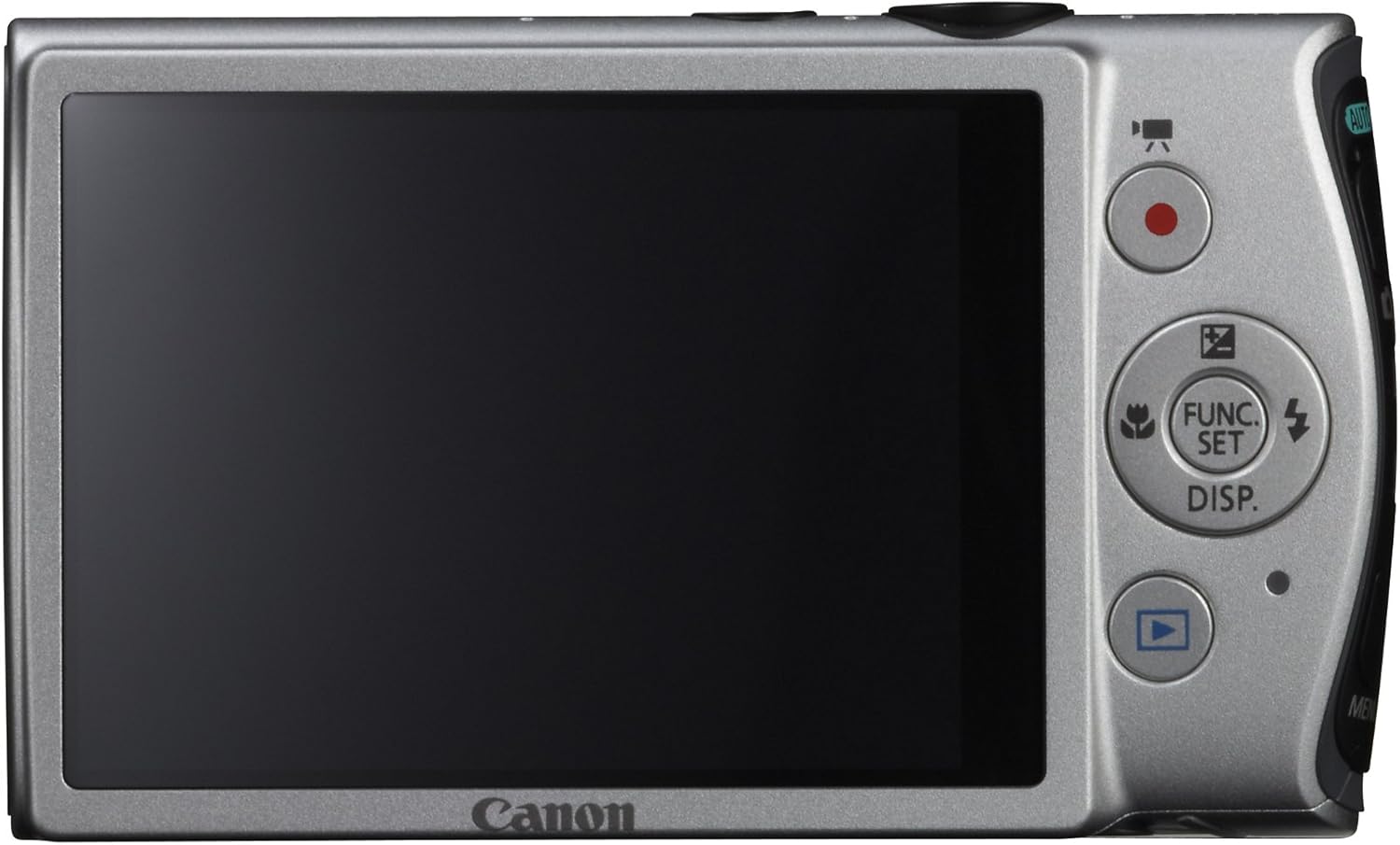
Imatge: Part posterior view of the Canon PowerShot ELPH 310 HS, displaying the 3.0-inch LCD screen and various control buttons for navigation and function selection.
3. Modes de tir
The PowerShot ELPH 310 HS offers various shooting modes to suit different situations. Use the mode dial or menu to select:
- Smart AUTO: Automatically detects scenes and applies optimal settings for point-and-shoot simplicity.
- Programa (P): Allows for automatic aperture/shutter speed selection based on conditions, with some user control.
- Movie Digest: Records a short video clip before each still image, combining them into a daily video.
- Ràfega d'alta velocitat: Captures rapid action at approximately 8.7 frames per second.
- Super Slow Motion Movie: Records video at high frame rates (up to 240 fps) for slow-motion playback.
- Modes d'escena especials: Includes options like Handheld Night Scene, Portrait, Beach, Snow, Fireworks, Fisheye Effect, Miniature Effect, Toy Camera Effect, and more for specific photographic effects.
4. Gravació de vídeo
To record videos, press the dedicated movie button. The camera supports Full HD 1080p video at 24 fps and 720p HD video at 30 fps. The iFrame movie format is also supported for easier editing.
5. Image Stabilization (Intelligent IS)
The camera features Intelligent IS, which automatically selects the best shake correction method for your shooting situation. This includes modes for stills (Normal, Panning, Macro, Tripod) and videos (Dynamic, Powered, Macro, Tripod) to ensure steady images and footage.
Manteniment
1. Neteja de la càmera
- Lent: Use a soft, lint-free cloth specifically designed for camera lenses. Avoid touching the lens directly with fingers.
- Pantalla LCD: Wipe gently with a soft, dry cloth. Do not use abrasive cleaners.
- Cos de la càmera: Use a soft, dry cloth to wipe away dust and smudges.
2. Cura de la bateria
- Guardeu les piles en un lloc fresc i sec quan no les utilitzeu.
- Eviteu descarregar completament la bateria amb freqüència per allargar-ne la vida útil.
- No exposeu les piles a temperatures extremes.
3. Emmagatzematge
Quan guardeu la càmera durant períodes prolongats, traieu la bateria i la targeta de memòria. Guardeu la càmera en un entorn sec i sense pols, preferiblement en una bossa o estoig per a la càmera.
Resolució de problemes
| Problema | Possible causa/solució |
|---|---|
| La càmera no s'encén. | Battery may be depleted or incorrectly inserted. Ensure battery is charged and inserted correctly. |
| Les imatges són borroses. | Camera shake, subject movement, or incorrect focus. Ensure proper grip, use Intelligent IS, or check focus settings. |
| Error de la targeta de memòria. | Memory card may be full, corrupted, or incompatible. Try formatting the card (this will erase all data) or use a different card. |
| El flaix no es dispara. | Flash may be set to OFF or Red-Eye Reduction mode. Check flash settings in the menu. |
| No es pot gravar vídeo. | Memory card may be full or too slow. Ensure sufficient space and use a high-speed memory card. |
Especificacions
| Característica | Detall |
|---|---|
| Nom del model | Canon PowerShot ELPH 310 HS |
| Sensor d'imatge | CMOS de 12.1 megapíxels |
| Processador d'imatges | DIGIC 4 |
| Zoom òptic | 8x |
| Lent | 28mm Wide-Angle (35mm equivalent: 28-224mm) |
| Estabilització d'imatge | Òptic (Sistema d'informació intel·ligent) |
| Gravació de vídeo | Full HD 1080p (24 fps), HD 720p (30 fps) |
| Pantalla LCD | 3.0-inch PureColor LCD (461,000 dots) |
| Mitjans d'emmagatzematge | SD, SDHC, SDXC Memory Cards |
| Connectivitat | HDMI, USB |
| Bateria | NB-4L Lithium-ion Battery Pack |
| Pes | Approx. 0.31 Pounds (including battery and memory card) |
Garantia i Suport
For warranty information and technical support, please refer to the documentation included with your product or visit the official Canon weblloc web. Conserveu el rebut de compra com a comprovant de compra per a reclamacions de garantia.
Assistència de Canon Weblloc: www.usa.canon.com/support