
1. Introducció
The Cherub WMT-578 is a versatile digital device combining a metronome and a tuner into a single compact unit. Designed for musicians, it offers precise timing for practice and accurate pitch detection for instrument tuning. Key features include a large LCD display for clear viewing, an accurate tuning system, and an automatic shut-off function to conserve battery life.
2. Precaucions de seguretat
- No exposeu la unitat a temperatures extremes, humitat ni llum solar directa.
- Eviteu deixar caure la unitat ni sotmetre-la a impactes forts.
- No intenteu desmuntar ni modificar la unitat. Encarregueu tot el manteniment a personal qualificat.
- Traieu les piles si no heu d'utilitzar la unitat durant un període prolongat per evitar fuites.
- Mantenir fora de l'abast dels nens petits.
3. Producte acabatview
Familiarize yourself with the components of your Cherub WMT-578 unit.

Figura 3.1: Frontal View. This image displays the front of the Cherub WMT-578, highlighting the large LCD screen for displaying tuning and metronome information, along with the various control buttons for mode selection, tempo adjustment, and pitch settings.
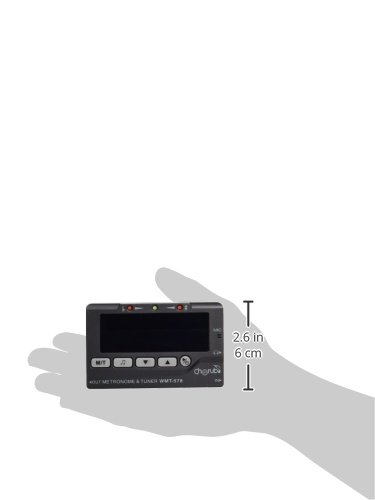
Figura 3.2: Esquena View. This image shows the rear of the Cherub WMT-578, featuring the battery compartment cover and the integrated fold-out stand for convenient placement on a flat surface. The speaker grille is also visible.
4. Configuració
4.1 Instal·lació de la bateria
- Localitzeu el compartiment de la bateria a la part posterior de la unitat (vegeu la figura 3.2).
- Feu lliscar la tapa del compartiment de la bateria cap avall per obrir-lo.
- Introduïu dues (2) piles AAA, assegurant-vos de la polaritat correcta (+/-) tal com s'indica a l'interior del compartiment.
- Torneu a col·locar la tapa del compartiment de la bateria fent-la lliscar fins que faci clic de manera segura.
Note: Two AAA batteries are typically included with the unit.
4.2 Engegada/apagada
- Per encendre la unitat, premeu i manteniu premut el botó [PODER] button (usually located on the front panel) for approximately 2 seconds.
- To power off the unit, press and hold the [PODER] button again for approximately 2 seconds.
- The unit features an auto shut-off function to conserve battery life. If no operation is performed for a certain period (e.g., 3 minutes), the unit will automatically power off.
5. Operating the Metronome
The metronome function provides a steady beat for practice.
5.1 Selecting Metronome Mode
- Després d'encendre, premeu el botó [MODE] button until the metronome icon (often a musical note or 'MET') is displayed on the LCD.
5.2 Adjusting Tempo (BPM)
- Utilitza el [AMUNT] i [BAIX] arrow buttons to increase or decrease the beats per minute (BPM). The tempo range is typically from 30 to 250 BPM.
5.3 Setting Beat and Rhythm
- Premeu el botó [BEAT] button to cycle through different beat patterns (e.g., 0, 1, 2, 3, 4, 5, 6, 7, 8, 9).
- Premeu el botó [RITME] button to select various rhythm subdivisions (e.g., quarter notes, eighth notes, sixteenth notes, triplets).
5.4 Starting and Stopping the Metronome
- Premeu el botó [INICI / PARADA] button to begin the metronome click.
- Premeu el botó [INICI / PARADA] button again to stop the metronome.
5.5 Ajust del volum
- Use the volume control dial or buttons (if present, typically on the side or front) to adjust the loudness of the metronome click.
6. Operating the Tuner
The tuner function helps you accurately tune your musical instrument.
6.1 Selecting Tuner Mode
- Després d'encendre, premeu el botó [MODE] button until the tuner icon (often a tuning fork or 'TUNER') is displayed on the LCD.
6.2 Mètodes d'entrada
- Micròfon integrat: For acoustic instruments, place the unit near the sound source. The internal microphone will pick up the sound.
- Jack d'entrada: For electric instruments or instruments with pickups, connect a 1/4-inch (6.35mm) instrument cable from your instrument to the input jack on the unit.
6.3 Procés d'afinació
- Pluck a single string or play a single note on your instrument.
- Observe the LCD display. The display will show the detected note (e.g., A, C#, E) and a needle or indicator showing pitch deviation.
- Adjust your instrument's tuning peg until the needle or indicator is centered, and the display shows the correct note for your desired pitch. Green lights typically indicate in-tune, while red or orange lights indicate flat or sharp.
6.4 Adjusting A4 Calibration
- Si cal, premeu el botó [CALIB] or [BREA] button to adjust the A4 reference frequency (typically 440Hz). Use the [AMUNT] i [BAIX] botons per canviar el valor.
7. Manteniment
7.1 Neteja
- Netegeu la unitat amb un drap suau i sec.
- No utilitzeu netejadors abrasius, ceres ni dissolvents, ja que poden danyar l'acabat.
7.2 Substitució de la bateria
- When the display becomes dim or the unit functions erratically, replace the batteries as described in Section 4.1.
- Always replace both batteries at the same time with new ones of the same type.
7.3 Emmagatzematge
- Guardeu la unitat en un lloc fresc i sec, allunyat de la llum solar directa i de temperatures extremes.
- If storing for an extended period, remove the batteries to prevent leakage and potential damage to the unit.
8. Solució De Problemes
- La unitat no s'encén: Check if batteries are inserted correctly with proper polarity. Replace with fresh batteries if necessary.
- La pantalla és tènue o parpelleja: Les piles estan baixes. Substitueix-les.
- Metronome sound is too low/high: Ajusteu el control de volum.
- Tuner is not detecting sound: Ensure the unit is in tuner mode. For acoustic instruments, place it closer to the sound source. For electric instruments, check the cable connection to the input jack.
- Tuner seems inaccurate: Ensure the A4 calibration is set correctly (typically 440Hz).
9. Especificacions
| Característica | Especificació |
|---|---|
| Marca | Querubí |
| Model | WMT-578 |
| Dimensions del producte | 5.89 x 3.1 x 1.5 cm |
| Pes de l'article | 38.1 g |
| Bateries | Necessites 2 piles AAA (incloses) |
| Composició de les cèl·lules de la bateria | Alcalí |
| Interval de tempo del metrònom | 30-250 BPM (typical) |
| Tuner A4 Calibration Range | 430-450Hz (typical) |
| Apagat automàtic | Sí |
10. Garantia i Suport
This product is covered by a standard manufacturer's warranty against defects in materials and workmanship. The specific terms and duration of the warranty may vary by region and retailer. Please retain your proof of purchase for warranty claims.
For technical support, troubleshooting assistance beyond this manual, or warranty inquiries, please contact your local Cherub distributor or the retailer from whom you purchased the product. Contact information can typically be found on the product packaging or the official Cherub weblloc.