
Introducció
This manual provides detailed instructions for the installation, operation, and maintenance of your CORSAIR VENGEANCE C70 Mid-Tower Case. Designed for durability and extensive cooling, the C70 offers a robust platform for your PC build.
Configuració i instal·lació
Follow these steps to set up your CORSAIR VENGEANCE C70 Mid-Tower Case.
1. Preparació del cas
The CORSAIR VENGEANCE C70 features quick-release side panels for easy access. To open, locate the latches on the top rear of each side panel and flip them open. Gently pull the panels away from the chassis.
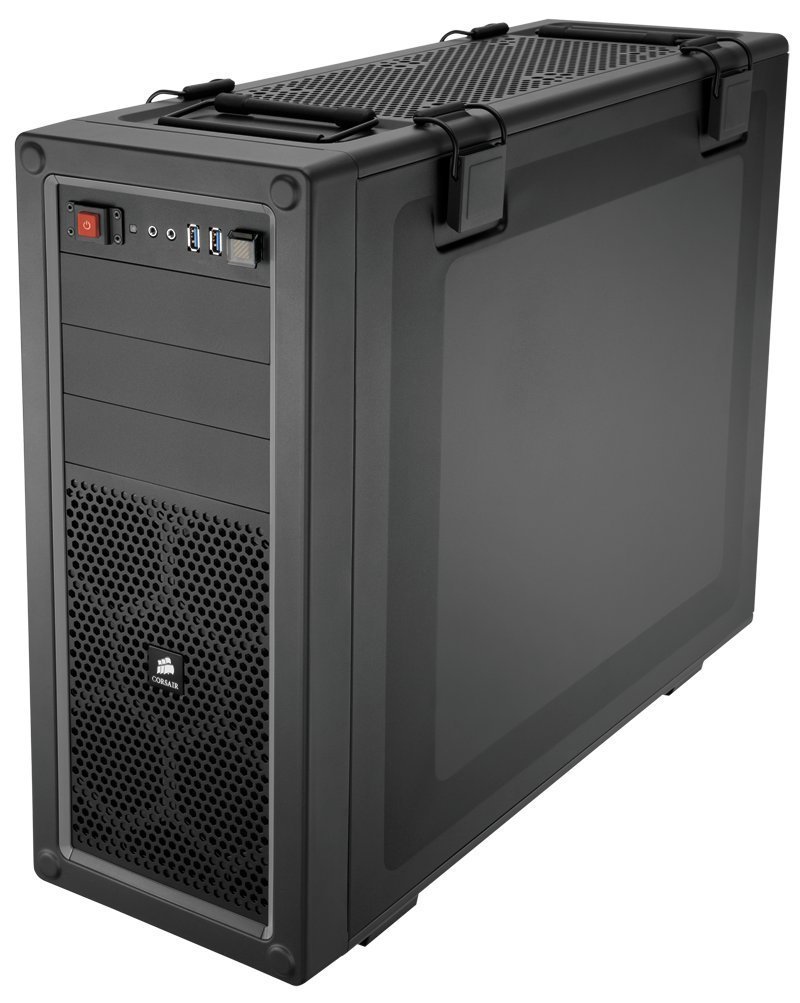
Imatge: Interna view of the Corsair Vengeance C70 Mid-Tower Case, showcasing the spacious interior with a motherboard, CPU cooler, graphics cards, power supply, and drive bays installed. Note the cable management and fan placements.
2. Instal·lació de la placa base
- The C70 supports ATX and mATX motherboards.
- Instal·leu la protecció d'E/S a l'obertura posterior de la carcassa.
- Align your motherboard with the pre-installed standoffs. Secure the motherboard using the provided screws. Ensure all mounting points are utilized for stability.
3. Instal·lació de la font d'alimentació
- The case supports ATX power supplies, mounted at the bottom.
- Slide the power supply into its designated bay at the bottom rear of the case.
- Secure it with screws from the rear of the chassis.
4. Instal·lació de la unitat
- 5.25" Optical Drives: The case features three 5.25" external drive bays. Remove the front bezel cover, slide the drive in, and secure it using the tool-less locking mechanism.
- 3.5"/2.5" Hard Drives/SSDs: The case includes six 3.5"/2.5" drive caddies. These caddies support both 3.5" HDDs and 2.5" SSDs. Slide your drive into a caddy and then slide the caddy into one of the internal drive bays until it clicks into place. The drive cages are removable for increased space or custom cooling solutions.
5. Targetes d'expansió
- The C70 provides eight expansion slots.
- Remove the necessary slot covers, insert your expansion card (e.g., graphics card), and secure it with the provided screws or tool-less clips.
6. Sistema de refrigeració
- The case comes with two 120mm intake fans and one 120mm exhaust fan pre-installed.
- Additional fan mounting locations are available for enhanced airflow, supporting up to 10 fans. These include locations on the top, bottom, and side panel.
- The case also supports 240mm radiators for liquid cooling solutions in the top, front (with drive cage removal), or bottom (with drive cage removal).
7. Gestió de cables
Utilize the routing holes and tie-down points behind the motherboard tray to organize cables. This improves airflow and maintains a clean internal appearance.
Funcionament
Panell d'E/S frontal
El panell frontal d'E/S proporciona un accés convenient als ports i controls essencials:
- Botó d'encesa: Located on the top front, used to power on/off the system.
- Botó de restabliment: Located near the USB ports, often protected by a clear cover to prevent accidental presses. Press to restart the system.
- Ports USB 3.0 (x2): Per a la transferència de dades d'alta velocitat amb dispositius compatibles.
- Presa per a auriculars (x1): Per a la sortida d'àudio.
- Microphone Jack (x1): Per a entrada d'àudio.
Manteniment
Un manteniment regular ajuda a garantir un rendiment òptim i una llarga vida útil dels components del teu PC.
- Neteja del filtre de pols: The C70 includes dust filters to prevent dust buildup. Regularly check and clean these filters. The bottom filter is easily accessible. The front filter may require removing the front panel for thorough cleaning.
- Neteja interior: Periodically open the side panels and use compressed air to remove dust from internal components, especially fans, heatsinks, and radiators.
- Neteja exterior: Netegeu l'exterior de la carcassa amb un drap suau iamp tela. Eviteu productes químics durs que puguin danyar l'acabat.
Resolució de problemes
Aquesta secció tracta problemes comuns que podeu trobar.
- El sistema no s'encén:
- Ensure the power supply is properly connected to the wall outlet and the power switch on the PSU is in the 'ON' position.
- Verifiqueu que tots els cables d'alimentació (ATX de 24 pins, CPU de 8 pins, PCIe per a GPU) estiguin connectats correctament a la placa base i als components.
- Check the front panel power switch connector on the motherboard.
- Soroll excessiu:
- Inspect all fans (CPU, GPU, case fans) for obstructions or loose mounting.
- Ensure cables are not interfering with fan blades.
- Check for vibrations from loose components or side panels. The C70 side panel latches should be firmly closed.
- Flux d'aire deficient/Temperatures altes:
- Clean all dust filters and internal components as described in the Maintenance section.
- Verify that fans are oriented correctly (intake vs. exhaust).
- Assegureu-vos de gestionar correctament els cables per evitar obstruir el flux d'aire.
Especificacions
| Marca | Corsari |
| Nom del model | C70 |
| Número de model | CC-9011016-WW |
| Tipus de cas | Torre mitja |
| Material | Acer d'aliatge |
| Color | Negre metàl·lic |
| Compatibilitat amb la placa base | ATX, mATX |
| Drive Bays | (x3) 5.25", (x6) 3.5"/2.5" Drive Caddies |
| Ranures d'expansió | 8 |
| Cooling (Included) | (x2) 120mm Intake fans, (x1) 120mm Exhaust Fan |
| Ubicacions de muntatge per ventilador | Fins a 10 |
| E/S frontal | (x2) USB 3.0, (x1) Headphone, (x1) Mic |
| Tipus d'alimentació | ATX (no inclòs) |
| Pes de l'article | 18.3 lliures |
Informació de la garantia
The CORSAIR VENGEANCE C70 Mid-Tower Case comes with a 2 anys de garantia from the date of purchase. Please retain your proof of purchase for warranty claims. This warranty covers defects in materials and workmanship under normal use.
Suport
For technical assistance or customer service, please contact Corsair support:
- Telèfon: 1-888-222-4346 opt. 1
- Weblloc: Visit the official Corsair website for additional resources, FAQs, and support tickets.


