
1. Informació important de seguretat
Read this user manual carefully before using the appliance and save it for future reference. Always follow basic safety precautions when using electrical appliances to reduce the risk of fire, electric shock, and/or injury to persons.
- No submergiu l'aparell en aigua o cap altre líquid.
- Assegureu-vos que el voltage indicat a l'electrodomèstic correspon a la vostra xarxa local voltage abans de connectar.
- Mantenir l'aparell fora de l'abast dels nens.
- Do not operate the appliance if the plug, the mains cord, or the appliance itself is damaged.
- Utilitzeu l'aparell només per a l'ús domèstic previst.
2. Producte acabatview
Familiarize yourself with the components of your Philips Senseo HD7870/10 Twist Coffee Pad Machine.

Figura 1: Mésview of the Senseo HD7870/10 machine with accessories.
- Embassament d'aigua: Detachable tank for water. Capacity for 6 cups.
- Broc de cafè: Height-adjustable to accommodate various cup sizes.
- Pad Holder: For single or double coffee pads.
- Safata de degoteig: Recull l'excés de líquid i es pot treure per netejar-lo.
- Pantalla tàctil: For operation and status indicators.
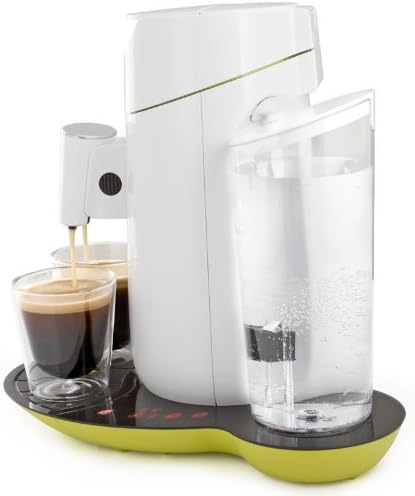
Figura 2: lateral view highlighting the water reservoir.

Figure 3: Detail of the touchscreen control panel with power, 1-cup, 2-cup, and descaling indicators.
3. Configuració
3.1 Primer ús i esbandida
- Traieu tots els materials d'embalatge.
- Clean the water reservoir, pad holders, and drip tray with warm water and a mild detergent. Rinse thoroughly.
- Fill the water reservoir with fresh cold water up to the MAX indication.
- Place the water reservoir back onto the appliance.
- Place a pad holder (without a coffee pad) and close the lid.
- Col·loqueu un bol sota el broc.
- Press the power button to turn on the machine. The 1-cup and 2-cup buttons will flash.
- Press the 2-cup button to start the rinsing cycle. Repeat this process once or twice until the water reservoir is empty.
3.2 Omplir el dipòsit d'aigua
- Remove the water reservoir from the appliance.
- Fill it with fresh, cold tap water up to the MAX level.
- Place the water reservoir back onto the appliance, ensuring it is seated correctly.
4. Funcionament de la màquina de cafè
4.1 Elaboració de cafè
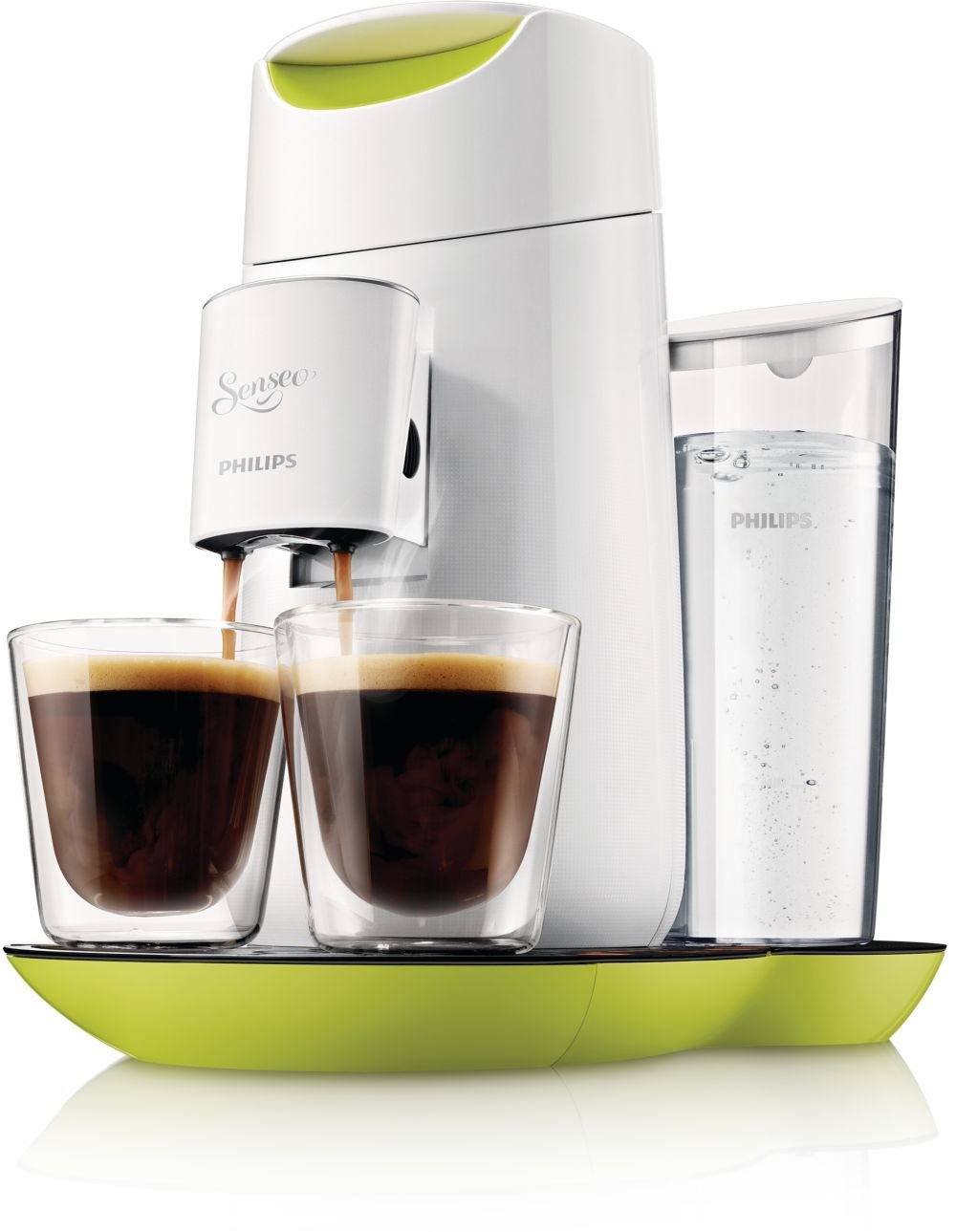
Figure 4: The machine brewing two cups of coffee simultaneously.
- Assegureu-vos que el dipòsit d'aigua estigui ple.
- Open the lid and place one or two Senseo coffee pads into the appropriate pad holder. Use the 1-cup pad holder for one pad and the 2-cup pad holder for two pads.
- Tanqueu la tapa amb fermesa.
- Place one or two cups under the coffee spout. Adjust the spout height if necessary.
- Press the power button. The 1-cup and 2-cup buttons will light up steadily when the machine is ready.
- Premeu el botó Botó d'1 tassa for a single cup of coffee or the Botó d'2 tassa for two cups. The machine will start brewing.
- The machine will automatically stop when the coffee is ready.

Figura 5: superior view of the machine, illustrating the pad placement area.
4.2 Ajust de la intensitat del cafè
The Senseo HD7870/10 allows you to adjust the coffee strength:
- After pressing the power button, the 1-cup and 2-cup buttons will light up.
- To select a stronger coffee, press the desired cup button (1 or 2) twice quickly. The button will flash faster to indicate stronger brew selection.
- For a regular coffee, press the desired cup button once.
4.3 Espera automàtica
The machine automatically switches to standby mode after 15 minutes of inactivity to save energy. To reactivate, press the power button.
5. Manteniment
5.1 Neteja
- Desconnecteu sempre l'aparell abans de netejar-lo.
- Netegeu l'exterior de la màquina amb anunciamp tela. No utilitzeu productes de neteja abrasius.
- The water reservoir, pad holders, and drip tray can be cleaned with warm water and a mild detergent or in the dishwasher.
- Clean the coffee spout regularly to prevent blockages.
5.2 Descalcificació
The Senseo HD7870/10 features a descaling indicator (CALC light on the touchscreen). When this light illuminates, it is time to descale your machine. Regular descaling ensures optimal coffee quality and extends the lifespan of your appliance.
Follow the descaling instructions provided in the full manual or on the Philips support website. Typically, this involves using a Senseo descaling agent and running several rinsing cycles.
6. Solució De Problemes
If you encounter issues with your Senseo machine, refer to the following common problems and solutions:
| Problema | Causa possible | Solució |
|---|---|---|
| No es dispensa cafè. | Water reservoir is empty. Lid is not closed properly. Appliance is clogged. | Fill the water reservoir. Close the lid firmly until it clicks. Descale the appliance. |
| El cafè és massa feble. | Incorrect coffee strength selected. | Ensure you press the cup button twice for stronger coffee. Use fresh coffee pads. |
| CALC light is on. | La màquina necessita descalcificar. | Perform a descaling cycle as per the instructions in Section 5.2. |
| La màquina no s'encén. | Not plugged in. Power outage. | Check power connection. Verify power supply. |
If the problem persists, please contact Philips Consumer Care.
7. Especificacions
| Característica | Detall |
|---|---|
| Marca | Philips |
| Número de model | HD7870/10 |
| Color | Lime Yellow |
| Dimensions del producte | 30.99 x 24.99 x 32 cm |
| Pes | 1.5 kg |
| Capacitat del dipòsit d'aigua | 1 litre (aprox. 6 tasses) |
| Potència/Wattage | 1450 watts |
| Voltage | 240 Volts |
| Material | Plàstic |
| Característiques especials | Water filter, Touchscreen display, Descaling indicator, Adjustable coffee strength, Automatic standby after 15 minutes, Height-adjustable spout. |
8. Garantia i Suport
Per obtenir informació detallada sobre la garantia, consulteu la targeta de garantia inclosa amb el producte o visiteu el lloc web oficial de Philips. website. If you require assistance, have questions, or need to report a problem, please contact Philips Consumer Care through their official support channels.
You can find contact information and frequently asked questions on the Assistència de Philips Weblloc.