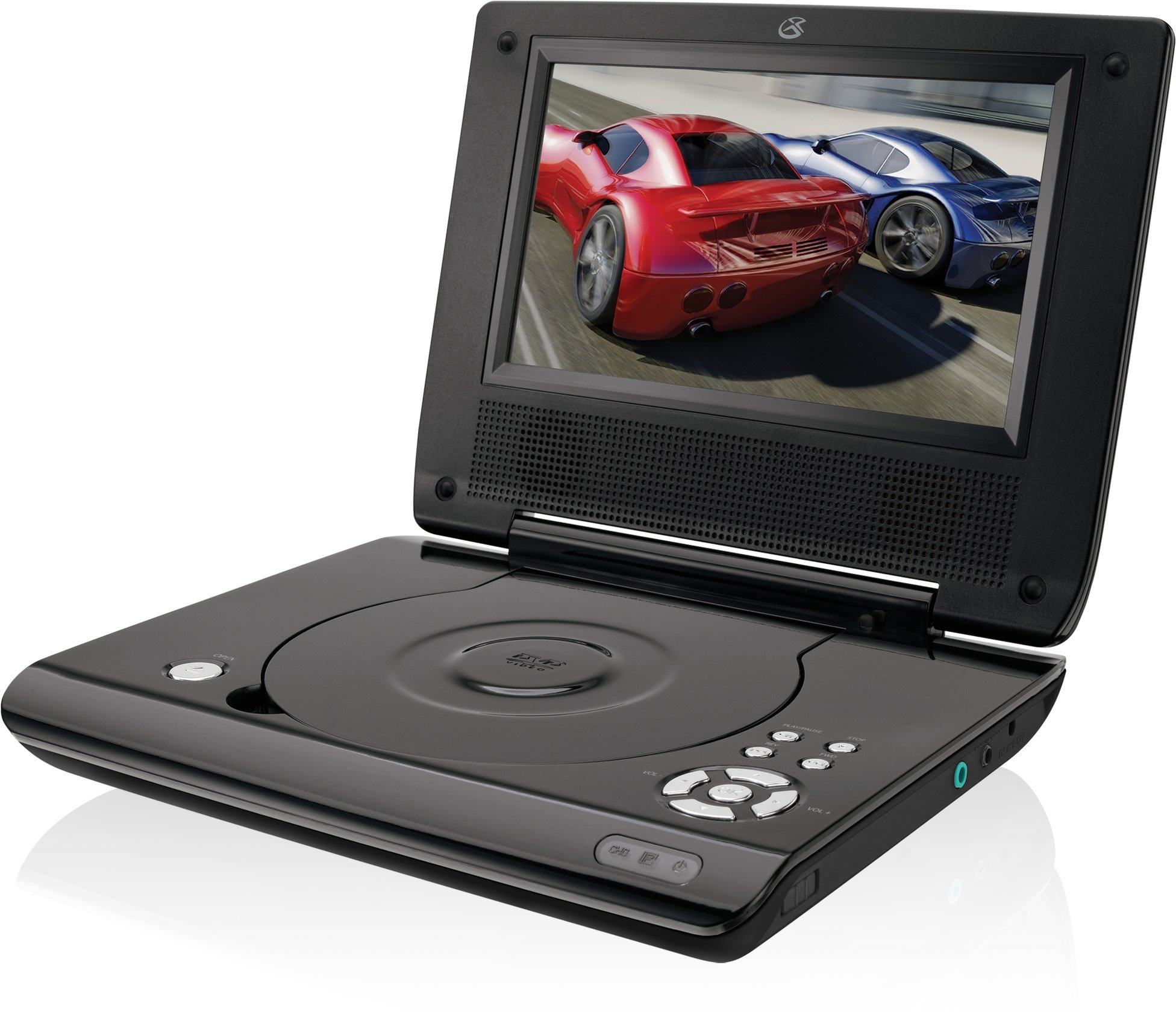
This manual provides essential instructions for the safe and efficient operation of your GPX PD730B 7-inch Portable DVD Player. Please read this manual thoroughly before using the device and retain it for future reference. The GPX PD730B is designed for portable entertainment, allowing you to enjoy DVDs, CDs, and JPEG files on its 7-inch TFT LCD screen.
Contingut del paquet
Verifiqueu que tots els elements que s'enumeren a continuació s'inclouen al vostre paquet:
GPX PD730B Portable DVD Player
Adaptador d'alimentació AC/DC
DC Car Adapter (12V)
Auriculars estèreo
Control remot (amb 2 piles AAA)
Manual d'usuari (aquest document)
Producte acabatview
Figure 1: GPX PD730B Portable DVD Player (Closed)
This image shows the GPX PD730B portable DVD player in its closed position, highlighting its compact and sleek design. The top surface is smooth and black, with control buttons visible on the right edge.
Controls i connexions
Familiarize yourself with the various controls and connection ports on your portable DVD player.
Botó d'encesa: Encén o apaga la unitat.
Botó Reproduir/Pausa: Inicia o posa en pausa la reproducció.
Botó d'aturada: Atura la reproducció.
Botons de cerca/saltar: Navigates tracks or chapters, or fast-forwards/rewinds.
Control de volum: Ajusta el nivell de sortida d'àudio.
Auriculars Jack: For private listening with stereo earbuds or headphones.
DC In Port: Connects to the AC/DC or car power adapter for charging and power.
Configuració
1. Carregant la bateria
Before initial use, fully charge the built-in rechargeable battery. A full charge provides approximately 2 hours of playback time.
Connect the AC/DC power adapter to the DC In port on the DVD player.
Connecteu l'adaptador d'alimentació CA/CC a una presa de corrent estàndard.
The charging indicator light (if present) will illuminate. Charging is complete when the light changes color or turns off (refer to device for specific indicator behavior).
Alternatively, use the 12V DC car adapter to charge the player in a vehicle.
2. Encès / apagat
Manteniu premut el botó Poder button on the unit to turn the player on or off. The screen will illuminate when powered on.
Instruccions de funcionament
1. Inserting and Removing Discs
Gently open the disc compartment lid.
Place a DVD or CD onto the spindle with the label side facing up. Press down gently on the center of the disc until it clicks into place.
Close the disc compartment lid firmly.
To remove a disc, open the lid, gently press the spindle button (if present) or lift the disc from the edges, avoiding touching the data surface.
2. Reproducció bàsica
After inserting a disc, the player will typically begin playback automatically.
Utilitza el Reproduir/Pausa botó per aturar o reprendre la reproducció.
Premeu el botó Atureu-vos botó per aturar la reproducció.
Utilitza el Saltar buttons (usually labeled with arrows) to navigate between chapters or tracks.
Utilitza el Cerca buttons (often combined with Skip) to fast-forward or rewind.
3. Ús del comandament a distància
The included remote control provides convenient access to all player functions from a distance. Ensure the 2 AAA batteries are correctly installed. Point the remote control directly at the player's remote sensor.
4. Connexió d'auriculars
For private listening, plug the stereo earbuds (or your own headphones) into the Conector d'auriculars on the side of the player. The built-in speakers will automatically mute when headphones are connected.
Figure 2: Portable DVD Player in use (Bedroom)
This image illustrates the portable DVD player being used by a girl in a bedroom setting, demonstrating its suitability for personal entertainment at home.
Figure 3: Portable DVD Player in use (Vehicle)
This image shows a boy watching the portable DVD player in the back seat of a car, highlighting its utility for entertainment during travel.
Figure 4: Portable DVD Player in use (Airplane)
This image depicts a woman using the portable DVD player with headphones on an airplane, showcasing its versatility for quiet, personal entertainment during flights.
Manteniment
Neteja del reproductor
Disconnect the player from all power sources before cleaning.
Feu servir un drap suau i sec per netejar les superfícies exteriors. No utilitzeu productes de neteja abrasius, ceres ni dissolvents.
For the screen, use a soft, lint-free cloth specifically designed for LCD screens. Avoid excessive pressure.
Mantingueu el compartiment del disc net de pols i deixalles.
Cura de la bateria
Per allargar la durada de la bateria, eviteu descarregar-la completament amb freqüència.
If the player will not be used for an extended period, charge the battery to about 50% before storing.
Store the player in a cool, dry place.
Resolució de problemes
If you encounter issues with your GPX PD730B, refer to the following common problems and solutions:
Problema
Causa possible
Solució
El reproductor no s'encén.
Battery is discharged; Power adapter not connected properly.
Charge the battery; Ensure power adapter is securely connected to both the player and power source.
No es reprodueix el disc.
Disc inserted incorrectly; Disc is dirty or scratched; Incorrect disc format.
Reinsert disc correctly (label side up); Clean disc with a soft cloth; Ensure disc is DVD, CD, or JPEG CD format.
No hi ha so dels altaveus/auriculars.
Volume too low; Headphones not fully plugged in; Mute function active.
Increase volume; Ensure headphones are fully inserted; Check if mute is active on remote or player.
El comandament a distància no funciona.
Les piles estan gastades o inserides incorrectament; Obstrucció entre el comandament a distància i el reproductor.
Replace remote batteries; Ensure correct polarity; Remove any obstructions and point remote directly at sensor.
Especificacions
Número de model
PD730B
Mida de la pantalla
7 polzades
Tipus de visualització
LCD TFT
Resolució nativa
480 x 234
Relació d'aspecte
16:9
Mitjans compatibles
DVD, DVD+R/RW, CD, CD-R/RW, JPEG CD
Durada de la bateria (mitjana)
2 hores
Entrada de potència
AC/DC Adapter, 12V DC Car Adapter
Connectivitat
Auxiliar (connector d'auriculars)
Pes de l'article
1.72 lliures
UPC
047323007309
Garantia i Suport
For warranty information, technical support, or service inquiries, please refer to the warranty card included with your product or visit the official GPX weblloc web. Conserveu el rebut de compra com a comprovant de compra per a reclamacions de garantia.
Ask about setup, troubleshooting, compatibility, parts, safety, or missing instructions. Manuals+ will review the question and use this page’s manual context to help answer it.