
PWR+ PWR-TAH12020N
PWR+ 12V AC Power Adapter User Manual
Model: PWR-TAH12020N
Introducció
This manual provides essential instructions for the PWR+ 12V AC Power Adapter, designed to supply power to compatible Bmax MaxMini Mini PCs. Please read this manual carefully before use to ensure proper installation and safe operation.

Image: The PWR+ 12V AC Power Adapter shown in its retail box, highlighting the product and its packaging.
Informació de seguretat
The PWR+ 12V AC Power Adapter is designed with multiple safety features to protect your devices and ensure reliable operation. Adhere to the following safety guidelines:
- Llistat UL: This product has been tested, approved, and certified by UL, an authorized US Federal Agency (OSHA) for safety standards.
- Proteccions de seguretat integrades: The adapter incorporates Short Circuit Protection (SCP), Over Current Protection (OCP), Over Voltage Protection (OVP), and Over Temperature Protection (OPT) to prevent damage from electrical irregularities.
- No exposeu l'adaptador a l'aigua, la humitat ni a temperatures extremes.
- Eviteu deixar caure l'adaptador ni sotmetre'l a impactes forts.
- Ensure proper ventilation around the adapter during use to prevent overheating.
- No intenteu desmuntar ni modificar l'adaptador.
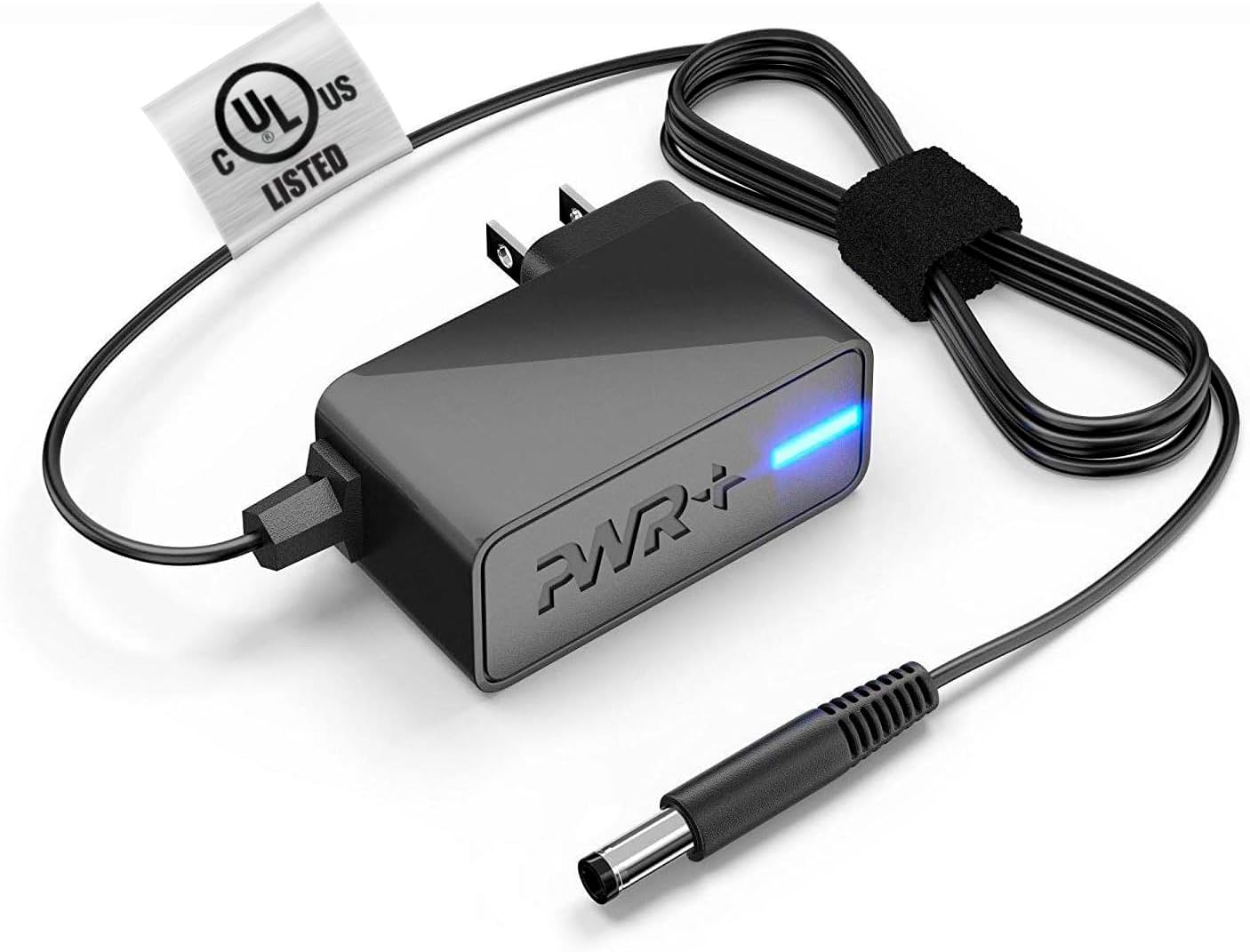
Image: The PWR+ 12V AC Power Adapter, featuring its main unit, power cord, and the attached UL safety certification tag.

Imatge: Un diagrama detallat que mostraasing the internal construction of the PWR+ power cord, highlighting high-grade copper, aluminum foil shield, and protective tinned copper braid. It also illustrates reinforced stress points and lists built-in safety protections: Short Circuit Protection (SCP), Over Current Protection (OCP), Over Voltage Protection (OVP), and Over Temperature Protection (OPT).
Configuració
Follow these steps to correctly set up your PWR+ 12V AC Power Adapter:
- Identificar els components: Unpack the PWR+ 12V AC Power Adapter. It includes the main adapter unit, an integrated 6.5 ft AC/DC cord, and a barrel connector.
- Connecta't al dispositiu: Locate the power input port on your compatible Bmax MaxMini Mini PC. Gently insert the barrel connector of the PWR+ adapter into this port. Ensure a snug and secure fit.
- Connecteu-vos a la presa de corrent: Plug the AC power cord into a standard 100-240V electrical wall outlet.
- Verifica l'alimentació: The adapter features an indicator light (typically blue) that illuminates when power is being supplied. Confirm this light is on.
En funcionament
Once properly connected as described in the Setup section, the PWR+ AC Power Adapter will automatically supply the necessary 12V 2A 24W power to your Bmax MaxMini Mini PC, allowing it to function. No further operational steps are required for the adapter itself.
- Ensure the adapter is placed in a location with adequate airflow to prevent heat buildup.
- Eviteu cobrir l'adaptador amb draps o altres materials durant el funcionament.
Manteniment
Proper maintenance helps extend the lifespan of your PWR+ AC Power Adapter:
- Neteja: Keep the adapter and its cables clean and free from dust. Use a dry, soft cloth for cleaning. Do not use liquid cleaners.
- Cura del cable: Avoid sharp bends, kinks, or excessive pulling on the power cord, especially at the connection points. The cord features reinforced stress points, but proper handling is still recommended.
- Emmagatzematge: Quan no l'utilitzeu, guardeu l'adaptador en un lloc fresc i sec, allunyat de la llum solar directa i de temperatures extremes.
- Inspecció: Inspeccioneu periòdicament l'adaptador i el cable per detectar qualsevol signe de danys, com ara cables desfilats o cables esquerdats.asing. Si es detecten danys, interrompeu l'ús immediatament.
Resolució de problemes
If you encounter issues with your PWR+ AC Power Adapter, refer to the following troubleshooting steps:
- Sense alimentació al dispositiu:
- Ensure the adapter's barrel connector is fully inserted into your Mini PC's power port.
- Verify that the AC power cord is securely plugged into a functional wall outlet. Test the outlet with another device if unsure.
- Check if the adapter's indicator light is illuminated. If not, try a different wall outlet.
- Potència intermitent:
- Comproveu si totes les connexions estan soltes.
- Assegureu-vos que el cable d'alimentació no estigui danyat ni esquinçat.
- Sobreescalfament de l'adaptador:
- Assegureu-vos que l'adaptador estigui en una zona ben ventilada i no estigui tapat.
- Si el sobreescalfament persisteix, interrompeu l'ús i contacteu amb el servei d'assistència.
- Comprovació de compatibilitat: Confirm that your specific Bmax MaxMini Mini PC model is listed as compatible with this adapter (B1 Pro, B2 Pro, B4 Turbo, B4 Plus, B6 Power, B5 Mini PC).
If the issue persists after following these steps, please contact PWR+ customer support for further assistance.
Especificacions
| Característica | Especificació |
|---|---|
| Número de model | PWR-TAH12020N |
| Entrada Voltage | 100-240V |
| Vol. De sortidatage | 12 V |
| Corrent de sortida | 2A |
| Potència de sortidatage | 24W |
| Longitud del cable | 6.5 peus (aprox. 1.98 metres) |
| Tipus de connector | Connector de barril |
| Certificació de seguretat | Llistat UL |
| Característiques especials | Protecció contra curtcircuits, protecció contra sobreintensitat, sobre voltage Protection, Over Temperature Protection, Extra Long Cord |
| Dispositius compatibles | Bmax MaxMini B1 Pro Mini PC, Bmax MaxMini B2 Pro Mini PC, Bmax MaxMini B4 Turbo Mini PC, Bmax MaxMini B4 Plus Mini PC, Bmax MaxMini B6 Power Mini PC, Bmax MaxMini B5 Mini PC |
Garantia i Suport
PWR+ stands behind the quality of its products. This power adapter comes with the following:
- Garantia: A 24-month exchange warranty from the date of purchase.
- Política de reemborsament: A 30-day refund policy is available.
For technical assistance, warranty claims, or any product-related inquiries, please contact PWR+ customer support. Refer to your purchase documentation or the PWR+ official weblloc web per obtenir informació de contacte actualitzada.
Ask a question about this manual
Ask about setup, troubleshooting, compatibility, parts, safety, or missing instructions. Manuals+ will review the question and use this page’s manual context to help answer it.