
Introducció
This manual provides detailed instructions for the setup, operation, and maintenance of your iBall C 8.0 Web Camera. Please read this manual thoroughly before using the product to ensure optimal performance and longevity.
Contingut del paquet
- iBall C 8.0 Web Camera with integrated USB cable
- Driver CD (if applicable)
Note: Contents may vary slightly based on region or package version.
Característiques
The iBall C 8.0 Web Camera is designed for high-quality video communication and still image capture. Key features include:
- Interpolated 8.0 Mega Pixel Still Image Resolution
- Interpolated 4.0 Mega Pixel Video Resolution
- High quality 5G wide angle lens
- 6 LEDs for night vision with brightness controller
- Snapshot button for still image capture
- Built-in high sensitive microphone
- Built-in 4 Photo frames and 7 special effects
- Zoom digital 4X
- Multi-utility camera base for use on Monitors, LCDs and Laptops
- USB 2.0 interface (backward compatible with USB 1.1)
Configuració
1. Connexió de maquinari
- Col·loca el Weblleva: Place the iBall C 8.0 Web Camera on your monitor, laptop screen, or a flat surface using its multi-utility base. Ensure it is stable and facing the desired direction.
- Connexió a l'ordinador: Connecteu el connector USB del webcam into an available USB 2.0 port on your computer. The operating system should detect the new hardware.
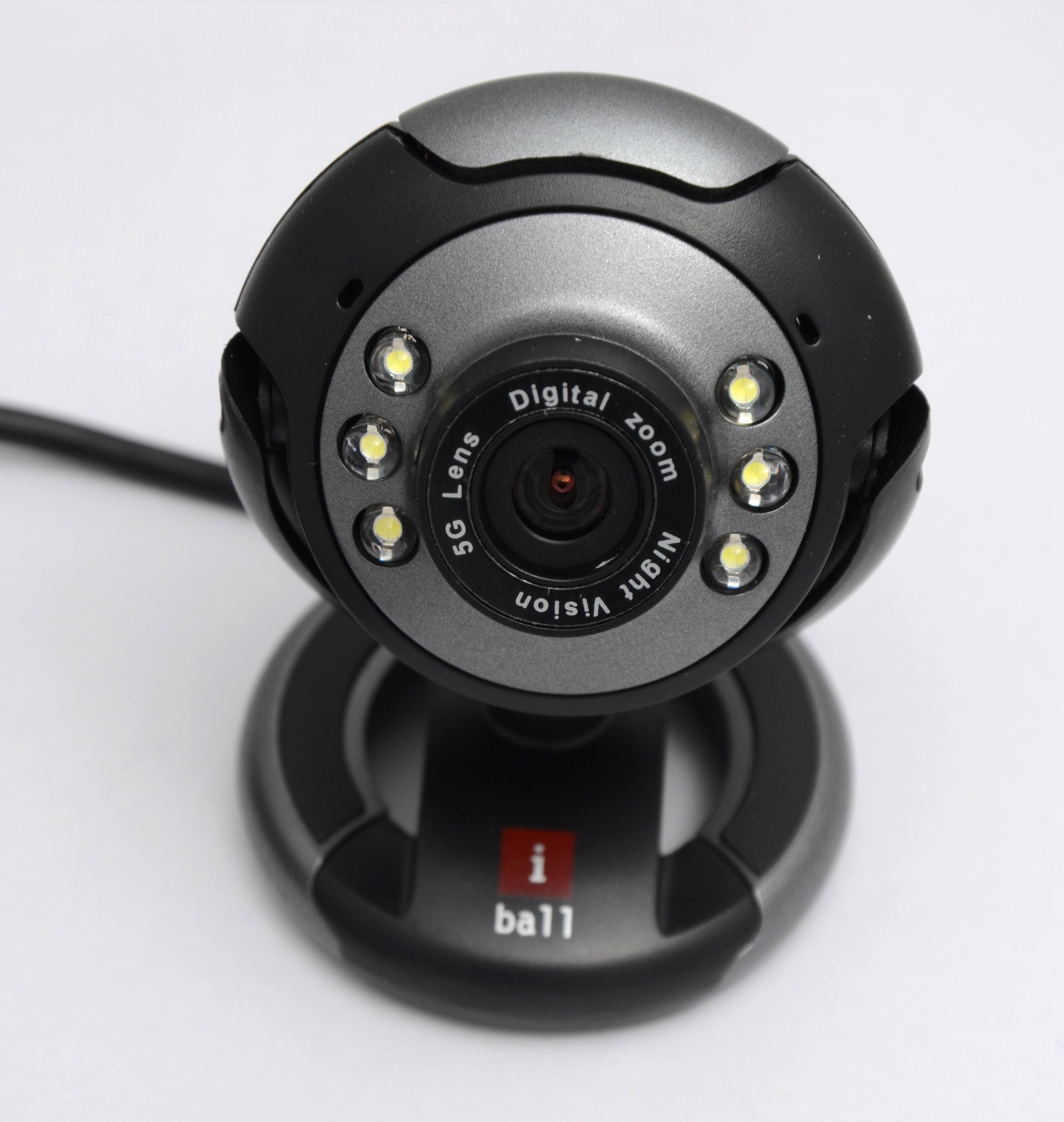
Image: The iBall C 8.0 Web Camera with its integrated USB cable. The camera features a multi-utility base and a lens surrounded by 6 LEDs. The USB connector is visible, ready for connection to a computer.
2. Instal·lació del controlador
For Windows 2000 / XP / Vista / 7, drivers are typically required. The product includes a driver for Windows with photo frames and special effects.
- Inseriu el CD del controlador: If provided, insert the driver CD into your computer's CD/DVD drive.
- Executar configuració: Seguiu les instruccions que apareixen a la pantalla per instal·lar el webcam drivers and bundled software. If an auto-run feature does not start, navigate to the CD drive in "My Computer" and run the setup executable (e.g., setup.exe).
- Reinicieu l'ordinador: Després de la instal·lació, es recomana reiniciar l'ordinador per assegurar-se que tots els controladors s'hagin carregat correctament.
Note: For newer operating systems (Windows 8/10/11), drivers may install automatically upon connection. If not, please refer to the iBall support weblloc per als darrers controladors.
Instruccions de funcionament
Utilitzant el Weblleva
- Llançar l'aplicació: Open a video conferencing application (e.g., Skype, Zoom, Google Meet) or a camera application on your computer. Select the iBall C 8.0 Web Camera as your video input device.
- Ajustar el focus: El webcam has a focus range of 5 cm to infinity. Adjust the lens manually if your image appears blurry.
- Night Vision (LEDs): The 6 built-in LEDs provide illumination in low-light conditions. Use the brightness controller on the cable to adjust the intensity of these LEDs.
- Botó d'instantània: Press the dedicated snapshot button on the webcam to capture still images instantly. The image will be saved to your default pictures folder or the location specified in the bundled software.
- Zoom digital: Utilize the 4X Digital Zoom feature through the bundled software or your video application settings to magnify your image.
- Photo Frames & Special Effects: Access the 4 built-in photo frames and 7 special effects via the bundled software to enhance your video calls or captured images.
- Micròfon integrat: The high-sensitive microphone will automatically pick up audio. Ensure it is selected as the audio input device in your application settings.
Manteniment
- Neteja: Feu servir un drap suau i sec per netejar la lent i el cos de la càmera. Eviteu utilitzar netejadors líquids o materials abrasius.
- Emmagatzematge: Quan no s’utilitzi, emmagatzemeu el fitxer webguardeu-ho en un lloc net i sec, allunyat de la llum solar directa i de temperatures extremes.
- Cura del cable: Do not pull the cable forcefully or bend it sharply to prevent damage.
Resolució de problemes
- Problema: Webcàmera no detectada per l'ordinador.
- Solució:
- Assegureu-vos que el cable USB estigui ben connectat a un port USB que funcioni.
- Prova amb un port USB diferent.
- Reinicieu l'ordinador.
- Verify that drivers are correctly installed (refer to "Driver Installation" section).
- Consulteu el Gestor de dispositius (Windows) per veure si el webcam is listed without errors.
- Problem: Image is blurry or out of focus.
- Solució:
- Manually adjust the focus ring around the lens until the image is clear.
- Assegureu-vos que la lent estigui neta i sense taques.
- Problem: No audio from the webmicròfon de càmera.
- Solució:
- Check your application's audio settings and ensure the iBall C 8.0 microphone is selected as the input device.
- Verifiqueu la configuració de privadesa del micròfon al vostre sistema operatiu.
- Problem: Night vision LEDs are not working or too dim/bright.
- Solució:
- Adjust the brightness controller located on the webcam's cable.
- Assegureu-vos el webcam is receiving sufficient power from the USB port.
Especificacions
| Característica | Detall |
|---|---|
| Sensor d'imatge | High quality 1/4 CMOS sensor |
| Píxels efectius | 480K pixels (Interpolated 8M pixels still image & 4M pixels video) |
| Resolució de vídeo | Max. up to 2560 x 1920 pixels (Interpolated) |
| Resolució d'imatge | Max. up to 3200 x 2400 pixels (Interpolated) |
| Tarifes de fotogrames | 50 fotogrames per segon |
| Profunditat de color | 24-Bit True Colour |
| Interfície | USB 2.0, backward compatible to USB 1.1 |
| Focus | 5 cm to Infinity |
| Micròfon | Built-in high sensitive microphone |
| Botó de captura instantània | Built-in snapshot button |
| Visió nocturna | 6 LEDs for night vision, with brightness controller |
| Zoom digital | Zoom digital 4X |
| Efectes de vídeo | 4 photo frames and 7 special effects |
| Compatibilitat amb SO | Windows 2000 / XP / Vista & 7 |
| Pes de l'article | 240 g |
| Tipus de lent | Wide Angle (5G) |
| Estabilització d'imatge | Digital |
Garantia i Suport
The iBall C 8.0 Web Camera comes with a 2 any de garantia des de la data de compra. Si us plau, conserveu el rebut de compra per a reclamacions de garantia.
For technical support, driver updates, or further assistance, please visit the official iBall support website or contact their customer service. Contact information can typically be found on the iBall weblloc o embalatge del producte.