
1. Producte acabatview
The Genius DVR-FHD590 is a Full HD vehicle video recorder designed to capture high-quality video footage while driving. Equipped with a 5MP camera sensor, it records at 30 frames per second using H.264 compression for efficient file storage. This device serves as a reliable tool for documenting events on the road, providing video evidence in case of incidents. Its High Dynamic Range (HDR) technology and high-power LED ensure clear video recording in various lighting conditions, including low light or strong reflections. The 128-degree wide-angle lens captures a broad view without distortion, and the built-in G-sensor automatically protects recorded files during crash events.

Figura 1: Frontal view of the Genius DVR-FHD590 dash cam.
2. Package Contents and Device Components
2.1 Contingut del paquet
- Genius DVR-FHD590 Vehicle Video Recorder
- Adaptador de corrent per a vehicles
- Muntatge de la ventosa
- Cable USB
- Manual d'usuari
2.2 Components del dispositiu
Familiarize yourself with the various parts of your DVR-FHD590.
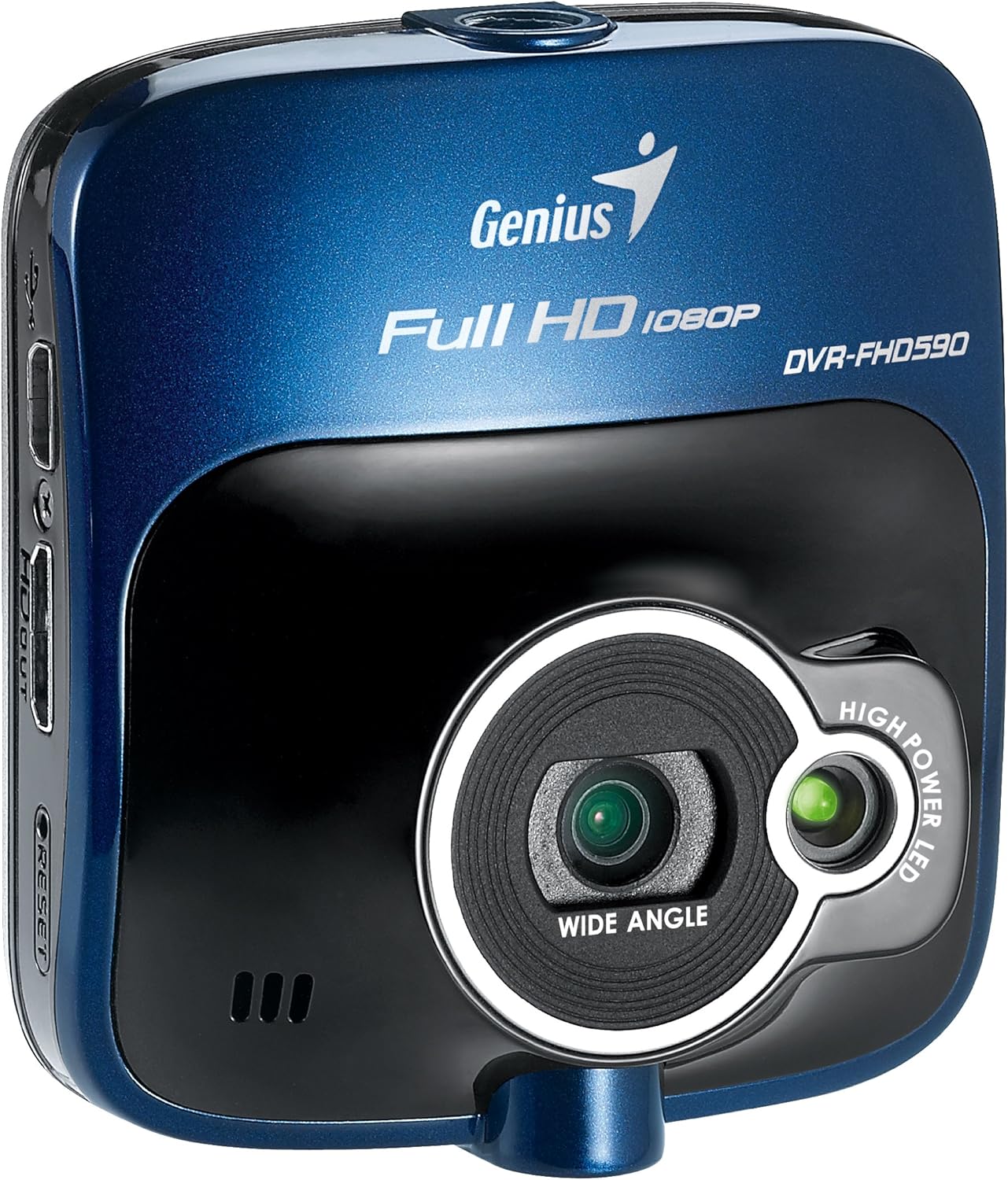
Figura 2: lateral view showing the various ports and buttons on the DVR-FHD590.
- Lent: Main camera lens for video recording.
- LED d'alta potència: Assists in low-light recording.
- Micròfon: Grava àudio.
- 2.4" LCD Panel: Per a directes view, menu navigation, and video playback.
- Botons de control: Navigation and selection buttons (e.g., Menu, Up, Down, OK).
- Port d'alimentació: Connects to the vehicle power adapter.
- Port USB: Per a la transferència de dades i la càrrega.
- Ranura per a targeta MicroSD: Insert your memory card here (not included).
- Botó de restabliment: Per restablir les dades de fàbrica si cal.
- Ranura de muntatge: Attaches to the suction cup mount.
3. Configuració i instal·lació
3.1 Inserció d'una targeta MicroSD
Before first use, insert a compatible MicroSD card (Class 10 or higher, up to 32GB recommended) into the designated slot. Ensure the device is powered off before inserting or removing the card.
3.2 Muntatge del dispositiu
- Clean the windshield surface where you intend to mount the DVR-FHD590.
- Attach the suction cup mount to the device by sliding it into the mounting slot until it clicks securely.
- Premeu la ventosa fermament contra el parabrisa i gireu la palanca per fixar-la.
- Adjust the angle of the camera to ensure a clear view del camí per davant.

Figure 3: The DVR-FHD590 attached to its suction cup mount on a windshield.
3.3 Connexió d'alimentació
Connect the vehicle power adapter to the DVR-FHD590's power port and plug the other end into your vehicle's 12V power outlet (cigarette lighter socket). The device will typically power on and begin recording automatically when the vehicle starts.
4. Instruccions de funcionament
4.1 Enregistrament bàsic
Once powered on, the DVR-FHD590 will automatically start recording. A red indicator light or on-screen icon will confirm recording is active. Recordings are saved in segments to the MicroSD card. When the card is full, the device will automatically overwrite the oldest unprotected files (enregistrament en bucle).
Sensor G de 4.2 polzades (enregistrament d'emergència)
The built-in G-sensor detects sudden impacts or rapid deceleration/acceleration. When triggered, it automatically locks the current video segment, preventing it from being overwritten by loop recording. These protected files serve as crucial evidence in case of an accident.
4.3 Detecció de moviment
When enabled in the settings, motion detection allows the DVR-FHD590 to start recording automatically if movement is detected in front of the camera while the vehicle is parked and the device is powered on. This feature is useful for monitoring your vehicle when unattended.
4.4 Alt rang dinàmic (HDR)
The HDR feature enhances video quality by balancing exposure in scenes with both very bright and very dark areas. This helps to reduce glare and improve visibility in challenging lighting conditions, such as driving out of a tunnel or facing direct sunlight.
4.5 Reproducció i File Gestió
Pots tornarview recorded videos directly on the 2.4" LCD panel using the control buttons. Alternatively, remove the MicroSD card and insert it into a computer to view i gestionar files. Protegit files will be in a separate folder or marked to prevent accidental deletion.
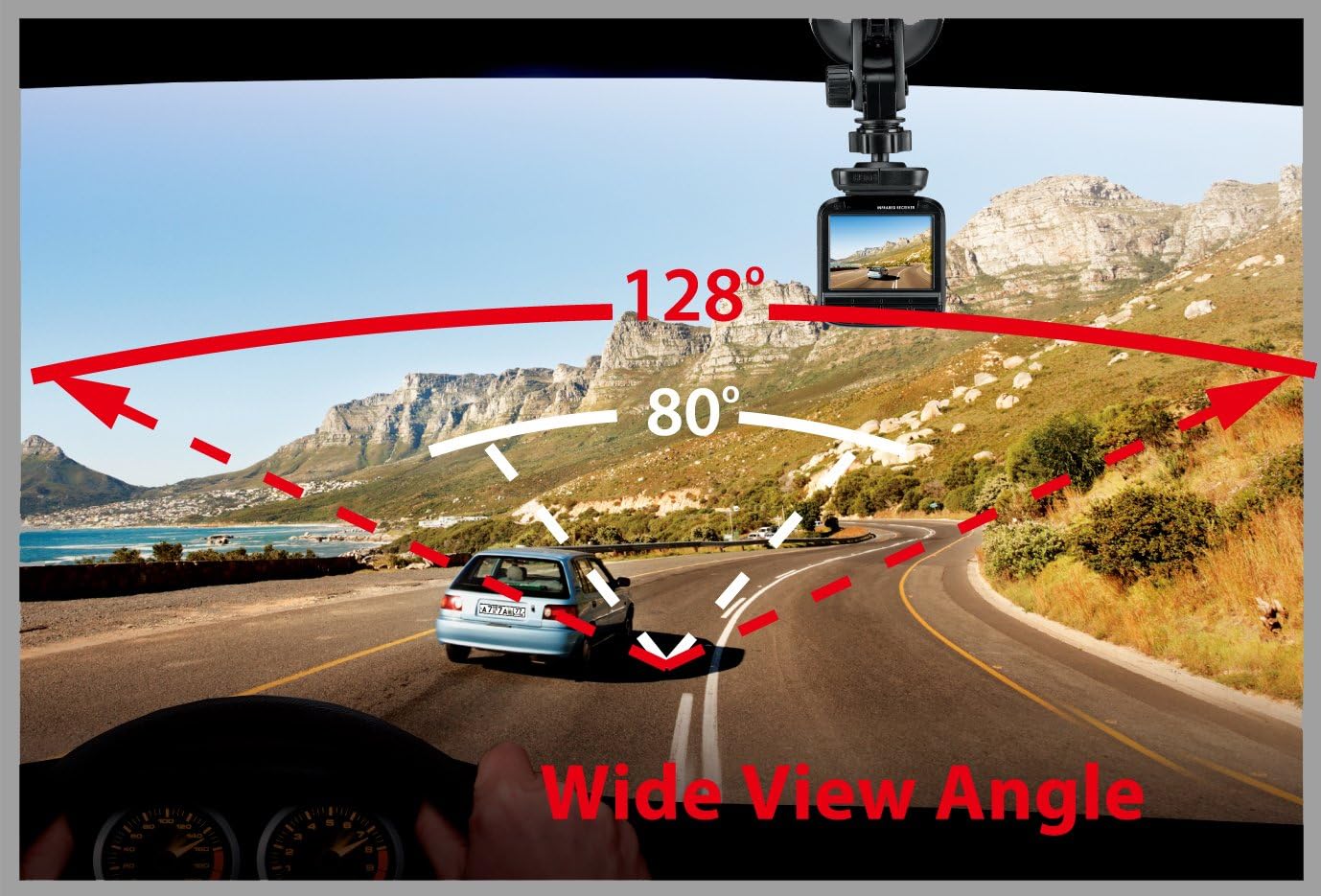
Figure 4: Illustration of the 128-degree wide viewing angle captured by the DVR-FHD590.

Figura 5: Example of video clarity, demonstrating the ability to capture details like license plates.
4.6 Vídeo oficial del producte
Video 1: Official product video demonstrating features of the Genius DVR-FHD590, including night/low light use, 128-degree wide viewing angle, HDR, and recording in traffic.
5. Manteniment
- Netegeu la lent: Regularly clean the camera lens with a soft, lint-free cloth to ensure clear video quality.
- Cura de la targeta MicroSD: Format the MicroSD card periodically (e.g., once a month) to maintain optimal performance and prevent data corruption. Back up important files abans de formatar.
- Temperatura: Avoid exposing the device to extreme temperatures. Remove it from the windshield if parking in direct sunlight for extended periods during hot weather.
- Actualitzacions de firmware: Check the Genius official weblloc web per a qualsevol actualització de firmware disponible per millorar el rendiment i afegir noves funcions.
6. Solució De Problemes
| Problema | Causa possible | Solució |
|---|---|---|
| El dispositiu no s'encén. | No hi ha font d'alimentació; adaptador de corrent defectuós; connexió fluixa. | Check vehicle's 12V outlet; ensure power adapter is securely connected; try a different power source if available. |
| L'enregistrament s'atura inesperadament. | MicroSD card full or corrupted; incompatible MicroSD card; power interruption. | Format or replace MicroSD card; ensure card meets specifications (Class 10); check power connection. |
| Video quality is poor/blurry. | Dirty lens; protective film still on lens; low light conditions without HDR/LED. | Clean the lens; remove any protective film; ensure HDR is enabled for challenging light. |
| G-sensor not triggering or too sensitive. | Incorrect G-sensor sensitivity setting. | Adjust G-sensor sensitivity in the device settings. |
| El dispositiu es bloqueja o deixa de respondre. | Software glitch; MicroSD card issue. | Press the reset button; format or replace the MicroSD card. |
7. Especificacions tècniques
| Característica | Detall |
|---|---|
| Número de model | DVR-FHD590 |
| Marca | Geni |
| Resolució de captura de vídeo | 1080p (Full HD) |
| Mida de la pantalla | 2.4 polzades (LCD) |
| Angle real de View | 128 graus |
| Característiques especials | Motion Sensing, G-Sensor, High Power LED, HDR |
| Pes de l'article | 3.2 unces |
| Mètode de control | Touch (referring to button presses on the device) |
| Piles incloses | No |
| UPC | 168141418723, 132017784748, 031112482088, 911632434418, 115970979307, 072091721263, 163120529698, 091163238119, 021112918335, 012300070034, 091163243441, 172304211908 |
8. Garantia i Suport
For warranty information, technical support, or service inquiries, please refer to the official Genius weblloc web o poseu-vos en contacte amb el seu departament d'atenció al client. Conserveu el rebut de compra com a comprovant de compra per a reclamacions de garantia.
Genius Oficial Weblloc: www.geniusnet.com