
Introducció
This manual provides instructions for the VTech CS6114-11 DECT 6.0 Cordless Phone. It covers the installation, operation, and maintenance of your new telephone system. The DECT 6.0 digital technology ensures clear communication and enhanced security.
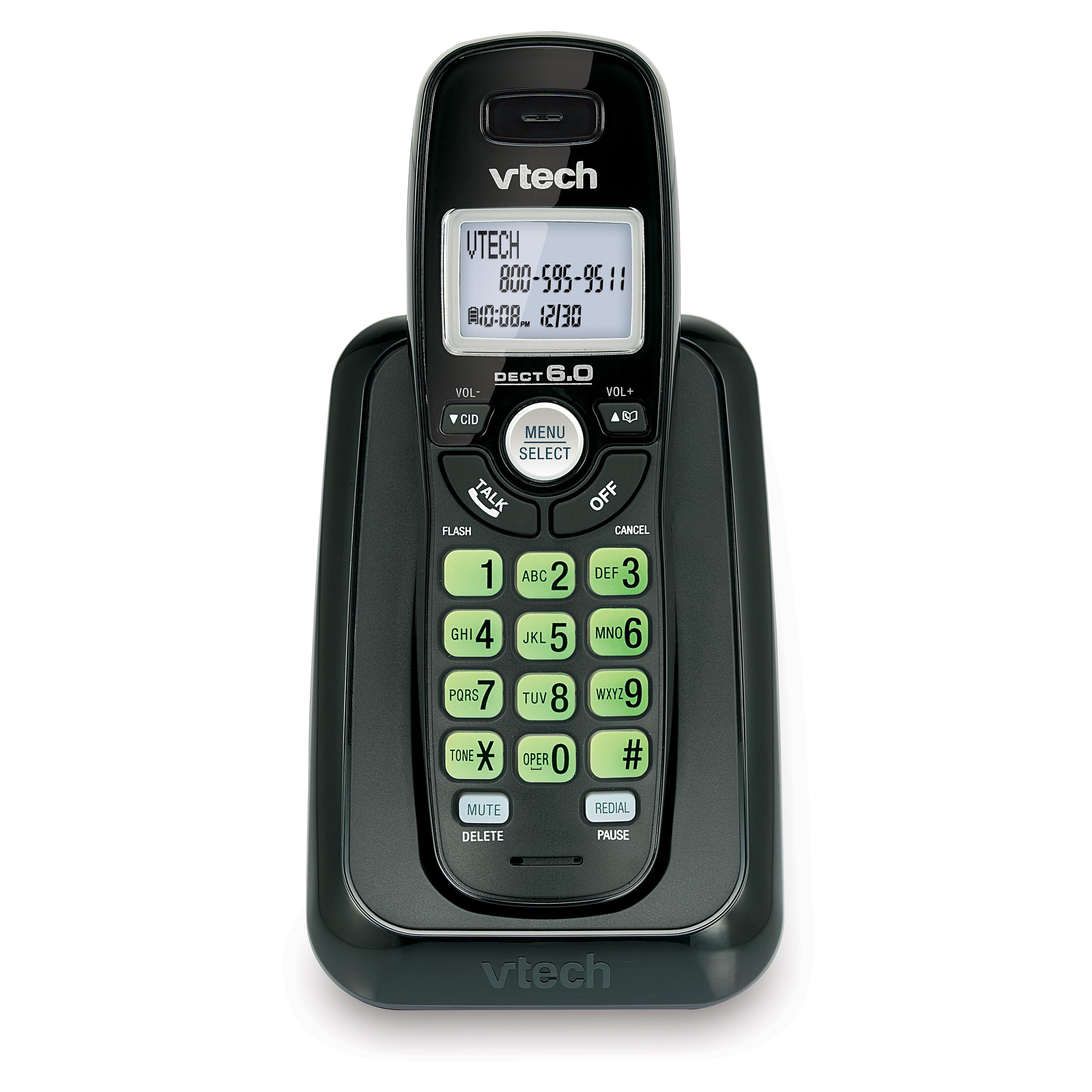
Imatge: Frontal view of the VTech CS6114-11 DECT 6.0 Cordless Phone, showing the handset in its charging base.
Configuració
1. Contingut del paquet
Assegureu-vos que el vostre paquet contingui els elements següents:
- One cordless handset
- One telephone base
- One power adapter for the telephone base
- One telephone line cord
- Two AAA rechargeable batteries
- Aquest manual d'usuari
2. Instal·lació de la bateria
Install the provided rechargeable AAA batteries into the handset.
- Localitzeu la tapa del compartiment de la bateria a la part posterior del telèfon.
- Feu lliscar la coberta cap avall per treure-la.
- Insert the two AAA rechargeable batteries, observing the correct polarity (+ and - markings).
- Torneu a col·locar la tapa del compartiment de la bateria lliscant-la cap amunt fins que encaixi al seu lloc.

Imatge: Lateral view of the VTech CS6114-11 DECT 6.0 Cordless Phone handset, showing its profile and the charging contacts.
3. Connecting the Telephone Base
- Plug one end of the telephone line cord into the TEL LINE jack on the back of the telephone base.
- Connecteu l'altre extrem del cable de la línia telefònica a una presa de paret.
- Plug the small end of the power adapter into the POWER jack on the back of the telephone base.
- Connecteu l'extrem gran de l'adaptador de corrent a una presa de corrent que no estigui controlada per un interruptor de paret.
Important: Use only the power adapter provided with this product.
4. Càrrega del telèfon
Place the handset in the telephone base to charge. The handset will begin charging automatically. Allow the handset to charge for at least 12 hours before initial use to ensure optimal battery performance.
5. Initial Handset Setup
After the handset is charged, you may need to set the language, date, and time.
- Idioma: The phone offers trilingual prompts (English, Spanish, French). Follow the on-screen prompts to select your preferred language.
- Data i hora: The date and time will typically set automatically with Caller ID service. If not, refer to the "Settings" section under "Operation" to manually adjust.
Funcionament
Fer i rebre trucades
- Per fer una trucada: Premeu PARLARi, a continuació, marqueu el número de telèfon.
- Per respondre una trucada: Premeu qualsevol tecla (excepte OFF or CANCEL·LA) when the phone rings.
- Per finalitzar una trucada: Premeu OFF or place the handset back in the telephone base.
- Remarcació de l'últim número: Premeu REMARCAT/PAUSA to redial the last 5 numbers called.
Identificació de trucades i trucada en espera
This phone supports Caller ID and Call Waiting services. A subscription to these services from your telephone service provider is required.
- El telèfon mostra el nom, el número, l'hora i la data de les trucades entrants.
- The phone stores up to 30 Caller ID entries.
- A Voicemail Waiting Indicator (icon and text message) on the handset alerts you to new voicemail messages (requires voicemail service from your provider).
Phonebook Directory
The phonebook can store up to 30 names and numbers for quick dialing.
- To add an entry: Premeu MENÚ/SELECT, navigate to Phonebook, then select Add New Entry. Follow the prompts to enter the name and number.
- To dial from phonebook: Premeu CID or VOL- to scroll through entries, then press PARLAR per marcar.
Configuració del telèfon
- Control de volum: Utilitza el VOL+ i VOL- buttons on the side of the handset to adjust the earpiece volume during a call.
- Volum del timbre: Premeu MENÚ/SELECT, navigate to Ringer Volume, and adjust as desired.
- Teclat i pantalla retroil·luminats: The keypad and LCD screen illuminate for easier viewamb llum tènue.
- Configuració d'idioma: To change the display language, press MENÚ/SELECT, navigate to Settings, then Language.
Tecnologia digital DECT 6.0
This phone utilizes DECT 6.0 digital technology, which operates on the latest available frequency band. This technology provides:
- Superior voice and sound quality.
- Enhanced protection against eavesdropping.
- Interference-free communication with other wireless devices.
Manteniment
Neteja del telèfon
Netegeu el telèfon i la unitat base amb un drap suau iamp cloth. Do not use cleaning sprays or harsh chemicals, as these can damage the finish or electrical components.
Cura de la bateria
- Always use the provided rechargeable AAA batteries.
- For optimal performance, keep the handset in the base when not in use to ensure it is fully charged.
- Si no heu d'utilitzar el telèfon durant un període prolongat, traieu-ne les piles per evitar fuites.
- Replace batteries when the handset indicates low battery or when talk time significantly decreases.
Resolució de problemes
Sense to de marcatge
- Ensure the telephone line cord is securely plugged into both the telephone base and the wall jack.
- Verify that the power adapter is correctly connected to the telephone base and a working electrical outlet.
- Check if other phones on the same line have a dial tone. If not, contact your telephone service provider.
Poor Sound Quality or Interference
- Move the handset closer to the telephone base.
- Avoid placing the telephone base near other electronic devices such as microwaves, Wi-Fi routers, or computers, which can cause interference.
- DECT 6.0 technology minimizes interference, but extreme proximity to other devices can still affect performance.
- Ensure the handset batteries are fully charged.
Handset Does Not Charge
- Ensure the power adapter is securely plugged into the telephone base and a working electrical outlet.
- Verify that the handset is correctly seated in the charging cradle of the telephone base. The charge indicator on the handset should illuminate.
- Netegeu els contactes de càrrega tant del telèfon com de la base amb un drap sec.
- The batteries may need replacement if they no longer hold a charge.
Especificacions
| Número de model | CS6114-11 |
| Marca | VTech |
| Tipus de telèfon | Sense fils |
| Tecnologia | DECT 6.0 Digital |
| Color | Negre |
| Dimensions del producte (L x A x A) | 7.8 x 5.2 x 3.82 polzades |
| Pes de l'article | 0.67 unces (19 grams) |
| Bateries | Calen 2 piles recarregables AAA |
| Font d'alimentació | Funciona amb bateria |
| Tipus de contestador | Digital (Note: This model does not include an integrated answering machine, refers to digital processing) |
| Dispositius compatibles | Landline Phone Networks |
| Capacitat de trucades de conferència | 3 vies |
| Memòria d'identificació de trucades | 30 trucades |
| Phonebook Directory | 30 noms i números |
Garantia i suport
Informació de la garantia
VTech products are manufactured with high-quality components. For specific warranty details, please refer to the warranty card included in your product packaging or visit the official VTech weblloc web. Conserveu el rebut de compra com a comprovant de compra.
Atenció al client
If you require assistance with your VTech CS6114-11 Cordless Phone, please visit the VTech support website or contact their customer service line. Contact information can typically be found on the VTech official weblloc o a l'embalatge del producte.