
1. Introducció
The Microsoft LifeChat LX-3000 Headset (JUG-00013) is designed to provide clear stereo sound and comfortable use for various audio applications, including internet voice calls, music, movies, and gaming. Featuring a noise-cancelling microphone and convenient in-line controls, this wired USB headset offers a reliable audio solution for your PC.
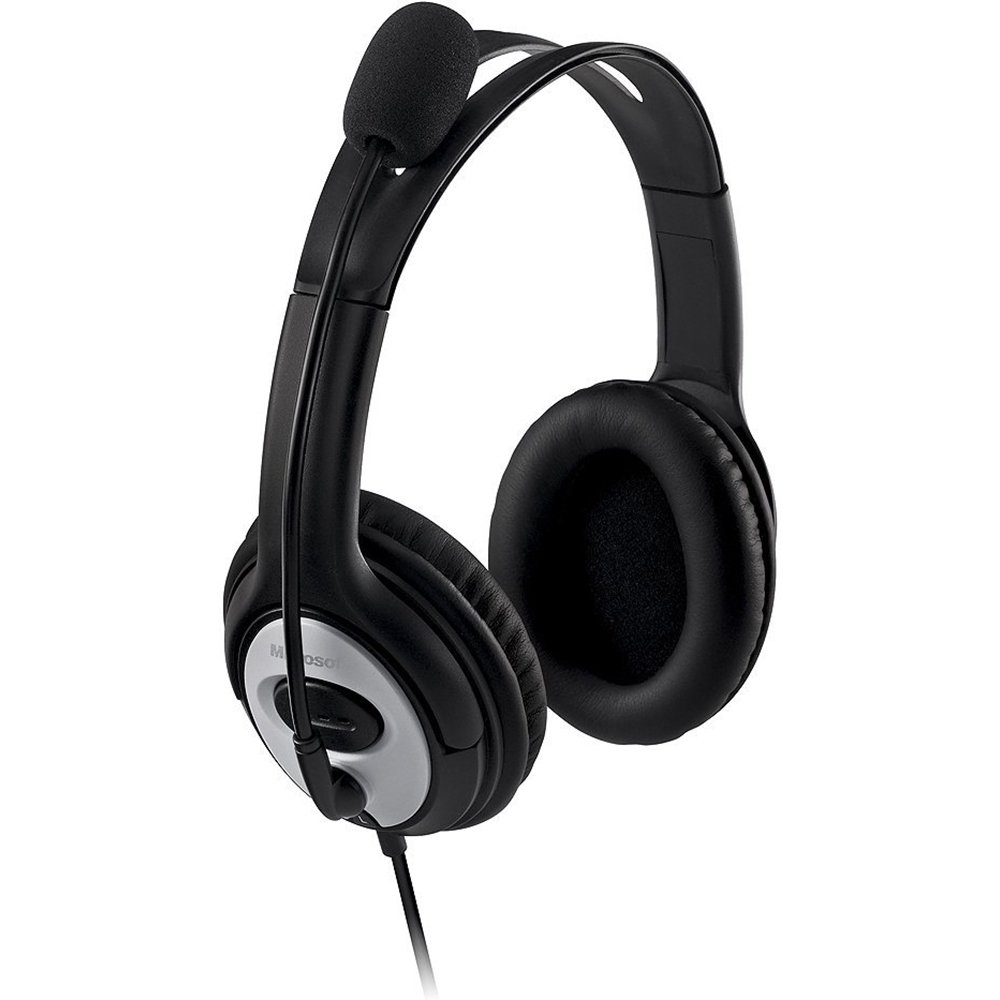
Figure 1: Microsoft LifeChat LX-3000 Headset with microphone and in-line controls.
2. Configuració
The Microsoft LifeChat LX-3000 Headset features a simple Plug and Play USB connection, making setup straightforward. Follow these steps to begin using your headset:
- Requisits del sistema: Ensure your PC meets the minimum operating system requirements: Microsoft Windows 10, Windows 8.1, Windows 8, or Windows 7.
- Connecteu els auriculars: Locate an available USB port on your computer. Insert the USB connector of the headset firmly into the USB port.
- Instal·lació del controlador: Your operating system should automatically detect the headset and install the necessary drivers. This process may take a few moments.
- Verifica la connexió: Once installed, the headset should appear as an audio device in your computer's sound settings. You may need to select it as the default playback and recording device.

Figure 2: Close-up of the USB connector for the headset.
3. Instruccions de funcionament
The LifeChat LX-3000 Headset is designed for ease of use with integrated controls and a flexible microphone.
3.1. Ajust dels auriculars
- Ajust de la diadema: The headband is adjustable to fit various head sizes. Gently extend or retract the earcups until the headset sits comfortably over your ears.
- Posicionament del micròfon: The pivoting boom microphone offers 180-degree movement. Position the microphone approximately one inch from your mouth for optimal voice clarity.
3.2. Using In-Line Controls
The headset features an in-line control module for quick access to essential functions:
- Control de volum: Feu servir el botó per pujar el volum (+) i baixar el volum (-) buttons to adjust the listening volume.
- Silència del micròfon: Press the mute button (often indicated by a microphone icon) to temporarily disable or enable the microphone. An indicator light on the control module may show the mute status.

Figure 3: In-line control module for volume and microphone mute.
3.3. Noise-Cancelling Microphone
The integrated noise-cancelling microphone helps reduce background noise, ensuring your voice is heard clearly during calls and recordings.
4. Manteniment
Proper care and maintenance will extend the life of your Microsoft LifeChat LX-3000 Headset.
- Neteja de les coixinetes de les orelles: The leatherette ear pads can be gently wiped with a soft, damp tela. Eviteu utilitzar productes químics aggressivs o netejadors abrasius.
- Cura del cable: Avoid sharp bends or excessive pulling on the flexible 6-foot cable to prevent damage. Store the cable neatly when not in use.
- Emmagatzematge: Guardeu els auriculars en un lloc net i sec, allunyat de temperatures extremes i de la llum solar directa.
5. Solució De Problemes
Si teniu problemes amb els auriculars, proveu les solucions següents:
| Problema | Solució |
|---|---|
| No hi ha so dels auriculars |
|
| El micròfon no funciona |
|
| Mala qualitat d'àudio |
|
6. Especificacions
Key technical specifications for the Microsoft LifeChat LX-3000 Headset:
| Característica | Detall |
|---|---|
| Marca | Microsoft |
| Número de model | JUG-00013 |
| Tecnologia de connectivitat | Amb cable (USB) |
| Col·locació de l'orella | Sobre l'orella |
| Micròfon | Noise-cancelling, Pivoting Boom (180-degree movement) |
| Controls | Control de volum en línia, silenci de micròfon |
| Longitud del cable | Flexible 6-foot cable |
| Material de les coixinetes de les orelles | Imitació de pell |
| Interval de freqüència | 20 Hz - 20,000 Hz |
| Sistemes operatius compatibles | Microsoft Windows 10, Windows 8.1, Windows 8, Windows 7 |
| Pes de l'article | 8.32 unces |
7. Garantia i assistència
7.1. Informació de la garantia
The Microsoft LifeChat LX-3000 Headset (JUG-00013) comes with a Garantia limitada de maquinari de 3 anys. This warranty covers defects in materials and workmanship under normal use. For specific terms and conditions, please refer to the warranty documentation included with your product or visit the official Microsoft support weblloc.
7.2. Atenció al client
For further assistance, technical support, or warranty claims, please contact Microsoft Customer Support through their official website or the contact information provided in your product packaging. You can find additional resources and FAQs on the Suport de Microsoft weblloc.