
Benro S6
Benro S6 Video Head Instruction Manual
Model: S6
Producte acabatview
The Benro S6 Video Head is engineered for compactness and lightweight performance, designed to support video cameras weighing up to 13.2 lbs (6 kg). It features a 360-degree panning rotation for smooth camera movements and a sliding quick release plate for effective camera balancing. This video head is suitable for both location shooting and studio environments.

Figura 1: Frontal view of the Benro S6 Video Head with its pan handle attached.
Què hi ha a la caixa
- Benro S6 Video Head (S6)
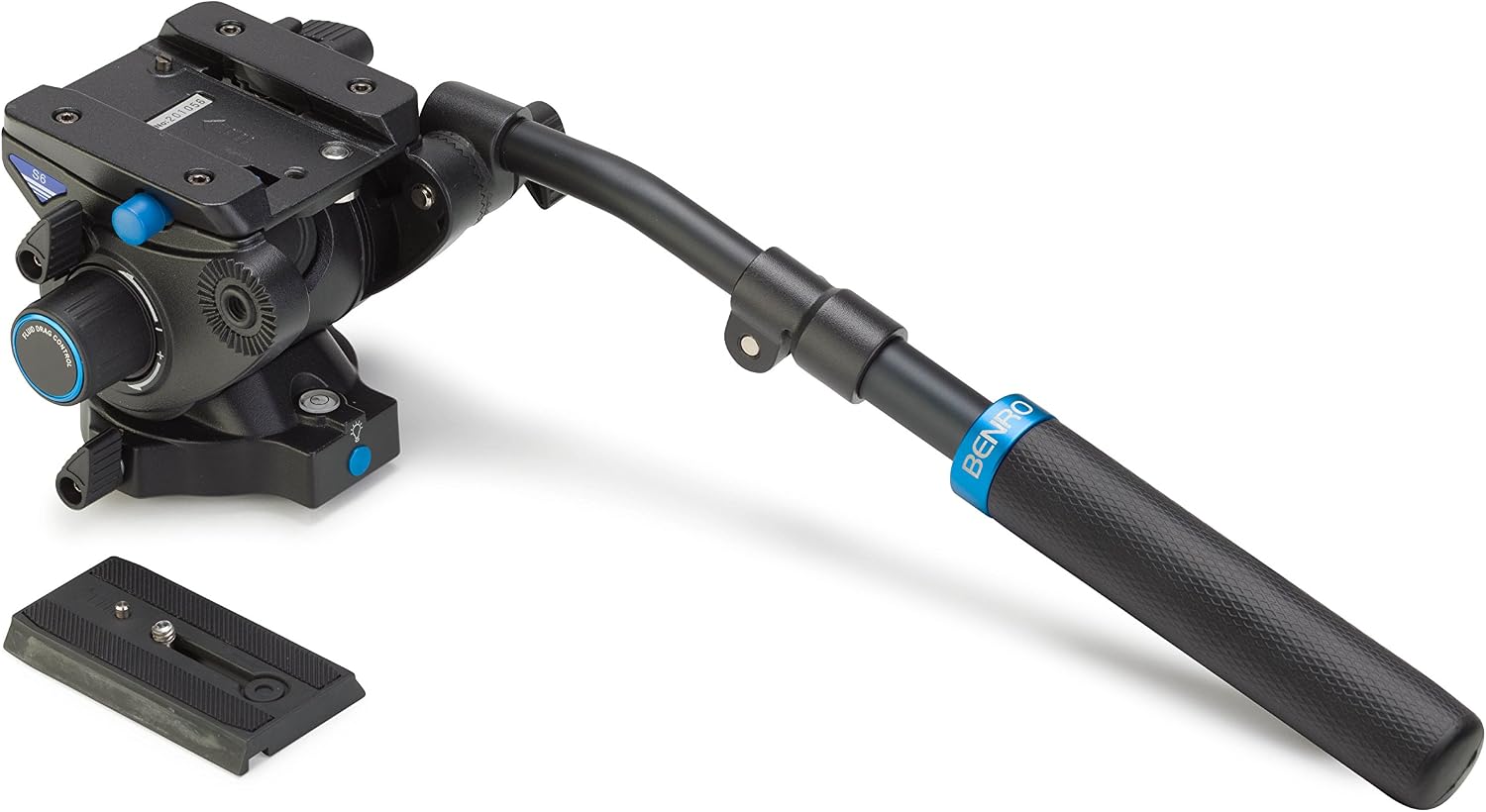
Figure 2: The Benro S6 Video Head shown with its quick release plate detached, ready for camera mounting.
Configuració
- Attaching to a Tripod:
Ensure your tripod has a standard 3/8"-16 mounting screw. Align the base of the S6 Video Head with the tripod's mounting screw and rotate the head clockwise until it is securely fastened. Do not overtighten.

Figure 3: The Benro S6 Video Head securely mounted on a compatible tripod, ready for use.
- Muntatge de la càmera:
Remove the quick release plate from the video head by disengaging the safety lock and sliding the plate out. Attach the quick release plate to the bottom of your camera using the integrated screw. Ensure the plate is firmly secured to the camera body to prevent rotation.
- Balancing the Camera:
With the camera attached to the quick release plate, slide the plate back into the video head. Engage the safety lock. Adjust the camera's position on the quick release plate (forward or backward) until the camera is balanced and remains level when the tilt lock is disengaged. This minimizes strain on the head and allows for smoother movements.
- Attaching the Pan Handle:
Insert the pan handle into the designated socket on the side of the video head and tighten the locking knob to secure it in place. The handle can be adjusted for length and angle for comfortable operation.
Instruccions de funcionament
- Control de panoràmica i inclinació:
The S6 features independent pan and tilt locks. Loosen the respective knobs to allow movement and tighten them to lock the head in position. The fluid drag system provides smooth, controlled motion for both panning (horizontal) and tilting (vertical) movements.

Figura 4: Primer pla view of the Benro S6 Video Head, highlighting the pan and tilt control knobs for precise adjustments.
- Sistema de contrapesa:
The S6 includes a 4-step counterbalance system (0-3) to assist in balancing heavier camera setups. Adjust the counterbalance knob to match the weight of your camera and accessories, ensuring the head returns to a neutral position when released.
- Illuminated Level Bubble:
Press the small button near the base of the head to illuminate the built-in bubble level. This assists in ensuring your setup is perfectly level, which is crucial for accurate panning shots.

Figura 5: Detallada view of the Benro S6 Video Head's illuminated level bubble, used for precise leveling of the camera setup.
Manteniment
- Neteja: Use a soft, dry cloth to wipe down the video head after each use. For stubborn dirt, a slightly damp es pot fer servir un drap i assecar-lo immediatament. Eviteu netejadors o dissolvents abrasius.
- Emmagatzematge: Store the video head in a dry, cool place, away from direct sunlight and extreme temperatures. It is recommended to store it in a padded bag or case to protect it from impacts.
- Lubricació: The fluid drag system is factory-sealed and does not require user lubrication. Attempting to lubricate internal components may damage the head and void the warranty.
- Inspecció: Periodically check all knobs, screws, and connections to ensure they are secure. If any part appears damaged or loose, contact Benro customer support for assistance.
Resolució de problemes
| Problema | Causa possible | Solució |
|---|---|---|
| Head feels stiff or jerky during pan/tilt. | Pan/tilt drag knobs are too tight. | Loosen the pan and/or tilt drag knobs to the desired fluidity. |
| Camera does not stay level when tilt lock is disengaged. | Camera is not properly balanced or counterbalance is incorrect. | Adjust the camera's position on the quick release plate. Adjust the counterbalance setting to match the camera's weight. |
| Quick release plate is difficult to insert/remove. | Safety lock is engaged or plate is misaligned. | Ensure the safety lock is fully disengaged. Align the plate correctly with the slot before inserting or removing. |
| Illuminated level bubble does not light up. | La bateria està baixa o esgotada. | Replace the battery for the illuminated level bubble. Refer to the full user guide for battery type and replacement instructions. |
Especificacions
- Model: Benro S6 Video Head
- Número de model de l'article: S6
- Dimensions del producte: 4.5 x 3 x 3 polzades
- Pes de l'article: 2.6 lliures (1.18 kg)
- Capacitat de càrrega màxima: 13.2 lliures (6 kg)
- Tipus de capçal de trípode: Capçals de vídeo
- Color: Negre
- Dispositius compatibles: Càmera
- Fabricant: MacGroup
- Número d'identificació comercial global (GTIN): 06931747362073
Garantia i Suport
The Benro S6 Video Head comes with a Limited 3-Year Warranty. For warranty claims, technical support, or further assistance, please contact Benro customer service.
An extended warranty and other benefits may be available by joining Benro's Super User Group. More information can be found in the official User Guide.
For a comprehensive guide and detailed specifications, you can download the official User Guide (PDF) from the following link: Benro S6 User Guide (PDF)
Ask a question about this manual
Ask about setup, troubleshooting, compatibility, parts, safety, or missing instructions. Manuals+ will review the question and use this page’s manual context to help answer it.