
Introducció
Gràcies per la compraasing the Orion 24" SLED2468W LED LCD HDTV. This manual provides essential information for the safe and efficient operation of your television. Please read it thoroughly before using the product and retain it for future reference.
Informació de seguretat
Per garantir un funcionament segur i evitar danys, observeu les precaucions següents:
- No exposeu el televisor a la pluja o la humitat.
- No bloquejar les obertures de ventilació.
- Col·loqueu el televisor sobre una superfície estable i anivellada.
- Utilitzeu només el cable d'alimentació subministrat amb la unitat.
- Desendolleu el televisor durant tempestes o quan no l'utilitzeu durant períodes prolongats.
- Demaneu tot el servei a personal de servei qualificat.
Què hi ha a la caixa
Desembaleu la caixa amb cura i assegureu-vos que hi hagi tots els elements:
- Orion 24" SLED2468W LED LCD HDTV
- Suport de TV
- Remote Control (batteries not included, requires 2 AAA batteries)
- Cable d'alimentació
- Manual d'usuari (aquest document)
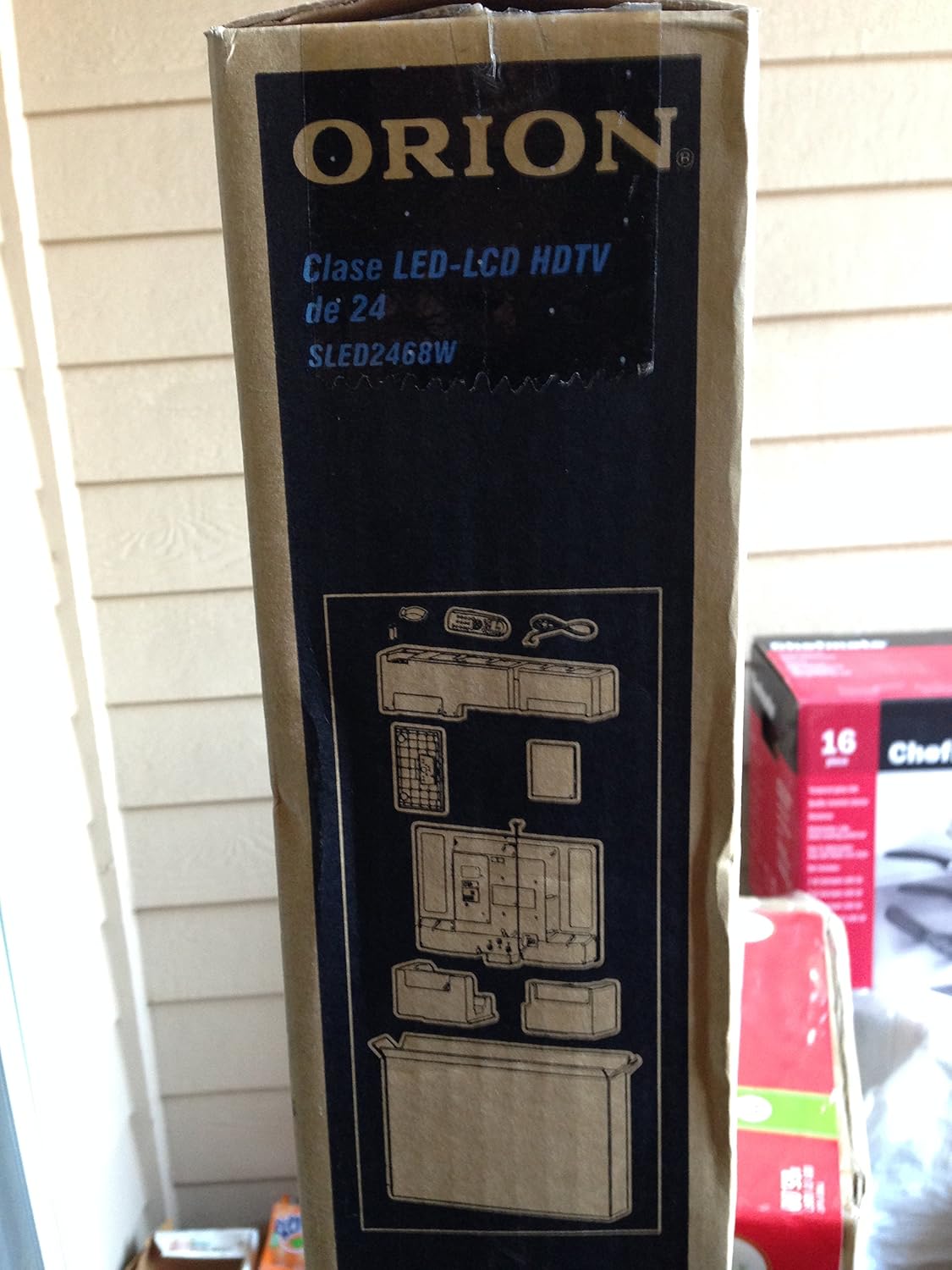
Image: The side of the Orion TV box illustrating the TV and stand components packed inside.
Configuració
1. Desembalatge
Remove the TV and all accessories from the packaging. Retain the packaging for future transport or storage.

Image: The front of the Orion 24" LED-LCD HDTV box, displaying the model number SLED2468W and key features such as Integrated Digital Tuner, USB Time Shift, HDMI, and Headphone/Digital Audio Output.
2. Fixació del suport
Place the TV screen-down on a soft, clean surface. Align the TV stand with the mounting holes on the bottom of the TV. Secure the stand using the provided screws.
3. Potència de connexió
Connect the power cord to the TV's power input and then to a standard 110 VAC, 60 Hz electrical outlet.
4. Connexió de dispositius externs
Your TV supports various connections for external devices:
- HDMI: For high-definition audio and video from devices like Blu-ray players, game consoles, or cable/satellite boxes.
- USB: For media playback or USB Time Shift functionality.
- Antena/cable: For receiving broadcast television signals via the integrated ATSC tuner.
- Entrada de PC: For connecting a computer monitor.
- Headphone/Digital Audio Output (Coaxial): Per connectar sistemes d'àudio externs.

Image: A diagram illustrating various connection ports on the TV, including headphone, audio, PC monitor, and coaxial outputs. Also shown are the unit dimensions and weight.
5. Assistent de configuració inicial
Upon first power-on, the TV will guide you through an initial setup process, including language selection, channel scanning, and time zone settings.
En funcionament
Basic Remote Control Functions
The remote control allows you to access all TV functions. Ensure batteries are correctly inserted.
- Potència: Encén o apaga el televisor.
- Canal amunt/avall: Canvia els canals de televisió.
- Pujar/baixar el volum: Ajusta el nivell de so.
- Entrada/Font: Selects the input source (HDMI, TV, USB, etc.).
- Menú: Accesses the main menu for settings adjustments.
- Botons de navegació (amunt/avall/esquerra/dreta/d'acord): S'utilitza per navegar pels menús i confirmar seleccions.
USB Time Shift
The TV features a USB Time Shift function. Connect a USB storage device to pause, rewind, or fast-forward live TV broadcasts. Refer to the on-screen menu for detailed instructions on activating and using this feature.
Navegador d'Internet
This TV includes a basic internet browser. Connect the TV to your network (if applicable) to access web content. Performance may vary depending on network speed and website complexity.
Manteniment
Neteja de la pantalla
Netegeu suaument la pantalla amb un drap suau i sense borrissol. Per a marques difícils, netegeu suaument.ampNetegeu el drap amb aigua o amb un netejador de pantalles especialitzat. No ruixeu mai líquid directament sobre la pantalla.
Atenció General
Keep the TV free from dust by regularly wiping the cabinet with a dry, soft cloth. Ensure adequate ventilation around the TV to prevent overheating.
Resolució de problemes
If you encounter issues with your TV, consult the following table before contacting support:
| Problema | Possible solució |
|---|---|
| Sense poder | Check if the power cord is securely connected to both the TV and the outlet. Ensure the outlet is functional. |
| No hi ha imatge, però hi ha so | Verifiqueu que s'ha seleccionat la font d'entrada correcta. Comproveu les connexions del dispositiu extern. |
| No hi ha so, però hi ha imatge | Check volume level and mute settings. Ensure external audio connections are secure. |
| El comandament a distància no funciona | Canvieu les piles. Assegureu-vos que no hi hagi obstruccions entre el comandament a distància i el sensor d'infrarojos del televisor. |
| Poca qualitat d'imatge | Check antenna connection. Adjust picture settings in the TV menu. |
Especificacions
Technical specifications for the Orion 24" SLED2468W LED LCD HDTV:
| Característica | Especificació |
|---|---|
| Número de model | SLED2468W |
| Mida de la pantalla | 24 polzades |
| Tecnologia de visualització | LED-LCD |
| Resolució | 720p |
| Freqüència d'actualització | 60 Hz |
| Relació d'aspecte | 16:9 |
| Tecnologia de connectivitat | HDMI, USB |
| Tipus de sintonitzador | ATSC |
| Serveis d'Internet compatibles | Navegador |
| Línia Voltage | 110 VAC 60 Hz |
| On Mode Power Consumption | 37W (as per box image) |
| Dimensions de la unitat (WxDxH) | 21.65" x 5.39" x 14.21" (550 x 136.9 x 361 mm) (as per box image) |
| Pes de la unitat | 3.6 kg (8.0 lbs) (as per box image) |
| Fabricant | Sansui |
| UPC | 755805020776 |
Garantia i Suport
For warranty information and technical support, please refer to the documentation included with your purchase or visit the official Orion product support weblloc web. Conserveu el comprovant de compra per a reclamacions de garantia.