
1. Introducció
The MFJ-4115 is a compact switching power supply designed to provide stable 13.8 VDC output with a continuous current of 15 Amps (17 Amps surge). It features over-voltage and over-current protection systems, a quiet fan, and super regulation. This manual provides essential information for the safe and efficient operation of your MFJ-4115 power supply.
Informació de seguretat
- Always ensure proper ventilation around the unit. Do not block air vents.
- No exposeu la unitat a la humitat ni a temperatures extremes.
- Desconnecteu l'alimentació abans de fer qualsevol connexió o realitzar tasques de manteniment.
- Ensure all connections are secure and correct polarity is observed.
2. Característiques del producte
- Vol. De sortidatage: 13.8 VDC
- Corrent de sortida: 15 Amps contínua, 17 Amps surge
- Entrada Voltage: AC 90 to 130 Volts
- Sistemes de protecció: Sobrevoltage i protecció contra sobreintensitat
- Indicadors: Load fault indicator
- Característiques addicionals: Automatic shut-down, quiet fan, super regulation
- Dimensions compactes: Approximately 3.75 inches (W) x 2.25 inches (H) x 7.75 inches (D)
- Pes: Aproximadament 5.89 lliures
- Connexions: One set of 5-way binding post connections
3. Configuració
Follow these steps to set up your MFJ-4115 Switching Power Supply:
- Desembalatge i inspecció: Carefully remove the power supply from its packaging. Inspect the unit for any visible damage.
- Col·locació: Place the power supply on a stable, flat surface that allows for adequate ventilation. Ensure the fan vents are not obstructed.
- Connectar el dispositiu: Connect your device (e.g., radio equipment) to the 5-way binding post connections on the front of the power supply. Ensure correct polarity: the red terminal is positive (+), and the black terminal is negative (-). Tighten the connections securely.
- Connecteu l'alimentació de CA: Connect the provided AC power cord to the AC input receptacle on the rear of the power supply. Then, plug the other end of the AC power cord into a standard AC wall outlet (90-130V AC).
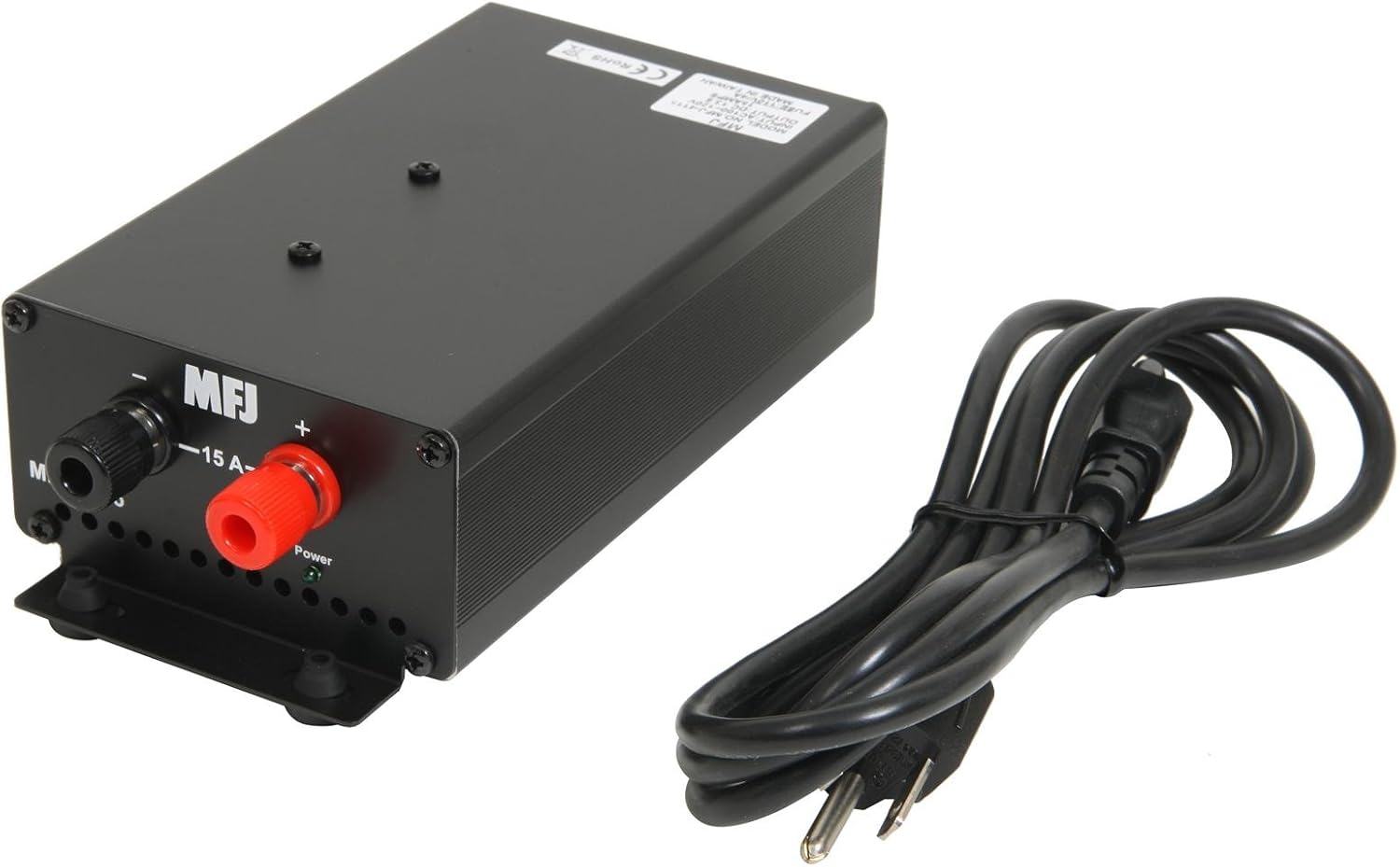
Figura 1: Frontal view showing the 5-way binding posts for device connection and the included power cord.

Figura 2: posterior view illustrating the AC power input, power switch, and cooling fan for ventilation.
4. Instruccions de funcionament
Once the power supply is properly set up and connected:
- Encès: Locate the power switch on the rear of the unit (refer to Figure 2) and switch it to the 'ON' position.
- Monitor de funcionament: The power supply will now provide 13.8 VDC to your connected device. Observe the load fault indicator. If it illuminates or the unit automatically shuts down, refer to the Troubleshooting section.
- Apagar: To turn off the power supply, switch the power switch to the 'OFF' position. For extended periods of non-use, it is recommended to unplug the AC power cord from the wall outlet.
5. Manteniment
Proper maintenance ensures the longevity and reliable operation of your power supply:
- Neteja: Keep the unit clean and free from dust. Use a soft, dry cloth for cleaning. Do not use liquid cleaners or solvents.
- Ventilació: Regularly check that the fan vents are clear of obstructions to ensure proper airflow and cooling.
- Soroll del ventilador: The internal cooling fan may produce some noise, especially upon startup or in colder environments. This is often normal and may subside after a short period of operation. If excessive or persistent noise occurs, ensure proper ventilation.
6. Solució De Problemes
If you encounter issues with your MFJ-4115 power supply, refer to the following common problems and solutions:
- La unitat no s'encén:
- Check that the AC power cord is securely plugged into both the power supply and the wall outlet.
- Ensure the power switch on the rear of the unit is in the 'ON' position.
- Verify the wall outlet is supplying power.
- Load Fault Indicator Active / Automatic Shut-down:
- This indicates an over-current or over-voltage condition. Immediately disconnect the load from the power supply.
- Verify that the connected device's current draw does not exceed the power supply's continuous rating of 15 Amps or surge rating of 17 Amps.
- Check for any short circuits in the connected device or its wiring.
- If the issue persists with a known good load within specifications, the power supply may require service.
- Noisy Fan:
- A slight fan noise, especially at startup or in cold conditions, is normal. It should quiet down after a short operating period.
- Ensure the unit has adequate ventilation and the fan vents are not blocked.
- If the noise is excessive or persistent, and not related to startup or cold, contact customer support.
7. Especificacions
| Especificació | Valor |
|---|---|
| Número de model | 4115 |
| Vol. De sortidatage | 13.8 VDC |
| Corrent continu | 15 Amps |
| Corrent de sobretensió | 17 Amps |
| Entrada Voltage | CA 90-130 volts |
| Wattage | 207 watts |
| Dimensions del producte (L x A x A) | 7.75 x 3.75 x 2.25 polzades |
| Pes de l'article | 5.89 lliures |
| Mètode de refrigeració | Air (with 1 fan) |
| Tipus de connector | Enquadernadors de 5 vies |
8. Garantia i Suport
For warranty information, technical assistance, or service inquiries regarding your MFJ-4115 Switching Power Supply, please contact MFJ customer service directly. Refer to the official MFJ weblloc web o l'embalatge del producte per obtenir les dades de contacte i els termes de garantia més actualitzats.