
Introducció
This manual provides essential instructions for the safe and effective use of your Pentax MX-1 Digital Camera. Please read this manual thoroughly before using the camera and keep it in a safe place for future reference.
Producte acabatview
The Pentax MX-1 is a high-end compact digital camera featuring a 12-megapixel back-illuminated CMOS sensor and a 4x optical zoom lens (28-112mm equivalent) with an f/1.8-2.5 aperture. It includes a 3-inch tilting LCD display and a dual shake reduction system for clear images and video.

Figura 1: Frontal view of the Pentax MX-1 Digital Camera.
Configuració
1. Instal·lació i càrrega de la bateria
- Obriu la tapa del compartiment de la bateria que es troba a la part inferior de la càmera.
- Insert the provided Lithium-Ion battery, ensuring the correct orientation as indicated inside the compartment.
- Tanqueu bé la tapa del compartiment de la bateria.
- Connect the camera to the AC adapter using the supplied USB cable. The charging indicator will illuminate.
- Charge the battery fully before first use. A full charge typically takes approximately 3 hours.
2. Instal·lació de la targeta de memòria
- Locate the memory card slot, typically adjacent to the battery compartment or on the side of the camera.
- Insert an SD, SDHC, or SDXC memory card into the slot with the label facing the correct direction until it clicks into place.
- To remove the card, push it in gently until it springs out.

Figura 2: lateral view of the camera showing the open port cover for USB/HDMI connections.
3. Configuració inicial
- Enceneu la càmera prement el botó ON/OFF botó.
- Follow the on-screen prompts to set the language, date, and time.
- Format the memory card before first use to ensure optimal performance. Navigate to the MENÚ, seleccioneu CONFIGURACIÓ, i després FORMAT TARGETA.
Funcionament de la càmera
1. Fotografia bàsica
- Encès: Premeu el botó ON/OFF botó. La lent s'estendrà.
- Seleccioneu el mode: Rotate the mode dial on the top of the camera to select your desired shooting mode (e.g., Auto Pict, Program, Aperture Priority, Shutter Priority, Manual).
- Focus: Point the camera at your subject. Press the shutter button halfway down to focus. The focus frame will turn green when focus is achieved.
- Disparar: Press the shutter button fully down to take a picture.

Figura 3: superior view of the camera showing the mode dial, shutter button, and exposure compensation dial.
2. Using the Tilting LCD Monitor
The 3-inch LCD monitor can be tilted up or down to facilitate shooting from various angles, such as low-angle shots or overhead shots. Gently pull the top or bottom edge of the LCD screen to adjust its position.
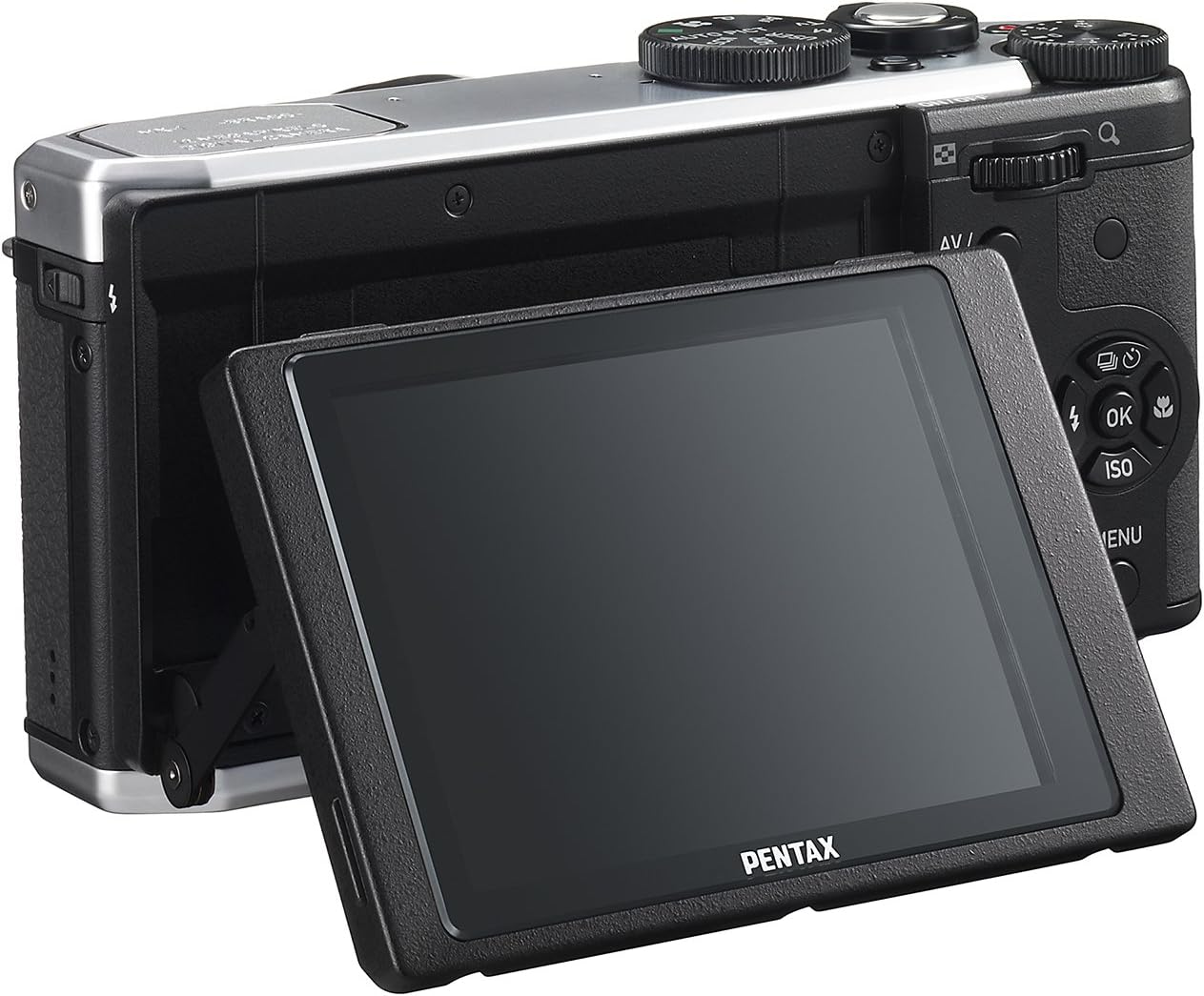
Figura 4: posterior view of the camera demonstrating the tilting LCD screen.
3. Flash Operation
To use the built-in flash, slide the flash release lever to pop up the flash unit. The flash modes (Auto, On, Off, Slow Sync, Rear Curtain Sync) can be selected via the camera's menu or a dedicated button, depending on the shooting mode.

Figura 5: Frontal view of the camera with the pop-up flash in the extended position.
4. Mode de reproducció
- Premeu el botó JUGAR botó per entrar al mode de reproducció.
- Use the directional pad to scroll through your photos and videos.
- Premeu el botó OK botó per view information about the selected image or to play a video.
- Premeu el botó MENÚ button to access playback options such as deleting, rotating, or resizing images.
Manteniment
1. Neteja de la càmera
- Cos de la càmera: Feu servir un drap suau i sec per netejar el cos de la càmera. Per a la brutícia persistent, fregueu lleugeramentampNetegeu el drap amb aigua o una solució de neteja suau. Eviteu utilitzar dissolvents orgànics.
- Lent: Use a lens brush or a blower to remove dust. For smudges, use a lens cleaning cloth and lens cleaning fluid. Do not touch the lens surface with your fingers.
- Monitor LCD: Gently wipe the screen with a soft, lint-free cloth. Avoid pressing hard on the screen.
2. Emmagatzematge
- Quan no la feu servir durant períodes prolongats, traieu la bateria de la càmera.
- Store the camera in a cool, dry, and well-ventilated place, away from direct sunlight, high temperatures, and humidity.
- Use a desiccant to prevent mold growth if storing in humid environments.
Resolució de problemes
If you encounter issues with your Pentax MX-1, refer to the table below for common problems and their solutions.
| Problema | Causa possible | Solució |
|---|---|---|
| La càmera no s'encén. | La bateria està esgotada o inserida incorrectament. | Carregueu la bateria o torneu-la a inserir correctament. |
| No es poden fer fotos. | La targeta de memòria està plena, bloquejada o no està inserida. | Insert a memory card, unlock it, or delete unnecessary files. |
| Les imatges són borroses. | Tremolor de la càmera, enfocament incorrecte o lent bruta. | Hold the camera steady, ensure proper focus, or clean the lens. |
| El flaix no es dispara. | Flash is set to "Off" or not popped up. | Pop up the flash and set the flash mode to "Auto" or "On". |
| LCD screen is difficult to see in bright light. | High ambient light. | Adjust the tilting LCD for a better viewing angle or find shade. |
Especificacions
| Característica | Detall |
|---|---|
| Nom del model | Pentax MX-1 |
| Resolució del sensor fotogràfic | 12 MP |
| Mida del sensor fotogràfic | 1/1.7 polzades |
| Zoom òptic | 4x |
| Distància focal de la lent | 28-112 mm (equivalent a 35 mm) |
| Rang d'obertura | f/1.8-2.5 |
| Estabilització d'imatge | Canvi de sensor |
| Mida de la pantalla | 3 polzades |
| Tipus de visualització | Tilting LCD |
| Admet File Format | JPEG 2.3, RAW |
| Resolució de vídeo | FHD 1080p (H.264) |
| Rang ISO (ampliat) | 100-12800 |
| Interval de velocitat d'obturació | De 30 segons a 1/8000 segons |
| Tipus de targeta de memòria | SD/SDHC/SDXC |
| Connectivitat | HDMI (Mini HDMI type-D), USB |
| Tipus de bateria | Ió de liti |
| Pes de l'article | 13.76 unces |
Garantia i Suport
Informació de la garantia
The Pentax MX-1 Digital Camera comes with a 1 any de garantia covering parts and labor from the date of purchase. This warranty covers manufacturing defects and malfunctions under normal use. It does not cover damage caused by misuse, accidents, unauthorized repairs, or normal wear and tear. Please retain your proof of purchase for warranty claims.
Atenció al client
For technical assistance, service, or further inquiries, please visit the official Pentax support website or contact their customer service department. Refer to the product packaging or the official Pentax weblloc web per obtenir la informació de contacte més actualitzada.
Visit the Pentax Store on Amazon per obtenir informació addicional sobre el producte i accessoris.