
LG 840G
LG 840G Mobile Phone User Manual
Model: 840G
1. Introducció
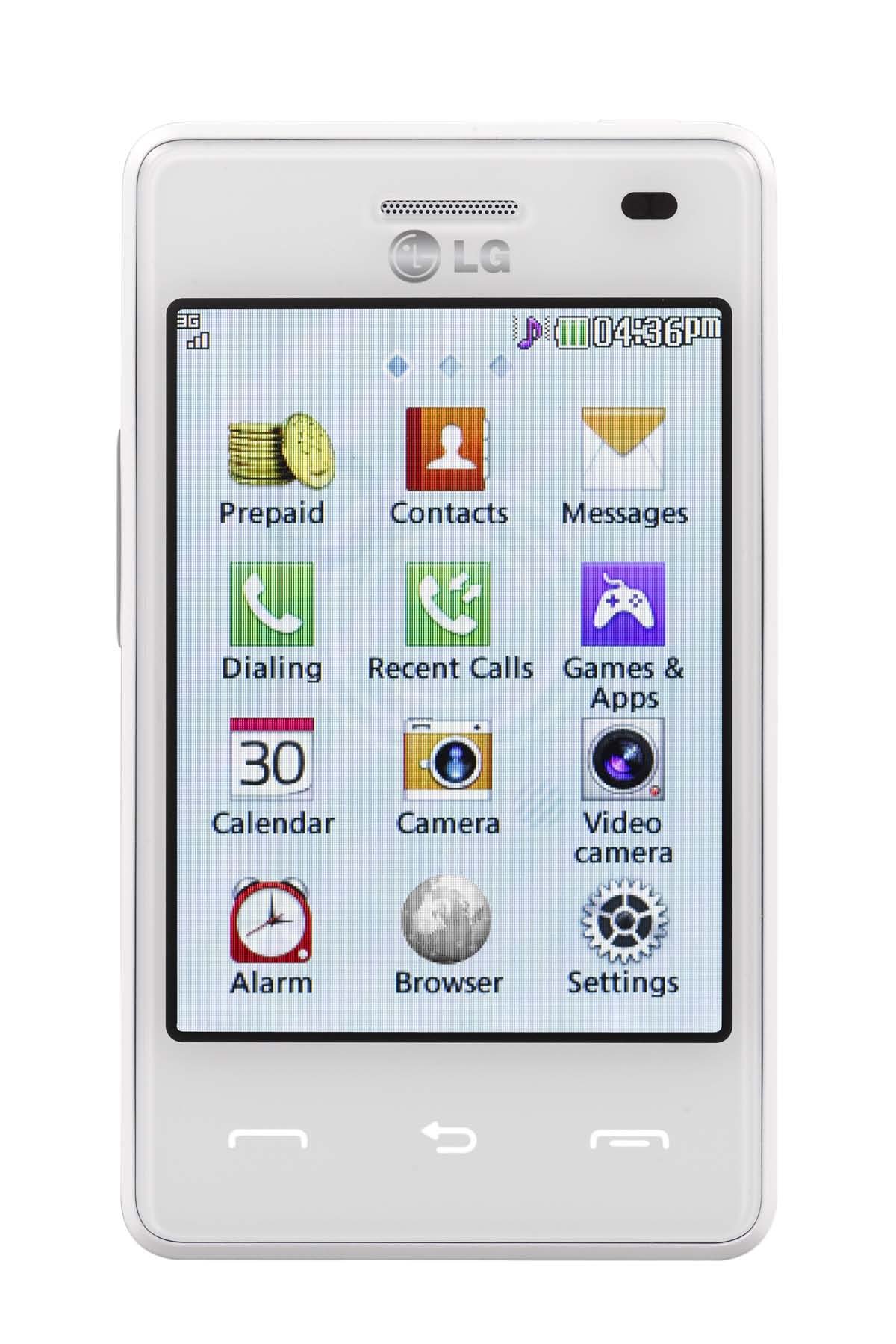
This manual provides essential instructions for setting up, operating, and maintaining your LG 840G mobile phone. The LG 840G is a prepaid mobile phone designed for communication and basic multimedia functions, featuring a touchscreen interface, a 2.0 Megapixel camera, Bluetooth connectivity, and an MP3 player.
2. Què hi ha a la caixa
Verifiqueu que tots els elements següents s'inclouen al paquet del producte:
- LG 840G Mobile Phone
- Bateria
- Charger (Adapter)
- Targeta d'activació
- Guia de servei
- Manual d'usuari (aquest document)
3. Configuració
3.1. Instal·lació de la bateria
- Locate the notch on the back cover of the phone.
- Traieu amb cura la coberta posterior.
- Alineeu els contactes de la bateria amb els terminals de l'interior del compartiment de la bateria.
- Premeu suaument la bateria al seu lloc fins que quedi fixada.
- Torneu a col·locar la coberta posterior, assegurant-vos que encaixi en el seu lloc amb un clic.
3.2. Instal·lació de la targeta SIM
The LG 840G uses a Nano SIM card. Ensure your SIM card is the correct size before installation.
- With the back cover and battery removed, locate the SIM card slot.
- Insert the Nano SIM card into the slot with the gold contacts facing down and the cut corner aligned as indicated on the phone.
- Gently push the SIM card until it locks into place.
- Torneu a instal·lar la bateria i la coberta posterior.
3.3. Carregant la bateria
Abans del primer ús, carregueu completament la bateria del telèfon.
- Connect the charger to the Micro USB port on the phone.
- Connecteu el carregador a una presa de corrent elèctrica estàndard.
- L'indicador de càrrega apareixerà a la pantalla.
- Un cop estigui completament carregat, desconnecteu el carregador.
3.4. Encès / apagat
- Per encendre: Press and hold the Power/End key until the LG logo appears.
- Per apagar: Press and hold the Power/End key, then select 'Power off' from the options on the screen.
3.5. Initial Activation (Tracfone)
If you are using Tracfone service, you will need to activate your phone. Follow the instructions provided on the Activation Card included in your package or visit the Tracfone website for activation steps.
4. Instruccions de funcionament
4.1. Navegació amb pantalla tàctil
The LG 840G features a 3.2-inch touchscreen. Use your finger to tap, swipe, and drag on the screen to navigate menus, open applications, and input text.
- Toca: Toqueu la pantalla una vegada per seleccionar un element o obrir una aplicació.
- Llisca: Arrossegueu el dit per la pantalla per desplaçar-vos per les llistes o canviar entre les pantalles d'inici.
- Arrossega: Touch and hold an item, then move your finger to reposition it.
4.2. Fer i rebre trucades
- Per fer una trucada: From the home screen, tap the Phone icon, enter the number using the keypad, and tap the Call button.
- Per respondre una trucada: When a call comes in, swipe the 'Answer' icon.
- Per finalitzar una trucada: Tap the 'End Call' button on the screen.
4.3. Missatgeria (SMS/MMS)
- Per enviar un missatge: Tap the Messaging icon, then 'New Message'. Enter the recipient's number or select from contacts, type your message, and tap 'Send'.
- A View Missatges: Tap the Messaging icon to see your inbox.
4.4. Camera and Video Recorder
The phone is equipped with a 2.0 Megapixel camera for photos and video recording.
- From the home screen, tap the Camera icon.
- Enquadra la teva foto utilitzant la pantalla com a viewcercador.
- Toqueu el botó de l'obturador per fer una foto o el botó Grava per iniciar/aturar la gravació de vídeo.
- Photos and videos are saved to the phone's gallery.
This image displays the back of the LG 840G mobile phone. It features a textured white casing, a square camera lens located in the upper left corner, and the LG logo prominently in the center. The Tracfone logo is visible towards the bottom.
4.5. Connectivitat Bluetooth
Bluetooth allows you to connect wirelessly to other compatible devices, such as headsets or other phones, for file transfer or hands-free communication.
- Vés a Menu > Settings > Bluetooth.
- Turn Bluetooth On.
- Seleccioneu Cerca dispositius to find nearby Bluetooth devices.
- Select the desired device and follow the on-screen prompts to pair.
4.6. Mòbil Web
Access the internet using the phone's mobile web navegador.
- Toqueu Navegador or Internet icona del menú.
- Introduïu el website address in the address bar and press Go.
4.7. Reproductor de MP3
The built-in MP3 player allows you to listen to music files'emmagatzemen al teu telèfon.
- Transfereix MP3 files to your phone's memory.
- Toqueu Música or Reproductor de MP3 icona.
- Select a song or playlist to begin playback.
5. Manteniment
5.1. Cura de la bateria
- Use only LG-approved chargers and batteries.
- Eviteu exposar la bateria a temperatures extremes.
- No perforeu ni danyeu la bateria.
- For optimal battery life, charge the phone regularly and avoid letting it fully discharge frequently.
5.2. Neteja del dispositiu
- Wipe the phone's screen and body with a soft, lint-free cloth.
- Eviteu utilitzar productes químics o materials abrasius.
6. Solució De Problemes
If you encounter issues with your LG 840G, refer to the following common solutions:
| Problema | Solució |
|---|---|
| El telèfon no s'encén | Assegureu-vos que la bateria estigui correctament instal·lada i carregada. Connecteu el carregador i torneu-ho a provar. |
| No puc fer ni rebre trucades | Check if the SIM card is properly inserted. Verify that you have active service and sufficient minutes/credit with Tracfone. Check network signal strength. |
| La pantalla tàctil no respon | Restart the phone. Ensure the screen is clean and free of debris. |
| Bluetooth no connectat | Ensure Bluetooth is enabled on both devices. Make sure both devices are in pairing mode and within range. |
| Poca durada de la bateria | Redueix la brillantor de la pantalla. Tanca les aplicacions no utilitzades. Limita l'ús de dades en segon pla. |
7. Especificacions
| Característica | Especificació |
|---|---|
| Marca | LG |
| Nom del model | 840G |
| Sistema operatiu | Android |
| Mida de la pantalla | 3.2 polzades |
| Resolució de visualització | 320 x 240 |
| Entrada de la interfície humana | Pantalla tàctil |
| Resolució de la càmera posterior | 2 MP |
| Tecnologia cel·lular | 3G |
| Operador sense fil | Tracfone |
| Tecnologia de connectivitat | Bluetooth |
| Nombre de ranures per a targetes SIM | SIM única |
| Mida de la targeta SIM | Nano |
| Tipus de connector | Micro USB |
| Tipus de bateria | Ió de liti |
| Temps de conversa telefònica | Fins a 3.7 hores |
| Temps d'espera | Fins a 13 dies |
| Color | Blanc |
| Any model | 2018 |
8. Garantia i Suport
For warranty information and customer support, please refer to the service guide included in your package or visit the official LG or Tracfone websites. Keep your proof of purchase for warranty claims.
For further assistance, you may contact Tracfone customer service directly.