
1. Producte acabatview
Descripció del producte
The Fotodiox Pro SlideCam adds dynamic horizontal movement to your videos, enabling professional Hollywood-style camera motion. This ultra-compact slider is suitable for dramatic video cinematography or slow-motion moving photo captures. It features a double interior rail system with four precision bearings for smooth movement. Bearing tension is adjustable to suit specific needs. The SlideCam can be used on any surface with its adjustable legs or mounted on tripods or light stands for various angles.
Nota: New sliders may contain lubricant from the manufacturing process to protect the brakepad during shipping. Wipe this lubricant with a non-fibrous paper towel. Bearings are permanently sealed and do not require lubrication. Lubricating rails may attract dust and dirt, diminishing performance. Ball joint heads are not included and are recommended for use with this product. Product appearance may vary; legs may or may not be removable, and the brake position may differ.
Característiques clau
- Full-featured professional camera slider for heavy-duty camera systems, providing shake-free stability.
- Smooth ball-bearing slide system for horizontal or vertical use.
- Integrated bubble level in the sliding plate for alignment.
- Adjustable legs with non-skid rubber feet for flat surface use.
- Multiple 1/4"-20 & 3/8" screw holes on both ends and middle for diverse mounting options.
- Double-layer anodized aluminum sliding platform.
- Ultra-compact and convenient design, quick to assemble.
- Includes a custom carrying case.
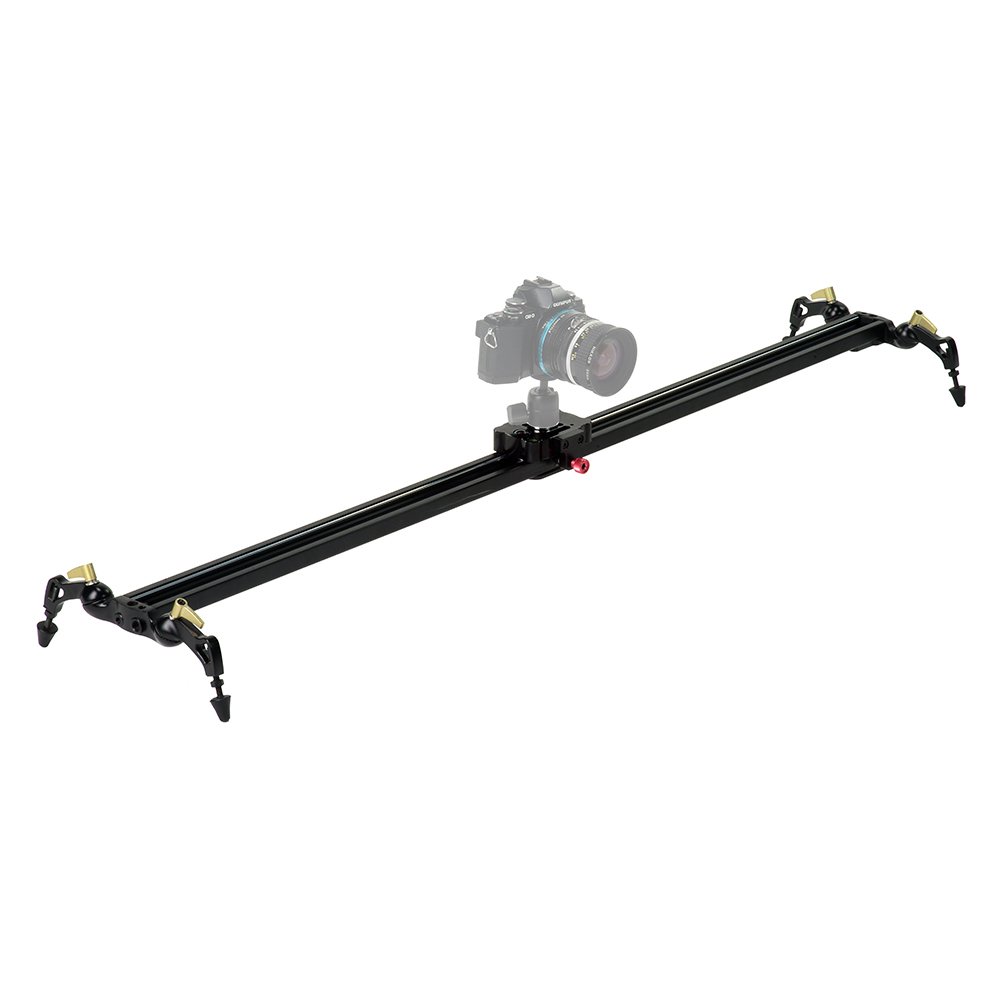
Image 1: Fotodiox Pro SlideCam 1000-39" Video Slider Stabilizer and its carrying case.
2. Configuració
Attaching Stabilizer Legs
For tabletop or low-angle shots, attach the included all-metal stabilizer legs to the slider. The legs are secured with screws. Each of the four feet is individually adjustable, allowing you to level the slider perfectly on uneven surfaces.

Imatge 2: Detallada view of the adjustable leveling feet and mounting options.
Mounting on Tripods or Light Stands
The SlideCam features three tripod threads (1/4"-20 & 3/8") on its underside, designed for mounting on a single tripod or light stand. For increased stability, especially with heavier camera setups, a second support can be added. Multiple mounting points allow for various configurations, including upright or inverted mounting for crane-style or low-angle shots.

Image 3: SlideCam mounted on a tripod with a camera attached.
Attaching Camera and Ball Head
Attach your preferred ball head or mini fluid head to the 3/8" screw on the slider's carriage. Then, mount your camera onto the head. An integrated bubble level on the carriage helps ensure your setup is perfectly level for straight tracking shots.

Image 4: Close-up of the slider carriage with the 3/8" screw, bubble level, and brake.
Vídeo de demostració de configuració
Video 1: A demonstration of setting up and using the Fotodiox Pro SlideCam for various shots.
3. Instruccions de funcionament
Achieving Smooth Camera Movement
Once your camera is securely mounted, gently slide the carriage along the rails to achieve smooth, cinematic tracking shots. The ball-bearing system ensures fluid motion. Experiment with different speeds and angles to create desired effects.
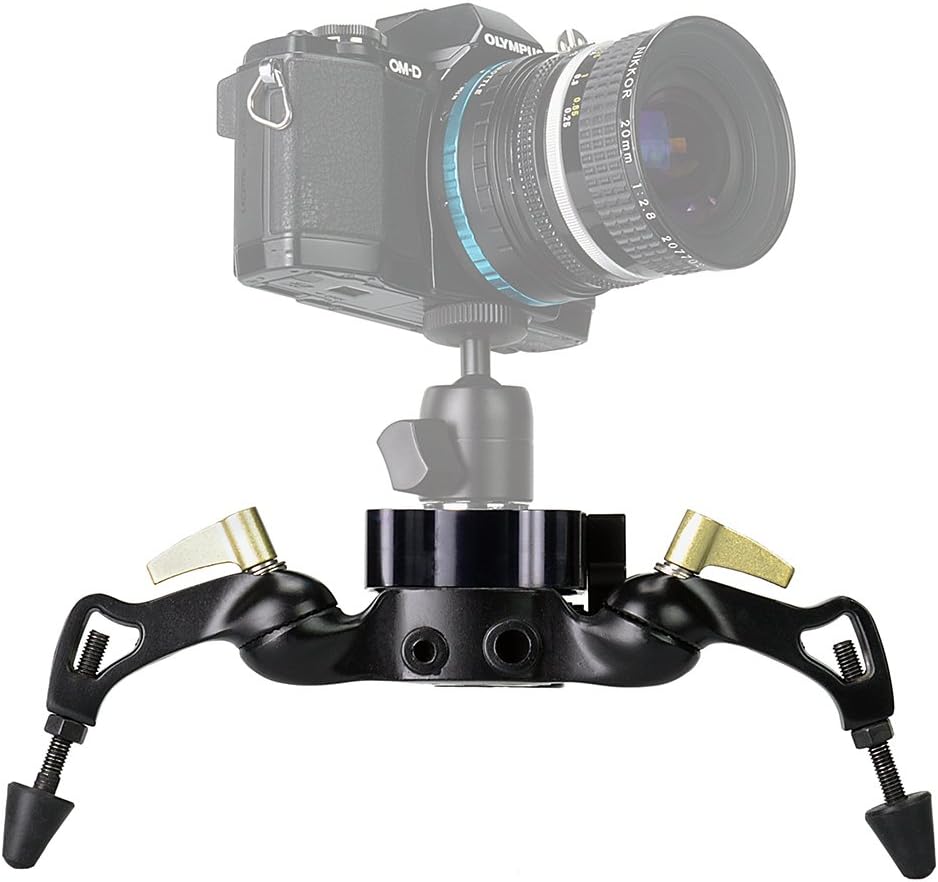
Image 5: Operating the SlideCam for smooth camera movement.
Adjusting Tension and Using the Brake
The slider's tension is fully adjustable, allowing you to customize the resistance of the carriage movement. Use the included hex keys to adjust the slider tension to your preference. An integrated brake is available to lock the camera in place for static shots or to prevent unwanted movement when not in use.
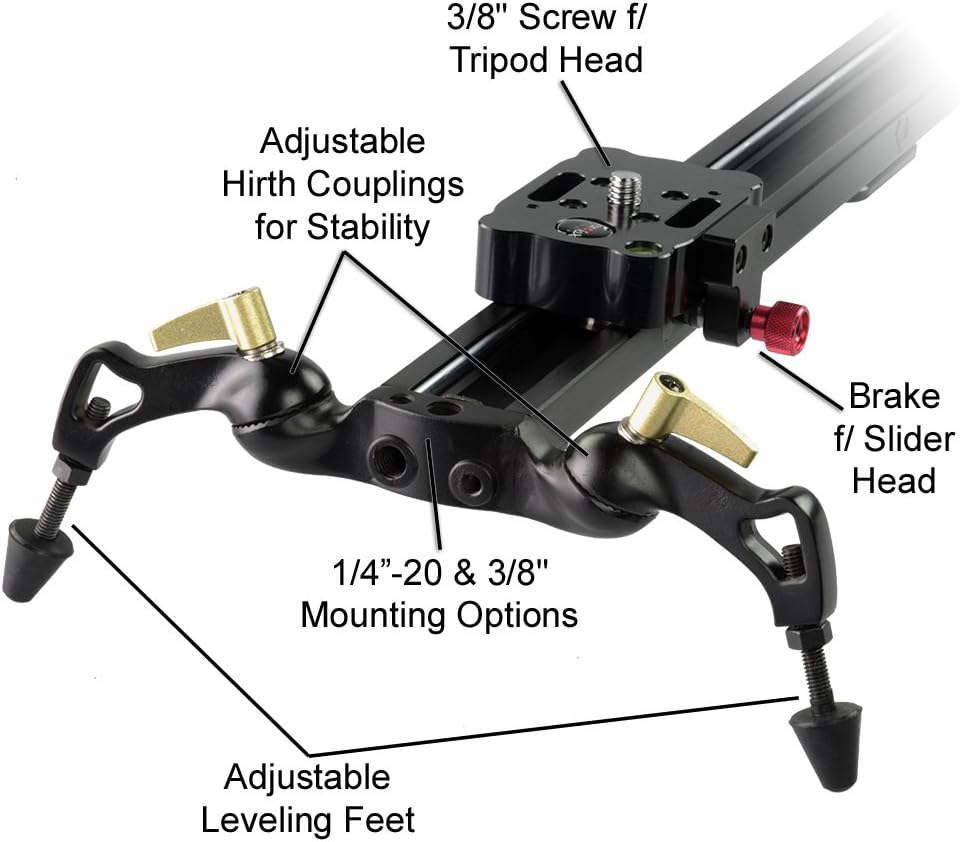
Image 6: Components for adjusting stability and braking on the SlideCam.
4. Manteniment
Neteja i cura
- Wipe any excess lubricant from the bottom of the slider with a non-fibrous paper towel upon initial use.
- Do not lubricate the sealed bearings or the rails, as this may attract dust and dirt, potentially affecting performance.
- Keep the rails clean and free of debris to ensure smooth operation.
- Store the SlideCam in its custom-fitted carrying case to protect it during transport and storage.
5. Solució De Problemes
Addressing Wobble or Uneven Movement
If you experience wobble or uneven movement, it may be due to the bearing adjustment. The slider's tension is fully adjustable. Use the provided hex keys to adjust the bearings. This process may require patience and several adjustments to achieve optimal smooth, non-binding travel with minimal wobble. Ensure all screws securing the legs and camera are tightened.
Noise from Bearings
Some users have reported that applying 'Pledge Furniture Spray' or 'All Purpose Silicone Lubricant' to the rails can further reduce noise. These products are easily wiped clean from the surface of the rails. Avoid lubricating the sealed bearings directly.
6. Especificacions
| Atribut | Detall |
|---|---|
| Color | Negre |
| Marca | Fotodiox |
| Dispositius compatibles | Càmera |
| Pes de l'article | 5.5 lliures |
| Mida plegada | 4 x 6 x 43 polzades (10.2 x 15.2 x 109.2 cm) |
| UPC | 847372023844 |
| GTIN | 00847372023844 |
| Fabricant | Fotodiox Inc. |
7. Garantia i assistència
Informació de la garantia
The Fotodiox Pro SlideCam 1000-39" comes with a 24-month manufacturer warranty.
Política de devolució
A 30-day return policy for refund or replacement is available.
Atenció al client i suport tècnic
Fotodiox provides in-country customer service and technical support for assistance with product inquiries, setup, and troubleshooting.