
Introducció
The Adesso AKB-132UB Multimedia Desktop Keyboard is designed to enhance your computing experience with its 104-key layout and integrated multimedia and internet hotkeys. This keyboard features quiet membrane key switches for a comfortable and responsive typing experience. It connects to your computer via a USB interface.
Contingut del paquet
Si us plau, verifiqueu que tots els elements siguin presents al vostre paquet:
- Adesso AKB-132UB Multimedia Desktop Keyboard
- Guia d'inici ràpid
Configuració
- Apagueu l'ordinador: For optimal installation, it is recommended to power off your computer before connecting the keyboard.
- Connecteu el cable USB: Locate an available USB port on your computer. Plug the USB connector of the Adesso AKB-132UB keyboard firmly into the USB port. Note: Some USB keyboards may be sensitive to the specific port used. If the keyboard does not function, try a different USB port, preferably one directly on the computer's motherboard (e.g., at the back of a desktop PC) rather than a USB hub.
- Engegueu l'ordinador: Turn on your computer. The operating system should automatically detect and install the necessary drivers for the keyboard.
- Verificació de la funcionalitat: Once the drivers are installed, test the keyboard by typing in a text editor or navigating your system. The Num Lock, Caps Lock, and Scroll Lock indicator lights should function correctly.
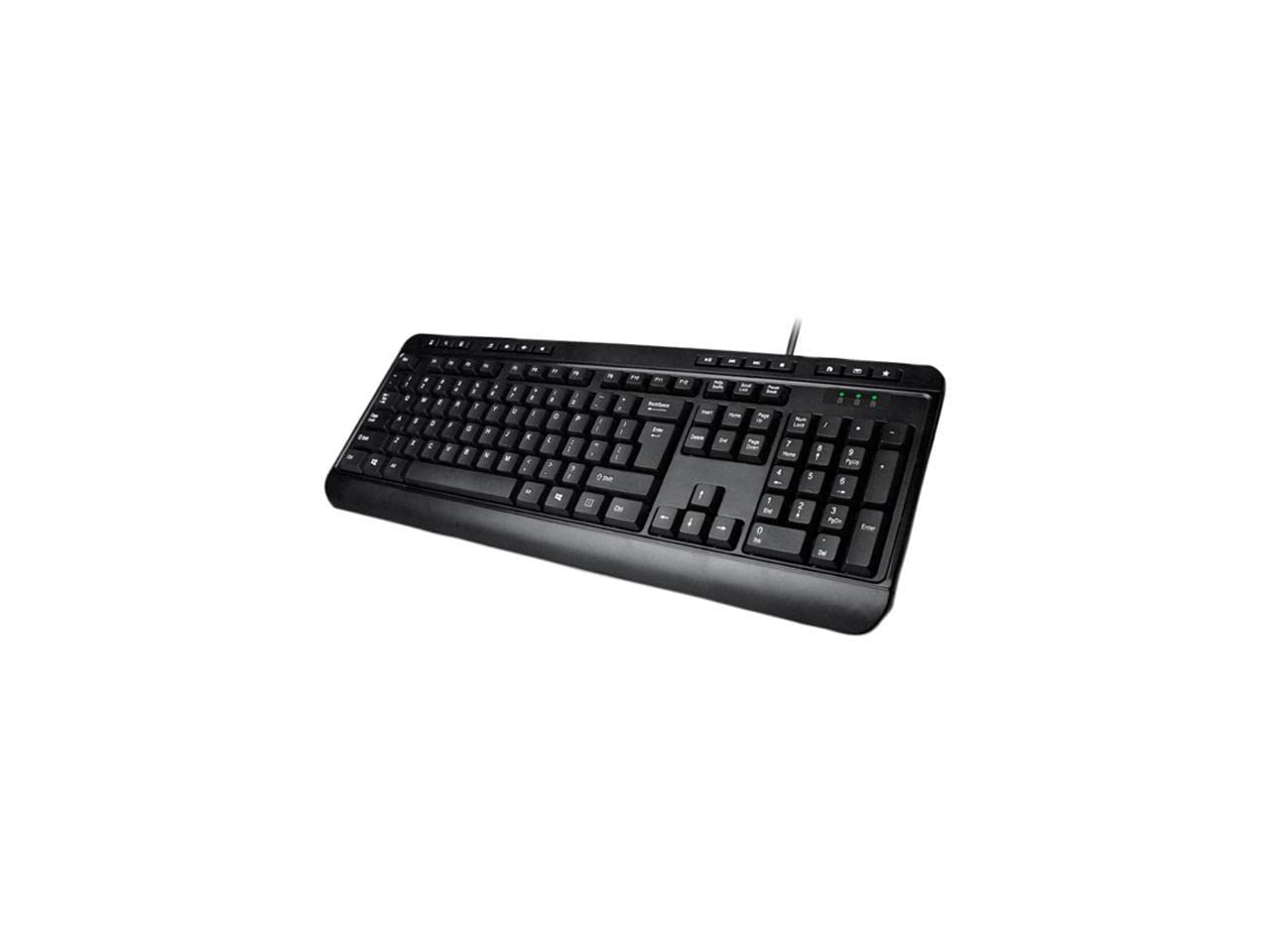
Image: Adesso AKB-132UB Multimedia Desktop Keyboard. This image shows the full keyboard with its standard 104-key layout and the attached USB cable for connection.
Instruccions de funcionament
Funcions estàndard del teclat
The Adesso AKB-132UB features a standard 104-key US layout. Keys operate as labeled. The keyboard utilizes membrane switches, providing a quiet and tactile typing experience.
- Llums indicadores: Located above the numeric keypad, these lights indicate the status of Num Lock, Caps Lock, and Scroll Lock.
- Inclinació ajustable: The keyboard includes foldable feet on the underside to adjust the typing angle for comfort.
Tecles d'accés directe multimèdia
The keyboard includes 8 dedicated multimedia hotkeys for quick access to media player controls:
- Reproductor multimèdia: Opens your default media player application.
- Baixar el volum: Redueix el volum del sistema.
- Pujar el volum: Augmenta el volum del sistema.
- Silenciar: Toggles the system sound on or off.
- Reproduir/pausa: Reprodueix o posa en pausa la reproducció multimèdia.
- Pista anterior: Skips to the previous track in your media player.
- Pista següent: Skips to the next track in your media player.
- Atura: Atura la reproducció multimèdia.
Windows & Internet Hotkeys
The keyboard also features 6 hotkeys for common Windows and Internet functions:
- El meu ordinador: Opens the "This PC" or "My Computer" window.
- Cerca: Opens the system search utility.
- Calculadora: Launches the Windows Calculator application.
- Correu electrònic: Obre el client de correu electrònic predeterminat.
- Inici: Obre el vostre valor predeterminat web browser to its home page.
- Preferits: Obre el teu web browser's favorites/bookmarks.
Especificacions
| Característica | Detall |
|---|---|
| Marca | Adesso |
| Número de model | AKB-132UB |
| Tecnologia de connectivitat | Amb cable (USB) |
| Disposició del teclat | 104-Key US Layout (QWERTY) |
| Tipus de clau | Interruptors de membrana |
| Tecles d'accés directe multimèdia | 8 (Media Player, Volume Down, Volume Up, Mute, Play/Pause, Previous Track, Next Track, Stop) |
| Windows & Internet Hotkeys | 6 (My Computer, Search, Calculator, Mail, Home, Favorites) |
| Indicadors | Bloq num, bloqueig de majúscules, bloqueig de desplaçament |
| Cicle de vida | 5 milions de pulsacions de tecles |
| Color | Negre |
| Material | Plàstic |
| Pes de l'article | 1.5 lliures |
Resolució de problemes
- El teclat no respon:
- Assegureu-vos que el cable USB estigui connectat correctament a un port USB que funcioni de l'ordinador.
- Try plugging the keyboard into a different USB port, especially a direct port on the computer's rear, bypassing any USB hubs.
- Reinicieu l'ordinador perquè el sistema operatiu torni a detectar el dispositiu.
- Test the keyboard on another computer to determine if the issue is with the keyboard or your computer's setup.
- Keys Not Functioning Correctly or Unexpected Characters:
- Verifiqueu que la disposició de teclat correcta estigui seleccionada a la configuració del sistema operatiu.
- Ensure no foreign objects are lodged under the keys.
- For specific keys like the 'Enter' key, be aware that some keyboard layouts may place the backslash key adjacent to it. Familiarization with the physical layout is key.
- Wobbly Keyboard:
- Ensure the keyboard is placed on a flat, stable surface.
- Check if the adjustable tilt feet are fully extended or retracted evenly.
Manteniment
To maintain the performance and longevity of your Adesso AKB-132UB keyboard:
- Neteja: Utilitzeu un suau, lleugerament damp cloth to wipe the surface of the keyboard. Avoid using harsh chemicals or abrasive cleaners. For cleaning between keys, use compressed air to remove dust and debris.
- Eviteu els vessaments: Mantingueu els líquids allunyats del teclat per evitar danys als components interns.
- Emmagatzematge: When not in use for extended periods, store the keyboard in a clean, dry environment.
Garantia i Suport
The Adesso AKB-132UB Multimedia Desktop Keyboard comes with a Garantia limitada d'1 any des de la data de compra. Aquesta garantia cobreix els defectes de materials i de mà d'obra en ús normal.
For technical support, warranty claims, or further assistance, please contact Adesso customer service. Refer to the official Adesso weblloc web per obtenir la informació de contacte més actualitzada.
Nota: Aquest producte conté substàncies químiques que l'estat de Califòrnia sap que causen càncer i defectes congènits o altres danys reproductius.