
Introducció
This manual provides detailed instructions for the safe and efficient operation of your Tekpower TP1803D Lab Grade Variable Linear DC Power Supply. The TP1803D is a compact and reliable instrument designed for various applications, including laboratory testing, research, and educational projects. It offers a variable output of 0-18 volts and 0-3 amps, making it a versatile tool for precise power delivery.
Instruccions importants de seguretat
- Connecteu sempre la font d'alimentació a una presa de corrent amb connexió a terra.
- No feu funcionar la unitat en llocs humits o secs.amp condicions.
- Ensure proper ventilation to prevent overheating. Do not block the ventilation openings.
- Before making any connections or disconnections, ensure the power supply is turned off.
- No intenteu obrir ni fer el manteniment de la unitat vosaltres mateixos. Encarregueu totes les tasques de manteniment a personal qualificat.
- Avoid short-circuiting the output terminals for extended periods.
Producte acabatview
The Tekpower TP1803D features a clear digital display for voltage and current, along with rotary switches for precise adjustments. Below are illustrations of the unit's front and rear panels.

Figura 1: En general view of the Tekpower TP1803D DC Power Supply.
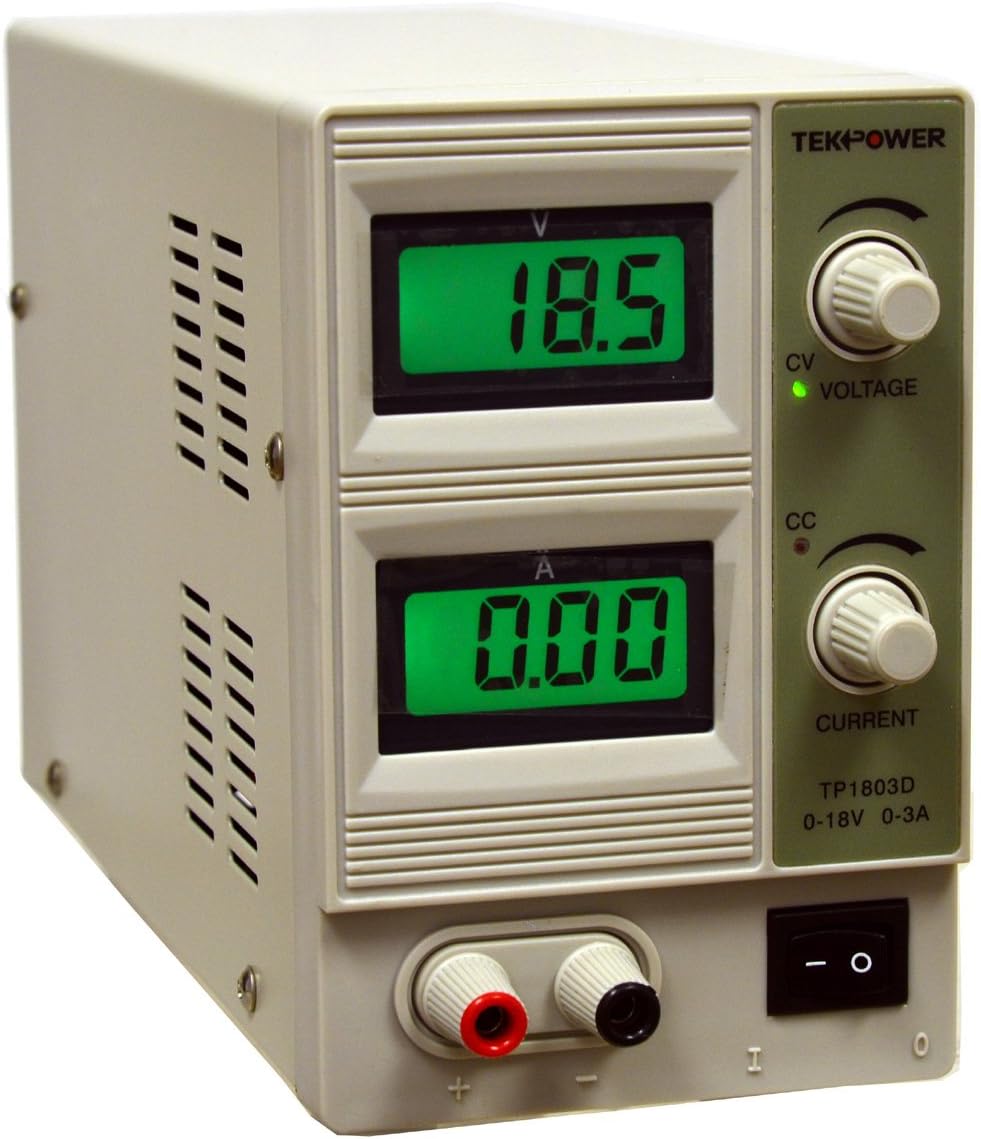
Figura 2: Front panel of the Tekpower TP1803D DC Power Supply, showing digital displays for voltage and current, adjustment knobs, and output terminals.

Figura 3: Rear panel of the Tekpower TP1803D, showing the power input, fuse holder, and cooling fan.
Controls i indicadors del panell frontal:
- Voltage Display (V): Mostra el volum de sortidatage en Volts.
- Current Display (A): Mostra el corrent de sortida a Amperes.
- Voltage Botó d'ajust: S'utilitza per ajustar el volum de sortida desitjattage.
- Botó d'ajust de corrent: Used to set the maximum allowable output current limit.
- CV Indicator (Green LED): Illuminates when the power supply is operating in Constant Voltagmode e.
- CC Indicator (Red LED): Illuminates when the power supply is operating in Constant Current mode.
- Interruptor d'alimentació: Encén o apaga la unitat.
- Terminals de sortida: Red (+) and Black (-) terminals for connecting test leads.
Característiques del panell posterior:
- Entrada d'alimentació de CA: Connector per al cable d'alimentació de CA.
- Portafusibles: Conté el fusible de protecció.
- Ventilador de refrigeració: Automatically activates to dissipate heat when the internal temperature reaches approximately 50°C.
Instruccions de configuració
- Desembalatge: Carefully remove the power supply and all accessories from the packaging. Verify that all components are present:
- Tekpower TP1803D Power Supply
- Cable d'alimentació CA
- Test Leads with Alligator Clips
- Manual d'usuari (aquest document)
- Col·locació: Place the power supply on a stable, level surface with adequate ventilation. Ensure that the air vents on the sides and rear of the unit are not obstructed.
- Connexió d'alimentació:
- Ensure the power switch on the front panel is in the OFF (O) position.
- Connect the supplied AC power cord to the power input socket on the rear panel of the power supply.
- Plug the other end of the AC power cord into a standard 110V/AC, 60Hz grounded electrical outlet.
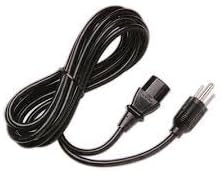
Figura 4: Included AC Power Cord.
- Connexió del cable de sortida:
- Connect the test leads with alligator clips to the output terminals on the front panel. The red lead connects to the red (+) terminal, and the black lead connects to the black (-) terminal.
- Ensure connections are secure before powering on the unit.
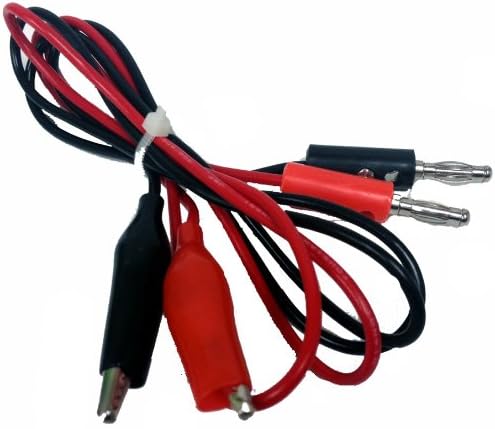
Figura 5: Test Leads with Alligator Clips for output connection.
Instruccions de funcionament
- Encès: Flip the power switch on the front panel to the ON (I) position. The digital displays will illuminate, showing the current voltage i la configuració actual.
- Configuració Voltage:
- Gireu el Voltage Perilla d'ajust to set the desired output voltage. El voltagLa pantalla mostrarà el valor configurat.
- Nota: El voltage control knob is a single-turn potentiometer. Adjust carefully for precise values.
- Setting Current Limit:
- Gireu el Botó d'ajust actual to set the maximum allowable output current. This acts as a current limit to protect your circuit.
- To set the current limit accurately without a load, you can temporarily short the output terminals (briefly, and with caution) and adjust the current knob until the desired current is displayed. The CC (Constant Current) indicator will light up. Then remove the short.
- Alternatively, connect a known load and adjust the current knob until the desired current is reached.
- Connecting a Load:
- With the power supply OFF, connect your device or circuit to the output terminals using the test leads. Ensure correct polarity (red to positive, black to negative).
- Once connected, turn the power supply ON.
- Vol. Constanttage (CV) and Constant Current (CC) Modes:
- The power supply automatically operates in either Constant Voltage (CV) or Constant Current (CC) mode, depending on the load and your settings.
- If the load resistance is high, the unit will maintain the set voltage, and the current drawn will be less than the set current limit. The CV indicator (green) s’encendrà.
- If the load resistance is low, causing the current to reach the set current limit, the unit will switch to Constant Current mode. The voltage will drop to maintain the set current, and the CC indicator (red) s’encendrà.
- Apagar: When finished, turn the power switch to the OFF (O) position before disconnecting your load.
Manteniment
- Neteja: Desconnecteu l'alimentació de la presa de corrent abans de netejar-lo. Feu servir un drap suau i sec per netejar l'exterior. No utilitzeu productes de neteja abrasius ni dissolvents.
- Ventilació: Regularly check that the ventilation openings on the unit are free from dust and debris to ensure proper airflow and prevent overheating.
- Substitució de fusibles: If the unit does not power on, check the fuse located on the rear panel. Replace it only with a fuse of the same type and rating (2A).
- Emmagatzematge: Quan no la feu servir durant períodes prolongats, guardeu la font d'alimentació en un lloc fresc i sec, allunyat de la llum solar directa i de temperatures extremes.
Resolució de problemes
| Problema | Causa possible | Solució |
|---|---|---|
| No hi ha alimentació/la unitat no s'encén |
|
|
| Sense sortida voltage/actual |
|
|
| La unitat es sobreescalfa |
|
|
Especificacions
| Sortida DC Voltage | 0.0 - 18.0V |
| Corrent DC de sortida | 0.00 - 3.00 A |
| Entrada Voltage | 110V/AC, 60Hz |
| Voltage Regulation (CV) | <0.01% + 3mV |
| Current Regulation (CC) | <0.2% + 6 mA |
| Load Regulation (CV) | <0.01% + 3mV |
| Load Regulation (CC) | <0.02% + 3mA |
| Ripple and Noises (CV) | <1 mV rms |
| Ripple and Noises (CC) | <3 mA rms |
| Protecció | High current limiting |
| Temperatura de funcionament | 0 - 40 °C (32 - 104 °F) |
| Humitat relativa | <80% |
| Precisió LCD | +/- 2.5% |
| Dimensions (L x A x A) | 9.45 x 3.74 x 5.91 polzades (aprox. 24 x 9.5 x 15 cm) |
| Pes | Aprox. 6.6 kg (3 lliures) |
Garantia i Suport
Tekpower provides a 90-day warranty for the TP1803D power supply. For technical support, warranty claims, or service inquiries, please contact Tekpower customer service. Please refer to your purchase documentation for specific contact details or visit the official Tekpower weblloc.
Nota: Unauthorized opening or modification of the unit will void the warranty.