
1. Producte acabatview
The ROCCAT KAVE XTD 5.1 Digital is a premium gaming headset designed to deliver an immersive audio experience with true 5.1 surround sound. It features a robust build, comfortable earcups, a noise-cancelling microphone, and an external USB remote with an integrated sound card for versatile control and connectivity. This headset is engineered for high-fidelity audio and clear communication during gaming sessions.
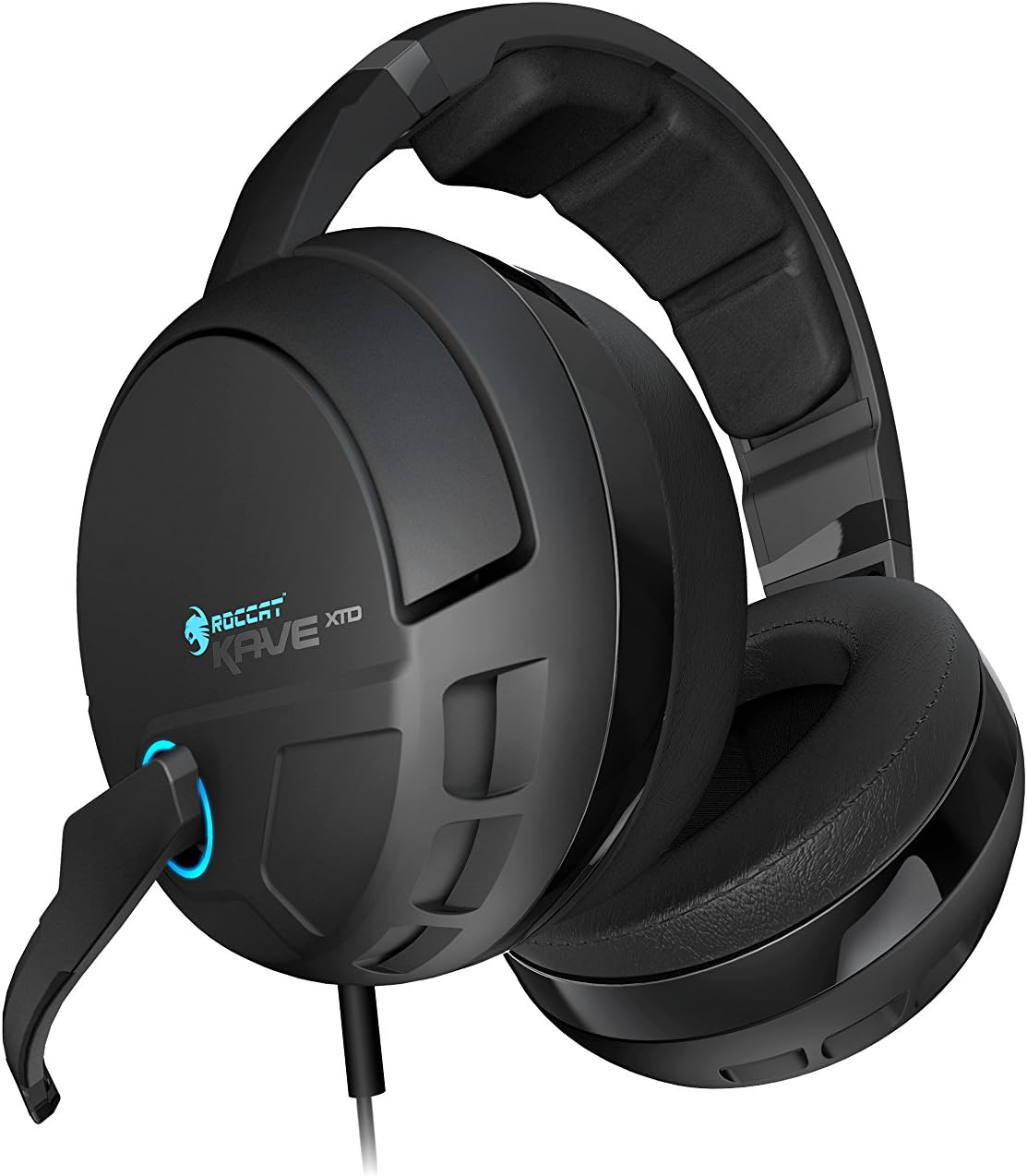
Figura 1: Frontal view of the ROCCAT KAVE XTD 5.1 Digital Headset, highlighting the earcups and the blue LED accent on the microphone connection.
2. Característiques
- So envoltant 5.1 autèntic: Equipped with three high-quality drivers per earcup, designed to match the natural form of your ears for precise positional audio.
- Micròfon extraïble: Features noise-cancelling technology and a mute-LED indicator, ensuring clear voice transmission and privacy control.
- USB Connection with External Sound Card: Includes an external multichannel sound card integrated into the remote, offering volume control and a convenient speaker/headset selector.
- Disseny robust: Built for durability with a 3.5-meter tangle-free cable and an ergonomic headband cushion for extended comfort.
- Compatibilitat versàtil: Compatible with Windows PC, Laptops, Desktops, and Smartphones via Bluetooth SMART LINK for mobile calls during gaming.
3. Contingut del paquet
Verifiqueu que tots els elements siguin presents al paquet:
- ROCCAT KAVE XTD 5.1 Digital Headset
- Micròfon desmuntable
- External USB Remote & Sound Card (integrated into cable)
- Guia d'instal·lació ràpida (si s'inclou)
4. Configuració
4.1 Connexió de maquinari
- Connecteu els auriculars: Plug the USB connector of the ROCCAT KAVE XTD 5.1 Digital Headset into an available USB port on your PC or laptop.
- Connecteu el micròfon: Insert the detachable microphone into the designated port on the left earcup until it clicks securely into place.

Figura 2: lateral view of the headset showing the attached, flexible microphone arm.
4.2 Instal·lació del programari
For optimal performance and access to all features, it is highly recommended to install the latest drivers and software from the official ROCCAT weblloc.
- Descarrega els controladors: Visit the official ROCCAT support website and navigate to the product page for the KAVE XTD 5.1 Digital. Download the latest available drivers and software for your operating system.
- Instal·lar programari: Run the downloaded installer and follow the on-screen instructions. A system restart may be required after installation.
4.3 Initial Configuration (Windows)
After driver installation, ensure your headset is set as the default audio device:
- Feu clic amb el botó dret a la icona de l'altaveu de la safata del sistema.
- Select "Sound settings" or "Playback devices."
- Locate "ROCCAT KAVE XTD 5.1 Digital" and set it as the default playback and recording device.
- Within the ROCCAT software, ensure 5.1 surround sound is enabled and adjust settings as desired (refer to Section 5.4).
5. Instruccions de funcionament
5.1 Audio Control Unit (Remote)
The inline remote provides comprehensive control over your audio experience:
- Control de volum mestre: Rotate to adjust overall volume. Press to mute/unmute audio.
- Botó de canal: Allows individual adjustment of front, rear, center, and subwoofer channels for precise 5.1 balancing.
- Movie Mode Button: Optimizes audio for movie playback, enhancing vocal clarity.
- Botó d'altaveu: Toggles audio output between the headset and connected external speakers (if configured via the remote's output jacks).
- Botó de silenci del micròfon: Mutes/unmutes the microphone. An LED on the remote and the microphone tip indicates the mute status.
- Botó Bluetooth: Initiates Bluetooth pairing for smartphone connectivity (see Section 5.3).
5.2 Ús del micròfon
The detachable microphone features noise-cancelling technology for clear communication.
- Posicionament: Adjust the flexible microphone arm so the microphone is positioned near your mouth for optimal voice pickup.
- Indicador de silenci: A blue LED on the microphone tip illuminates when the microphone is muted, providing a visual cue of its status.
5.3 Bluetooth SMART LINK Connectivity
The headset can connect to your smartphone via Bluetooth for taking calls without interrupting your gaming session.
- Activa el Bluetooth: Assegureu-vos que el Bluetooth estigui habilitat al vostre telèfon intel·ligent.
- Mode de sincronització: Press and hold the Bluetooth button on the headset's control unit until the indicator light flashes, indicating pairing mode.
- Connectar: On your smartphone, search for available Bluetooth devices and select "ROCCAT KAVE XTD" (or similar). Confirm pairing if prompted.
- Contestar trucades: When a call comes in, press the Bluetooth button on the control unit to answer. The headset will automatically mute game audio during the call. Press again to end the call.
5.4 Software Settings and Customization
The ROCCAT software provides extensive options for customizing your audio experience. Launch the ROCCAT Swarm software (or equivalent driver software) from your desktop or system tray.
- Main Control: Adjust master volume, individual channel volumes (front, rear, center/subwoofer, Bluetooth), and switch between 5.1 surround and stereo modes. The "Mix Stereo to 5.1 channels" option can enhance stereo content by utilizing all speakers.
- Control avançat:
- Baix dinàmic: Enable and adjust "Virtual Bass level" and "Virtual Bass Threshold" to enhance bass response and activate vibration feedback.
- Brilliant Audio: Improves the quality of compressed music and enhances mid-to-high frequencies.
- Incoming Voice Clarity: Optimizes the reception of vocal streams.
- Equalitzador: Activate the equalizer to fine-tune audio frequencies. Use preset profiles or create custom ones to match your preferences for gaming, music, or movies.
- Configuració del micròfon: Adjust microphone volume, sampling rate, and apply effects like Xear Magic Voice.
- Profiles: Create and save multiple audio profiles per a diferents aplicacions o jocs.
6. Manteniment
- Neteja: Use a soft, dry cloth to clean the headset and control unit. Avoid abrasive cleaners or solvents.
- Emmagatzematge: Guardeu els auriculars en un lloc fresc i sec, allunyat de la llum solar directa i de temperatures extremes. Eviteu enredar el cable.
- Cura del micròfon: When not in use, you may detach the microphone or position it upwards to prevent damage.
7. Solució De Problemes
| Problema | Possible solució |
|---|---|
| No hi ha so dels auriculars. |
|
| El micròfon no funciona. |
|
| Sound quality is poor or flat. |
|
| Problemes de connexió Bluetooth. |
|
8. Especificacions
| Característica | Detall |
|---|---|
| Nom del model | ROC-14-160 |
| Tecnologia de connectivitat | Amb cable (USB) |
| Comunicació sense fils | Bluetooth (for smartphone calls) |
| Tipus de controlador d'àudio | Conductor dinàmic |
| Mida del controlador d'àudio | 50 mil·límetres |
| Forma de l'auricular | Sobre l'orella |
| Característica del cable | Tangle Free (3.5 meters) |
| Tipus de control | Volume Control, Microphone Mute, Channel Control, Speaker/Headset Toggle |
| Dispositius compatibles | Laptops, Desktops, Smartphones, Music Production Equipment |
| Pes de l'article | 0.86 lliures (aprox. 390 g) |
| Dimensions del producte (LxWxH) | 13.4 x 5.3 x 10 polzades |
9. Informació de la garantia
ROCCAT products typically come with a manufacturer's warranty. For detailed information regarding the warranty period, coverage, and terms and conditions for your ROCCAT KAVE XTD 5.1 Digital Headset, please refer to the warranty card included with your product or visit the official ROCCAT websecció d'assistència del lloc web. Conserveu el comprovant de compra per a reclamacions de garantia.
10. Suport
For further assistance, technical support, or to access additional resources such as FAQs and updated drivers, please visit the official ROCCAT support weblloc:
You may also refer to the official user guides available online: