
1. Introducció
This manual provides essential instructions for the safe and efficient operation, maintenance, and troubleshooting of your FORMAX FD 8402SC OnSite Office Strip-Cut Shredder. Please read this manual thoroughly before using the shredder and retain it for future reference.

Davant view of the FORMAX FD 8402SC OnSite Office Strip-Cut Shredder, showing its white all-metal cabinet, feed opening, and control panel.
2. Informació important de seguretat
To reduce the risk of injury or damage, always follow these basic safety precautions:
- Llegeix totes les instruccions: Familiarize yourself with the shredder's features and operation before use.
- Mantingueu les mans i els dits allunyats: Never place hands, fingers, or any body parts near the shredder's feed opening.
- Keep loose clothing and jewelry away: Ensure ties, necklaces, long hair, and loose clothing do not come into contact with the feed opening.
- Mantingueu allunyats els nens i les mascotes: This shredder is not a toy. Keep children and pets at a safe distance from the machine.
- Unplug before maintenance: Always unplug the shredder from the power outlet before cleaning, moving, or performing any maintenance.
- Do not shred metal objects: Avoid shredding staples, paper clips, or other metal objects that are not explicitly stated as shreddable by the manufacturer.
- Use in a well-ventilated area: Ensure adequate airflow around the shredder to prevent overheating.
- No sobrecarregueu: Adhere to the specified sheet capacity to prevent jams and motor strain.
- Posicionar correctament: Place the shredder on a stable, level surface. Ensure the power cord is not pinched or damaged.
3. Contingut del paquet
Verifiqueu que tots els elements estiguin presents a l'embalatge:
- FORMAX FD 8402SC Shredder Unit
- Cable d'alimentació
- Manual d'usuari (aquest document)
- Paperera
4. Configuració
- Desembalatge: Traieu amb cura la trituradora del seu embalatge. Conserveu els materials d'embalatge per a futurs transports o emmagatzematge.
- Col·locació: Position the shredder on a firm, level surface. Ensure there is sufficient space around the unit for ventilation and easy access to the waste bin. The shredder is equipped with casters for easy movement.
- Instal·lació de contenidors d'escombraries: Ensure the waste bin is correctly seated within the shredder cabinet. The shredder will not operate if the bin is not properly installed.
- Connexió d'alimentació: Plug the power cord into the shredder's power inlet, then plug the other end into a standard grounded electrical outlet.
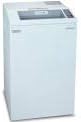
lateral view of the FORMAX FD 8402SC OnSite Office Strip-Cut Shredder, highlighting its compact design and casters for mobility.
5. Instruccions de funcionament
- Encès: Locate the main power switch, typically on the back or side of the unit, and switch it to the 'ON' position.
- Seleccioneu el mode: Use the control panel to select the desired operating mode (e.g., Auto, Reverse, Off). For normal operation, select 'Auto'. The shredder will enter standby mode.
- Feeding Documents: Insert paper into the feed opening. The shredder's automatic start/stop feature will detect the paper and begin shredding. Feed documents straight into the opening.
- Capacitat: Do not exceed the maximum sheet capacity of 30-32 sheets (70gsm paper) at a time. Overloading can cause jams and damage the motor.
- Funcionament continu: The FD 8402SC is designed for continuous operation. However, if the motor becomes too hot, the thermal overload protection will activate, and the shredder will temporarily shut down. Allow it to cool down before resuming operation.
- Apagar: When finished shredding, switch the main power switch to the 'OFF' position and unplug the unit from the power outlet.
6. Manteniment
Un manteniment regular garanteix un rendiment òptim i allarga la vida útil de la trituradora.
- Buidatge de la paperera: Regularly check and empty the 28-gallon waste bin to prevent paper jams and ensure continuous operation. Always switch off and unplug the shredder before removing the bin.
- Cleaning the Cutters: Periodically clean the shredder cutters. With the shredder unplugged, carefully remove any paper dust or debris from the feed opening using a soft brush or cloth.
- Oiling (Optional): While strip-cut shredders generally require less oiling than cross-cut models, occasional oiling can help maintain cutter performance. Use shredder-specific oil and follow the instructions provided with the oil.
- Neteja exterior: Netegeu l'exterior de la trituradora amb un drap suau iamp tela. No utilitzeu netejadors abrasius ni dissolvents.
7. Solució De Problemes
| Problema | Causa possible | Solució |
|---|---|---|
| La trituradora no s'encén. | No power, waste bin not properly seated, thermal overload activated. | Check power cord connection. Ensure waste bin is fully inserted. Allow shredder to cool down for 20-30 minutes if overheated. |
| Emballament de paper. | Overloading, crumpled paper, foreign object. | Switch to 'Reverse' mode to clear the jam. If unsuccessful, unplug the shredder and carefully remove paper manually. Do not force. |
| La trituradora funciona contínuament. | Sensor obstruït. | Unplug the shredder and clean the paper sensor located in the feed opening. |
| Soroll inusual durant el funcionament. | Cutters need oiling, debris in cutters. | Oil the cutters (if applicable). Unplug and inspect cutters for any lodged debris. |
8. Especificacions
| Característica | Detall |
|---|---|
| Número de model | FD 8402SC |
| Tipus de tall | Tall de tira |
| Mida de trituració | 1/4 inch (approximate, based on product title) |
| Capacitat del full | 30 to 32 sheets (70gsm) |
| Obertura d'alimentació | 12.2 polzades |
| Capacitat del contenidor | 28 galons |
| Dimensions del producte | 24 x 30 x 43 polzades (L x A x A) |
| Pes de l'article | 206 lliures |
| Característiques especials | Automatic Start Stop, Casters, Energy Saving, Thermal Overload Protection |
| Usos recomanats | Shredding Paper, Shredding Staples |
9. Garantia i Suport
For warranty information and technical support, please refer to the warranty card included with your product or contact Formax customer service directly. Keep your purchase receipt as proof of purchase.
Contact information for Formax can typically be found on their official weblloc web o a l'embalatge del producte.