
1. Producte acabatview
The EASYGUARD EC003 system integrates Passive Keyless Entry (PKE), push button start, and remote engine start functionalities to enhance vehicle security and convenience. This system is designed for most DC12V petrol cars.
- Passive Keyless Entry (PKE): Automatically locks/unlocks doors when approaching or walking away from the vehicle with the key fob.
- Push Button Start/Stop: Allows engine ignition and shutdown with a simple button press.
- Remote Engine Start/Stop: Pre-cool or pre-warm your vehicle remotely.
- Remote Trunk Release: Convenient remote access to your vehicle's trunk.
- Car Alarm System: Includes arm/lock, disarm/unlock, mute alarm, panic mode, and anti-hijacking features.
- Central Door Locking Automation: Automatically locks doors when driving and unlocks when the engine is off.
- Emergency Override & Disarm: Provides a method to disarm the system in emergencies.


2. Contingut del paquet
The EC003 system typically includes the following items:
- Control Module (Main Unit)
- Key Fobs / Transmitters (x2)
- Push Start/Stop Button
- PKE Antennas (x2)
- 6-pin Ignition Wire Harness
- 10-pin Main Wire Harness
- Relleu
- Interruptor de restabliment
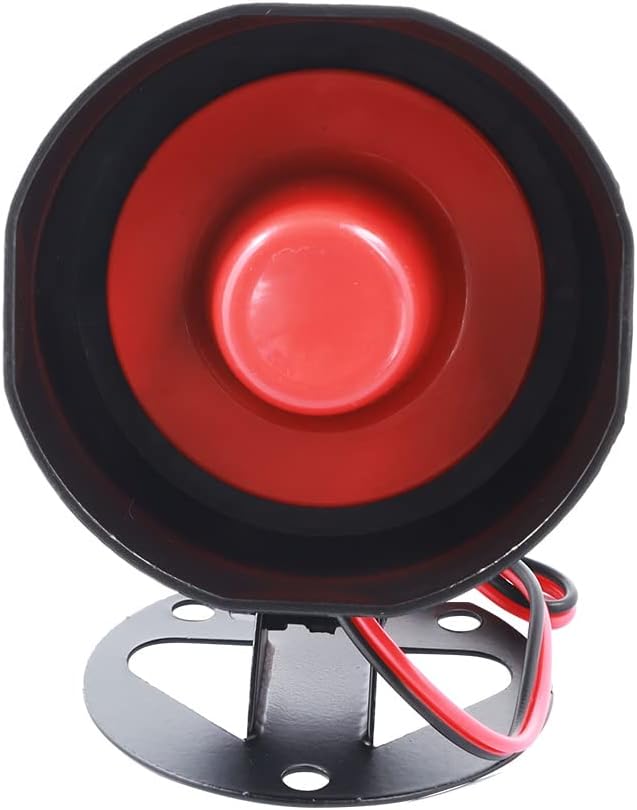
- Sirena
- User Manual & Wiring Diagram


Unboxing and Component Overview
Vídeo 1: Desempaquetatge i més enllàview of components for EC003N-V-1.
Vídeo 2: Desempaquetatge i més enllàview of components for EC003-1.
3. Setup and Installation Guidelines
Notes importants abans de la instal·lació:
- This system is compatible with most DC12V petrol cars, including automatic and manual transmission vehicles.
- Ho és no compatible with cars that have a factory OEM push start button, pneumatic locks, or double unlock pulse signals.
- Installation on luxury cars such as BMW or Mercedes-Benz is not recommended.
- A professional car alarm installer is required for proper installation.
- If your vehicle has a chip immobilizer in its factory OEM key fob, an extra bypass module (e.g., ASIN: B07NSLPBG7 or B00MEHBVIC) is required. This system works with most universal bypass modules but is not compatible with CAN BUS or DATA style bypass modules.
- The steering wheel lock must be unlocked, released, or removed during installation if present in your vehicle.
PKE Antenna Placement
Correct placement of the PKE antennas is critical for the passive keyless entry feature to function accurately. Refer to the wiring diagram and the following video for guidance.
Video 3: Instructions for PKE antenna installation.
4. Instruccions de funcionament
Passive Keyless Entry (PKE)
The PKE feature provides automatic locking and unlocking of your vehicle's doors. When you approach the car within 1-2 meters with the key fob, the doors will automatically unlock. When you walk away from the car in 2-3 meters, the doors will automatically lock.


Remote Engine Start/Stop
To use the remote engine start feature, ensure your vehicle's air conditioning is set to your desired temperature. This allows the system to pre-cool or pre-warm the interior.


Push Start/Stop Button
The system offers two methods for starting the vehicle using the push button:
- Mètode 1: In disarm status, step on the foot brake pedal and short press the push start button once to start the car.
- Mètode 2: In disarm status, keep pressing the start button for 3 seconds while stepping on the foot brake pedal to start the car.
To shut off the car: Once the car is started, step on the foot brake pedal and short press the push start button once to shut off the engine.


Altres Funcions
- Arma/Desarma: Lock and unlock your vehicle using the key fob buttons.
- Remote Trunk Release: Press the designated button on the key fob to open the trunk. An extra trunk release solenoid kit (e.g., ASIN: B00N4RP8VM) may be required.
- Mode de pànic: Activates the alarm to deter threats or locate your vehicle.
- Anti-hijacking: A security feature to prevent vehicle theft during a hijacking attempt.
- Mode valet: Temporarily disables certain alarm functions for service or valet parking.
- Central Door Locking Automation: Doors automatically lock when the vehicle is in motion and unlock when the ignition is turned off.
- Emergency Override & Disarm: A procedure to disarm the system manually in case of key fob loss or malfunction.


PKE and Remote Start Functions
Video 4: Demonstration of PKE and remote start functions.
Video 5: PKE and remote start features for EASYGUARD EC003 series.
5. Manteniment
Canvi de la bateria del porta claus
The key fobs require CR2032 batteries. To replace the battery:
- Press the button and pull to separate the key fob head and body.
- Once apart, use a flat screwdriver to carefully detach the key fob shell, handling with care to avoid breaking the shell.
- Substituïu la bateria antiga per una nova CR2032.

6. Solució De Problemes
If you encounter issues with your EASYGUARD EC003 system, please review the installation and wiring diagrams provided with your product. Common issues and considerations include:
- El motor no arrenca: Ensure all wiring connections are secure and correct according to the diagram. Check if a bypass module is correctly installed for vehicles with chip immobilizers.
- PKE Malfunction: Verify PKE antenna placement and ensure the key fob battery is not low.
- System Incompatibility: Confirm your vehicle does not have a factory push start button, pneumatic lock, or double unlock pulse signal, as these are incompatible.
- Activació aleatòria de l'alarma: Check for proper sensor connections and ensure the key fob is not left inside the vehicle if PKE is active.
For further assistance, please contact EASYGUARD customer support.
7. Especificacions del producte
| Especificació | Valor |
|---|---|
| Pes de l'article | 2.12 lliures |
| Dimensions del paquet | 9.57 x 6.38 x 3.7 polzades |
| Número de model de l'article | EC003 |
| Bateries | Necessites 2 piles CR2 (incloses) |
| Comandament a distància sense fil | Sí |
| Dispositius compatibles | Most DC12V petrol cars, excluding certain incompatible vehicles |
| Maximum Range (PKE) | 3-6 peus |
| Noise Level (Siren) | 30 decibels |
| Data de primera disponibilitat | 13 de febrer de 2014 |
| Fabricant | Easyguard electronics ltd |

8. Suport
For technical support, warranty information, or any questions regarding your EASYGUARD EC003 system, please visit the official EASYGUARD weblloc o poseu-vos en contacte amb el seu departament d'atenció al client.
Oficial Weblloc: ieasyguard.com
When contacting support, please have your product model (EC003) and purchase details available.