
Sharp LC-32LE551U
Sharp LC-32LE551U 32-Inch LED TV Instruction Manual
Model: LC-32LE551U
Introducció
This manual provides essential information for the safe and efficient operation of your Sharp LC-32LE551U 32-Inch 1080p 60Hz LED TV. Please read these instructions thoroughly before using the television and retain them for future reference.
The Sharp AQUOS LC-32LE551U is designed to deliver a high-quality viewing experience with its 1080p Full HD resolution and 60Hz refresh rate. It features an advanced AQUOS panel structure for clear picture, vibrant color, and detailed imagery.
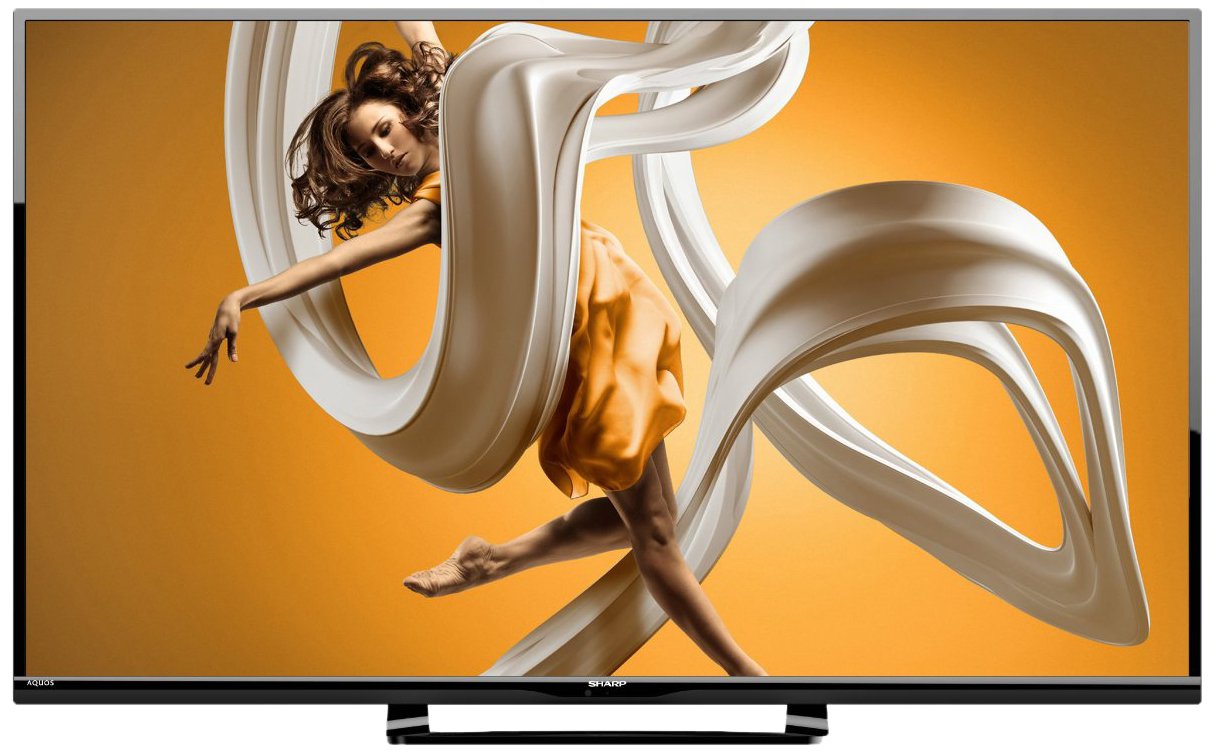
Figura 1: Frontal view of the Sharp LC-32LE551U 32-inch LED TV, showcasing el seu bisell prim i el seu suport.
Què hi ha a la caixa
Verifiqueu que tots els elements siguin presents a l'embalatge abans de continuar amb la configuració.
- Sharp LC-32LE551U 32-Inch LED TV
- Control remot
- TV Stand components (base and neck)
- Cable d'alimentació
- Manual d'usuari (aquest document)
- 2 piles AA (per al comandament a distància)
Configuració
1. Fixació del suport
To attach the stand to your television:
- Col·loqueu amb cura la pantalla del televisor amb la pantalla cap avall sobre una superfície suau i neta per evitar ratllades.
- Alineeu el coll del suport amb els forats de muntatge de la part posterior del televisor.
- Fixeu el coll del suport al televisor amb els cargols proporcionats.
- Attach the stand base to the stand neck, ensuring it is firmly connected.
- Aixequeu amb cura el televisor fins a la seva posició vertical sobre una superfície estable i anivellada.

Figura 2: Pro lateralfile of the Sharp LC-32LE551U, illustrating its slim design suitable for stand placement or wall mounting.
2. Connexió de dispositius externs
The TV features various input ports for connecting external devices such as Blu-ray players, game consoles, and cable/satellite boxes.
- Ports HDMI (x2): For high-definition digital audio and video. Supports HDMI 1.4a with HDCP.
- Port USB (x1): Per connectar dispositius d'emmagatzematge USB per reproduir contingut multimèdia files.
- Component Input (x1): For analog high-definition video (YPbPr) and stereo audio.
- Composite-Video Input (x1): For standard-definition analog video and stereo audio.
- Entrada d'antena/cable: Per connectar una antena o un senyal de televisió per cable.

Figura 3: lateral view of the Sharp LC-32LE551U, highlighting the accessible input ports including HDMI and USB.
3. Encendre el televisor
- Connecteu el cable d'alimentació a l'entrada d'alimentació del televisor i després a una presa de corrent.
- Insert the two AA batteries into the remote control, observing polarity.
- Premeu el botó PODER button on the remote control or on the TV itself.
- Follow the on-screen instructions for initial setup, including language selection and channel scanning.
Funcionament del televisor
1. Funcions de control remot
The remote control allows you to access all TV functions. Familiarize yourself with the button layout:
- POTÈNCIA: Encén o apaga el televisor.
- ENTRADA: Selects the input source (HDMI1, HDMI2, Component, Composite, TV).
- MENÚ: Accesses the main menu for picture, sound, and system settings.
- VOLUM +/-: Ajusta el nivell de volum.
- CHANNEL +/-: Canvia els canals de televisió.
- NAVIGATION BUTTONS (Up/Down/Left/Right/OK): Navega pels menús i confirma les seleccions.
- SORTIDA: Surt del menú actual o de la visualització en pantalla.
2. Selecting an Input Source
Per canviar entre dispositius connectats:
- Premeu el botó ENTRADA botó del comandament a distància.
- Utilitza el Amunt/Avall navigation buttons to highlight the desired input source.
- Premeu el botó OK botó per confirmar la selecció.
3. Ajustar la configuració d'imatge i so
Access the TV's menu to customize your viewexperiència d'escolta i escolta:
- Premeu el botó MENÚ botó del comandament a distància.
- Navega a Imatge or So settings using the navigation buttons.
- Select options such as Brightness, Contrast, Color, Sharpness, Backlight, Sound Mode, Bass, Treble, etc.
- Ajusteu la configuració mitjançant el Esquerra/Dreta botons.
- Premeu Sortida per tancar el menú.
Manteniment
Una cura i un manteniment adequats allargaran la vida útil del vostre televisor.
1. Neteja de la pantalla
- Desendolla sempre el televisor abans de netejar-lo.
- Use a soft, lint-free cloth (e.g., microfiber) to gently wipe the screen.
- Per a marques difícils, esbandiu lleugeramentampNetegeu el drap amb aigua o amb un netejador de pantalles especialitzat. No ruixeu mai líquid directament sobre la pantalla.
- Avoid using abrasive cleaners, solvents, or alcohol-based solutions, as these can damage the screen surface.
2. Neteja de l'armari
- Wipe the TV cabinet and stand with a soft, dry cloth.
- Do not use any liquid cleaners on the cabinet.
3. Atenció general
- Assegureu-vos que hi hagi una ventilació adequada al voltant del televisor per evitar el sobreescalfament.
- Eviteu col·locar el televisor sota la llum solar directa o a prop de fonts de calor.
- Protegiu el televisor de la humitat i la pols.
- When moving the TV, always lift it from the bottom and avoid putting pressure on the screen.
Resolució de problemes
Abans de contactar amb l'atenció al client, consulteu els següents problemes i solucions habituals.
| Problema | Possible causa/solució |
|---|---|
| Sense poder |
|
| No hi ha imatge, però hi ha so |
|
| No hi ha so, però hi ha imatge |
|
| El comandament a distància no funciona |
|
| Mala qualitat d'imatge (borrosa, distorsionada) |
|
Especificacions
Detailed technical specifications for the Sharp LC-32LE551U LED TV.
| Característica | Detall |
|---|---|
| Número de model | LC-32LE551U |
| Mida de la pantalla | 32 polzades |
| Tecnologia de visualització | LED |
| Resolució | 1080p Full HD (1920 x 1080) |
| Freqüència d'actualització | 60 Hz |
| Relació d'aspecte | 16:9 |
| Relació de contrast dinàmica | 4,000,000:1 |
| Temps de resposta | 2 mil·lisegons |
| Ports HDMI | 2 (HDMI 1.4a with HDCP, CEC & ARC) |
| Ports USB | 1 (USB 2.0) |
| Entrada de components | 1 |
| Composite-Video Input | 1 |
| Sortida d'àudio | 20W total speaker power output, Dolby/MTS decoders |
| Tipus de sintonitzador | ATSC |
| Tipus de muntatge | Table Mount (VESA compatible for wall mounting, hardware sold separately) |
| Dimensions del producte (W x H x D) | 28.4 cm x 18.5 cm x 5.5 cm (amb suport) |
| Pes de l'article | 10.36 lliures |
| Consum d'energia | 120 Volts, 20 Watts (Estimated Yearly Energy Cost: $7.4) |
| Certificació energètica | Compatibilitat amb Energy Star 6.0 |
| Components inclosos | Comandament a distància, Suport, TV |


Figure 4: Energy Guide label (left) showing estimated yearly energy cost and a diagram (right) illustrating the dimensions of the Sharp LC-32LE551U TV.
Garantia i Suport
Informació de la garantia
The Sharp LC-32LE551U LED TV comes with a Garantia limitada d'1 any from the date of purchase. This warranty covers manufacturing defects in materials and workmanship under normal use. It does not cover damage caused by misuse, accidents, unauthorized modifications, or external causes.
For full terms and conditions of the warranty, please refer to the warranty card included with your product or visit the official Sharp weblloc.
Atenció al client
If you encounter issues that cannot be resolved using the troubleshooting guide, or if you require further assistance, please contact Sharp customer support.
- Assistència en línia: Visit the official Sharp support weblloc web per a preguntes freqüents, actualitzacions de programari i opcions de contacte.
- Suport telefònic: Refer to your product registration card or the Sharp weblloc web per a números de telèfon d'atenció al client regionals.
- When contacting support, please have your TV's model number (LC-32LE551U) and serial number ready.
Ask a question about this manual
Ask about setup, troubleshooting, compatibility, parts, safety, or missing instructions. Manuals+ will review the question and use this page’s manual context to help answer it.