
Introducció
Thank you for choosing the QUMOX SJ4000 Action Camera. This manual provides essential information to help you set up, operate, and maintain your camera. Please read these instructions carefully before use to ensure optimal performance and longevity of your device.

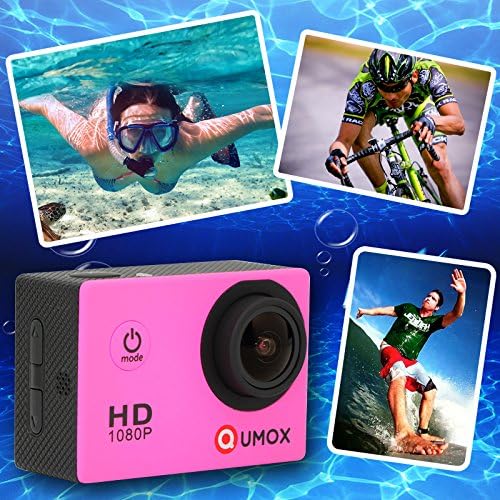
Imatge: Frontal i superior view of the QUMOX SJ4000 Action Camera, showcasing its compact design and main lens.
Contingut del paquet
Verifiqueu que tots els articles que s'enumeren a continuació s'inclouen al vostre paquet. Si falta algun article o està malmès, poseu-vos en contacte amb el vostre distribuïdor.
- QUMOX SJ4000 Action Camera
- Estoig impermeable
- Bateria recarregable d'ions de liti
- Cable USB
- Various Mounts and Adapters (e.g., Bike Handlebar Mount, Tripod Mount Adapter, J-Hook Buckle, Flat Mounts)
- Vented Helmet Strap Mount
- Clip Mounts
- Wiper Cloth
- Waterproof Case Cap (replacement)
- Manual d'usuari (aquest document)
Imatge: Una completa view of the QUMOX SJ4000 Action Camera and its included accessories, such as different mounting options, a USB cable, and a spare waterproof case cap.
Disseny de la càmera
Familiarize yourself with the camera's buttons and ports:
- Lent: 170° A+ HD Wide-Angle Lens.
- Botó d'alimentació / mode: Press to power on/off or switch modes.
- Botó de l'obturador/OK: Press to start/stop recording or take a photo. Also used to confirm menu selections.
- Botons amunt / avall: Used for navigation in menus and zoom control.
- Ranura per a targeta MicroSD: Insert your MicroSD card here.
- Port micro USB: Per a càrrega i transferència de dades.
- Port HDMI: Per connectar a una pantalla externa.
- Altaveu/micròfon: Per a l'enregistrament i la reproducció d'àudio.
- Llums indicadores d'estat: Indicate power, recording, and charging status.
- Pantalla LCD d'1.5 polzades: Per a directes view, reproducció i navegació per menús.

Imatge: Lateral view of the QUMOX SJ4000 Action Camera, highlighting the USB port, HDMI port, and MicroSD card slot for external connections and storage.
Configuració
1. Instal·lació de la bateria
The camera uses a rechargeable Lithium-ion battery.
- Obriu la tapa del compartiment de la bateria que es troba a la part inferior de la càmera.
- Insert the battery according to the polarity indicators (+/-).
- Tanqueu bé la tapa del compartiment de la bateria.

Image: The QUMOX SJ4000 Action Camera displayed alongside its removable rechargeable Lithium-ion battery, illustrating the battery's appearance.
2. Instal·lació de la targeta MicroSD
A MicroSD card (not included) is required to store videos and photos. Use a Class 10 or higher MicroSD card for optimal performance, up to 32GB.
- Localitza la ranura per a targetes MicroSD al lateral de la càmera.
- Insert the MicroSD card with the gold contacts facing the front of the camera until it clicks into place.
- Per treure-la, premeu suaument la targeta fins que surti.
3. Carregant la bateria
Abans d’utilitzar-lo per primera vegada, carregueu completament la bateria.
- Connecteu la càmera a una font d'alimentació USB (per exemple, un ordinador, un adaptador de paret USB) amb el cable USB proporcionat.
- El llum indicador de càrrega s'il·luminarà durant la càrrega i s'apagarà quan estigui completament carregat.
- Charging typically takes approximately 3 hours.
4. Ús de la funda impermeable
The waterproof case allows the camera to be used underwater up to 30 meters. Ensure the case is properly sealed before submerging.
- Place the camera inside the waterproof case.
- Tanqueu el pestell de manera segura.
- Perform a dry test by submerging the empty case in water to check for leaks before inserting the camera.
Instruccions de funcionament
1. Encendre/apagar
- Per encendre: Manteniu premut el botó Potència/Mode botó durant uns segons.
- Per apagar: Manteniu premut el botó Potència/Mode button for a few seconds until the screen turns off.
2. Selecció de mode
After powering on, repeatedly press the Potència/Mode botó per circular pels modes següents:
- Mode d'enregistrament de vídeo: Indicated by a video camera icon.
- Mode de fotografia: Indicated by a camera icon.
- Mode de reproducció: Indicated by a play icon, for reviewing recorded content.
- Mode de configuració: Indicated by a gear icon, for adjusting camera settings.
3. Gravació de vídeo
- Canvia a Mode d'enregistrament de vídeo.
- Premeu el botó Shutter/OK button to start recording. A red indicator light will flash, and a timer will appear on the screen.
- Premeu el botó Shutter/OK button again to stop recording. The indicator light will stop flashing.
4. Fer fotos
- Canvia a Mode de fotografia.
- Enquadra la teva foto amb la pantalla LCD.
- Premeu el botó Shutter/OK botó per fer una foto.
5. Navegació i configuració del menú
In Mode de configuració, utilitza el Amunt/Avall botons per navegar per les opcions i el Shutter/OK botó per seleccionar.
- Resolució de vídeo: Select from 1080p, 720p, etc.
- Resolució fotogràfica: Choose 12M, 8M, 5M.
- Enregistrament en bucle: Set video segments to 3, 5, or 10 minutes.
- Lapse de temps: Configure automatic image capture intervals (e.g., 5, 10, 20 seconds).
- HDR (alt rang dinàmic): Improves image clarity in varying light conditions.
- Idioma: Select your preferred language (German, English, French, Spanish, Italian, Portuguese, Traditional Chinese, Simplified Chinese, Japanese, Russian).
- Data/Hora: Estableix la data i l'hora correctes.
- Estabilització d'imatge digital: Enable or disable for smoother footage.
- Exposició: Ajustar els nivells de brillantor.
- Balanç de blancs: Ajusteu la temperatura del color.
6. Connexió a un ordinador
Per transferir files, connect the camera to your computer using the USB cable. The camera will appear as a removable disk, allowing you to access your videos and photos.
Manteniment
- Neteja: Use a soft, dry cloth to clean the camera body. For the lens, use a specialized lens cleaning cloth. Do not use harsh chemicals.
- Estoig impermeable: After use in saltwater, rinse the waterproof case with fresh water and dry thoroughly to prevent corrosion.
- Emmagatzematge: Guardeu la càmera en un lloc fresc i sec, allunyat de la llum solar directa i de temperatures extremes. Traieu la bateria si la guardeu durant períodes prolongats.
Resolució de problemes
| Problema | Possible solució |
|---|---|
| La càmera no s'encén. | Assegureu-vos que la bateria estigui completament carregada i inserida correctament. |
| No es pot gravar vídeo ni fer fotos. | Check if a MicroSD card is inserted and has sufficient free space. Ensure the card is Class 10 or higher. Format the card if necessary (this will erase all data). |
| Mala qualitat de vídeo/fotos. | Ensure the lens is clean. Check selected resolution settings. Ensure adequate lighting. |
| La càmera es bloqueja o deixa de respondre. | Traieu i torneu a inserir la bateria per reiniciar la càmera. |
| Water leakage in waterproof case. | Ensure the case is properly closed and the rubber seal is clean and free from debris. Do not use if the seal is damaged. |
Especificacions
| Característica | Detall |
|---|---|
| Nom del model | SJ4000 (Z012U) |
| La tecnologia de sensors | CMOS |
| Resolució de gravació de vídeo | 1080p Full HD |
| Effective Photo Resolution | 12 Megapixels (also 8M, 5M options) |
| Lent | 170° A+ HD Wide-Angle Lens |
| Mida de la pantalla | 1.5 polzades |
| Connectivitat | USB |
| Zoom òptic | 4x |
| Nivell de resistència a l'aigua | Waterproof (with included case) |
| Estabilització d'imatge | Estabilització digital de la imatge |
| Pes | 58 grams |
| Bateria | 1 bateria de liti-ió (inclosa) |
| Format de vídeo | H.264 |
| Modes de tir | Single Shot, Self-timer, Burst, Sport |
| Idiomes admesos | German, English, French, Spanish, Italian, Portuguese, Traditional Chinese, Simplified Chinese, Japanese, Russian |
Informació de seguretat
- No exposeu la càmera a temperatures extremes ni a la llum solar directa durant períodes prolongats.
- Mantingueu la càmera i els accessoris fora de l'abast dels nens.
- Use only original or certified replacement batteries and chargers.
- Do not attempt to disassemble or modify the camera, as this will void the warranty and may cause damage.
- Elimineu les piles i els components electrònics de manera responsable d'acord amb la normativa local.
Garantia i Suport
For information regarding warranty coverage and customer support, please refer to the documentation included with your product packaging or contact your point of purchase. QUMOX strives to provide reliable products and support.