
1. Introducció
The Genelec 8040B Bi-Amplified Monitor System is designed for professional audio monitoring applications. This compact system delivers a wide frequency response, extending down to 41 Hz, and high sound pressure levels (SPL), making it suitable for various studio environments where space may be limited. The 8040B incorporates Intelligent Signal Sensing (ISS) power management for energy efficiency and features a Minimum Diffraction Enclosure (MDE) for accurate sound reproduction.
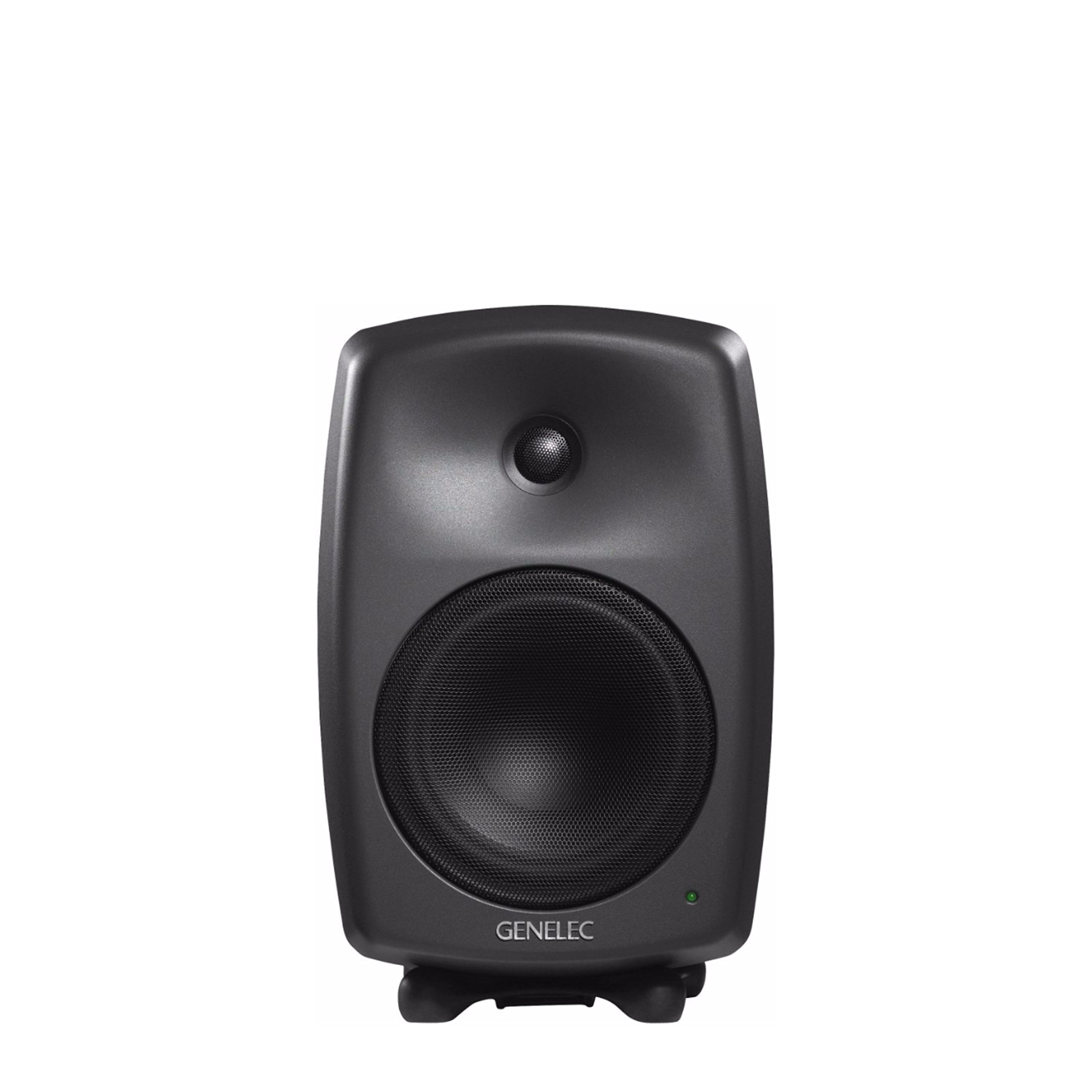
Figura 1: Frontal view of the Genelec 8040B Bi-Amplified Monitor System. This image shows the speaker's front grille, tweeter, and woofer, along with the Genelec logo and a power indicator light.
Característiques principals:
- Minimum Diffraction Enclosure (MDE): Features rounded edges and gently curved front and sides to achieve a smooth frequency response and superb imaging qualities by minimizing cabinet edge diffraction.
- High Output with Low Distortion: Equipped with 6.5-inch bass speakers and 3/4-inch metal dome tweeters, driven by dedicated 90-watt bass and treble amplifiers for clear audio reproduction.
- Intelligent Signal Sensing (ISS) Power Management: Automatically switches the monitor to a low-power standby state when no audio signal is detected for a period, conserving energy.
- High Performance Reflex Port: An ingeniously designed flow-optimized reflex port increases the woofer's low-frequency extension and SPL capacity, allowing for deep bass reproduction without compression.
- Muntatge versàtil: Includes integrated rear support points for wall and floor stands, plus an M10 thread on the cabinet base for various mounting options. The monitor also comes with a standard IsoPod stand.
2. Configuració
2.1 Desembalatge i col·locació
Carefully remove the monitor from its packaging. Place the monitor on a stable surface using the included IsoPod stand, or mount it using compatible wall or floor stands. Ensure adequate space around the monitor for proper ventilation and acoustic performance.
2.2 Connexions
The Genelec 8040B uses wired connectivity for audio input and a corded electric power source.
- Connexió d'alimentació: Connect the power cable to the mains input on the rear panel of the monitor and then to a suitable power outlet.
- Entrada d'àudio: Connect your audio source (e.g., audio interface, mixer) to the audio input connector on the rear panel. The monitor supports stereo audio output.

Figura 2: posterior view of the Genelec 8040B showing input connections and acoustic calibration controls. This includes the mains input, audio input, and switches for Bass Tilt, Treble Tilt, and Bass Roll-Off.
2.3 Acoustic Calibration
The rear panel features controls for acoustic calibration, allowing you to adjust the monitor's frequency response to suit your room's acoustics. These controls include:
- Bass Tilt: Ajusta la resposta de baixa freqüència.
- Inclinació aguda: Ajusta la resposta d'alta freqüència.
- Bass Roll-Off: Reduces bass output, useful when using a subwoofer or in rooms with excessive bass resonance.
Refer to the markings on the rear panel (Figure 2) for specific switch positions and their corresponding frequency adjustments. Proper calibration is essential for accurate monitoring.
3. Instruccions de funcionament
3.1 Encès/Apagat
Once connected, switch the power to the ON position using the switch located on the rear panel. The power indicator light on the front of the monitor will illuminate.
3.2 Intelligent Signal Sensing (ISS)
The 8040B features ISS technology. If no audio signal is detected for a certain period, the monitor will automatically enter a low-power standby mode. It will automatically power back on when an audio signal is detected. This feature helps conserve energy.
3.3 Control de volum
Volume control is typically managed by your audio source (e.g., mixer, audio interface). Ensure the input signal level is appropriate to avoid distortion.
3.4 dispositius compatibles
The Genelec 8040B is compatible with various audio sources, including desktop computers, laptops, MP3 players, televisions, and projectors, making it suitable for home studio recording and general audio playback.
4. Manteniment
4.1 Neteja
To clean the monitor, ensure it is powered off and disconnected from the mains. Use a soft, dry cloth to wipe the aluminum enclosure. Avoid using abrasive cleaners, solvents, or excessive moisture, as these can damage the finish or internal components.
4.2 Atenció general
Protect the monitor from extreme temperatures, humidity, and direct sunlight. Avoid placing heavy objects on top of the monitor or obstructing its ventilation. The monitor is not waterproof; keep it away from liquids.
5. Solució De Problemes
If you encounter issues with your Genelec 8040B monitor, refer to the following common problems and solutions:
- Sense so:
- Check if the monitor is powered on and the power indicator light is illuminated.
- Verify all audio cables are securely connected to both the monitor and the audio source.
- Ensure the audio source is active and outputting a signal.
- Check the volume levels on your audio source.
- So distorsionat:
- Reduce the input signal level from your audio source.
- Comproveu si hi ha cables d'àudio danyats.
- Ensure the acoustic calibration settings on the rear panel are appropriate for your room.
- El monitor no s'encén:
- Verify the power cable is securely connected to both the monitor and a working power outlet.
- Check the power switch on the rear panel is in the 'ON' position.
- If using ISS, ensure an audio signal is present to wake the monitor from standby.
For further assistance, contact Genelec customer support or visit their official weblloc.
6. Especificacions
| Característica | Detall |
|---|---|
| Marca | Genelec |
| Nom del model | 8040B |
| Número de model | 8040 BPM |
| Tipus d'altaveu | Monitor |
| Potència de sortida màxima dels altaveus | 90 watts |
| Resposta de freqüència | 41 Hz - 25 kHz |
| Tecnologia de connectivitat | Amb cable |
| Mode de sortida d'àudio | estèreo |
| Tipus de muntatge | De peu, muntatge a la paret |
| Material de tancament | Alumini |
| Diàmetre del woofer | 6.5 polzades |
| Diàmetre del Tweeter | 1 polzades |
| Dimensions de l'article (D x W x H) | 8.78 "P x 9.33" W x 14.37" H |
| Pes de l'article | 8600 grams |
| Font d'alimentació | Elèctric amb cable |
| Mètode de control | Touch (via rear panel switches) |
| Usos específics per al producte | Home studio recording |
| Mitjans integrats | Iso-Pod, integrated rear support points for floor and wall stands |
| UPC | 064381280086 |
7. Informació de la garantia
The Genelec 8040B Bi-Amplified Monitor System comes with a Garantia limitada. For detailed information regarding the terms, conditions, and duration of your warranty, please refer to the official Genelec weblloc web o la targeta de garantia inclosa amb el producte. Conserveu el comprovant de compra per a reclamacions de garantia.
8. Suport i contacte
For technical support, service, or additional information about your Genelec 8040B monitor, please visit the official Genelec weblloc:
You may also find FAQs and user forums on their website which can provide solutions to common issues.